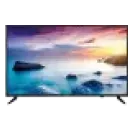
Choosing the perfect TV for your PS5 or PS5 Pro can significantly elevate your gaming experience. With advanced gaming consoles offering features like 4K resolution, HDR, and 120Hz refresh rates, the TV you select must complement these capabilities. A well-suited TV ensures smoother visuals, reduced input lag, and optimal graphics performance. Moreover, investing in a new TV model means you are equipped with the latest technology to fully immerse yourself in the next-gen gaming experience.
Key features to look for in a TV for PS5/PS5 Pro
- 4K resolution: Look for TVs with 4K resolution to unlock the full potential of your PS5's graphics. It enhances sharpness, making every detail more vivid and lifelike.
- High refresh rate: A 120Hz refresh rate ensures fluid motion, essential for action-packed gaming moments.
- Low input lag: Gaming requires quick reflexes, and a TV with low input lag offers a faster response time, ensuring you stay ahead in competitive gameplay.
- HDR compatibility: High Dynamic Range (HDR) enhances contrast, providing richer colours and improved depth in visuals.
- Affordable options: Consider TVs with competitive pricing. Explore TV price options to find a model that fits your budget without compromising on quality.
- Top brands: Popular choices like Haier TV offer cutting edge features and are designed for seamless gaming performance.
Top TVs for 4K, HDR, and 120Hz gaming on PS5/PS5 Pro
- TCL Smart TVs: A TCL TV combines affordability with high-end specs, offering impressive refresh rates and HDR support for a premium gaming experience.
- Sony Bravia series: Known for their superior picture quality, these TVs deliver unmatched clarity and performance.
- Samsung QLED TVs: With vibrant colours and minimal lag, they make gaming truly immersive.
- LG OLED TVs: Renowned for deep blacks and incredible contrast, OLED technology provides an edge for dark, atmospheric games.
The importance of HDMI 2.1 and variable refresh rate (VRR)
HDMI 2.1 is a game changer for PS5 users, enabling higher frame rates, better resolution, and reduced latency. TVs equipped with HDMI 2.1 offer seamless 4K gaming at 120Hz, ensuring no compromise on visual fluidity. Similarly, Variable Refresh Rate (VRR) eliminates screen tearing by syncing your TV’s refresh rate with the console, delivering stutter-free gameplay. When shopping for a gaming TV, make sure that these features are on your checklist for an optimised experience.
OLED vs LED vs QLED: Which is best for PS5/PS5 Pro
Choosing between OLED, LED, and QLED depends on your gaming preferences and budget. OLED TVs, like those from LG, excel in deep blacks, contrast, and viewing angles, ideal for atmospheric, or story-driven games. LED TVs are budget-friendly and offer decent performance, making them a practical choice for casual gamers.
However, if you want a balance between brightness and colour accuracy, a QLED TV, such as a Samsung LED TV, is a great option. QLED technology provides vivid visuals and better durability, ensuring long-term value for gaming enthusiasts.
Visit the nearest Bajaj Finance partner store and explore the wide range of options available. Select the TV that suits your preferences and convert its cost into Easy EMIs. You can choose to repay it in a convenient tenure of up to 60 months. This financing solution from Bajaj Finance is available on 1 million products.
How to set up your TV for PS5 4K 120Hz gaming
Setting up your TV correctly helps unlock the full gaming performance of the PS5, especially for fast-paced games that support 4K 120Hz gameplay. Proper settings improve motion clarity, reduce input lag, and create a smoother gaming experience for Indian users upgrading to next-generation console gaming.
• Use an HDMI 2.1 port: Connect the PS5 to the TV’s HDMI 2.1 port to enable 4K 120Hz and VRR support
• Enable Game Mode: Turn on Game Mode to reduce input lag and improve controller responsiveness during gameplay
• Activate 120Hz support: Enable high refresh rate settings from the TV and PS5 video output menu
• Turn on VRR and ALLM: Variable Refresh Rate and Auto Low Latency Mode improve motion smoothness and reduce screen tearing
• Adjust HDR settings properly: Calibrate HDR brightness and contrast for better colour accuracy and gaming visuals
• Use certified HDMI cables: The original PS5 HDMI cable supports stable 4K 120Hz gaming performance
Best TV brands for PS5 gaming in India by screen size
Choosing the right TV size depends on room space, viewing distance, and gaming preferences. Several brands in India offer gaming TVs with HDMI 2.1 support, VRR, and low input lag suitable for PS5 gameplay.
| Screen size | Recommended brands and usage |
|---|
| 43-inch to 50-inch | Suitable for compact bedrooms and gaming rooms with models from LG, Samsung, Sony, and Xiaomi |
| 55-inch | Ideal for most Indian living rooms offering balanced viewing distance and immersive gameplay |
| 65-inch | Best for cinematic gaming experience with larger visuals and advanced HDR performance |
| 75-inch and above | Suitable for premium home entertainment setups and spacious gaming environments |
Common mistakes when choosing a TV for PS5 gaming
Many buyers focus only on-screen size or pricing and overlook important gaming features that directly affect PS5 performance. Understanding these common mistakes helps improve long-term gaming experience and avoids compatibility issues.
• Ignoring HDMI 2.1 support: TVs without HDMI 2.1 cannot fully support 4K 120Hz gaming features on PS5
• Choosing low refresh rate panels: Standard 60Hz TVs may not deliver smoother gameplay available in supported PS5 titles
• Overlooking input lag performance: Higher input lag affects responsiveness during competitive and fast-action gaming
• Focusing only on resolution: 4K resolution alone is not enough without VRR, HDR, and gaming optimisation features
• Buying oversized TVs for small rooms: Incorrect screen size selection may reduce viewing comfort and gaming immersion
• Ignoring audio quality: Built-in sound quality can affect cinematic gaming experience during story-driven games
Selecting the right gaming TV helps improve visual quality, responsiveness, and overall console performance for long PS5 gaming sessions in Indian households.
Get electronics and appliances on Easy EMIs with Bajaj Finance
Upgrading your home with the latest electronics and appliances is now easier and more affordable with Bajaj Finance’s flexible financing options. Follow these steps to get started:
- Explore products on Bajaj Mall: Browse a wide range of electronics and appliances from trusted brands. Compare features like energy ratings, storage capacity, performance settings, and design to choose the right product for your home.
- Visit a partner store: Once you shortlist a model, step into any of Bajaj Finance’s 1.5 lakh partner stores across 4,000 cities in India. See the product in person, talk to experts, and make a confident decision.
- Choose the Easy EMI Loan option: At checkout, select the Bajaj Finance Easy EMI Loan. Avail financing of up to Rs. 5 lakh and split the cost into convenient monthly instalments. Some products also come with a zero down payment option.
- Check your loan eligibility online: Plan better by checking your loan eligibility in minutes. Simply enter your mobile number and OTP to know your pre-approved limit.
- Use the EMI Network Card for purchases up to Rs. 3 lakh: Already own the Bajaj Finance EMI Network Card? Use it for instant, paperless checkout and convert your purchases of up to Rs. 3 lakh into Easy EMIs.