







How to Fix a Green TV Screen: Common Causes and Solutions

How to Fix a Green TV Screen: Common Causes and Solutions

Learn why your TV screen might appear green and how to troubleshoot and resolve the issue. If you are looking to buy a new TV, know how to get yours on Easy EMIs with Bajaj Finance.

Get a pre-approved loan offer up to Rs. 5 lakh

Quick approval | Flexible tenure options | Zero approval fees

In summary


A green TV screen can disrupt viewing but is often solvable with the right diagnosis. This guide covers common causes, step-by-step fixes, and long-term prevention tips to keep your display glitch-free.

  • Loose HDMI/AV cables, outdated graphics drivers, internal faults (motherboard/T-Con/panel), and streaming app glitches can all trigger green tints.
  • Damaged or low-quality cables, mismatched resolution/refresh rates, incompatible HDMI versions, and faulty ports often cause input-specific green screens.
  • Reseating or replacing cables, restarting devices, updating firmware, and testing alternate HDMI ports or sources resolve many cases without service.
  • Persistent green tint across all inputs after resets may indicate panel, T-Con, or mainboard issues requiring authorised repair.
  • Use quality HDMI cables, dust ports, avoid overloading connections, and keep firmware updated for long-term stability.

You can also buy a new AC on Easy EMIs at over 1.5 lakh partner stores across 4,000 cities, including Reliance Digital, Croma, and Vijay Sales.

What causes a green screen on my TV?

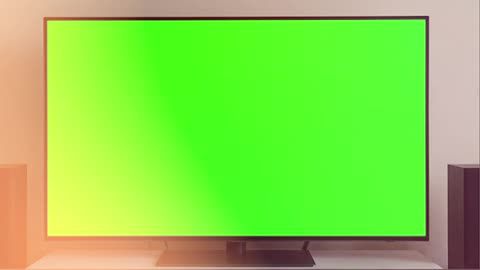
A green screen on your TV can be perplexing, especially when it disrupts your viewing experience. It typically refers to a situation where the TV screen displays a solid green colour instead of the usual visuals. This issue is often related to software glitches, connection problems, or hardware malfunctions. For instance, if you are using a Samsung TV 32 inch, these screens may indicate incorrect signal transmission, making it crucial to identify the root cause for an uninterrupted experience.

If you want to replace your TV, visit any of Bajaj Finance's 1.5 lakh partner stores — like Vijay Sales, Croma, Reliance Digital, and more — across 4,000 cities, including Tier 2 cities like Jaipur, Lucknow, Kochi, Bhopal, and more in India. Choose your preferred model, then use the Bajaj Finance Insta EMI Card or Bajaj Finance Easy EMI Loan to finance it. Convert the cost into Easy EMIs that suit your monthly budget and enjoy zero down payment on select models — take it home without any upfront payment. Check your loan eligibility online in minutes so you know exactly what you can get before you step into the store.

What are some common causes of a green screen on my TV?

A green TV screen can stem from several common causes, ranging from simple connection problems to deeper hardware or software faults.

  • Cable or connection issues: Loose or faulty HDMI cables can lead to poor signal transmission, resulting in a green screen. This issue is common in both smaller models like an LG Smart TV 32 inch and larger screens.
  • Graphics driver errors: Outdated or corrupted drivers in connected devices can interfere with video output, triggering a green screen. This is a frequent problem for users with devices like a 55 inch TV, especially when paired with gaming consoles or laptops.
  • Internal TV faults: Malfunctioning TV components, such as the motherboard or display panel, might also contribute to this issue.
  • Streaming app glitches: Apps like Netflix or YouTube may experience temporary software issues that affect the display.

What are some simple fixes for a green screen on my TV?

Start with these quick, effective steps to rule out common causes and often resolve a green screen without service visits.

  • Check and secure cables: Ensure that all connections are firmly in place, particularly HDMI or AV cables. If you are using an LED TV, replacing old or damaged cables might resolve the issue.
  • Restart your devices: A simple reboot of your TV and connected devices can refresh the system and remove temporary glitches.
  • Update firmware: Access your TV’s settings and look for firmware updates to fix potential software bugs causing the green screen.
  • Test with different inputs: Try switching to another HDMI port or using another device to isolate whether the issue lies with your TV or the connected device.

What HDMI-related steps can I take to fix a green screen on my TV?

If the green tint appears only on certain inputs or after connecting new devices, focus on HDMI cabling, settings, and port health.

  • Inspect HDMI cables: Damaged or low-quality cables often lead to poor signal transfer. Replace them with high-speed cables for better performance.
  • Adjust HDMI settings: On your TV, navigate to the HDMI settings menu and ensure it matches the resolution and refresh rate of the connected device.
  • Use compatible devices: Incompatibility between older HDMI versions and newer devices can cause display issues. Update your devices or ensure compatibility before connecting.
  • Switch HDMI ports: If one port is malfunctioning, using a different port can solve the problem.

Prevention tips to avoid future green screen problems

Preventing green screen issues requires proactive measures to keep your TV setup glitch-free over time.

  • Choose reliable brands: Investing in reliable brands like Sony TV, known for robust technology and advanced features, can significantly reduce such occurrences.
  • Perform regular maintenance: Dusting ports and securing cables is vital to avoid connection-related green screens.
  • Use high-quality HDMI cables: High-quality HDMI cables minimise signal disruptions that can trigger display issues.
  • Keep firmware updated: Manufacturers often release patches to address compatibility issues, so update your TV’s firmware regularly.
  • Avoid overloading connections: Do not connect too many devices at once, as this can sometimes overwhelm the TV’s internal systems.

With these simple practices, you can enjoy uninterrupted entertainment without the worry of a green screen.

Save more with Smart Savings Calculator

Combine the best offers, EMI plans, and exclusive vouchers with Smart Savings Calculator to save big.

20k+ people used their offers at the store

What are my financing options to buy a TV?

Bajaj Finance offers two financing options at over 1.5 lakh partner stores across 4,000 cities in India. Here is how they compare:

OptionLimitKey features
Bajaj Finance Insta EMI CardPre-approved card loan offer up to Rs. 6 lakhZero annual fee; 3 to 60 months tenure; works at 1.5 lakh partner stores; 1 million eligible products
Bajaj Finance Easy EMI LoanLoan limit up to Rs. 5 lakhQuick loan approval; 3 to 60 months tenure; basic KYC documents needed; ideal for higher-value purchases

How to choose? Both options require you to be physically present at a partner store. The Insta EMI Card is ideal for shoppers who want to purchase across multiple categories over time. The Easy EMI Loan suits buyers looking to finance a higher-value purchase in a single transaction.

Also explore the latest offers. You may find a great deal on a model that matches your needs.

How do I buy a TV on EMI at a Bajaj Finance partner store?

The process is simple and typically takes 10 to 15 minutes once you are at the store.

  1. Browse models on Bajaj Mall: Compare options on Bajaj Mall before visiting a store.
  2. Find a partner store near you: Use the Bajaj Finance store locator to find a nearby partner outlet such as Croma, Vijay Sales, or other authorised retailers.
  3. Check the washing machine in person: Check the key features, specifications, size, and performance to choose the product that best suits your needs and budget.
  4. Choose a suitable EMI option: At checkout, ask the store executive about the Bajaj Finance Insta EMI Card or Easy EMI Loan. Confirm available tenure options and whether your chosen model comes with a zero down payment offer.
  5. Complete payment and schedule installation: The in-store process is quick, and most partner stores offer installation as part of the purchase.

You can also check your loan eligibility online in advance by entering your mobile number and OTP, helping you plan your purchase better before visiting the store.

Why use the Smart Savings Calculator?

Bajaj Finance’s Smart Savings Calculator helps you unlock maximum savings every time you shop at partner stores. It brings together all available brand, dealer, and scheme offers—so you can see your total savings instantly and shop smarter with Easy EMIs.

  1. Dealer offers - Grab exclusive in-store deals at over 1.5 lakh partner stores across India. Enjoy local discounts and special prices you will not find online.
  2. Brand offers - Access limited-time discounts from top brands across electronics, appliances, and more. Discover brand-specific savings selected just for you.
  3. Bajaj offers - Unlock exclusive Bajaj Finance deals on popular products—available only to our customers. More rewards, more value.­
  4. Scheme offers - Take advantage of time-sensitive offers on select EMI schemes. Get extra benefits after paying just 3 EMIs—visible during EMI selection at checkout.

Calculate your extra savings today!

Frequently asked questions

General

Buying and financing

What causes a green screen on my TV?

A green screen on your TV can occur due to loose or faulty cables, software glitches, or hardware malfunctions. Issues with connected devices, such as incompatible resolutions or outdated drivers, can also lead to this problem. Identifying the root cause helps determine whether a simple fix or professional assistance is required.
 

Yes, a damaged or poorly connected HDMI cable can cause a green screen on your TV. Faulty cables disrupt signal transmission, leading to display issues. Replacing the cable with a high-quality alternative or securing connections can resolve the problem. Testing with another HDMI cable is often a quick way to identify this issue.
 

If a green screen appears when using a specific app, restart the app and your TV. Clearing the app’s cache or reinstalling it often resolves glitches. Additionally, check for app updates in the TV’s App Store. If the issue persists, consider resetting the TV’s software settings to eliminate the problem.
 

Yes, updating your TV’s firmware can fix green screen issues caused by software bugs or compatibility problems. Manufacturers release updates to enhance performance and address display glitches. Access your TV’s settings, check for available updates, and install them to ensure that your TV operates with the latest features and fixes.
 

Yes, you can easily bring home your preferred kitchen appliance using Bajaj Finance’s Easy EMI options. Whether you already have the Insta EMI card or are new to it, here is how to begin:


If you have the Bajaj Finance Insta EMI card:

  • Explore products on Bajaj Mall: Choose from a wide range of the latest and most popular models.
  • Visit a partner store: Check out the product in person at any of Bajaj Finance’s 1.5 lakh partner stores across 4,000 cities in India.
  • Use your Insta EMI card at checkout: Convert the cost into Easy EMIs that fit your monthly budget.
  • Zero down payment on select models: Take your chosen product home without paying anything upfront.

If you do not have an Insta EMI card:

Check your Insta EMI Card eligibility online using your mobile number and OTP. If you are eligible, apply instantly and enjoy a smarter, more affordable way to buy your favourite product on Easy EMIs.

Show More Show Less

Disclaimer

While care is taken to update the information, products, and services included in or available on our website and related platforms/websites, there may be inadvertent inaccuracies or typographical errors or delays in updating the information. The material contained in this site, and on associated web pages, is for reference and general information purpose and the details mentioned in the respective product/service document shall prevail in case of any inconsistency. Subscribers and users should seek professional advice before acting on the basis of the information contained herein. Please take an informed decision with respect to any product or service after going through the relevant product/service document and applicable terms and conditions. In case any inconsistencies observed, please click on reach us.

*Terms and conditions apply









