






Solid State Drives (SSD) cards are storage devices that use flash memory to store data, making them far faster and more reliable than traditional hard drives. In laptops, SSDs deliver quicker start-up, faster file access, and smoother performance. They are silent, durable, energy-efficient, and help your laptop feel instantly more responsive.
What is an SSD - The Complete Guide to Solid State Drives in 2026
Boost your laptop’s speed with SSD storage for faster boot, smooth multitasking, and buy top laptops on Easy EMIs from Bajaj Finserv.
What is an SSD
What are the types of SSDs
Solid State Drives make laptops faster, quieter, and more reliable, giving customers smoother performance, quicker boot times, and better everyday productivity.
- SATA SSDs - SATA SSDs are a popular and affordable upgrade for many laptops, especially older or budget models. They deliver much faster boot times, quicker file access, and smoother multitasking compared to traditional hard drives. Customers benefit from improved reliability, lower power consumption, and silent operation, which helps extend laptop battery life. SATA SSDs are widely compatible, making them an easy, cost-effective choice for users who want noticeable speed improvements without replacing their entire laptop or spending heavily.
- NVMe SSDs (PCIe SSDs) - NVMe SSDs use faster PCIe connections, allowing laptops to load applications, transfer files, and start up significantly quicker than SATA SSDs. Customers enjoy near-instant responsiveness, which is ideal for professionals, students, and gamers who rely on speed. These drives improve productivity, reduce waiting times, and enhance overall laptop performance. NVMe SSDs are perfect for modern laptops, helping users handle demanding tasks such as video editing, large file transfers, and multitasking with ease and efficiency.
- M.2 SSDs - M.2 SSDs are compact drives designed specifically for slim and lightweight laptops, saving space while delivering excellent speed and efficiency. Customers benefit from faster system performance without adding bulk or weight to their device. M.2 SSDs can support both SATA and NVMe technology, offering flexibility depending on the laptop’s capability. Their small size improves airflow and energy efficiency, helping laptops stay cooler, quieter, and more portable while still delivering reliable and high-speed storage performance.
- External SSDs - External SSDs connect easily to laptops via USB, providing fast, portable storage for files, backups, and multimedia content. Customers benefit from the ability to expand storage instantly without opening their laptop. These drives offer quick file transfers, durability, and convenience for people who travel or work across multiple devices. External SSDs are ideal for safeguarding important data, freeing up laptop space, and ensuring users always have secure, high-speed access to their files wherever they go.
How do SSDs work
Solid State Drives (SSDs) transform the way your laptop performs by storing data on ultra-fast memory chips instead of slow, moving parts. This means your laptop starts in seconds, apps open instantly, and files transfer quickly, saving you valuable time every day. SSDs are also more reliable and durable, helping protect your data even when you travel. They run silently, use less power, and improve battery life, so you can work or relax longer without interruption. Upgrading to an SSD makes your laptop feel faster, smoother, and more responsive, giving you a seamless and enjoyable computing experience from the very first click.
What are the uses of SSDs
Solid State Drives transform everyday computing with lightning speed, reliability, and efficiency, giving laptop users a smoother, faster, and more enjoyable experience. Find below the uses of SSDs.
- Faster laptop performance: SSDs dramatically reduce boot times, allowing your laptop to start in seconds and applications to open instantly.
- Quicker file transfers: Move photos, videos, and documents much faster, saving valuable time during work, study, or creative tasks.
- Improved multitasking: Run multiple programs smoothly without slowdowns, making your laptop feel responsive and efficient throughout the day.
- Greater reliability: With no moving parts, SSDs are more durable and less likely to fail, protecting your important data.
- Better battery life: SSDs consume less power, helping your laptop last longer on a single charge—perfect for travel and remote work.
- Silent operation: Enjoy a completely quiet laptop experience without the noise and vibration of traditional hard drives.
- Enhanced overall user experience: From faster browsing to smoother software use, SSDs make your laptop feel modern, powerful, and dependable.
Advantages and disadvantges of SSDs
Solid State Drives (SSDs) transform laptop performance with lightning-fast speed, quiet operation, and reliable storage for everyday computing and productivity needs.
Advantages:
- Faster performance: SSDs load your laptop, apps, and files in seconds, helping you work, study, or game without frustrating delays.
- Improved laptop responsiveness: Multitasking feels smooth, allowing customers to switch between applications instantly and boost productivity.
- Greater durability: With no moving parts, SSDs are more resistant to drops and bumps, making them ideal for portable laptops.
- Longer battery life: SSDs use less power than traditional drives, helping laptops run longer on a single charge.
- Silent operation: Enjoy a completely quiet laptop experience, perfect for offices, classrooms, and travel.
- Compact and lightweight: SSDs help manufacturers design thinner, lighter laptops that are easier to carry anywhere.
Disadvantages:
- Higher cost per gigabyte: SSDs are usually more expensive than traditional drives, which may increase the overall laptop price.
- Lower storage capacity for the price: Customers may get less storage space compared to cheaper hard drives at the same budget.
- Data recovery can be harder: Recovering lost data from an SSD can be more difficult without proper backups.
SSD vs HDD: Key differences
Choosing the right storage makes your laptop faster, quieter, and more reliable, transforming everyday tasks into a smoother, frustration-free experience instantly.
| SSD | HDD |
|---|---|
| Starts your laptop in seconds, so you can work or study without waiting. | Takes longer to start, which can slow down your daily routine. |
| Loads apps, files, and games much faster for a smooth, responsive experience. | Slower loading speeds can cause delays when opening programmes or large files. |
| No moving parts, making it more durable and safer for laptops carried on the move. | Contains moving parts, making it more vulnerable to damage from drops or bumps. |
| Uses less power, helping your laptop battery last longer during the day. | Uses more power, which can reduce overall battery life. |
| Runs silently and stays cooler, improving comfort and laptop lifespan. | Can produce noise and heat during operation. |
| Lightweight design makes laptops thinner, lighter, and more portable. | Heavier and bulkier, limiting slim laptop designs. |
Best laptops with SSD technology
Modern laptops with SSD (Solid State Drive) technology offer faster performance, instant start-up, and smoother multitasking. Unlike traditional hard drives, SSDs have no moving parts, making laptops more reliable, quieter, and energy-efficient. This means quicker file access, faster software loading, and a better overall experience for work, study, or entertainment. SSDs significantly reduce loading times and improve laptop responsiveness.
1. ASUS Zenbook 14 OLED (UX3405, SSD)
The ASUS Zenbook 14 OLED combines powerful SSD storage with a sleek and lightweight design, making it perfect for professionals and students. Its SSD ensures ultra-fast boot times, smooth multitasking, and quick file access. With Intel Core Ultra processors, OLED display, and up to 1TB SSD storage, it delivers excellent performance and portability.
| Specification | Details |
|---|---|
| Processor | Intel Core Ultra 5 / Ultra 7 |
| RAM | 16GB |
| Storage | 1TB SSD |
| Display | 14-inch OLED, 3K resolution |
| Weight | Approx. 1.2 kg |
| Price | Starting Rs. 89,990 |
2. Dell XPS 13 (9340, SSD)
The Dell XPS 13 is a premium ultrabook designed for speed and efficiency. Its SSD storage ensures instant system start-up and fast file transfers, helping users work efficiently without delays. The laptop also offers a compact design, stunning display, and powerful Intel Core Ultra processors, making it ideal for professionals on the move.
| Specification | Details |
|---|---|
| Processor | Intel Core Ultra 7 |
| RAM | 16GB |
| Storage | 512GB / 1TB SSD |
| Display | 13.4-inch FHD+ / OLED |
| Weight | Approx. 1.2 kg |
| Price | Starting Rs. 1,59,990 |
3. HP Spectre x360 14 (2024, SSD)
The HP Spectre x360 is a versatile 2-in-1 laptop that combines SSD speed with flexibility. Its fast SSD allows quick application loading, smooth multitasking, and efficient performance for creative work. The touchscreen and convertible design make it ideal for presentations, note-taking, and entertainment, offering both performance and convenience in one device.
| Specification | Details |
|---|---|
| Processor | Intel Core Ultra 7 |
| RAM | 16GB |
| Storage | 1TB SSD |
| Display | 14-inch OLED Touchscreen |
| Weight | Approx. 1.4 kg |
| Price | Starting Rs. 1,58,999 |
4. Lenovo Yoga Slim 7i Gen 9 (SSD)
The Lenovo Yoga Slim 7i Gen 9 delivers fast SSD performance in a stylish and lightweight body. Its SSD ensures faster start-up, seamless multitasking, and reliable performance for work and entertainment. Combined with Intel Core Ultra processors and a premium display, it is an excellent choice for users who value speed and portability.
| Specification | Details |
|---|---|
| Processor | Intel Core Ultra 5 / Ultra 7 |
| RAM | 16GB |
| Storage | 512GB / 1TB SSD |
| Display | 14-inch / 15-inch high-resolution |
| Weight | Approx. 1.3 kg |
| Price | Starting Rs. 85,999 |
5. Acer Swift Go 14 OLED (SSD)
The Acer Swift Go 14 OLED is a value-for-money laptop with fast SSD storage and modern features. The SSD ensures quick boot times and faster application loading, improving productivity. Its OLED display, lightweight design, and strong performance make it suitable for students, professionals, and everyday users who want speed and reliability.
| Specification | Details |
|---|---|
| Processor | Intel Core Ultra 5 / Ultra 7 |
| RAM | 16GB |
| Storage | 512GB SSD |
| Display | 14-inch OLED |
| Weight | Approx. 1.25 kg |
| Price | Starting Rs. 73,805 |
Shop smart with Easy EMIs
Bajaj Finserv puts you in control of your shopping. See if you are eligible for a loan and get instant approval in just a few steps. Once approved, go to any of 1.5 lakh+ partner stores across India. Pick from over 1 million products from 550+ leading brands. Pay in Easy EMIs with 50+ flexible options that fit your budget. Enjoy a fast, seamless, and stress-free shopping experience—with more freedom and more savings.
Why use the Maha Bachat Savings Calculator
Bajaj Finserv’s Maha Bachat Savings Calculator helps you unlock maximum savings every time you shop at partner stores. It brings together all available brand, dealer, and scheme offers—so you can see your total savings instantly and shop smarter with Easy EMIs.
- Dealer offers - Grab exclusive in-store deals at over 1.5 lakh partner stores across India. Enjoy local discounts and special prices you will not find online.
- Brand offers - Access limited-time discounts from top brands across electronics, appliances, and more. Discover brand-specific savings selected just for you.
- Bajaj offers - Unlock exclusive Bajaj Finserv deals on popular products—available only to our customers. More rewards, more value.
- Scheme offers - Take advantage of time-sensitive offers on select EMI schemes. Get extra benefits after paying just 3 EMIs—visible during EMI selection at checkout.
Calculate your extra savings now!
Explore more laptops
Laptops by brand
| Dell Laptop | HP Laptop | Lenovo Laptop |
| Acer Laptop | Samsung Touch screen Laptop | Asus Laptop |
| HCL Laptop |
Laptops By RAM
| 8GB RAM Laptops | 16GB RAM Laptops |
Laptops for student
| Student Laptop under Rs. 30000 | Laptops for Students under Rs. 50000 |
Laptops by budget
HP laptops by budget
| Best HP Laptop under Rs. 35000 | Top HP Laptop under Rs. 20000 | Best HP Laptops under Rs. 70000 |
| Top HP Laptops under Rs. 50000 | Top HP Laptops under Rs. 45000 | Best HP Laptop Under Rs. 25000 |
Laptop by processor
| Core i5 Processor Laptops | Core i9 Processor Laptops | AMD Ryzen 3 Laptops |
| AMD Processor Laptops | AMD Ryzen 5 Laptops | AMD Ryzen 7 Laptop |
| AMD Ryzen 9 Laptops |
Laptop brand by processor


Frequently asked questions
How is data represented in SSDs?
How do SSDs handle data requests?
What technology allows SSDs to maintain data without power?
How does an SSD store data?
What types of non-volatile memory are used in SSDs?
Which is best - SSD or HDD?
More Articles
More Videos
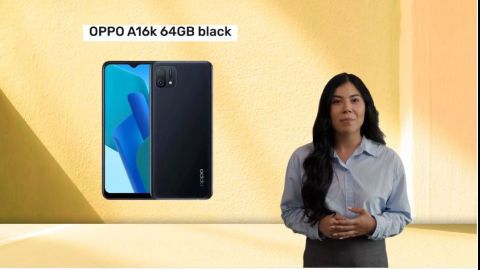
Pick OPPO A16k 64GB black
Dazzle on with OPPO A3X 5G 128GB Sparkle Black
Shine & glow with OPPO A18 Black

Check OPPO A3 Pro 256GB 8GB black
Bajaj Finserv app for all your financial needs and goals
Trusted by 50 million+ customers in India, Bajaj Finserv App is a one-stop solution for all your financial needs and goals.
You can use the Bajaj Finserv App to:
- Apply for loans online, such as Instant Personal Loan, Home Loan, Business Loan, Gold Loan, and more.
- Invest in fixed deposits and mutual funds on the app.
- Choose from multiple insurance for your health, motor and even pocket insurance, from various insurance providers.
- Pay and manage your bills and recharges using the BBPS platform. Use Bajaj Pay and Bajaj Wallet for quick and simple money transfers and transactions.
- Apply for Insta EMI Card and get a pre-qualified limit on the app. Explore over 1 million products on the app that can be purchased from a partner store on Easy EMIs.
- Shop from over 100+ brand partners that offer a diverse range of products and services.
- Use specialised tools like EMI calculators, SIP Calculators
- Check your credit score, download loan statements and even get quick customer support—all on the app.
Download the Bajaj Finserv App today and experience the convenience of managing your finances on one app.