







Support available Online, on call, or at branches
Get answers instantly without waiting on call:
Enter mobile and OTP · No password needed · No branch visit needed
In Summary
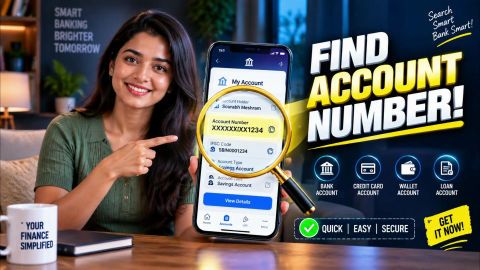
Find your loan account number easily across all products
If your car loan account number appears inactive or is missing online, check your loan status and contact Bajaj Finance to verify the account details. The appropriate next step depends on whether your loan remains active, has overdue instalments or is already closed.
- Sign in to the My Account portal or Bajaj Finance app using your registered mobile number and OTP to check your available loan details.
- Keep your car loan account number, loan agreement, recent statements and relevant EMI payment receipts ready for verification.
- If your loan is active but not visible online, ask customer support to investigate the access or account record issue.
- If you have missed EMI payments, request a breakdown of the outstanding dues and applicable charges before confirming your repayment options.
- If a payment is missing from your loan records, provide the relevant bank transaction details and ask the support team to investigate.
- Retain your service request reference and supporting documents for follow-ups.
An inactive account does not automatically qualify for reactivation. Confirm your loan status with Bajaj Finance and follow the instructions provided for your specific situation.
Why might your car loan account number become inactive?
Your car loan account number may not appear in your online account because of an access issue, a change in loan status or a need to verify your account details. The reason determines the next step.
Common situations include:
- Account access issue: You cannot find your car loan details after signing in.
- Missed EMI payments: Your account has overdue instalments that need clarification or payment.
- Loan closure: Your loan may already show a closed status.
- Incorrect account details: The information you entered may not match your loan records.
An inactive account number does not automatically mean you can reactivate the original loan. Confirm the actual status before requesting a change.
How can you request reactivation of your car loan account?
If you cannot access your car loan account or notice an incorrect account status, contact the relevant customer support team to verify your details and check whether reactivation is possible.
- Keep your car loan account number and registered mobile number ready.
- Explain whether your account is missing online, appears inactive or shows a closure status.
- Complete the identity verification requested by customer support.
- Ask whether you need to submit a reactivation request or supporting documents.
- If your account has overdue payments, request a breakdown of the outstanding dues and applicable charges.
- Follow the confirmed instructions and check the account status after receiving an update.
Reactivation depends on your account status and the applicable process. Clearing overdue payments does not automatically mean that a closed loan will reopen.
What documents do you need to reactivate your car loan account?
Keep your loan details and relevant records ready when you contact customer support. The required documents depend on the reason for the issue and the verification process for your request.
You may need:
- Your car loan account number or loan agreement.
- Your registered mobile number and identification details for verification.
- Recent loan statements, if available.
- EMI payment receipts or bank transaction records if you need to clarify a payment.
- Any additional documents specifically requested by customer support.
Confirm the requirements before submitting documents. Never share your OTP or other confidential authentication details with anyone claiming to arrange reactivation.
How can you check your car loan account number online?
Your car loan account number helps you identify your loan when checking repayment details, reviewing account information or raising a service request. You can find it by accessing your loan details through the Bajaj Finance platforms.
- Open the official My Account portal or the Bajaj Finance app.
- Sign in using your registered mobile number and complete OTP verification.
- Complete any additional verification requested.
- Open the Service section and select Relations or the relevant option displaying your loan accounts.
- Select your car loan account and check the available details for your account number.
If your car loan does not appear or you cannot find the account number, contact authorised customer support to confirm your account status and obtain the correct details.
What should you do if your car loan account remains inactive?
If you cannot access your account after contacting support, ask for an update on your request and whether you need to provide more information.
- Your loan is active but not visible: Ask the team to investigate the access or account record issue.
- You have missed EMI payments: Check the overdue amount and applicable charges, then confirm the available repayment options.
- Your loan is already closed: Ask the team to confirm the closure status. Accessing old loan records is different from reopening a repaid loan.
- Your payment is not reflected: Provide the payment receipt or bank transaction details and request clarification.
- Your request has been declined: Ask for the reason and whether another servicing process applies.
Keep your request reference and supporting records so you can follow up on the same issue.
How can you prevent future car loan account access issues?
Keep your registered mobile number and contact details up to date so you can complete account verification when required. Store your loan agreement, statements and payment receipts securely for future reference.
You should take the following actions:
- Check your loan details periodically through authorised digital channels.
- Retain payment confirmations for completed EMIs.
- Review account messages and requests for additional information.
- Contact customer support if your account details appear incorrect or you cannot access your loan records.
These steps help you maintain access to your available loan information, although they do not guarantee that an inactive account can be reactivated.
Loan support made easy - Read on
Frequently Asked Questions
Car Loan Account Reactivation
Documents and Charges
How can I obtain my car loan account details if I no longer have the original loan documents?
Contact Bajaj Finance through an authorised customer support channel and clearly explain which loan records you need. Keep your registered mobile number and any available loan reference ready for verification. Ask which historical documents or account details Bajaj Finance can provide, including any available statements or repayment records. Store all records you receive securely for future reference and use.
What should I do if my car loan account appears under an unfamiliar reference number?
Do not assume that an unfamiliar reference belongs to your existing loan. Contact Bajaj Finance through an official channel and ask the team to verify the reference against your loan records. Complete the required identity checks before requesting further details. Avoid making payments against an unfamiliar account until you confirm the correct loan information.
How should I check whether a car loan account has been formally closed?
Ask Bajaj Finance to confirm the account's recorded status and whether any outstanding obligations remain. Request written confirmation or the relevant closure document, where available. Keep this record with your loan agreement and repayment history. Do not rely solely on an account disappearing from an online dashboard as proof that the loan has been closed.
What should I do if my car loan records show an outstanding balance after I have completed repayment?
Gather your payment receipts, bank statements and available loan records before contacting Bajaj Finance. Ask the team to reconcile the payments against the outstanding balance and explain any difference. Retain the service request reference and written response. Do not assume that the displayed balance is correct or make a duplicate payment without clarification.
How can I obtain a car loan statement for an older financial year?
Contact Bajaj Finance through an authorised service channel and specify the financial year and statement period you need. Complete any required verification and ask whether the historical statement is available. Keep the statement with your financial records once received. If you need it for tax or accounting purposes, confirm whether the document meets your specific requirements.
What should I do if my car loan repayment details differ from my bank records?
Compare the dates, amounts and transaction references in your bank statement with the available loan records. If a difference remains, contact Bajaj Finance and provide the relevant evidence through an authorised channel. Ask the team to investigate the discrepancy and explain the recorded payment status. Keep the response and supporting documents for future reference.
More Articles


Disclaimer
While care is taken to update the information, products, and services included in or available on our website and related platforms/websites, there may be inadvertent inaccuracies or typographical errors or delays in updating the information. The material contained in this site, and on associated web pages, is for reference and general information purpose and the details mentioned in the respective product/service document shall prevail in case of any inconsistency. Subscribers and users should seek professional advice before acting on the basis of the information contained herein. Please take an informed decision with respect to any product or service after going through the relevant product/service document and applicable terms and conditions. In case any inconsistencies observed, please click on reach us.
*Terms and conditions apply.