Published Jun 6, 2026 · 4 Min Read

A laser printer uses a combination of laser beams, static electricity, and heat to produce sharp, precise prints consistently. The process begins when the printer charges a cylindrical drum with static electricity. A laser beam then draws the document image onto the drum by selectively discharging certain areas. Toner powder clings to these areas, forming a visible image. The printer then transfers this image onto paper and uses a fuser unit to apply heat and pressure, bonding the toner permanently to the page.
 

Getting your new printer is now budget-friendly. Simply browse the selection of printers on Bajaj Mall. Alternatively, visit any of Bajaj Finance’s 1.5 lakh partner stores in 4,000 cities in India. Choose the product that you like and get Easy EMI and zero down payment offers exclusively with Bajaj Finance’s financing options. Check your loan eligibility and convert the cost of your new printer into Easy EMIs.

Laser printer technology and the electrostatic printing process explained

Laser printers use electrostatic charges and laser beams to deliver crisp, accurate output across a range of documents — making them a dependable choice for everyday printing needs.

  • Electrostatic charging: The printer charges the drum unit with static electricity, creating a surface ready to attract toner particles with precision.
  • Laser beam writing: A laser beam selectively discharges specific areas of the drum, forming an invisible electrostatic image that matches your document layout exactly.
  • Toner attraction: Toner particles cling to the discharged areas of the drum, building a visible image before it transfers to paper for fusing.

Laser printer components explained

A laser printer brings together several key components, each playing a distinct role in producing a clean, finished print from start to finish.
 

ComponentFunction
Laser unitWrites the document image onto the drum using a focused beam of light
Drum unitHolds an electrostatic charge and carries the toner image to the paper
Toner cartridgeStores fine powder that forms the text and images on your printed page
Fuser unitApplies heat and pressure to bond toner permanently onto the paper surface
Corona wireApplies a uniform charge across the drum before each new print cycle begins

Also read: Canon printers

Laser printer printing speed, quality, and efficiency benefits explained

Laser printers stand out for their ability to produce high-quality prints quickly and consistently, making them a practical choice for both home and office environments.

  • High print speed: Laser printers process entire pages at once rather than line by line, allowing them to print dozens of pages per minute without compromising quality.
  • Sharp text output: The laser mechanism produces fine, precise lines that result in crisp text and clear graphics, even at smaller font sizes.
  • Low cost per page: Toner cartridges last significantly longer than ink cartridges, bringing down the overall cost of each printed page over time.
  • Consistent performance: Laser printers maintain steady output quality across large print runs, making them reliable for high-volume tasks in busy environments.
     

Also read: Label printers

Laser printer maintenance tips

Keeping your laser printer in good condition does not require much effort, but a few regular habits can extend its life and maintain print quality.

  • Replace toner on time: When prints begin to appear faded or streaky, replace the toner cartridge promptly to restore output quality and avoid damage to the drum.
  • Clean the drum unit: Gently wipe the drum with a dry, lint-free cloth periodically to remove toner residue that can cause smudges or uneven prints.
  • Clear paper jams carefully: Always remove jammed paper slowly and in the direction of the paper path to avoid tearing or damaging internal components.
  • Keep the printer dust-free: Dust accumulation inside the printer can affect print quality, so clean the exterior and paper trays regularly with a soft, dry cloth.
     

Also read: Top 10 printer brands in India

Laser printer comparison with inkjet printers for home and office use

Choosing between a laser and an inkjet printer depends on your specific needs, and understanding the key differences helps you make a more informed decision.
 

FeatureLaser printerInkjet printer
Print speedFaster, suitable for high-volume printingSlower, better suited for occasional use
Print qualityExcellent for text and documentsSuperior for photos and colour graphics
Running costLower cost per page over timeHigher cost per page due to ink usage
Warm-up timeRequires a brief warm-up before printingReady to print almost immediately
Best suited forOffice and high-volume document printingHome use and creative or photo printing

Also read: How to set up a printer

Get electronics and appliances on Easy EMIs with Bajaj Finance

Upgrading your home with the latest electronics and appliances is now easier and more affordable with Bajaj Finance’s flexible financing options. You can also maximise your savings by using the Smart Savings Calculator—a smart tool that combines brand offers, dealer offers, and EMI offers, all in one place, helping you lower the overall cost while still paying in small, bite-sized instalments. Follow these steps to get started:

  • Explore products on Bajaj Mall: Browse a wide range of electronics and appliances from trusted brands on Bajaj Mall. Compare features like energy ratings, storage capacity, performance settings, and design to choose the right product for your home.
  • Visit a partner store: Once you shortlist a model, step into any of Bajaj Finance’s 1.5 lakh partner stores across 4,000 cities in India. See the product in person, talk to experts, and make a confident decision.
  • Choose the Easy EMI Loan option: At checkout, select the Bajaj Finance Easy EMI Loan. Avail financing of up to Rs. 5 lakh and split the cost into convenient monthly instalments. Some products also come with a zero down payment option.
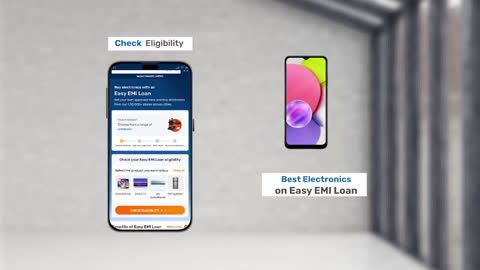
  • Check your loan eligibility online: Plan better by checking your loan eligibility in minutes. Simply enter your mobile number and OTP to know your pre-approved limit.
  • Use the Insta EMI Card for purchases up to Rs. 3 lakh: Already own the Bajaj Finance Insta EMI Card? Use it for instant, paperless checkout and convert your purchases of up to Rs. 3 lakh into Easy EMIs. 

Why use the Smart Savings Calculator

Bajaj Finance’s Smart Savings Calculator helps you unlock maximum savings every time you shop at partner stores. It brings together all available brand, dealer, and scheme offers—so you can see your total savings instantly and shop smarter with Easy EMIs.
 

1. Dealer offers - Grab exclusive in-store deals at over 1.5 lakh partner stores across India. Enjoy local discounts and special prices you will not find online.

2. Brand offers - Access limited-time discounts from top brands across electronics, appliances, and more. Discover brand-specific savings selected just for you.

3. Bajaj offers - Unlock exclusive Bajaj Finance deals on popular products—available only to our customers. More rewards, more value.

4. Scheme offers - Take advantage of time-sensitive offers on select EMI schemes. Get extra benefits after paying just 3 EMIs—visible during EMI selection at checkout.
 

Calculate your extra savings today!

Frequently asked questions

Can I buy a new printer on EMIs?

Yes, you can easily purchase a new printer with Bajaj Finance's Easy EMI options. Whether you already have the Insta EMI Card or are new to it, here is how you can get started:
 

If you have the Bajaj Finance Insta EMI Card:

  • Explore printers on Bajaj Mall: Choose from top brands offering models with fast printing, sharp resolution, and efficient performance.
  • Visit a partner store: Check out the latest printers in person at any of 1.5 lakh partner stores across 4,000 cities.
  • Use your Insta EMI Card at checkout: Convert the total cost into Easy EMIs that fit your monthly budget.
  • Zero down payment on select models: Bring home your printer without paying anything upfront.
     

If you do not have an Insta EMI Card:

Check your Insta EMI Card eligibility online using your mobile number and OTP. If eligible, you can apply instantly and start shopping for your preferred printer easily and affordably.

How does a laser printer work?

A laser printer uses a laser beam to draw an image onto a charged drum unit. Toner powder sticks to the charged areas, transfers onto paper, and then the fuser unit applies heat and pressure to bond the toner permanently, producing a clean, sharp print.

What is toner in a laser printer?

Toner is a fine, dry powder used in laser printers to form text and images on paper. Unlike liquid ink, toner consists of tiny plastic particles that melt when heated by the fuser unit, allowing them to bond firmly onto the surface of the page.

Which is better: a laser or an inkjet printer?

Neither is universally better — it depends on your needs. Laser printers suit high-volume document printing with a lower cost per page, while inkjet printers handle photo printing and colour graphics more effectively. Evaluating your usage pattern helps you choose the right option.

Why are laser printers faster?

Laser printers process an entire page as a single image before printing begins, unlike inkjet printers that print line by line. This page-at-a-time approach, combined with efficient toner application, allows laser printers to produce output at significantly higher speeds consistently.

How do you maintain a laser printer?

Replace the toner cartridge as soon as print quality drops, clean the drum unit periodically with a dry cloth, and clear paper jams carefully without forcing the paper. Keeping the printer free from dust and placing it in a well-ventilated area also helps maintain performance.

Show more Show less

Bajaj Finance app for all your financial needs and goals

Trusted by 50 million+ customers in India, Bajaj Finance App is a one-stop solution for all your financial needs and goals.

You can use the Bajaj Finance App to:

  • Apply for loans online, such as Instant Personal Loan, Home Loan, Business Loan, Gold Loan, and more.
  • Invest in fixed deposits and mutual funds on the app.
  • Choose from multiple insurance for your health, motor and even pocket insurance, from various insurance providers.
  • Pay and manage your bills and recharges using the BBPS platform. Use Bajaj Pay and Bajaj Wallet for quick and simple money transfers and transactions.
  • Apply for Insta EMI Card and get a pre-qualified limit on the app. Explore over 1 million products on the app that can be purchased from a partner store on Easy EMIs.
  • Shop from over 100+ brand partners that offer a diverse range of products and services.
  • Use specialised tools like EMI calculators, SIP Calculators
  • Check your credit score, download loan statements and even get quick customer support—all on the app.

Download the Bajaj Finance App today and experience the convenience of managing your finances on one app.

Disclaimer

1. Bajaj Finance Limited (“BFL”) is a Non-Banking Finance Company (BAJAJ FINANCE) and Prepaid Payment Instrument Issuer offering financial services viz., loans, deposits, Bajaj Pay Wallet, Bajaj Pay UPI, bill payments and third-party wealth management products. The details mentioned in the respective product/ service document shall prevail in case of any inconsistency with respect to the information referring to BFL products and services on this page.

2. All other information, such as, the images, facts, statistics etc. (“information”) that are in addition to the details mentioned in the BFL’s product/ service document and which are being displayed on this page only depicts the summary of the information sourced from the public domain. The said information is neither owned by BFL nor it is to the exclusive knowledge of BFL. There may be inadvertent inaccuracies or typographical errors or delays in updating the said information. Hence, users are advised to independently exercise diligence by verifying complete information, including by consulting experts, if any. Users shall be the sole owner of the decision taken, if any, about suitability of the same.