







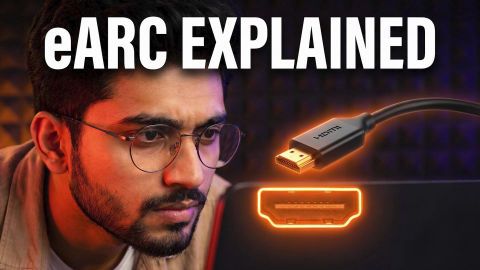
How Do HDMI ARC and eARC Compare

How Do HDMI ARC and eARC Compare

Understand HDMI ARC and eARC differences, features, and benefits. Buy TVs on Easy EMIs from Bajaj Finance.

Get a pre-approved loan offer up to Rs. 5 lakh

Quick approval | Flexible tenure options | Zero approval fees

In summary


HDMI ARC and eARC provide a simple way to connect TVs with soundbars, home theatres, and other external audio devices. While both technologies improve audio connectivity, eARC offers advanced features and better sound quality compared to ARC. Choosing between them depends on the type of entertainment setup, supported devices, and preferred audio experience.


  • HDMI ARC allows audio to travel from the TV to a connected soundbar or receiver through a single HDMI cable, making setup easier for everyday entertainment.
  • HDMI eARC provides higher bandwidth and supports advanced audio formats such as Dolby Atmos and DTS:X for a more immersive sound experience.
  • ARC is suitable for regular streaming, television shows, and basic sound systems where standard audio quality is sufficient.
  • eARC is a better choice for users who want premium sound, gaming audio, or a home theatre setup with high-resolution audio support.
  • Checking compatibility between the TV, soundbar, AV receiver, and HDMI cables helps ensure smooth audio transmission and better overall performance.

You can also buy a new TV on Easy EMIs at over 1.5 lakh partner stores across 4,000 cities, including Reliance Digital, Croma, and Vijay Sales.

What are HDMI ARC and eARC and how do they work?

HDMI ARC and eARC allow a compatible TV to send audio to a soundbar, AV receiver, or home theatre system through an HDMI cable. Both simplify connections, while eARC offers greater bandwidth and support for higher-quality audio.


  • HDMI ARC: HDMI ARC (Audio Return Channel) sends TV audio to compatible audio equipment through a single HDMI cable. It can reduce cable clutter and support volume control through the TV remote on compatible setups.
  • HDMI eARC: HDMI eARC (Enhanced Audio Return Channel) is an improved version of ARC. It provides greater bandwidth and supports higher-quality audio formats, making it suitable for advanced soundbars and home theatre systems.

Shop for a new TV with Easy EMIs from Bajaj Finance when the model is eligible and available at a partner store. Here is how it works:


  • Shop at 1.5 lakh partner stores across 4,000+ cities.
  • Select your preferred model and use your Insta EMI Card or Easy EMI Loan.
  • Split the purchase cost into monthly payments.


Pro tip: Zero down payment is available on select models. Check with the store if your product qualifies.

What is the difference between HDMI ARC and eARC?

For everyday TV viewing, HDMI ARC can handle standard audio through a compatible soundbar or home theatre system. If the setup includes high-quality surround sound, eARC offers higher bandwidth and supports more advanced audio formats.


FeatureHDMI ARCHDMI eARC
BandwidthUp to 1 MbpsUp to 37 Mbps
Audio qualityStandard and compressed audioHigher-quality and uncompressed audio
Dolby AtmosCompressed formatsHigher-quality formats
DTSLimited supportSupported
Lip-sync correctionOptionalMandatory
HDMI standardHDMI 1.4 and laterHDMI 2.1

For a basic soundbar, ARC can provide a simple way to send TV audio through one HDMI cable. For a home theatre setup with advanced surround sound, eARC can provide greater audio bandwidth and format support.

How can HDMI ARC and eARC improve a TV audio setup?

ARC and eARC can simplify your entertainment setup by sending TV audio to compatible external audio equipment through one HDMI cable. This can be useful when watching films, streaming shows, playing games, or using other content on the TV.


  • Fewer cables: One HDMI cable can carry the TV's audio signal.
  • Better control: Compatible setups allow volume control through the TV remote.
  • External audio: Connect the TV to a soundbar, AV receiver, or home theatre system.
  • Higher-quality sound: eARC can support advanced audio formats when compatible devices are used.

Which HDMI connection should be used for a TV?

The right option depends on the TV and audio equipment. HDMI ARC can suit standard audio and compatible soundbars, while eARC is useful for higher-quality audio and advanced home theatre setups.


RequirementSuitable connection
Basic TV audioHDMI ARC
Standard soundbarHDMI ARC
High-quality surround soundHDMI eARC
Uncompressed audioHDMI eARC
Advanced home theatre setupHDMI eARC

Pro tip: Check the HDMI specifications of both devices before connecting them to make sure they support the required ARC or eARC features.

What is the price of Smart TVs in India?

Smart TVs with built-in Wi-Fi support are available across different price ranges. The models below include different screen sizes, display resolutions, and smart TV platforms to help you compare options.


ModelBrandScreen sizeTV typePrice
OnePlus 32Y1OnePlus32-inchHD Android TVRs. 14,999
Samsung UA32H4560FUXXLSamsung32-inchHD Smart LED TVRs. 17,490
LG 32LR573B6LALG32-inchFull HD Smart LED TVRs. 18,690
OnePlus 43Y1OnePlus43-inchFull HD Smart Android TVRs. 29,999
Samsung UA43U8100FULXLSamsung43-inch4K Smart LED TVRs. 33,930
Sony K-55S25M2 IN5Sony55-inch4K Ultra HD Smart LED TVRs. 91,900

Updated: Sep, 2026


Disclaimer: Prices are subject to change. Please check the official website for the most accurate and up-to-date information. Explore the latest offers from Bajaj Finance and grab the best deals for a premium shopping experience.

How to choose between HDMI ARC and eARC for a TV setup?

The right HDMI connection depends on the audio equipment and sound quality you want from your TV.


  • For a basic soundbar: HDMI ARC can handle everyday TV audio through one HDMI cable.
  • For standard surround sound: ARC supports compatible compressed audio formats.
  • For higher-quality sound: Choose eARC when your TV and soundbar support it.
  • For Dolby Atmos: eARC can support higher-quality compatible formats.
  • For home theatre: eARC is useful for advanced surround sound setups.
  • Before connecting: Check that both the TV and audio equipment support the same HDMI standard.

What are my financing options to buy a television?

Bajaj Finance offers two financing options at over 1.5 lakh partner stores across 4,000 cities in India. Here is how they compare:


OptionLimitKey features
Bajaj Finance Insta EMI CardPre-approved card loan offer up to Rs. 6 lakh3 to 60 months tenure; works at 1.5 lakh partner stores; 1 million eligible products
Bajaj Finance Easy EMI LoanLoan limit up to Rs. 5 lakhQuick loan approval; 3 to 60 months tenure; basic KYC documents needed; ideal for higher-value purchases

How to choose? Both options require you to be physically present at a partner store. The Insta EMI Card is ideal for shoppers who want to purchase across multiple categories over time. The Easy EMI Loan suits buyers looking to finance a higher-value purchase in a single transaction.

How do I buy a television on EMI at a Bajaj Finance partner store

The process is simple and typically takes 10 to 15 minutes once you are at the store.


  • Browse models on Bajaj Mall: Compare options on Bajaj Mall before visiting a store.
  • Find a partner store near you: Use the Bajaj Finance store locator to find a nearby partner outlet such as Croma, Vijay Sales, or other authorised retailers.
  • Check the TV in person: Check the key features, specifications, size, and performance to choose the product that best suits your needs and budget.
  • Choose a suitable EMI option: At checkout, ask the store executive about the Bajaj Finance Insta EMI Card or Easy EMI Loan. Confirm available tenure options and whether your chosen model comes with a zero-down-payment offer.
  • Complete payment and schedule installation: The in-store process is quick, and most partner stores offer installation as part of the purchase.

You can also check your loan eligibility online in advance by entering your mobile number and OTP, helping you plan your purchase better before visiting the store.

Save more with Smart Savings Calculator

Combine the best offers, EMI plans, and exclusive vouchers with Smart Savings Calculator to save big.

20k+ people used their offers at the store

Why use the Smart Savings Calculator

Bajaj Finance’s Smart Savings Calculator helps you unlock maximum savings every time you shop at partner stores. It brings together all available brand, dealer, and scheme offers—so you can see your total savings instantly and shop smarter with Easy EMIs.


  1. Dealer offers - Grab exclusive in-store deals at over  1.5 lakh partner stores across India. Enjoy local discounts and special prices you will not find online.
  2. Brand offers - Access limited-time discounts from top brands across electronics, appliances, and more. Discover brand-specific savings selected just for you.
  3. Bajaj offers - Unlock exclusive Bajaj Finance deals on popular products—available only to our customers. More rewards, more value.­
  4. Scheme offers - Take advantage of time-sensitive offers on select EMI schemes. Get extra benefits after paying just 3 EMIs—visible during EMI selection at checkout.


Calculate your extra savings today!

Frequently asked questions

General

EMI details

Is ARC better than eARC?

HDMI eARC is better than ARC because it offers higher bandwidth, improved audio quality, and support for advanced sound formats such as Dolby Atmos and DTS:X. HDMI ARC is suitable for regular streaming and basic audio setups, while eARC is designed for premium entertainment systems. Users with compatible TVs, soundbars, or home theatres can enjoy clearer, more detailed, and immersive sound with eARC technology.

Dolby Atmos can work with both HDMI ARC and eARC, but eARC provides better support for high-quality Dolby Atmos audio. HDMI ARC can transmit compressed Dolby Atmos formats, while eARC supports higher bandwidth and uncompressed audio signals. This makes eARC a better choice for users who want an immersive sound experience with compatible TVs, soundbars, and home theatre systems.

Yes, an HDMI ARC connection can work with an eARC soundbar, but the audio performance may be limited by ARC capabilities. While the soundbar will function normally, advanced audio formats supported by eARC may not be available. To enjoy features like high-resolution audio, Dolby Atmos, and DTS:X, both the TV and soundbar should support HDMI eARC.

HDMI ARC and eARC can work with compatible HDMI cables, but eARC requires a cable that supports higher bandwidth for the best performance. A high-speed HDMI cable is recommended to ensure smooth audio transmission and access advanced sound formats. Using the right cable helps maintain better compatibility between TVs, soundbars, and other connected audio devices.

No, not every TV supports HDMI eARC. The feature is mainly available on newer smart TVs and premium models with advanced audio capabilities. Before connecting devices such as soundbars or AV receivers, checking the TV specifications helps confirm compatibility. A TV with HDMI eARC support can deliver better sound quality when paired with compatible audio equipment.

Yes, you can easily bring home a TV using Bajaj Finance’s Easy EMI options. Whether you already have the EMI Network Card or are new to it, here is how to get started:


If you already have the Bajaj Finance EMI Network Card:


  • Explore TVs on Bajaj Mall: Choose from top brands and models with features like 4K display, HDR, and smart Android functions.
  • Visit a partner store: See your chosen TV in person at any of Bajaj Finance’s 1.5 lakh partner stores across 4,000 cities.
  • Use your EMI Network Card at checkout: Swipe your card and split the cost into Easy EMIs that suit your monthly budget.
  • Take it home without paying upfront: Some models offer zero down payment, so you can enjoy your TV immediately.

If you do not have an EMI Network Card:


  • Check your Insta EMI Card eligibility online using your mobile number and OTP. If eligible, you can apply instantly and shop for your favourite TV in a smarter, more affordable way.
Show More Show Less

Disclaimer

While care is taken to update the information, products, and services included in or available on our website and related platforms/websites, there may be inadvertent inaccuracies or typographical errors or delays in updating the information. The material contained in this site, and on associated web pages, is for reference and general information purpose and the details mentioned in the respective product/service document shall prevail in case of any inconsistency. Subscribers and users should seek professional advice before acting on the basis of the information contained herein. Please take an informed decision with respect to any product or service after going through the relevant product/service document and applicable terms and conditions. In case any inconsistencies observed, please click on reach us.

*Terms and conditions apply









