





Ceiling fans are essential for comfort and energy-efficient cooling, but over time, they may develop speed issues, unusual noises, or rotation problems. Identifying these issues early ensures smooth operation and prolonged durability. Let us explore how you can fix these common issues.
Getting your new fan is now budget friendly. Simply browse the selection of fans on Bajaj Mall. Alternatively, visit any of Bajaj Finance’s 1.5 lakhpartner stores in 4,000 cities in India. Choose the product that you like and get Easy EMI and zero down payment offers exclusively with Bajaj Finance’s financing options. Check your loan eligibility and convert the cost of your new fan into Easy EMIs.



FAQs

Smart Savings Calculator
Get a pre-approved loan offer of up to Rs. 5 lakh
Quick approval | Flexible tenure options | Zero approval fees
Overview
Common issues with ceiling fans: Noise and wobbling
- Loose screws and mounting issues: A wobbly fan is often caused by loose screws in the mounting bracket or blade holders, leading to unstable movement.
- Unbalanced fan blades: If one blade is heavier or misaligned, the fan may shake while spinning. Using a balancing kit helps restore smooth operation.
- Motor humming or buzzing: Faulty wiring, capacitor issues, or motor wear can cause a constant humming noise, reducing efficiency.
- Blade warping or misalignment: Over time, wooden or plastic blades may bend, causing an uneven airflow. Regular cleaning and alignment help prevent this.
- Check for compatibility: Using a living room fan designed for large spaces ensures better airflow and stability.
- Worn-out bearings or lack of lubrication: A noisy fan may result from dry bearings inside the motor. Applying lubricant ensures silent operation.
- Loose or faulty electrical connections: Improper wiring can create a clicking or buzzing sound, affecting the fan’s speed and performance.
Troubleshooting fan motor and electrical problems
- Fan not starting: Check the power supply, switch, and circuit breaker to ensure the fan is receiving electricity. A faulty capacitor may also prevent the fan from turning on.
- Inconsistent speed control: A damaged regulator or worn-out capacitor can cause the fan to run at only one speed or change speeds irregularly. Replacing these components can restore normal function.
- Motor overheating: Excessive heat may indicate overuse, poor ventilation, or a worn-out motor winding. Using an energy-efficient fan, such as a steel fan, can prevent overheating.
Fan running too slow: Dust buildup, capacitor failure, or motor issues can slow down the fan’s speed. Cleaning the fan and replacing the capacitor can help restore proper performance. If the slowdown comes with unusual sounds, you might
also want to check why your ceiling fan makes noise as both issues can be connected.
- Reverse rotation issue: If the fan is spinning in the wrong direction, check the wiring connections and capacitor. Some fans also have a direction switch that may need adjustment.
- Frequent power fluctuations: Electrical surges can damage the motor over time. Opting for a 1200mm fan with stabiliser support helps maintain consistent performance.
- Sudden stopping or jerky movement: This can indicate a loose wire connection, capacitor failure, or worn-out bearings in the motor. Checking the internal wiring and motor alignment helps fix the issue.
Repair vs replacement: When to call a professional
- Unusual noises persist after troubleshooting: If the fan continues to make grinding, buzzing, or clicking sounds despite cleaning and lubrication, it may indicate a motor issue requiring professional repair.
- Frequent speed fluctuations: If the fan randomly speeds up or slows down, a faulty capacitor or internal wiring problem may be the cause. Consulting a technician ensures safe and effective repairs.
- Fan wobbles excessively: While minor balancing issues can be fixed, severe misalignment or a damaged motor housing may require a full replacement.
- Outdated models with poor efficiency: If your ceiling fan is over a decade old, upgrading to an energy-efficient model like Atomberg ceiling fans can significantly reduce power consumption.
- Motor overheating or burning smell: Overheating fans pose a fire hazard and should be inspected immediately. If the motor is too worn out, replacing the fan is a safer option.
- Blade damage affecting airflow: If the blades are warped or cracked, airflow efficiency is compromised. Replacing the blades may work, but if damage extends to the motor, a new fan is recommended.
Preventive maintenance tips for long-lasting fans
- Clean blades regularly: Dust accumulation can affect airflow and strain the motor. Wipe the blades with a damp cloth to maintain efficiency.
- Check for loose screws and fittings: Ensure blade holders, mounting brackets, and motor housing are properly tightened to prevent wobbling or noise.
- Lubricate moving parts: Some fans have ball bearings that require occasional lubrication to reduce friction and prevent wear.
- Inspect the capacitor and wiring: Faulty capacitors or loose electrical connections can cause speed fluctuations. Regular checks help avoid sudden breakdowns.
- Balance the fan blades: If the fan wobbles or vibrates, use a balancing kit to realign the blades for smooth operation.
- Keep the motor dust-free: Accumulated dust inside the motor can overheat and reduce efficiency. Use compressed air or a dry cloth for cleaning.
- Use the right speed settings: Running the fan at excessively high speeds continuously can wear out components faster. Adjust speeds based on room temperature.
- Ensure proper installation height: Fans should be mounted 7–9 feet from the floor to provide optimal airflow and safety.
- Turn off the fan when not in use: Reducing unnecessary operation extends the motor’s lifespan and conserves energy.
- Check for unusual noises: Grinding or humming sounds indicate potential motor or bearing issues. Address them early to prevent major repairs.
Get electronics and appliances on Easy EMIs with Bajaj Finance
Upgrading your home with the latest electronics and appliances is now easier and more affordable with Bajaj Finance’s flexible financing options. You can also maximise your savings by using the Smart Savings Calculator—a smart tool that combines brand offers, dealer offers, and EMI offers, all in one place, helping you lower the overall cost while still paying in small, bite-sized instalments. Follow these steps to get started:
- Explore products on Bajaj Mall: Browse a wide range of electronics and appliances from trusted brands on Bajaj Mall. Compare features like energy ratings, storage capacity, performance settings, and design to choose the right product for your home.
- Visit a partner store: Once you shortlist a model, step into any of Bajaj Finance’s 1.5 lakh partner stores across 4,000 cities in India. See the product in person, talk to experts, and make a confident decision.
- Choose the Easy EMI Loan option: At checkout, select the Bajaj Finance Easy EMI Loan. Avail financing of up to Rs. 5 lakh and split the cost into convenient monthly instalments. Some products also come with a zero down payment option.
- Check your loan eligibility online: Plan better by checking your loan eligibility in minutes. Simply enter your mobile number and OTP to know your pre-approved limit.
- Use the Insta EMI Card for purchases up to Rs. 3 lakh: Already own the Bajaj Finance Insta EMI Card? Use it for instant, paperless checkout and convert your purchases of up to Rs. 3 lakh into Easy EMIs.
Why use the Smart Savings Calculator
Bajaj Finance’s Smart Savings Calculator helps you unlock maximum savings every time you shop at partner stores. It brings together all available brand, dealer, and scheme offers—so you can see your total savings instantly and shop smarter with Easy EMIs.
1. Dealer offers - Grab exclusive in-store deals at over 1.5 lakh partner stores across India. Enjoy local discounts and special prices you will not find online.
2. Brand offers - Access limited-time discounts from top brands across electronics, appliances, and more. Discover brand-specific savings selected just for you.
3. Bajaj offers - Unlock exclusive Bajaj Finance deals on popular products—available only to our customers. More rewards, more value.
4. Scheme offers - Take advantage of time-sensitive offers on select EMI schemes. Get extra benefits after paying just 3 EMIs—visible during EMI selection at checkout.
Calculate your extra savings today!

Save more with Smart Savings Calculator
Get the best offers near you


Frequently asked questions
General
EMI details
What are the common problems with fans?
The most frequent issues with fans include slow speed, excessive noise, and irregular rotation. A faulty capacitor is often the main cause of speed fluctuations, while loose fittings can lead to wobbling. Dust accumulation on blades or inside the motor can also reduce efficiency and increase power consumption. Checking the fan’s wiring, capacitor, and blade balance helps in identifying and fixing the problem.
Which types of faults occur in a ceiling fan?
Ceiling fans can develop mechanical and electrical faults over time. Some of the common issues include:
- Capacitor failure – Causes the fan to run at reduced speed or not start at all.
- Wiring issues – Loose connections can cause the fan to stop intermittently.
- Blade imbalance – Results in excessive wobbling and inefficient airflow.
- Motor overheating – Leads to reduced performance and potential burnout.
Regular maintenance and timely replacement of worn-out components help avoid major breakdowns.
Why is the ceiling fan not working?
A ceiling fan may stop working due to several reasons, including power supply issues, faulty capacitors, or internal wiring faults. If the switch is functional but the fan does not spin, the motor winding or regulator could be damaged. In some cases, overheating can trigger an automatic shutdown. Checking the wiring, capacitor, and motor condition can help diagnose and resolve the issue. If the problem persists, consulting a technician is recommended.
Can I buy a new fan on EMIs?
Yes, you can easily upgrade to a new fan with Bajaj Finance's Easy EMI options. Whether you already have the Insta EMI Card or are new to it, here is how you can get started:
If you have the Bajaj Finance Insta EMI Card:
- Explore fans on Bajaj Mall: Choose from top brands offering models with powerful airflow, energy-efficient performance, and stylish designs to keep your spaces cool and comfortable.
- Visit a partner store: Check out the latest fans in person at any of 1.5 lakh partner stores across 4,000 cities.
- Use your Insta EMI Card at checkout: Convert the total cost into Easy EMIs that fit your monthly budget.
- Zero down payment on select models: Bring home your fan without paying anything upfront.
If you do not have an Insta EMI Card:
Check your Insta EMI Card eligibility online using your mobile number and OTP. If eligible, you can apply instantly and start shopping for your preferred fan easily and affordably.
Please note: Easy EMIs are applicable on purchases above Rs. 5,000.
More articles

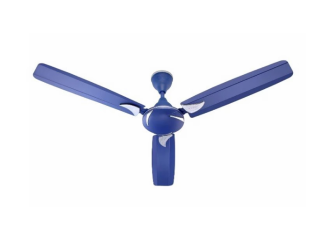
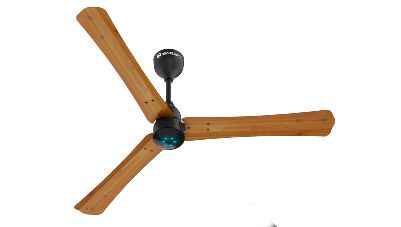
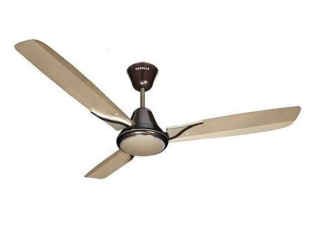
Explore more fans
Disclaimer
While care is taken to update the information, products, and services included in or available on our website and related platforms/websites, there may be inadvertent inaccuracies or typographical errors or delays in updating the information. The material contained in this site, and on associated web pages, is for reference and general information purpose and the details mentioned in the respective product/service document shall prevail in case of any inconsistency. Subscribers and users should seek professional advice before acting on the basis of the information contained herein. Please take an informed decision with respect to any product or service after going through the relevant product/service document and applicable terms and conditions. In case any inconsistencies observed, please click on reach us.
*Terms and conditions apply