













An OTP will be sent to this number for verification

You may have a pre-approved offer
Enter required loan against property amount
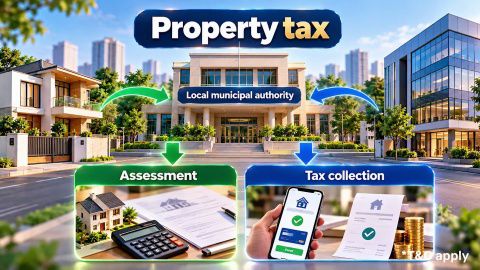
Property tax in your city
In summary
A property tax assessment number helps a municipal authority identify a property and connect it with its tax assessment and payment records. The exact name and format can differ between cities.
- Check your latest property-tax bill, receipt or assessment record first
- Many municipal portals let you search using owner name, door number, address or other property details
- Some authorities use terms such as assessment number, Property Tax Identification Number (PTIN) or Property ID
- These terms are not automatically interchangeable across every municipality
- A new or unassessed property may need to complete the local assessment process before receiving an identifier
- An assessment number can help you check dues, payments and property-tax records
- The number identifies a municipal tax record but does not independently establish legal ownership
Use the terminology shown by your municipal authority. If two records show different numbers, verify the property details before making a tax payment or requesting a correction.
Last updated: 14th October 2026
Show More
Show Less
What is a property tax assessment number?
A property tax assessment number is a reference used by a municipal authority to identify a property in its property-tax records. The number can connect the property with details such as:
- Owner or assessee information
- Property address
- Assessment details
- Tax demand
- Earlier payments
- Outstanding dues
- Assessment history
The terminology is not uniform across India.
For example, Telangana municipal services can use Property Tax Identification Number (PTIN) in connection with the assessment number, while Tamil Nadu municipal portals use fields such as Assessment Number and Old Assessment Number. This means you should use the exact identifier requested by your local municipal authority rather than if every property-tax number means the same thing.
Show More
Show Less
Where can you find your assessment number?
Start with your existing property-tax documents because the assessment number is often printed on records already linked to the property.
Check these places:
| Where to check | What to look for |
| Latest property-tax bill | Assessment number or equivalent property identifier |
| Previous tax receipt | Number linked to the paid property account |
| Assessment notice | Current or earlier assessment reference |
| Municipal property record | Identifier assigned by the local authority |
| Online tax portal | Search result for your property |
| Earlier municipal correspondence | Property or assessment reference used by the authority |
One municipality may call it an assessment number, while another may use PTIN, Property ID, account number or another local identifier. Do not copy a number from another document merely because it looks similar. Confirm that the number is tied to the same property address and municipal record.
How can you find an assessment number online?
You can often find an existing assessment number by searching the official property-tax portal of the municipal authority responsible for the property.
The exact fields vary, but the process usually follows this sequence:
- Open the official municipal property-tax portal.
- Select the property search, assessment or tax service.
- Enter the property details requested by the portal.
- Search the municipal database.
- Select the correct property record.
- Verify the owner or assessee name and address.
- Note the assessment number or equivalent identifier shown.
Municipal portals may let you search using information such as:
- Owner or assessee name
- Door number
- Ward
- Locality
- Property address
- Old assessment number
- Registered mobile number
For example, Tamil Nadu’s urban property-tax portal includes fields for the Assessment Number and Old Assessment Number, while some Telangana municipal services allow property searches through PTIN, owner name or door number.
Show More
Show Less
What if your property has a new assessment number?
A municipal authority can revise an assessment number when its property-record system changes. Do not assume that an old assessment number is invalid merely because a newer number appears on the portal.
Tamil Nadu’s municipal property-tax payment system, for example, states that assessment numbers can be revised following ward delimitation and asks taxpayers to confirm their name and assessment number before paying.
Consider Anita, aged 42, who owns a property in Tamil Nadu. Her older property-tax receipt shows assessment number A-14582, while the current portal displays a different assessment reference after municipal records were revised. Before paying, Anita should compare:
- Owner or assessee name
- Property address
- Ward details
- Old assessment number
- Current assessment number
- Tax demand and payment history
If the property details match, the new assessment reference may represent the updated municipal record. If the details do not match, Anita should not make a payment until she confirms the correct property with the municipal authority. The practical rule is: match the property first, then use the assessment number attached to that verified municipal record.
Show More
Show Less
How do you get a number for a new property?
A new or previously unassessed property may need to complete the local property-tax assessment process before an assessment number is available. The exact process depends on the municipal authority.
A typical journey can include:
- Open the municipal property-tax or self-assessment service.
- Select the new property or assessment option.
- Enter the owner and property details.
- Provide the property documents requested by the authority.
- Submit the assessment application.
- Complete any verification required by the municipality.
- Pay the applicable property tax or assessed demand.
- Use the identifier generated for the municipal property record.
The documents requested are not identical across India.
Depending on the local authority, the process can ask for records such as a registered property document, building-permission details, address information or previous assessment records. For example, Telangana municipal law includes property-tax assessment services and specifies documents for property assessment. Other states and municipalities can use different requirements.
Show More
Show Less
Is an assessment number the same as a property ID?
Not necessarily. The relationship depends on the terminology and property-tax system used by the local municipal authority. Avoid treating every municipal identifier as interchangeable.
| Term | What it can refer to |
| Assessment number | Reference attached to a municipal tax assessment |
| PTIN | Property Tax Identification Number used by some municipal systems |
| Property ID | Identifier used to locate a property in some local records |
| Old assessment number | Earlier identifier retained after a system or record change |
| Door number | Address-related reference that may help locate the property |
| Receipt number | Identifies a specific tax-payment transaction |
In some systems, an assessment number and PTIN can refer to the same property-tax identifier. In other systems, multiple references can coexist. Use the identifier requested by the municipal portal you are using. If the portal shows both an old and a new assessment number, verify the property record rather than deciding which number to use based only on an old receipt.
What if you cannot find the assessment number?
If the assessment number is missing, first confirm whether the property already exists in the municipal tax database.
Try these steps:
- Check old tax bills and payment receipts.
- Search the municipal portal using the owner name or address.
- Try the door number, ward or locality where the portal supports them.
- Check whether an old assessment number is recorded.
- Confirm that the property is under the correct municipal authority.
- Contact the municipal tax office if no matching property record appears.
Do not create or guess an assessment number yourself.
If the property has never been assessed, the correct next step may be a new property assessment rather than a search for an existing number.
If you find a record but the owner name, address or property details are wrong, follow the applicable municipal correction or mutation process instead of paying against a record you cannot verify.
Show More
Show Less
Does an assessment number prove property ownership?
A property tax assessment number identifies a property within a municipal taxation system but does not independently establish legal ownership. The distinction is important because municipal taxation and legal title serve different purposes.
| Record | Main purpose |
| Assessment number | Identifies the municipal tax assessment |
| Property-tax receipt | Records tax payment |
| Municipal property record | Maintains local assessment and tax information |
| Mutation record | Updates ownership-related details in the municipal record |
| Registered ownership document | Records the underlying ownership rights |
For example, a property-tax record may continue to show an earlier owner until the relevant municipal details are updated. Paying tax using the assessment number does not replace the registered ownership documents.
Can the assessment number matter for a loan against property?
A property tax assessment number can help identify the relevant municipal property record during documentation, but it does not by itself determine eligibility for a loan against property.
A lender can separately review
| Assessment area | What may be reviewed |
| Ownership | Registered ownership and supporting documents |
| Municipal records | Property and tax information |
| Legal assessment | Title and other legal aspects |
| Technical assessment | Property type, condition and location |
| Valuation | Property value considered for lending |
| Applicant profile | Income, credit profile and repayment capacity |
The important point is consistency. If the assessment number leads to a municipal record with a different owner name or property description from your ownership documents, resolve the discrepancy before relying on that record for property-related transactions.
Bajaj Finance offers loan against property amounts of up to ₹15.50 crore with repayment tenure of up to 15 years, subject to eligibility and property assessment. Bajaj Finance Loan Against Property interest rates currently range from 7.5% per annum to 14.25% per annum.
Borrow according to the amount you need and the EMI you can manage rather than selecting the maximum available amount. You can compare loan against property interest rates and use a loan against property EMI calculator to test different loan amounts, rates and repayment tenures.
Planning to use your property for financing? Check eligibility for a loan against property with Bajaj Finance.
Frequently Asked Questions
Finding the assessment number
Missing or changed assessment numbers
Property records and ownership
Where is the assessment number written on a property-tax bill?
The location depends on the format used by the municipal authority. Look near the property details, owner or assessee information, tax-assessment section or other identification fields on the bill. Some municipal systems may display a PTIN, Property ID, old assessment number or another identifier instead. Use the label shown by your local authority rather than assuming every number on the bill is the assessment number.
What is a property tax assessment number and how is it used?
Some municipal portals allow property searches using the owner or assessee name, but this facility is not available everywhere. Other portals may require a door number, ward, address, mobile number or another property identifier. Use the official municipal property-search service and verify the address and property details before treating a search result as the correct assessment record.
Why can an old and new assessment number both appear?
A municipal authority may revise assessment numbers when property databases, ward boundaries or administrative systems change. An older number can remain in historical tax records while a current number is used for new transactions. When both appear, compare the property address, owner details and payment history before paying. Use the current identifier confirmed by the municipal system for the verified property record.
What should you do if the assessment number is incorrect?
Do not alter the number yourself or pay against a property record that does not match your details. Check the property address, owner name, ward and any old assessment reference first. If the municipal record is incorrect, use the correction, assessment or mutation process offered by the local authority. Keep previous bills, receipts and ownership documents available when raising the request.
Is the property-tax assessment number proof of ownership?
No. The assessment number identifies the property within the municipal taxation system. It can help retrieve tax demands, payments and related municipal records, but it does not independently establish legal title. Registered ownership documents serve a different purpose. If the owner name in the tax record differs from your ownership documents, check whether a municipal record update or mutation is required.
Can you pay property tax without an assessment number?
It depends on the municipal system. Some portals require the assessment number, while others allow a property search using details such as the owner name, door number, address or registered mobile number. If you cannot locate the property record, check earlier tax documents or contact the relevant municipal authority before paying. Do not use another property’s assessment number merely to complete a payment.
Loan Against Property for different budget
Check your pre-approved offer now
Loan Against Property for Professionals




Find your nearest branch

What do our customers say about us
customers
Play Store rating
reviews
Anita Das
04 March 2026
The loan against property process was smooth and transparent. Interest rates were competitive, and the documentation requirements were minimal. The team provided clear guidance at every step, making the entire experience hassle-free. Highly recommended for quick approvals and reliable support.
Aashish
04 March 2026
The loan disbursal was quick, and the customer support team handled all my queries with patience and clarity. Flexible EMIs made it easy to manage monthly expenses. Overall, a great experience, especially for salaried individuals seeking a loan against property.
Prakash
04 March 2026
I had a great experience transferring my existing loan against property. The process was quick and hassle-free, and I saved significantly with the lower interest rate. The customer service team was supportive throughout. Highly recommended for anyone considering a balance transfer.
Yogesh Singh
04 March 2026
Clear guidance, quick approval, and flexible repayment options made purchasing my new house much easier than expected. The team managed the entire process professionally and ensured smooth coordination at every stage. Overall, a very satisfying experience, and I would recommend their home loan services to others.
Related articles


Watch our videos

Know the tax benefits on your loan against property

What are the documents required for a Loan Against Property?

What are the types of property eligible for Loan Against Property

What is the eligibility criteria for a Loan Against Property
Bajaj Finance app for all your financial needs and goals
Trusted by 50 million+ customers in India, Bajaj Finance App is a one-stop solution for all your financial needs and goals.
You can use the Bajaj Finance App to:
- Apply for loans online, such as Instant Personal Loan, Home Loan, Business Loan, Gold Loan, and more.
- Invest in fixed deposits and mutual funds on the app.
- Choose from multiple insurance for your health, motor and even pocket insurance, from various insurance providers.
- Pay and manage your bills and recharges using the BBPS platform. Use Bajaj Pay and Bajaj Wallet for quick and simple money transfers and transactions.
- Apply for Insta EMI Card and get a pre-qualified limit on the app. Explore over 1 million products on the app that can be purchased from a partner store on Easy EMIs.
- Shop from over 100+ brand partners that offer a diverse range of products and services.
- Use specialised tools like EMI calculators, SIP Calculators
- Check your credit score, download loan statements and even get quick customer support—all on the app.
Download the Bajaj Finance App today and experience the convenience of managing your finances on one app.
Disclaimer
1. Bajaj Finance Limited (“BFL”) is a Non-Banking Finance Company (NBFC) and Prepaid Payment Instrument Issuer offering financial services viz., loans, deposits, Bajaj Pay Wallet, Bajaj Pay UPI, bill payments and third-party wealth management products. The details mentioned in the respective product/ service document shall prevail in case of any inconsistency with respect to the information referring to BFL products and services on this page.
2. All other information, such as, the images, facts, statistics etc. (“information”) that are in addition to the details mentioned in the BFL’s product/ service document and which are being displayed on this page only depicts the summary of the information sourced from the public domain. The said information is neither owned by BFL nor it is to the exclusive knowledge of BFL. There may be inadvertent inaccuracies or typographical errors or delays in updating the said information. Hence, users are advised to independently exercise diligence by verifying complete information, including by consulting experts, if any. Users shall be the sole owner of the decision taken, if any, about suitability of the same.