Published Apr 11, 2026 · 3 Min Read

What are Whirlpool washer codes?

When your Whirlpool washing machine shows an error code on its display, it is identifying a specific fault before the problem gets worse. Whirlpool washing machines use a combination of F and E codes — such as F8 E1, F9 E1, and F5 E2 — to flag issues ranging from water supply problems and drainage faults to door errors and motor faults. Knowing what each code means helps you diagnose and fix most problems quickly at home without calling a technician. This guide covers every major Whirlpool washing machine error code with clear explanations and practical fixes designed for everyday Indian households.


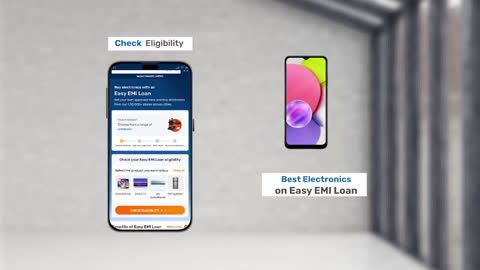
And if your machine needs replacing, buying a new Whirlpool washing machine has never been more affordable. With Bajaj Finserv's financing options available across 1.5 lakh partner stores like Croma, Vijay Sales, and Reliance Digital in 4,000 cities, you can convert the cost into Easy EMIs with flexible tenures up to 60 months. Simply check your loan eligibility now and bring home your desired washing machine without worrying about overspending.

Whirlpool washer error code list

Here is a complete overview of all major Whirlpool washing machine error codes, what they mean, and the recommended fix for each:


Error codeMeaningQuick fix
F/HWater inlet errorCheck if tap is open, hose connected, and water pressure adequate.
F/02Drain errorClean drain hose and pump filter; check for blockages.
F/05Temperature sensor errorRestart machine; if persists, sensor may need replacement.
F/06Motor/tachometer errorSwitch off and restart; if error repeats, call service.
F/08Heater relay errorLikely heater fault; requires technician.
F/09Overflow errorToo much water detected; inspect inlet valve.
F/11Communication errorRestart machine; if continues, service board check needed.
F/13Dispenser circuit errorCheck detergent dispenser; may need service.
F/21Motor control errorReduce load and restart; if repeats, service required.
PFPower failureRestart after stable power supply.
dLDoor lock errorEnsure door is closed properly; check latch.
Sud / SdExcess suds detectedUse less detergent; run rinse cycle.

Understanding the Whirlpool F and E error code system

Whirlpool washing machines use a two-part diagnostic code system that is different from the single-letter codes used by brands like Samsung and LG. Understanding how this system works makes it much easier to interpret any error code your Whirlpool machine displays.


  1. The F number — identifies the affected system: The F number in a Whirlpool error code identifies which major system or component has detected a fault. For example, F3 always relates to a temperature sensor issue, F8 always relates to water supply, and F9 always relates to drainage. Once you know the F number, you immediately know which part of the machine to check.
  2. The E number — identifies the specific fault: The E number within a Whirlpool error code identifies the specific type of fault within the affected system. For example, F8 E1 means the water inlet system has a filling fault, while F8 E2 means the water inlet system has a dispenser fault. The combination of both numbers together gives you a precise diagnosis.
  3. Why this system is useful for Indian households: The F and E code system makes Whirlpool washing machine errors easier to self-diagnose than single-letter codes. Even without a technical background, an Indian household user can look up the F number to identify the affected system and the E number to understand the specific fault — making basic troubleshooting faster and more straightforward.

Most common Whirlpool washer error codes explained

These are the most frequently reported Whirlpool washing machine error codes in Indian households — with detailed explanations and step-by-step fixes.


Error codeMeaningQuick fix
F5E3Lid lock errorEnsure lid is closed properly. Check lock mechanism. If repeated, lock may need replacement.
F8E1Water supply errorConfirm tap is open, hose connected, and water pressure is adequate.
F9E1Drain errorClean drain hose and pump filter. Check for blockages.
Sud / SdExcess suds detectedUse less detergent. Run an extra rinse cycle.
F3E2Sensor errorRestart machine. If error persists, sensor may need service.
PFPower failureRestart washer after stable power supply is restored.

Whirlpool front load washer error codes

Front load Whirlpool washing machines use the standard F and E code system. Here are the error codes most commonly seen on Whirlpool front load models in India.


Error codeMeaningQuick fix
LOC / LCControl lock activatedPress the control lock button to deactivate.
F5E3Door lock errorEnsure door is closed properly; check latch.
F8E1No water detectedConfirm tap is open, hose connected, and water pressure adequate.
F9E1Drain errorClean drain hose and pump filter; check for blockages.
Sud / SdExcess suds detectedUse less detergent; run an extra rinse cycle.
PFPower failureRestart washer after stable power supply is restored.
F3E2Sensor errorRestart machine; if error persists, sensor may need service.
F7E1Motor speed errorReduce load and restart; if repeated, service required.

Whirlpool top load washer error codes

Top load Whirlpool washing machines display the same F and E code system but have some model-specific codes related to lid locking and agitator function. Here are the most common top load error codes:


Error codeMeaningQuick fix
F5E3Lid lock errorEnsure lid is closed properly. Check latch and lock mechanism.
F8E1No water detectedConfirm tap is open, hose connected, and water pressure adequate.
F9E1Drain errorClean drain hose and pump filter. Check for blockages.
Sud / SdExcess suds detectedUse less detergent. Run an extra rinse cycle.
PFPower failureRestart washer after stable power supply is restored.
F7E1Motor speed errorReduce load and restart. If repeated, service may be needed.
F3E2Sensor errorRestart machine. If error persists, sensor may need service.
dLDoor/lid lock errorCheck lid alignment and lock. Replace if faulty.

How to troubleshoot Whirlpool washer errors

Most Whirlpool washing machine errors can be resolved at home with a few simple checks. Here is a step-by-step troubleshooting guide for Indian households.


  1. Check the water supply first: Many F8 errors are caused by low water pressure or a closed inlet tap. Ensure the inlet tap is fully open, the hose is not kinked, and the mesh filter inside the inlet connection is clean and free of lime scale buildup.
  2. Clean the debris filter regularly: A blocked debris filter is the most common cause of F9 E1 drainage errors. Clean the filter at the bottom front of the machine at least once a month to prevent lint and debris from blocking the pump.
  3. Reduce detergent quantity: F0 E2 excess suds errors are entirely preventable. Use only the quantity of high-efficiency detergent recommended on the packaging and avoid adding extra detergent in the belief that it improves cleaning.
  4. Check the door or lid seal and latch: F5 errors mean the door or lid is not locking correctly. Inspect the rubber seal for trapped clothing, push the door or lid firmly shut, and restart. Replace the latch if visible damage is found.
  5. Restart the machine: For many minor errors, switching the machine off at the power socket, waiting two minutes, and restarting clears the fault code and restores normal operation without any further action required.
  6. Level the machine properly: Recurring motor and spin errors can occur if the machine is not sitting level. Adjust the levelling feet until all four feet make firm contact with the floor and the machine is stable during operation.

How to reset Whirlpool washer codes

Resetting your Whirlpool washing machine can clear minor error codes and restore normal operation. Here are the most effective reset methods for Indian households:


  1. Power reset: Switch the machine off at the power socket, unplug from the wall, and wait at least two minutes. Plug back in, switch on, and restart a new cycle. This clears most minor error codes caused by temporary sensor glitches or power fluctuations — a particularly common cause of errors in Indian households with inconsistent power supply.
  2. Cancel and restart: Press the Cancel or Pause button to stop the current cycle. Wait 30 seconds and select a new wash programme. This resets the machine mid-cycle without requiring a full power reset and works well for clearing temporary F0 and F8 errors.
  3. Control lock reset: If the control panel is unresponsive, the control lock may be active. Press and hold the control lock button for three seconds until the Loc indicator turns off. All panel buttons will then respond normally.
  4. Drain and spin reset: If the machine has stopped mid-cycle with water still in the drum, select the Drain and Spin programme and press Start. This forces the machine to drain remaining water before a full reset can be performed safely.
  5. Calibration reset for top load models: On Whirlpool top load models, a calibration reset can resolve recurring balance and motor errors. With the machine empty and the lid closed, turn the programme dial clockwise three clicks, counterclockwise one click, and clockwise one click. Turn to the Normal programme and press Start to begin calibration.

Get a new Whirlpool washing machine on Easy EMIs with Bajaj Finserv

If your Whirlpool washing machine needs replacing, upgrading to a new model is simple and affordable with Bajaj Finserv's Easy EMI options. The entire process takes just a few minutes, and you can walk out with your new washing machine the same day. Follow these steps.

  1. Find a partner store near you: Use the Bajaj Finserv store locator to find a nearby outlet such as Croma, Reliance Digital, or Vijay Sales — available across 1.5 lakh partner stores in India. 
  2. Choose your Whirlpool model: Pick the washing machine that best suits your family size and laundry needs from the range available at the store or on Bajaj Mall.
  3. Select your EMI plan: At checkout, ask the store executive about the Bajaj Finserv Insta EMI Card or Easy EMI Loan. Choose a repayment tenure between 3 and 60 months, with zero down payment on select products.
  4. Complete payment and take it home: Once approved, your purchase is processed immediately and your new washing machine will be delivered and installed at your home.


You can also check your loan eligibility online in advance by entering your mobile number and OTP — making your in-store experience faster and smoother.

Save more with Maha Bachat Savings Calculator

Bajaj Finserv’s savings calculator helps you unlock maximum savings every time you shop at partner stores. It brings together all available brand, dealer, and scheme offers—so you can see your total savings instantly and shop smarter with Easy EMIs.
 

  1. Dealer offers - Grab exclusive in-store deals at over 1.5 lakh partner stores across India. Enjoy local discounts and special prices you will not find online.
  2. Brand offers - Access limited-time discounts from top brands across electronics, appliances, and more. Discover brand-specific savings selected just for you.
  3. Bajaj offers - Unlock exclusive Bajaj Finserv deals on popular products—available only to our customers. More rewards, more value.
  4. Scheme offers - Take advantage of time-sensitive offers on select EMI schemes. Get extra benefits after paying just 3 EMIs—visible during EMI selection at checkout.


Calculate your extra savings now!

FAQs

Can I buy a washing machine on EMI?

Yes, you can easily bring home your preferred washing machine using Bajaj Finserv’s Easy EMI options. Whether you already have the EMI Network Card or are new to it, here is how to begin: 


  • Explore washing machines on Bajaj Mall: Choose from a wide range of the latest and most popular models.
  • Visit a partner store: Experience the device in person at any of Bajaj Finserv’s 1.5 lakh partner stores across 4,000 cities in India.
  • Use your EMI Network Card at checkout: Convert the cost of your washing machine into Easy EMIs that fit your monthly budget.
  • Zero down payment on select models: Take your chosen washing machine home without paying anything upfront.


If you do not have an EMI Network Card:
Check your Insta EMI Card eligibility and take the first step towards enjoying the affordability and convenience of Easy EMIs.

What are the codes for a Whirlpool washer?

Whirlpool washing machines use a two-part F and E code system to identify faults. The most common codes are F8 E1 (water not filling), F9 E1 (water not draining), F5 E2 (door not locking), F0 E2 (excess suds), F7 E1 (motor speed error), F3 E1 (temperature sensor fault), F3 E2 (outlet temperature sensor fault), F6 E2 (communication error), F8 E2 (dispenser fault), and Loc (control lock active). Each code points to a specific system and fault for faster diagnosis.

How to reset Whirlpool washer error code?

The simplest way to reset a Whirlpool washing machine error code is to switch it off at the power socket, unplug from the wall, wait two minutes, and plug back in. This clears most minor error codes caused by temporary glitches or power fluctuations. You can also press the Cancel or Pause button to stop the current cycle, wait 30 seconds, and select a new programme. If the error code returns after a full reset, contact an authorised Whirlpool service centre for professional diagnosis.

Why is my Whirlpool washer flashing F9 and E1?

The F9 E1 error on a Whirlpool washing machine means water is not draining from the drum within the expected time. In Indian households, the most common cause is a clogged debris filter blocked by lint, coins, hair pins, or small fabric pieces. A kinked or incorrectly positioned drain hose is the second most common cause. The F9 E1 error is one of the most frequently reported Whirlpool errors in India and can usually be resolved at home by cleaning the debris filter and checking the drain hose.

How to fix F9 error code in Whirlpool washing machine?

To fix the F9 E1 error, locate the debris filter at the bottom front of the machine behind the small access panel. Place a shallow tray below it to catch water, unscrew the filter cap slowly, remove all lint and debris, rinse the filter under running water, and refit securely. Next, check the drain hose for kinks and ensure it is not submerged in standing water at the outlet. The drain hose outlet should be positioned between 60cm and 100cm above floor level for correct drainage. Restart the machine after completing these checks.

What does F5E2 mean on Whirlpool washer?

The F5 E2 error on a Whirlpool washing machine means the door lock mechanism is not engaging correctly before or during the wash cycle. This is a safety feature that prevents the machine from running with an unlocked door. To fix it, open the door fully, check for any clothing caught in the rubber door seal, push the door firmly shut until the latch clicks, and restart the cycle. If F5 E2 returns consistently after correctly closing the door, the door lock assembly is likely worn and will need to be replaced by an authorised Whirlpool service technician.

Show More Show Less

Bajaj Finserv app for all your financial needs and goals

Trusted by 50 million+ customers in India, Bajaj Finserv App is a one-stop solution for all your financial needs and goals.

You can use the Bajaj Finserv App to:

  • Apply for loans online, such as Instant Personal Loan, Home Loan, Business Loan, Gold Loan, and more.
  • Invest in fixed deposits and mutual funds on the app.
  • Choose from multiple insurance for your health, motor and even pocket insurance, from various insurance providers.
  • Pay and manage your bills and recharges using the BBPS platform. Use Bajaj Pay and Bajaj Wallet for quick and simple money transfers and transactions.
  • Apply for Insta EMI Card and get a pre-qualified limit on the app. Explore over 1 million products on the app that can be purchased from a partner store on Easy EMIs.
  • Shop from over 100+ brand partners that offer a diverse range of products and services.
  • Use specialised tools like EMI calculators, SIP Calculators
  • Check your credit score, download loan statements and even get quick customer support—all on the app.

Download the Bajaj Finserv App today and experience the convenience of managing your finances on one app.

Disclaimer

1. Bajaj Finance Limited (“BFL”) is a Non-Banking Finance Company (BAJAJ FINANCE) and Prepaid Payment Instrument Issuer offering financial services viz., loans, deposits, Bajaj Pay Wallet, Bajaj Pay UPI, bill payments and third-party wealth management products. The details mentioned in the respective product/ service document shall prevail in case of any inconsistency with respect to the information referring to BFL products and services on this page.

2. All other information, such as, the images, facts, statistics etc. (“information”) that are in addition to the details mentioned in the BFL’s product/ service document and which are being displayed on this page only depicts the summary of the information sourced from the public domain. The said information is neither owned by BFL nor it is to the exclusive knowledge of BFL. There may be inadvertent inaccuracies or typographical errors or delays in updating the said information. Hence, users are advised to independently exercise diligence by verifying complete information, including by consulting experts, if any. Users shall be the sole owner of the decision taken, if any, about suitability of the same.