Published Jun 2, 2026 · 3 Min Read

Refresh rate - Overview

efresh rate refers to the number of times a display updates its image per second, measured in Hertz (Hz). It plays a key role in determining how smooth motion appears on screens such as TVs, monitors and smartphones. A higher refresh rate means the screen refreshes more frequently, resulting in smoother visuals and reduced motion blur. For example, a 60 Hz display refreshes 60 times per second, while a 120 Hz display refreshes 120 times per second. Refresh rate is especially important for gaming, fast-action videos and smooth scrolling experiences.


Explore TVs at any of Bajaj Finance’s 1.5 lakh partner stores in 4,000 cities in India. Choose your ideal model, pay with Easy EMIs, and enjoy zero down payment on select deals. Simply check your loan eligibility now and bring home your desired product without worrying about overspending.
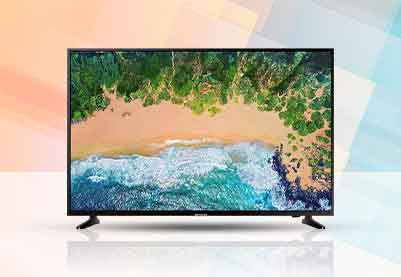

Difference between 60Hz, 120Hz, and higher refresh rates

Refresh rate refers to how many times a display updates per second, directly affecting smoothness, motion clarity and responsiveness across TVs, monitors and smartphones.


Feature60Hz refresh rate120Hz refresh rateHigher refresh rates (144Hz and above)
Refresh SpeedUpdates 60 times per secondUpdates 120 times per secondUpdates 144 to over 240 times per second
Motion SmoothnessStandard smoothness for daily useVery smooth motion with clear visualsUltra-smooth motion with minimal blur
Gaming ExperienceBasic gaming performance with visible lag in fast scenesSmooth and responsive gaming experienceHigh-performance gaming with ultra-low lag
Video ExperienceSuitable for regular videos and streamingBetter clarity in fast-action contentBest for high-frame-rate and action content
Motion BlurMore noticeable in fast movementReduced motion blurVery minimal to almost no motion blur
Usage TypeEveryday browsing, office work, casual viewingGaming, sports, high-quality streamingCompetitive gaming and professional use
Device TypeBudget TVs, basic monitors, entry-level smartphonesMid-range and premium devicesHigh-end gaming monitors and flagship devices

Why refresh rate matters for gaming and sports viewing

Refresh rate plays an important role in delivering smooth motion, clear visuals and better responsiveness, especially in fast-moving content like gaming and sports. A higher refresh rate improves how quickly frames are updated on the screen, reducing lag and motion blur.

  • Smoother gameplay experience: Higher refresh rates allow games to run with smoother motion, making character movements, camera shifts and action sequences look more fluid and realistic.
  • Faster response time in gaming: A higher refresh rate improves input responsiveness, helping players react quickly in competitive or fast-paced gaming situations.
  • Reduced motion blur in sports: Fast-moving sports such as cricket, football and racing appear clearer with less blur, making it easier to track movement on screen.
  • Better visual clarity during fast action: High refresh rate displays maintain sharper details even during quick scene changes or rapid camera movements.
  • Improved viewing comfort: Smooth frame transitions reduce eye strain during long gaming or sports viewing sessions.
  • Enhanced competitive advantage: In gaming, higher refresh rates can provide a slight advantage by displaying updates faster than standard displays.

Refresh rate vs frame rate - Key differences explained

Refresh rate and frame rate are closely related terms in display technology, but they represent two different aspects of how visuals are created and shown on a screen. Understanding both helps in choosing the right TV, monitor or gaming setup for smoother performance.


FeatureRefresh RateFrame Rate
DefinitionNumber of times a display updates the image per secondNumber of frames generated by the content or device per second
Measured inHertz (Hz)Frames per second (FPS)
Controlled byDisplay hardware (TV, monitor, smartphone)Source device or content (console, PC, video, game)
FunctionShows how often the screen refreshes visualsShows how many images are created per second
Impact on experienceAffects smoothness and motion clarity on screenAffects how smooth the content is produced
Example60Hz, 120Hz, 144Hz displays30 FPS, 60 FPS, 120 FPS video or gameplay
Best performance scenarioHigh refresh rate improves display smoothnessHigher FPS improves content fluidity
RelationshipNeeds matching FPS for best performanceWorks best when FPS matches or is close to refresh rate

How to choose the ideal refresh rate for your TV

Choosing the right refresh rate depends on how you use your TV, the type of content you watch and your budget. A higher refresh rate can improve motion smoothness, but not every user requires the highest available option.

  • Consider your viewing habits: For regular TV shows, movies and news channels, a 60Hz TV is generally sufficient and provides a smooth viewing experience.
  • Choose 120Hz for sports content: Sports broadcasts often involve fast-moving action, and a 120Hz TV can deliver clearer motion with reduced blur during gameplay, racing and live events.
  • Prioritise refresh rate for gaming: Gamers should consider 120Hz or higher refresh rates to enjoy smoother gameplay, faster response and better visual performance, especially on modern gaming consoles.
  • Match refresh rate with content quality: A higher refresh rate offers the best experience when paired with high-frame-rate content such as next-generation games and supported streaming content.
  • Evaluate your budget: Higher refresh rate TVs are usually more expensive. Users who mainly watch standard content may find a 60Hz TV more cost-effective.
  • Check TV specifications carefully: Some TVs use motion enhancement technologies that simulate higher refresh rates. Reviewing the native refresh rate helps in making a more informed buying decision.

Common refresh rate issues and how to fix them

Incorrect refresh rate settings can affect display performance, causing issues such as screen flickering, motion blur and lag. Identifying the cause and applying the right solution can help improve viewing and gaming experiences.

  • Screen flickering: Flickering may occur when the selected refresh rate is not fully supported by the display. Choosing a compatible refresh rate through the TV, monitor or device settings can help resolve the issue.
  • Motion blur during fast scenes: Fast-moving content may appear blurry when using a lower refresh rate. Switching to a higher refresh rate, if supported, can improve motion clarity and smoothness.
  • Screen tearing while gaming: Screen tearing happens when the frame rate generated by a gaming device does not match the display refresh rate. Enabling technologies such as Variable Refresh Rate (VRR) can help reduce this problem.
  • Input lag during gameplay: Incorrect display settings may increase response delays. Activating Game Mode and selecting the optimal refresh rate can improve responsiveness.
  • Display not showing the expected refresh rate: Some devices may default to a lower refresh rate. Checking display settings and ensuring the correct HDMI cable or connection standard is being used can help unlock higher refresh rate options.
  • Unsupported refresh rate error: Selecting a refresh rate beyond the display's capability can result in a blank screen or error message. Reverting to a supported refresh rate usually fixes the issue.
  • Battery drain on smartphones and laptops: Higher refresh rates can increase power consumption. Switching to adaptive or standard refresh rate settings may help improve battery life when needed.

Tips for better viewing experience

Optimising display settings and choosing the right refresh rate can significantly improve picture quality, motion clarity and overall viewing comfort across different types of content.

  • Select the appropriate refresh rate: Use a refresh rate that matches your viewing needs, such as 60Hz for regular content and 120Hz or higher for gaming and sports.
  • Enable motion enhancement features carefully: Features such as motion smoothing can improve clarity in fast-moving scenes, but excessive use may make content appear unnatural.
  • Use high-quality HDMI cables: Compatible high-speed HDMI cables help ensure stable performance when using higher refresh rates and advanced display features.
  • Activate Game Mode when gaming: Game Mode reduces input lag and helps deliver a more responsive gaming experience on supported TVs and monitors.
  • Adjust picture settings for content type: Customising brightness, contrast and motion settings based on movies, sports or gaming can improve visual quality.
  • Keep software and firmware updated: Regular updates help improve display performance, compatibility and support for refresh rate-related features.
  • Maintain a comfortable viewing distance: Sitting at an appropriate distance from the screen helps reduce eye strain and enhances overall viewing comfort during extended usage.

Get electronics and appliances on Easy EMIs with Bajaj Finance

Bringing home your preferred product is now hassle-free with Bajaj Finance's flexible financing options. Follow these steps to get started:

  • Explore products on Bajaj Mall: Browse through a wide selection of products on Bajaj Mall. Compare features to find a model that meets your needs.
  • Visit a partner store: Once you shortlist a model, step into any of Bajaj Finance’s 1.5 lakh partner stores across 4,000 cities in India. See the product in person, talk to experts, and make a confident decision.
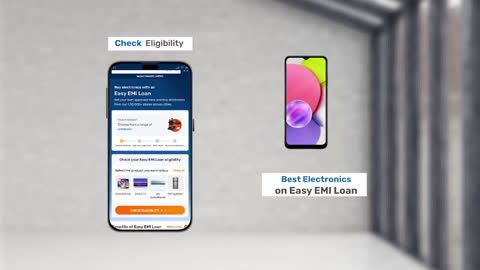
  • Choose the Easy EMI Loan option: At checkout, select the Bajaj Finance Easy EMI Loan. Avail financing of up to Rs. 5 lakh and split the cost into convenient monthly instalments. Some products also come with a zero down payment option.
  • Check your loan eligibility online: Plan better by checking your loan eligibility in minutes. Simply enter your mobile number and OTP to know your pre-approved limit.
  • Use the Insta EMI Card for purchases up to Rs. 3 lakh: Already own the Bajaj Finance Insta EMI Card? Use it for instant, paperless checkout and convert your purchases of up to Rs. 3 lakh into Easy EMIs.

Why use the Smart Savings Calculator

Bajaj Finance’s Smart Savings Calculator helps you unlock maximum savings every time you shop at partner stores. It brings together all available brand, dealer, and scheme offers—so you can see your total savings instantly and shop smarter with Easy EMIs.

1. Dealer offers - Grab exclusive in-store deals at over 1.5 lakh partner stores across India. Enjoy local discounts and special prices you will not find online.

2. Brand offers - Access limited-time discounts from top brands across electronics, appliances, and more. Discover brand-specific savings selected just for you.

3. Bajaj offers - Unlock exclusive Bajaj Finance deals on popular products—available only to our customers. More rewards, more value.

4. Scheme offers - Take advantage of time-sensitive offers on select EMI schemes. Get extra benefits after paying just 3 EMIs—visible during EMI selection at checkout.

Calculate your extra savings today!

FAQ

Can I buy a TV on EMI?

Yes, you can easily bring home your preferred TV using Bajaj Finance’s Easy EMI options. Whether you already have the Insta EMI card or are new to it, here is how to begin:


If you have the Bajaj Finance Insta EMI card:

  • Explore products on Bajaj Mall: Choose from a wide range of the latest and most popular models.
  • Visit a partner store: Check out the product in person at any of Bajaj Finance’s 1.5 lakh partner stores across 4,000 cities in India.
  • Use your Insta EMI card at checkout: Convert the cost into Easy EMIs that fit your monthly budget.
  • Zero down payment on select models: Take your chosen product home without paying anything upfront.

If you do not have an Insta EMI card:

Check your Insta EMI Card eligibility online using your mobile number and OTP. If you are eligible, apply instantly and enjoy a smarter, more affordable way to buy your favourite product on Easy EMIs.

What is refresh rate in a TV?

Refresh rate refers to the number of times a TV updates the image on the screen every second. It is measured in Hertz (Hz), and a higher refresh rate generally results in smoother motion and reduced blur during fast-moving scenes.

Is 120Hz better than 60Hz?

Yes, a 120Hz display refreshes the screen twice as often as a 60Hz display, providing smoother motion, better responsiveness and improved clarity during gaming, sports and fast-action content.

Does refresh rate improve picture quality?

Refresh rate does not directly improve resolution, colour accuracy or contrast. However, it enhances motion smoothness and reduces motion blur, which can make fast-moving content appear clearer and more enjoyable to watch.

What refresh rate is best for gaming?

A refresh rate of 120Hz or higher is generally recommended for gaming because it delivers smoother gameplay, faster screen updates and improved responsiveness, especially in competitive and fast-paced games.

Is a higher refresh rate worth it for watching movies?

For most movies, a 60Hz TV is usually sufficient because films are typically produced at lower frame rates. Higher refresh rates can be more beneficial for sports, gaming and fast-action content than for standard movie viewing.

Show More Show Less

Bajaj Finserv App for all your financial needs and goals


Trusted by 50 million+ customers in India, Bajaj Finserv App is a one-stop solution for all your financial needs and goals.

You can use the Bajaj Finserv App to:

Apply for loans online, such as Instant Personal Loan, Home Loan, Business Loan, Gold Loan, and more.

  • Explore and apply for co-branded credit cards online.
  • Invest in fixed deposits and mutual funds on the app.
  • Choose from multiple insurance for your health, motor and even pocket insurance, from various insurance providers.
  • Pay and manage your bills and recharges using the BBPS platform. Use Bajaj Pay and Bajaj Wallet for quick and simple money transfers and transactions.
  • Apply for Insta EMI Card and get a pre-approved limit on the app. Explore over 1 million products on the app that can be purchased from a partner store on Easy EMIs.
  • Shop from over 100+ brand partners that offer a diverse range of products and services.
  • Use specialised tools like EMI calculators, SIP Calculators
  • Check your credit score, download loan statements, and even get quick customer support—all on the app.

Download the Bajaj Finserv App today and experience the convenience of managing your finances on one app.

Disclaimer

1. Bajaj Finance Limited (“BFL”) is a Non-Banking Finance Company (BAJAJ FINANCE) and Prepaid Payment Instrument Issuer offering financial services viz., loans, deposits, Bajaj Pay Wallet, Bajaj Pay UPI, bill payments and third-party wealth management products. The details mentioned in the respective product/ service document shall prevail in case of any inconsistency with respect to the information referring to BFL products and services on this page.

2. All other information, such as, the images, facts, statistics etc. (“information”) that are in addition to the details mentioned in the BFL’s product/ service document and which are being displayed on this page only depicts the summary of the information sourced from the public domain. The said information is neither owned by BFL nor it is to the exclusive knowledge of BFL. There may be inadvertent inaccuracies or typographical errors or delays in updating the said information. Hence, users are advised to independently exercise diligence by verifying complete information, including by consulting experts, if any. Users shall be the sole owner of the decision taken, if any, about suitability of the same. 

Do more with the Bajaj Finserv App!

UPI, Wallet, Loans, Investments, Cards, Shopping and more