Published Feb 18, 2026 · 4 Min Read

  1. What does ‘PC’ mean?
  2. Types of PCs you can buy
  3. How a PC works in simple terms
  4. Common uses of a PC in daily life
  5. Frequently asked questions

What does 'PC' mean?

“PC” stands for Personal Computer, meaning a computer intended for use by one person at a time. The term became popular in the 1980s when computers started becoming affordable for households and small businesses.

A PC includes hardware (physical parts like the monitor and keyboard) and software (programs and the operating system). Together, they allow users to perform tasks such as writing documents, browsing the web, managing finances, or playing games.

Today, the word “PC” is often used to describe computers that run the Windows operating system, but technically, any personal computer — including laptops and even some tablets — can be considered a PC.


How a PC differs from Mainframes, Servers and Consoles

A PC is designed for individual, everyday use. In contrast, mainframes are extremely powerful computers used by large organisations like banks or government institutions to process huge amounts of data.

Servers are computers that provide services to other computers over a network — such as hosting websites or managing company databases.

Gaming consoles, on the other hand, are specialised systems built mainly for playing video games. While they can run entertainment apps, they are not as flexible as PCs for productivity tasks like creating documents or running business software.


Where can you see the term “PC” today 

Today, the term “PC” covers several device types:

  • Desktop PCs – Stationary computers kept on desks.
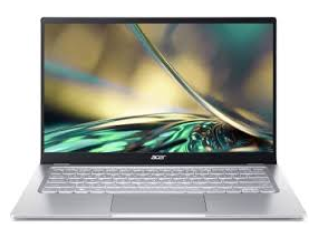
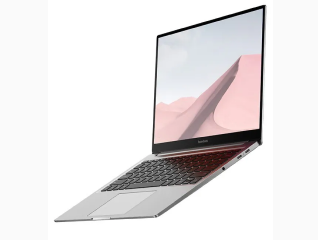
  • Laptops – Portable computers with built-in screens and keyboards.
  • 2-in-1 PCs – Devices that function as both a laptop and a tablet.

No matter the form, they all share the same core purpose: to serve as a personal computing device.
Main parts of a PC

The system unit is the core of a PC. In desktops, it is usually the tower case; in laptops, it is built beneath the keyboard.

Inside it, you will find:

  • CPU (Central Processing Unit) – Often called the “brain” of the computer. It processes instructions and performs calculations.
  • Motherboard – The main circuit board that connects all components.
  • RAM (Random Access Memory) – Temporary memory that stores data while programs are running.
  • Storage (HDD or SSD) – Permanent memory where files, applications, and the operating system are stored.

All these parts work together to run programs smoothly.


Input devices – Keyboard, Mouse and others

Input devices allow you to interact with the PC. Common examples include:

  • Keyboard – For typing text and commands.
  • Mouse or Touchpad – For navigation and selection.
  • Webcam and Microphone – For video calls.
  • Scanner or Graphics Tablet – For specific professional tasks.

Without input devices, you wouldn’t be able to control the computer effectively.


Output devices – Monitor, Speakers, Printers

Output devices show you the results of your work:

  • Monitor – Displays visuals, videos, and documents.
  • Speakers or Headphones – Output sound.
  • Printer – Produces physical copies of documents and images.

Together, input and output devices make communication between you and the PC possible.

Types of PCs you can buy

Below are the main types of Personal Computers that one can purchase for regular personal use.


1. Desktop PCs (Tower and All-in-one)

Desktop PCs come in two main styles:

  • Tower PCs – Separate system unit and monitor. They offer strong performance and are easy to upgrade.
  • All-in-one PCs – Components are built into the monitor for a cleaner look and space-saving design.

Desktops are ideal for offices, gaming setups, and home workstations.


2. Laptops and 2-in-1 PCs (Convertible and setachable)

Laptops are portable PCs with built-in screens, keyboards, and batteries. They are perfect for students, remote workers, and travellers.

2-in-1 PCs offer flexibility:

  • Convertible models fold back into tablet mode.
  • Detachable models allow you to remove the keyboard entirely.

They combine portability with versatility.


3. Mini PCs and small form factor systems

Mini PCs are compact computers designed for small spaces. Despite their size, they can handle everyday tasks like browsing, streaming, and office work. They are popular for home offices and media centres.

How a PC works in simple terms

Learn how a PC works and what hardware and software does to make it run smoothly:


Role of the CPU, RAM and Storage together

When you open a program, it is loaded from storage into RAM. The CPU then processes the instructions and performs the necessary calculations.

Think of storage as a filing cabinet, RAM as a working desk, and the CPU as the worker handling tasks. The faster and larger these components are, the smoother your PC performs.


Operating System as the middle layer 

The operating system (OS) acts as a bridge between hardware and software. Popular operating systems include:

  • Windows
  • macOS
  • Linux

The OS manages files, memory, devices, and security, making it possible for applications to run properly.


How software uses PC hardware to do tasks

Applications like browsers, word processors, or games send instructions to the operating system. The OS communicates with hardware components to execute those instructions.

For example, when editing a photo, the software uses the CPU and graphics processor to apply effects and then displays the result on the monitor.

Common uses of a PC in daily life

PCs are very versatile and you can use them for a ton of tasks in your daily life. Below are some of the things you can do with your PC.


  • Work and study - PCs are widely used for creating documents, spreadsheets, and presentations. Students attend online classes, research topics, and submit assignments digitally. Professionals use PCs for emails, video meetings, and project management tools.
  • Entertainment - PCs allow users to stream movies and TV shows, listen to music, browse social media, and watch videos. Larger screens and better speakers often provide a richer experience than smaller devices.
  • Gaming, content creation and coding - Gamers prefer PCs for higher performance and graphics quality. Content creators use them for video editing, graphic design, and music production. Developers rely on PCs to write code, test software, and build applications.

Advantages of using a PC

Using a Personal Computer has many benefits. It makes lives easier if one knows how to make optimum use of it. Here are some of the advantages of the using the PC:


Power, multitasking and storage compared to phones

While smartphones are convenient, PCs offer greater processing power, larger screens, and more storage capacity. They handle multitasking more efficiently — running multiple applications at once without slowing down significantly.


Upgradability and repairability (Especially desktops)

Desktop PCs are highly upgradeable. You can increase RAM, replace storage drives, or install a better graphics card. This extends the lifespan of your device and improves performance over time.

Even laptops now offer improved repair options, making PCs a long-term investment.

Basic PC specifications - Explained

When buying a PC, one should check the following:


CPU, RAM, Storage

  • CPU – Look for modern multi-core processors for better speed.
  • RAM – 8GB is suitable for basic tasks; 16GB or more is ideal for multitasking.
  • Storage – SSDs are faster than traditional HDDs. Aim for at least 256GB SSD for everyday use.

Graphics – Integrated vs Dedicated GPU

Integrated graphics are built into the CPU and work well for basic tasks. Dedicated GPUs are separate components designed for gaming, video editing, and 3D work.


Ports, Wi-Fi and other connectivity features

Check for USB ports, HDMI, headphone jacks, and SD card slots. Modern PCs also support Wi-Fi and Bluetooth for wireless connectivity.

How to choose the right PC

When choosing the right Personal Computer device, one should consider the following:

  • PCs for home and students - Students and home users should prioritize portability, battery life, and at least 8GB RAM. Lightweight laptops are ideal for carrying between classes or rooms.
  • PCs for office work and business - Business users should look for reliable processors, good keyboards, security features, and enough storage for files and software.
  • PCs for gaming and heavy creative work - Gamers and creators need powerful CPUs, at least 16GB RAM, dedicated graphics cards, and high-refresh-rate displays for smooth performance.

Getting started with your first PC

Here are some of the very first things one needs to do after they get themselves a PC:

  • Setting up hardware and cables - For desktops, connect the monitor, keyboard, mouse, and power cables. Laptops simply need charging before first use.
  • First boot, accounts and updates - When you turn on the PC, follow on-screen instructions to create a user account, connect to Wi-Fi, and install updates.
  • Installing essential apps and security software - Install a web browser, office software, antivirus tools, and any required productivity apps. Keeping software updated ensures better security and performance.

Looking for the right PC at the right price?

Buying a PC is an investment — whether it is for study, work, or entertainment. If you are looking for the best mobile and laptop deals with flexible payment options, explore our range of affordable financing plans. Upgrade to the right device today without straining your budget. If you are planning to buy a PC, you can easily explore your options in-store. Check your loan eligibility and enjoy Easy EMIs from Bajaj Finserv with flexible financing. You may also benefit from zero down payment on select models. 

Shop smart with Easy EMIs

Bajaj Finserv puts you in control of your shopping. See if you are eligible for a loan and get instant approval in just a few steps. Once approved, go to any of 1.5 lakh+ partner stores across India. Pick from over 1 million products from 550+ leading brands. Pay in Easy EMIs with 50+ flexible options that fit your budget. Enjoy a fast, seamless, and stress-free shopping experience—with more freedom and more savings.

Why use the Maha Bachat Savings Calculator

Bajaj Finserv’s Maha Bachat Savings Calculator helps you unlock maximum savings every time you shop at partner stores. It brings together all available brand, dealer, and scheme offers—so you can see your total savings instantly and shop smarter with Easy EMIs.
 

  1. Dealer offers - Grab exclusive in-store deals at over 1.5 lakh partner stores across India. Enjoy local discounts and special prices you will not find online.
  2. Brand offers - Access limited-time discounts from top brands across electronics, appliances, and more. Discover brand-specific savings selected just for you.
  3. Bajaj offers - Unlock exclusive Bajaj Finserv deals on popular products—available only to our customers. More rewards, more value.
  4. Scheme offers - Take advantage of time-sensitive offers on select EMI schemes. Get extra benefits after paying just 3 EMIs—visible during EMI selection at checkout.


Calculate your extra savings now!


Frequently asked questions

Is a laptop considered a PC?

Yes, a laptop is considered a PC (Personal Computer). A PC simply means a computer designed for individual use. Laptops, desktops, and even 2-in-1 devices fall under this category. The main difference is portability, laptops have built-in screens, keyboards, and batteries, making them easy to carry anywhere.

What is the difference between a PC and a Mac?

A PC usually refers to computers running the Windows operating system, while a Mac is a personal computer made by Apple that runs macOS. Both can perform similar tasks, but they differ in hardware design, software ecosystem, user interface, and pricing. Macs are known for integration with Apple devices.

Can a tablet or phone replace a PC?

For basic tasks like browsing, streaming, or emailing, a tablet or phone can sometimes replace a PC. However, for multitasking, professional software, large file management, gaming, coding, or content creation, a PC offers more power, flexibility, storage, and better productivity features.

How long does a PC usually last?

A PC typically lasts between 4 to 8 years, depending on usage, build quality, and maintenance. Desktops often last longer because they can be upgraded easily. Regular updates, proper care, and sufficient RAM and storage can significantly extend a PC’s usable lifespan.

Do I need a powerful PC for basic tasks?

No, you don’t need a high-end PC for everyday tasks like browsing the internet, watching videos, using office apps, or attending online meetings. A system with a modern entry-level processor, 8GB RAM, and an SSD is usually more than enough for smooth basic performance.

Show More Show Less

Bajaj Finserv app for all your financial needs and goals

Trusted by 50 million+ customers in India, Bajaj Finserv App is a one-stop solution for all your financial needs and goals.

You can use the Bajaj Finserv App to:

  • Apply for loans online, such as Instant Personal Loan, Home Loan, Business Loan, Gold Loan, and more.
  • Invest in fixed deposits and mutual funds on the app.
  • Choose from multiple insurance for your health, motor and even pocket insurance, from various insurance providers.
  • Pay and manage your bills and recharges using the BBPS platform. Use Bajaj Pay and Bajaj Wallet for quick and simple money transfers and transactions.
  • Apply for Insta EMI Card and get a pre-qualified limit on the app. Explore over 1 million products on the app that can be purchased from a partner store on Easy EMIs.
  • Shop from over 100+ brand partners that offer a diverse range of products and services.
  • Use specialised tools like EMI calculators, SIP Calculators
  • Check your credit score, download loan statements and even get quick customer support—all on the app.

Download the Bajaj Finserv App today and experience the convenience of managing your finances on one app.

Disclaimer

1. Bajaj Finance Limited (“BFL”) is a Non-Banking Finance Company (NBFC) and Prepaid Payment Instrument Issuer offering financial services viz., loans, deposits, Bajaj Pay Wallet, Bajaj Pay UPI, bill payments and third-party wealth management products. The details mentioned in the respective product/ service document shall prevail in case of any inconsistency with respect to the information referring to BFL products and services on this page. 

2. All other information, such as, the images, facts, statistics etc. (“information”) that are in addition to the details mentioned in the BFL’s product/ service document and which are being displayed on this page only depicts the summary of the information sourced from the public domain. The said information is neither owned by BFL nor it is to the exclusive knowledge of BFL. There may be inadvertent inaccuracies or typographical errors or delays in updating the said information. Hence, users are advised to independently exercise diligence by verifying complete information, including by consulting experts, if any. Users shall be the sole owner of the decision taken, if any, about suitability of the same.

Do more with the Bajaj Finserv App!

UPI, Wallet, Loans, Investments, Cards, Shopping and more