







Clear your overdue EMI
Clear your overdue EMI today – stop penalties & fix your credit
*Overdue charges include penalty interest and bounce fees as applicable. T&C apply.
In Summary
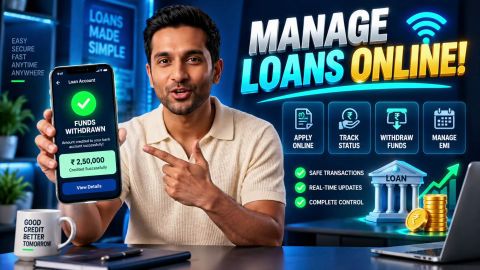
Manage and service your loans seamlessly via My Account
Paying your Lawyer Loan EMI on time helps you manage your repayment obligations, track transactions, and monitor outstanding dues. You can use the Bajaj Finance My Account portal or app to review your loan details and access the payment options available for your account. Your repayment schedule, bank statement and loan statement can help you check instalments and identify discrepancies.
- Follow the online payment steps to access your loan account, review the amount due, and complete a payment using an available method.
- Check your loan details, EMI amount, and due date before confirming a payment.
- Compare payment records and loan documents in the table to identify missing entries, unfamiliar charges, or discrepancies.
- Monitor automatic debits and arrange payment through an authorised channel if a transaction fails.
- Review overdue amounts and applicable charges and contact Bajaj Finance through an official service channel if you need help.
- Make timely repayments to support your credit history but remember that they do not guarantee a particular CIBIL score.
Keep your transaction references and review your loan account after each payment. If you notice an error or face repayment difficulties, contact Bajaj Finance through an official service channel to clarify your dues and discuss the options available under your loan terms.
What is online EMI payment for a lawyer loan?
Online EMI payment for a lawyer loan lets legal professionals repay their scheduled loan instalments through available digital payment options. A lawyer loan can help eligible legal professionals meet professional or business-related financial needs, subject to the lender’s terms and eligibility criteria. Each EMI represents the amount payable under the agreed repayment schedule.
You can manage repayments online without visiting a branch. Before making a payment, review your loan account details, EMI amount, due date and any outstanding dues. Access the official Bajaj Finance website or the My Account portal or app to check your loan details and view the payment options available for your account. Follow the displayed instructions and verify the amount and loan account before confirming the transaction. After payment, retain the transaction reference or confirmation for your records. Check your loan account to verify the payment status and address any discrepancy through an official service channel.
How can you pay your lawyer loan EMI online?
You can pay your Lawyer Loan EMI online through the Bajaj Finance My Account portal or app. These digital channels let you access your loan details, review the amount due and use the payment options available for your account.
Follow these steps to complete your payment.
- Open My Account or app: Access the Bajaj Finance My Account portal through your browser or open the Bajaj Finance app on your device.
- Sign in: Enter your registered mobile number and complete OTP verification.
- Select your loan account: Open the Service section and select your Lawyer Loan under Your Relations, where available.
- Open loan payments: Select Make Loan Payments to view the available payment options.
- Choose a payment option: Select the option that matches your repayment requirement.
- Review the payment details: Check the amount due and verify the loan account details before proceeding.
- Complete the payment: Choose an available online payment method and follow the on-screen instructions to complete the transaction.
Before confirming your payment, check the amount due and ensure you have selected the correct loan account. After completing the transaction, save the payment confirmation or transaction reference. Check your loan account to verify the payment status. If you notice a discrepancy, contact Bajaj Finance through an official service channel.
Which payment records can help you resolve an EMI discrepancy?
An EMI discrepancy can occur when your bank statement shows a debit but your loan account does not reflect the payment. You may also notice a difference between the amount in your payment confirmation and your outstanding dues. Comparing your payment records with your loan documents can help you identify the difference and explain it to Bajaj Finance.
| Document or record | What it verifies |
| Payment confirmation or receipt | Check the transaction amount, date, reference number and payment status. |
| Bank statement | Confirm whether your bank account shows the debit, along with the amount and transaction date. |
| Loan statement | Compare the payment entry and outstanding dues with your bank records, and review any applicable charges. |
| Repayment schedule | Check the scheduled EMI amount, due date and repayment details for your loan. |
| Loan agreement | Review the agreed repayment terms and provisions relating to applicable charges. |
| Previous payment records | Compare earlier transactions to identify repeated debits, missing entries or differences in payment amounts. |
If the records do not match, retain copies of the relevant documents and contact Bajaj Finance through an official service channel. Share the transaction reference and explain the difference you noticed. Keep the records until Bajaj Finance clarifies the discrepancy and you verify the updated payment status in your loan account.
What happens if you delay or miss a lawyer loan EMI payment?
Delaying or missing a lawyer loan EMI can leave an overdue amount on your loan account and affect your repayment record. The consequences depend on your loan agreement, the duration of the delay and your repayment history. Understanding these effects can help you manage repayments and address overdue amounts.
- Applicable charges may arise: Bajaj Finance may apply charges in accordance with your loan agreement and applicable policies.
- Your credit record may suffer: Repeated or prolonged missed payments may affect your credit profile and future borrowing prospects.
- Outstanding dues may increase: Unpaid instalments and applicable charges can increase the total amount you need to repay.
- Recovery action may follow: Continued non-payment may lead to recovery action under your loan agreement and applicable law.
- Future borrowing may become difficult: A poor repayment record may affect your ability to obtain credit on favourable terms.
If you miss an EMI, review your outstanding dues and loan statement through the official portal or app. Use an available payment option to clear overdue amounts. Contact Bajaj Finance through an official service channel if you need help understanding your dues or managing repayment difficulties.
How can you avoid missing your lawyer loan EMI?
You can manage your Lawyer Loan repayments by tracking due dates, planning your payments and checking each transaction.
Use these practices to manage your repayments:
- Track your repayment schedule: Check your next EMI due date and plan your funds accordingly.
- Review your account regularly: Check outstanding dues and payment status through My Account.
- Use official payment channels: Access the official Bajaj Finance website or an authorised service channel.
- Verify payment details: Confirm the loan account and amount before authorising a transaction.
- Keep transaction records: Save payment references and check your loan account after each transaction.
If you use an automatic debit arrangement, monitor your bank account to confirm that the debit went through. If the debit fails, check your loan account and arrange payment through an available authorised method.
How does paying your lawyer loan EMI on time affect your CIBIL score?
Paying your lawyer loan EMI on time can help you maintain a consistent credit history and support your CIBIL score. Credit information companies assess your credit profile using repayment history, outstanding debt and other credit-related factors. Your lender may report repayment information as part of your credit record. Consistent payments demonstrate responsible credit management and may improve your prospects of accessing credit in the future. Missing payments or repeatedly delaying EMIs may have the opposite effect and affect your score. To manage repayments, check your loan statement, note upcoming due dates and maintain sufficient funds for scheduled payments. After making an EMI payment, verify the transaction and review your loan account to confirm that the payment has been recorded. If you notice an error in your repayment history, contact your lender and follow the applicable process to request a correction. Timely payments can support your credit profile, but they do not guarantee a particular CIBIL score.
Frequently Asked Questions
Paying Lawyer Loan EMI
Charges & Penalties
Legal & Credit Impact
What should you do if you pay more than the EMI amount by mistake?
Review your payment confirmation and loan statement to check the amount paid and the outstanding balance. Keep your transaction reference and contact Bajaj Finance through an official service channel. Explain the excess payment and ask how the lender has recorded it and what options may be available. Do not assume that the excess amount will automatically reduce your principal or adjust a future EMI. Check your loan account after Bajaj Finance clarifies the transaction.
What should you do if you receive an EMI reminder after making the payment?
Check your bank statement and loan account to confirm whether the transaction went through. Compare the payment date, amount and transaction reference with the reminder and your loan statement. If your bank shows a successful debit but your loan account does not reflect the payment, retain the confirmation and contact Bajaj Finance through an official service channel. Explain the discrepancy and keep the service request reference until you verify the updated payment status.
What should you do if your loan statement shows an unfamiliar charge?
Review your loan agreement, loan statement and payment records to understand the charge. Check the description and amount against the terms that apply to your loan. If you still cannot identify the charge, contact Bajaj Finance through an official service channel and request an explanation of its basis. Keep the relevant statement and transaction records. Do not assume that a charge is incorrect or valid until you have checked the applicable loan terms and received clarification.
What details should you provide when reporting an EMI payment issue?
Provide the relevant loan account details through an authorised service channel, along with the payment date, amount and transaction reference. Explain what you expected to happen and what your bank statement or loan account currently shows. Attach the relevant payment confirmation or statement if the channel permits it. Keep the complaint or service request reference for follow-up. Once Bajaj Finance responds, check your loan account to confirm whether the payment status or entry has changed.
How can you update the mobile number linked to your lawyer loan account?
Contact Bajaj Finance through an official service channel to confirm the process for updating your registered mobile number. Follow the required identity verification steps and provide the information requested through the authorised process. After the lender updates your details, confirm that you can access your account and receive relevant loan notifications. Do not share OTPs or other authentication details with anyone who asks for them outside the authorised verification process.
How can you find out whether your lawyer loan has any overdue amount?
Sign in to your loan account through the official Bajaj Finance portal or app and review the outstanding dues and loan statement. Compare the amount shown with your repayment schedule, bank statement and recent payment confirmations. If the account shows an overdue amount despite a successful payment, retain the transaction reference and contact Bajaj Finance through an official service channel. Check the account again after the lender clarifies the entry or updates the payment status.
How often should you review your lawyer loan repayment records?
Review your repayment records regularly, particularly after making an EMI payment and before an upcoming due date. Compare your bank transactions with your loan statement and repayment schedule to check whether the lender has recorded each payment correctly. Retain payment confirmations and transaction references so you can investigate missing entries or discrepancies. Regular checks can help you identify an issue early, but you should contact Bajaj Finance through an official service channel if you find an unexplained difference.
What should you do if your credit report shows an incorrect loan repayment entry?
Compare the credit report entry with your loan statement and payment confirmations. If the details do not match, contact Bajaj Finance through an official service channel and report the discrepancy. Provide the relevant account and payment information through the authorised process, and follow the applicable correction procedure. Keep the complaint reference and supporting records. Review your credit report again after the relevant parties address your request to check whether the entry reflects the correct repayment information.
More Articles


Disclaimer
While care is taken to update the information, products, and services included in or available on our website and related platforms/websites, there may be inadvertent inaccuracies or typographical errors or delays in updating the information. The material contained in this site, and on associated web pages, is for reference and general information purpose and the details mentioned in the respective product/service document shall prevail in case of any inconsistency. Subscribers and users should seek professional advice before acting on the basis of the information contained herein. Please take an informed decision with respect to any product or service after going through the relevant product/service document and applicable terms and conditions. In case any inconsistencies observed, please click on reach us.
*Terms and conditions apply.