LG WebOS TV - Overview
LG webOS TV is a revolutionary smart TV platform designed for a seamless user experience. Its intuitive interface, combined with advanced AI technology, makes it easy to access a wide range of content. Users can enjoy streaming services, live TV, and personalized recommendations, all in one place. With voice control and compatibility with smart home devices, the LG webOS TV transforms the way you watch television, offering convenience, and entertainment. Discover the ultimate viewing experience with the LG TVs.
You can buy electronics on Easy EMIs from Bajaj Finance and enjoy exclusive discounts. Visit any of Bajaj Finance’s 1.5 lakh partner stores in over 4,000 cities, choose the model, and use the Easy EMI Loan of up to Rs. 5 lakh. Convert the price into Easy EMIs, enjoy zero down payment on select models. Check your loan eligibility online now.
Key features of LG WebOS TVs
| Feature | Description |
| User interface | The user-friendly webOS interface allows effortless navigation and quick access to your favourite apps and services. |
| Voice control | Integrated voice assistants like Google Assistant and Alexa enable hands-free control, making it easy to find content and control other smart devices. |
| AI ThinQ technology | AI-powered recommendations and personalised content suggestions enhance your viewing experience by curating content based on your preferences. |
| Magic remote | The Magic Remote with point and click functionality simplifies navigation and provides quick access to various features. |
| Smart home integration | Seamlessly integrates with your smart home setup, allowing you to control other smart devices directly from your TV. |
| 4K Ultra HD | Enjoy stunning picture quality with 4K Ultra HD resolution, delivering sharp and detailed images for an immersive viewing experience. |
| HDR support | High Dynamic Range (HDR) support enhances colour and contrast, ensuring vibrant and lifelike visuals. |
| Streaming services | Access popular streaming services like Netflix, Amazon Prime, and Disney+ directly from your TV, providing endless entertainment options. |
| Screen size options | Available in various screen sizes, including a 43-inch smart TV, catering to different room sizes and preferences. |
| Connectivity | Multiple connectivity options, including HDMI and USB ports, ensure easy connection with external devices and peripherals. |
You can also enhance your home entertainment setup with an LED TV, featuring the innovative webOS platform.
Updated price list of LG WebOS TVs in India
LG webOS TVs offer a range of models catering to various budgets and preferences. Prices vary based on screen size, resolution, and additional features. Below is a list of popular LG webOS TV models with their prices:
| Model | Price |
| LG 80 cm (32 inches) HD Ready smart led tv 32lm563bptc (dark iron gray) | Rs. 13,999 |
| LG 139 cm (55 inches) 4k ultra hd smart led tv 55ur7500psc (dark iron gray) | Rs. 44,990 |
| LG 108 cm (43 inches) 4k ultra hd smart led tv 43ur7500psc (dark iron gray) | Rs. 32,990 |
| LG 164 cm (65 inches) 4k ultra hd smart led tv 65ur7500psc (dark iron gray) | Rs. 67,990 |
| LG 139 cm (55 inches) 4k ultra hd smart oled tv 55b3psa (black) | Rs. 1,24,990 |
*Disclaimer: Prices are subject to change. Please check the official website for the most accurate and up-to-date information.
Explore the latest offers from Bajaj Finance and grab the best deals for a premium shopping experience.
Also explore: 65-inch TVs
List of LG WebOS TV: Features, Models and Specs in India
LG WebOS TVs in India combine smart features, sleek design, and reliable performance. Here is a descriptive look at popular models, highlighting their features and specifications.
LG UA82 Series (50-inch 4K Ultra HD Smart WebOS LED TV)
- Sharp 4K resolution with vibrant colors and clarity.
- WebOS platform supports OTT apps and voice control.
- Multiple HDMI and USB ports for easy connectivity.
- Great choice for medium-sized living rooms and everyday entertainment.
LG QNED Mini LED WebOS TV (55-inch, 2025 Model)
- Advanced QNED Mini LED technology for deeper contrast.
- Dolby Vision and Dolby Atmos for immersive viewing and sound.
- AI-powered WebOS interface with streaming apps.
- Perfect for users seeking premium visuals and cinematic experiences.
LG OLED Smart WebOS TV (55-inch, OLED55B7T)
- OLED technology delivers perfect blacks and vibrant colors.
- Ultra HD 4K resolution ensures lifelike picture quality.
- WebOS platform offers smooth navigation and app support.
- Ideal for movie lovers and gamers wanting superior performance.
Why Should You Choose LG WebOS TVs
LG WebOS TVs are designed to make entertainment simple, smart, and enjoyable. With an easy-to-use interface, they let you access apps, streaming services, and live TV seamlessly. WebOS also supports voice control, multiple connectivity options, and smooth navigation, making it convenient for all age groups. Whether you’re watching movies, sports, or gaming, LG WebOS TVs deliver clear visuals and reliable performance. They suit families, professionals, and casual viewers alike, offering a mix of affordability and advanced features. Choosing LG WebOS means getting a smart TV experience that is user-friendly, versatile, and built for everyday entertainment needs.
Get electronics and appliances on Easy EMIs with Bajaj Finance
Upgrading your home with the latest electronics and appliances is now easier and more affordable with Bajaj Finance’s flexible financing options. You can also maximise your savings by using the Maha Bachat Savings Calculator—a smart tool that combines brand offers, dealer offers, and EMI offers, all in one place, helping you lower the overall cost while still paying in small, bite-sized instalments. Follow these steps to get started:
- Explore products on Bajaj Mall: Browse a wide range of electronics and appliances from trusted brands. Compare features like energy ratings, storage capacity, performance settings, and design to choose the right product for your home.
- Visit a partner store: Once you shortlist a model, step into any of Bajaj Finance’s 1.5 lakh partner stores across 4,000 cities in India. See the product in person, talk to experts, and make a confident decision.
- Choose the Easy EMI Loan option: At checkout, select the Bajaj Finance Easy EMI Loan. Avail financing of up to Rs. 5 lakh and split the cost into convenient monthly instalments. Some products also come with a zero down payment option.
- Check your loan eligibility online: Plan better by checking your loan eligibility in minutes. Simply enter your mobile number and OTP to know your pre-approved limit.
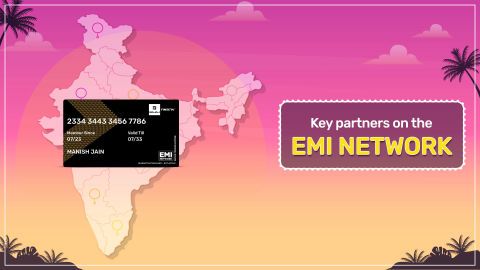
- Use the EMI Network Card for purchases up to Rs. 3 lakh: Already own the Bajaj Finance EMI Network Card? Use it for instant, paperless checkout and convert your purchases of up to Rs. 3 lakh into Easy EMIs.
Why use the Maha Bachat Savings Calculator
Bajaj Finance’s Maha Bachat Savings Calculator helps you unlock maximum savings every time you shop at partner stores. It brings together all available brand, dealer, and scheme offers—so you can see your total savings instantly and shop smarter with Easy EMIs.
- Dealer offers - Grab exclusive in-store deals at over 1.5 lakh partner stores across India. Enjoy local discounts and special prices you will not find online.
- Brand offers - Access limited-time discounts from top brands across electronics, appliances, and more. Discover brand-specific savings selected just for you.
- Bajaj offers - Unlock exclusive Bajaj Finance deals on popular products—available only to our customers. More rewards, more value.
- Scheme offers - Take advantage of time-sensitive offers on select EMI schemes. Get extra benefits after paying just 3 EMIs—visible during EMI selection at checkout.