Published Apr 11, 2026 · 3 Min Read

What are LG washing machine error codes?

When your LG washing machine shows an error code on its display, it is trying to tell you exactly what is wrong before the problem gets worse. LG washing machines use alphanumeric error codes like IE, OE, UE, and dE to flag specific issues ranging from water supply problems and drainage faults to door errors and motor overloads. Knowing what each code means helps you diagnose and fix most problems quickly at home without calling a technician. This guide covers every major LG washing machine error code with clear explanations and practical fixes designed for everyday Indian households.


And if your machine needs replacing, buying a new LG washing machine has never been more affordable. With Bajaj Finserv's financing options available across 1.5 lakh partner stores like Croma, Vijay Sales, and Reliance Digital in 4,000 cities, you can convert the cost into Easy EMIs with flexible tenures up to 60 months — making a washing machine upgrade easier on your budget than ever before.


LG washing machine error code list

Here is a complete overview of all major LG washing machine error codes, what they mean, and the recommended fix for each.


  1. IE — Inlet error (water not filling): The machine is not receiving enough water within the expected time. Check that the inlet tap is fully open, the inlet hose is not kinked or blocked, and the water pressure at home is adequate. Also check the mesh filter inside the inlet valve connection for blockages and clean if needed.
  2. OE — Outlet error (water not draining): Water is not draining from the drum within the expected time. Check the drain hose for kinks or blockages, clean the debris filter at the bottom front of the machine, and ensure the drain hose is not positioned too high or submerged in standing water.
  3. UE — Unbalanced error (load imbalance): The laundry inside the drum is unevenly distributed. Open the door, redistribute the clothes evenly across the drum, and restart the cycle. Washing a single heavy item like a blanket or bedsheet without balancing it with other items is the most common cause of UE errors.
  4. dE — Door error (door not closed): The door is not properly closed or the door latch is not engaging correctly. Push the door firmly shut, check that no clothing is caught in the rubber door seal, and restart. If the error persists, the door latch or interlock may need professional inspection.
  5. LE — Locked motor error (motor overload): The motor is drawing too much current, usually due to an overloaded drum or a mechanical obstruction. Reduce the load, check for any foreign objects caught between the drum and the tub, and restart after allowing the machine to rest for 30 minutes.
  6. FE — Fill error (overfill): Too much water has entered the drum beyond the safe level. Switch off the machine immediately, drain the water manually if needed, and check the water inlet valve for faults. The inlet valve may be stuck open and may require professional replacement.
  7. tE — Thermistor error (temperature sensor fault): The machine cannot accurately read the water temperature. This usually indicates a faulty thermistor or temperature sensor. Basic troubleshooting like restarting the machine may temporarily resolve it, but a persistent tE error typically requires a service technician to inspect or replace the sensor.
  8. PE — Pressure sensor error (water level sensor fault): The water level sensor is not functioning correctly, preventing the machine from detecting the correct water level in the drum. Switch off the machine, restart after two minutes, and run a short cycle. If the PE error persists, contact an authorised LG service centre.
  9. CE — Current error (motor overcurrent): The motor is drawing more current than normal, which can indicate a mechanical obstruction or an electrical fault. Reduce the laundry load, switch the machine off, unplug from the power socket, wait 30 minutes, and restart. If CE reappears, contact a technician.
  10. dL — Door lock error (door lock failure): The door lock mechanism is not engaging or disengaging correctly. Check the door latch for visible damage, ensure the door is closing fully, and restart. A persistent dL error usually indicates a faulty door lock assembly that requires professional replacement.

Water-related error codes (IE, FE, PE)

Water-related errors are among the most common LG washing machine faults in Indian households, often triggered by low water pressure, blocked inlet hoses, or faulty sensors. Here is a detailed breakdown of each water-related error code and how to fix it.


  1. IE — Water not filling: The IE error appears when the machine fails to fill with water within the set time. This is one of the most frequently reported LG error codes in India, often caused by low municipal water pressure or a partially closed inlet tap.

Fix: Fully open the inlet tap, straighten the inlet hose, and check the mesh filter inside the inlet hose connection for lime scale or debris buildup. Clean the filter under running water and reconnect. If water pressure at home is consistently low, consider a booster pump for the washing machine connection.

2. FE — Overfilling with water: The FE error appears when water exceeds the maximum safe level inside the drum. This is usually caused by a faulty inlet valve that is not closing fully after the drum reaches the required water level.

Fix: Switch off the machine immediately and unplug from the power socket. Allow excess water to drain manually. The inlet valve is likely stuck open and will need to be inspected and replaced by an authorised LG technician.

3. PE — Water level sensor fault: The PE error appears when the pressure sensor that monitors water level inside the drum is malfunctioning. This can prevent the machine from filling, draining, or completing wash cycles correctly.

Fix: Switch off the machine, unplug, wait two minutes, and restart. Check that the pressure sensor hose connecting the sensor to the drum is not kinked or disconnected. If PE persists after restarting, contact an authorised LG service centre for sensor inspection.

Drainage error codes (OE, E1)

Drainage errors are the second most common LG washing machine fault in Indian households, usually caused by blocked filters, kinked hoses, or incorrect drain hose positioning. Here is how to identify and fix each drainage error:


  • OE — Water not draining The OE error appears when the machine cannot drain water from the drum within the expected time. In Indian households, the most common cause is a clogged debris filter — often blocked by lint, coins, hair pins, or small fabric pieces.

Fix: Clean the debris filter, check the drain hose for kinks or blockages, and ensure the drain hose outlet height is within the recommended range specified in your LG user manual.


  • E1 — Drain error (alternate code) The E1 error is an alternate drain fault code used on older LG washing machine models. It indicates the same drainage issue as OE — water is not clearing from the drum within the set time.

Fix: Follow the same steps as the OE fix above — clean the debris filter, check the drain hose for kinks or blockages, and ensure the drain hose outlet height is within the recommended range specified in your LG user manual.

Door and lock error codes (dE, dE1, dL)

Door and lock errors prevent the wash cycle from starting or completing as a safety measure. Here is what each door error code means and how to resolve it:


  • dE — Door not closed The dE error appears when the machine detects that the door is not properly closed before or during a cycle. This is a safety feature that prevents the machine from running with an open or improperly latched door.

Fix: Open the door fully, check for any clothing caught in the rubber door seal, push the door firmly shut until you hear the latch click, and restart the cycle. If the door appears to close correctly but dE persists, the door switch or interlock mechanism may be faulty.


  • dE1 — Door switch error The dE1 error indicates a fault with the door switch itself — the component that detects whether the door is open or closed. Unlike a standard dE error which can often be resolved by reclosing the door, dE1 typically points to a hardware fault.

Fix: Switch off the machine, unplug, and inspect the door latch and switch for visible damage. If no visible damage is found, contact an authorised LG service centre as the door switch will likely need professional replacement.


  • dL — Door lock failure The dL error appears when the door lock mechanism fails to engage or disengage correctly during a cycle. This can occur due to a worn door lock assembly or an electrical fault in the locking mechanism.

Fix: Switch off the machine, wait two minutes, and restart. If dL reappears consistently, the door lock assembly is likely worn or damaged and will need to be replaced by an authorised LG technician.

Motor and load error codes (UE, LE, CE)

Motor and load errors are usually caused by overloading the machine or uneven distribution of laundry inside the drum. Here is how to identify and fix each motor and load error code:


Error codeMeaningFix
UE / UBUnbalanced loadRedistribute clothes evenly inside the drum, avoid overloading, and ensure the washer is on a level surface.
LEMotor error (locked motor)Turn off the machine, wait a few minutes, then restart. If the error repeats, contact LG service as the motor may need repair.
CECurrent error (motor overload)Switch off the washer, reduce the load size, and restart. If the error persists, service support is required.

Sensor and temperature error codes (tE, PE)

Sensor errors prevent the machine from accurately monitoring water temperature and levels, which can affect wash quality and safety. Here is how to identify and fix each sensor error code:


Error codeMeaningFix
tEHeating sensor errorSwitch off and restart the machine. If the error continues, the heater or sensor may be faulty and needs service.
PEPressure sensor errorRestart the washer. If the error repeats, the pressure sensor likely requires technician support or replacement.

How to troubleshoot LG washing machine errors

Most LG washing machine errors can be resolved at home with a few simple checks. Here is a step-by-step troubleshooting guide for Indian households:


  1. Check the water supply first: Many errors like IE and PE are caused by low water pressure or a closed inlet tap. Ensure the inlet tap is fully open, the hose is not kinked, and the mesh filter inside the inlet connection is clean and free of lime scale.
  2. Clean the debris filter regularly: A blocked debris filter is the most common cause of OE drainage errors. Locate the filter at the bottom front of the machine, remove all lint, coins, and debris, rinse under running water, and refit securely. Clean the filter at least once a month for best results.
  3. Redistribute the laundry: If a UE error appears, pause the cycle and redistribute the clothes evenly inside the drum. Avoid washing single heavy items without balancing garments and always load within the machine's recommended capacity.
  4. Check the door seal and latch: A dE error means the door is not closing correctly. Inspect the rubber door seal for trapped clothing or debris, push the door firmly shut until the latch clicks, and restart. Replace the door latch if visible damage is found.
  5. Restart the machine: For many minor errors, switching the machine off at the power socket, waiting two minutes, and restarting can clear the fault code and restore normal operation without any further action.
  6. Level the machine properly: Vibration and recurring UE errors can occur if the machine is not sitting level on the floor. Adjust the levelling feet at the base of the machine until it is stable and balanced, and check that all four feet are making firm contact with the floor.

How to reset LG washing machine error codes

Resetting your LG washing machine can clear minor error codes and restore normal operation. Here are the most effective ways to reset your machine:


  1. Power reset: Switch the machine off at the power socket, unplug from the wall, and wait for at least two minutes. Plug back in, switch on, and restart a new cycle. This clears most minor error codes caused by temporary sensor glitches or power fluctuations.
  2. Cancel and restart: Press and hold the Start/Pause button for three to five seconds to cancel the current cycle. This resets the machine to its default state and clears temporary error codes without switching the machine off completely.
  3. Child lock reset: If the control panel is unresponsive, the child lock may be active. Press and hold the child lock button — usually marked with a lock or key icon — for three to five seconds until the lock indicator turns off. The panel will then respond normally.
  4. Spin or drain reset: If the machine has stopped mid-cycle with water still in the drum, turn the programme dial to the drain or spin setting and press Start. This forces the machine to complete the remaining drainage before a full reset can be performed.
  5. Factory reset for smart models: On LG washing machines with ThinQ smart displays, open the LG ThinQ app on your smartphone, select your machine, go to Settings, and choose Reset. This restores all smart settings to factory defaults and is useful for persistent software-related errors.
  6. Contact LG support if reset does not work: If the machine continues to display error codes after a full reset, note the exact error code and contact LG India customer care or visit an authorised LG service centre for professional diagnosis and repair.

Get a new LG washing machine on Easy EMIs with Bajaj Finserv

If your LG washing machine needs replacing, upgrading to a new model is simple and affordable with Bajaj Finserv's Easy EMI options. The entire process takes just a few minutes, and you can walk out with your new washing machine the same day.

 Follow these steps:


  • Find a partner store near you: Use the Bajaj Finserv store locator to find a nearby outlet such as Croma, Reliance Digital, or Vijay Sales — available across 1.5 lakh partner stores in India. 
  • Choose your LG model: Pick the washing machine that best suits your family size and laundry needs from the range available at the store or on Bajaj Mall.
  • Select your EMI plan: At checkout, ask the store executive about the Bajaj Finserv Insta EMI Card or Easy EMI Loan. Choose a repayment tenure between 3 and 60 months, with zero down payment on select products.
  • Complete payment and take it home: Once approved, your purchase is processed immediately and your new washing machine will be delivered and installed at your home.

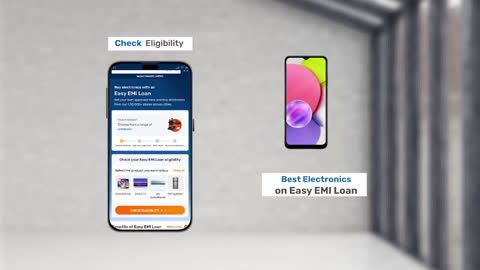
You can also check your loan eligibility online in advance by entering your mobile number and OTP — making your in-store experience faster and smoother.

Save more with Maha Bachat Savings Calculator

Bajaj Finserv’s savings calculator helps you unlock maximum savings every time you shop at partner stores. It brings together all available brand, dealer, and scheme offers—so you can see your total savings instantly and shop smarter with Easy EMIs.
 

  1. Dealer offers - Grab exclusive in-store deals at over 1.5 lakh partner stores across India. Enjoy local discounts and special prices you will not find online.
  2. Brand offers - Access limited-time discounts from top brands across electronics, appliances, and more. Discover brand-specific savings selected just for you.
  3. Bajaj offers - Unlock exclusive Bajaj Finserv deals on popular products—available only to our customers. More rewards, more value.
  4. Scheme offers - Take advantage of time-sensitive offers on select EMI schemes. Get extra benefits after paying just 3 EMIs—visible during EMI selection at checkout.


Calculate your extra savings now!

FAQs

Can I buy a washing machine on EMI?

Yes, you can easily bring home your preferred washing machine using Bajaj Finserv’s Easy EMI options. Whether you already have the EMI Network Card or are new to it, here is how to begin: 


  • Explore washing machines on Bajaj Mall: Choose from a wide range of the latest and most popular models.
  • Visit a partner store: Experience the device in person at any of Bajaj Finserv’s 1.5 lakh partner stores across 4,000 cities in India.
  • Use your EMI Network Card at checkout: Convert the cost of your washing machine into Easy EMIs that fit your monthly budget.
  • Zero down payment on select models: Take your chosen washing machine home without paying anything upfront.


If you do not have an EMI Network Card:
Check your Insta EMI Card eligibility and take the first step towards enjoying the affordability and convenience of Easy EMIs.

What are the error codes on an LG washer?

LG washing machines use alphanumeric error codes to flag specific faults. The most common codes are IE (water not filling), OE (water not draining), UE (unbalanced load), dE (door not closed), LE (motor overload), FE (overfilling), tE (temperature sensor fault), PE (water level sensor fault), CE (motor overcurrent), and dL (door lock failure). Each code points to a specific component or function, helping you diagnose and fix most issues quickly at home.

What does the IE error code mean on an LG washer?

The IE error code on an LG washing machine means the machine is not receiving enough water within the expected fill time. It is one of the most common LG error codes in Indian households, often caused by a closed or partially open inlet tap, a kinked inlet hose, or a blocked mesh filter inside the inlet hose connection. To fix it, fully open the inlet tap, straighten the hose, and clean the mesh filter under running water before restarting the machine.

How do I reset my LG washer after error code?

The simplest way to reset an LG washing machine after an error code is to switch it off at the power socket, unplug from the wall, wait two minutes, and plug back in. This clears most minor error codes caused by temporary glitches. You can also press and hold the Start/Pause button for three to five seconds to cancel the current cycle and reset the machine. For persistent error codes that return after a reset, contact an authorised LG service centre for professional diagnosis.

What does the dE error code mean on an LG washer?

The dE error code on an LG washing machine means the door is not properly closed or the door latch is not engaging correctly. This is a safety feature that prevents the machine from running with an open or improperly latched door. To fix it, open the door fully, check for any clothing caught in the rubber door seal, push the door firmly shut until you hear the latch click, and restart the cycle. If dE persists after correctly closing the door, the door switch or latch may need professional inspection.

How do I fix OE error in LG washer?

The OE error on an LG washing machine means water is not draining from the drum within the expected time. The most common cause in Indian households is a clogged debris filter. To fix it, locate the debris filter at the bottom front of the machine behind the small access panel, place a shallow tray below to catch water, unscrew the filter cap slowly, remove all lint and debris, rinse the filter under running water, and refit securely. Also check the drain hose for kinks and ensure it is not submerged in standing water at the outlet point.

Show More Show Less

Bajaj Finserv app for all your financial needs and goals

Trusted by 50 million+ customers in India, Bajaj Finserv App is a one-stop solution for all your financial needs and goals.

You can use the Bajaj Finserv App to:

  • Apply for loans online, such as Instant Personal Loan, Home Loan, Business Loan, Gold Loan, and more.
  • Invest in fixed deposits and mutual funds on the app.
  • Choose from multiple insurance for your health, motor and even pocket insurance, from various insurance providers.
  • Pay and manage your bills and recharges using the BBPS platform. Use Bajaj Pay and Bajaj Wallet for quick and simple money transfers and transactions.
  • Apply for Insta EMI Card and get a pre-qualified limit on the app. Explore over 1 million products on the app that can be purchased from a partner store on Easy EMIs.
  • Shop from over 100+ brand partners that offer a diverse range of products and services.
  • Use specialised tools like EMI calculators, SIP Calculators
  • Check your credit score, download loan statements and even get quick customer support—all on the app.

Download the Bajaj Finserv App today and experience the convenience of managing your finances on one app.

Disclaimer

1. Bajaj Finance Limited (“BFL”) is a Non-Banking Finance Company (BAJAJ FINANCE) and Prepaid Payment Instrument Issuer offering financial services viz., loans, deposits, Bajaj Pay Wallet, Bajaj Pay UPI, bill payments and third-party wealth management products. The details mentioned in the respective product/ service document shall prevail in case of any inconsistency with respect to the information referring to BFL products and services on this page.

2. All other information, such as, the images, facts, statistics etc. (“information”) that are in addition to the details mentioned in the BFL’s product/ service document and which are being displayed on this page only depicts the summary of the information sourced from the public domain. The said information is neither owned by BFL nor it is to the exclusive knowledge of BFL. There may be inadvertent inaccuracies or typographical errors or delays in updating the said information. Hence, users are advised to independently exercise diligence by verifying complete information, including by consulting experts, if any. Users shall be the sole owner of the decision taken, if any, about suitability of the same.