







As per your loan
Clear any overdue EMI to process your refund faster!
Enter mobile and OTP · No password needed · No branch visit needed
In Summary
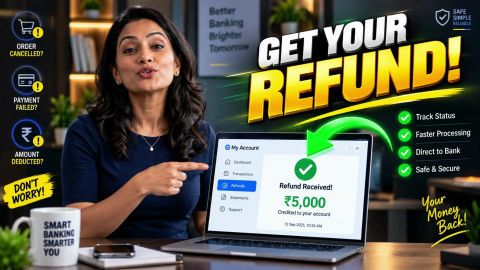
Resolve loan cancellation delays and claim excess refunds
If you pay more than the amount required to close your loan, review your payment records and final pre-closure calculation. Contact Bajaj Finance through an authorised support channel to check whether the excess amount qualifies for a refund.
- Compare your final pre-closure amount with the payments recorded in your loan account and bank statement.
- Keep your loan statement, payment receipts, transaction references and closure records ready for verification.
- Raise a refund request through the My Account portal, the Bajaj Finance app or another authorised support channel.
- Save your service request reference and track the request using the available service options.
- Check the applicable refund timeline for your specific request instead of assuming a standard processing period.
- Follow up or use the lender's published grievance redressal process if the request remains unresolved.
Wait for Bajaj Finance to confirm the refund decision and amount. Retain the written response and verify how the lender has accounted for the excess payment.
How can you request a refund after paying extra during pre-closure?
If you paid more than the amount required to close your loan, review your loan account records and contact the lender to check whether you qualify for a refund. The lender needs to verify your payments, final pre-closure amount and loan settlement details before confirming whether an excess amount is refundable. Start by comparing the final pre-closure amount with the payments recorded in your loan account. Check whether the difference resulted from an additional payment, a duplicate transaction or an amount that the lender adjusted against your outstanding balance. This review helps you identify the reason for the excess payment before raising a request. Next, gather your payment receipts, transaction reference numbers and latest Statement of Account. Contact Bajaj Finance through an authorised support channel and explain the difference between the amount paid and the amount required to close the loan. Share the relevant records and follow the instructions provided to request a review. Keep your service request reference for future follow-up.
How do you check the extra amount paid?
Review your loan statement, final pre-closure calculation and bank records to identify any payment above the required closure amount.
Check the following details:
- Final pre-closure amount: The amount communicated for closing your loan.
- Payment records: The amount and date of each payment made towards closure.
- Loan statement: The payments and adjustments recorded against your loan account.
- Bank statement: The amount debited from your bank account and the transaction reference.
- Closure status: Whether the lender has recorded the loan as closed and accounted for all payments.
If the figures do not match, ask the lender to explain the difference. Do not calculate your refund solely by subtracting the closure amount from your bank debit if the loan account includes other payments or adjustments.
How do you submit a refund request online?
You can use the My Account portal or Bajaj Finance App to access the available service options for your loan. The exact route may vary by account and request type.
Follow these steps:
- Sign in to the My Account portal or the Bajaj Finance app using your registered mobile number and complete the required verification.
- Select the relevant loan account.
- Open the available help or customer support section.
- Choose the relevant option to raise a service request. If you cannot find a specific refund option, contact customer support through an authorised channel.
- Explain that you paid more than the required pre-closure amount and request a review.
- Provide the payment dates, amounts and transaction references, along with supporting records when requested.
- Save the request reference so you can follow up on its status.
Keep your explanation factual and include the amount you believe you overpaid. Submit documents only through an authorised service channel.
Which documents should you keep ready for a refund request?
Keep records that show the amount you paid and the amount required to close your loan. The lender may ask for supporting documents to verify the transaction and your account details.
| Record | Why it may help |
| Final pre-closure statement or calculation | Shows the amount required to close the loan |
| Loan statement | Shows payments and adjustments recorded by the lender |
| Bank statement or payment receipt | Confirms the amount debited and payment date |
| Transaction reference | Helps identify the payment under review |
| Loan account details | Helps the service team locate your account |
Provide only the documents requested through the authorised process. If the lender asks for further information, check that the request comes through an official channel before sharing personal or banking details.
How long does an excess payment refund take?
The refund timeline depends on the payment type and the applicable service category. Bajaj Finance’s July 2026 Citizen’s Charter lists 14 business days for a refund of excess EMI received after loan closure or cancellation. It separately lists 14 business days for refunds of charges or fees confirmed to the customer.
These timelines do not automatically establish the processing period for every excess payment made during pre-closure. Check the service request response to confirm the applicable timeline for your case.
While you wait:
- Keep your request reference and payment records.
- Check the request status through the available service channel.
- Contact customer support if the stated timeline passes without a resolution.
- Ask whether the excess amount qualifies for a refund or another account adjustment.
Do not assume that a refund has been approved until the lender confirms the outcome.
What should you do if your refund request remains unresolved?
If you do not receive a clear response, follow up using your service request reference and ask the lender to explain the status of your refund. If the lender declines the request, ask for the reason and compare it with your loan statement and final pre-closure calculation.
You can take these steps:
- Request a review: Share any payment records or account discrepancies that the earlier review may have missed.
- Keep written records: Save the request reference, responses, and supporting documents.
- Escalate the concern: If the service response remains unsatisfactory or the applicable timeline passes, use the lender’s published grievance redressal process.
The lender’s review will determine whether it should refund the excess amount or account for it in another way. Keep the final written response for your records and confirm how the lender has treated the payment.
Loan support made easy — Read on
Not your nearest branch?

Frequently Asked Questions
Refund Basics
Raising a Refund Request
What happens if your loan account shows a credit balance after pre-closure?
A credit balance may indicate that the lender has recorded an amount exceeding the dues shown in your loan account. However, it does not automatically confirm that you qualify for a refund. Review your latest Statement of Account and final pre-closure calculation, then ask the lender to explain the balance and confirm how it has been treated.
What should you do if you accidentally make a second pre-closure payment?
Check both transactions in your bank statement and loan account to establish whether the lender received and recorded both payments. Keep the transaction references and final pre-closure calculation ready. Contact the lender through an authorised support channel, explain the duplicate payment and request a review. The lender can confirm whether the additional amount qualifies for a refund.
Does an excess payment automatically reduce the amount owed on another loan?
Do not assume that an excess payment on one loan will automatically reduce the dues on another loan. The lender needs to clarify how it has recorded the payment and whether any adjustment is available. Contact the lender with the relevant loan account details and request written confirmation before relying on the amount to meet another repayment obligation.
What should you do if the refund amount differs from your calculation?
Compare the refund amount communicated by the lender with your final pre-closure calculation, payment receipts and Statement of Account. Check whether the lender has recorded any other payments or adjustments. If the difference remains unclear, request an itemised explanation through an authorised support channel and retain the response for your records.
What happens if your bank account is closed before the refund arrives?
Contact the lender through an authorised support channel and explain that the bank account used for the original payment is no longer active. Ask which procedure and supporting documents apply to receiving an eligible refund through another account. Follow the lender's verification instructions and share updated banking details only through an authorised channel.
What should you do if the refund is approved but the money has not arrived?
Check the refund confirmation for the stated processing timeline and any available transaction reference. Review your bank account for the credit and contact the lender if the stated timeline has passed. Provide your service request reference and ask for an update on the refund transaction. Keep the lender's response and relevant bank records for follow-up.
More Articles


Disclaimer
While care is taken to update the information, products, and services included in or available on our website and related platforms/websites, there may be inadvertent inaccuracies or typographical errors or delays in updating the information. The material contained in this site, and on associated web pages, is for reference and general information purpose and the details mentioned in the respective product/service document shall prevail in case of any inconsistency. Subscribers and users should seek professional advice before acting on the basis of the information contained herein. Please take an informed decision with respect to any product or service after going through the relevant product/service document and applicable terms and conditions. In case any inconsistencies observed, please click on reach us.
*Terms and conditions apply.