Published Jun 9, 2026 · 3 Min Read

Overview

A cracked TV screen is one of the most serious forms of television damage and can affect picture quality, touchscreen functionality (if applicable) and overall device performance. Screen cracks can occur due to accidental impact, pressure on the display panel, falls or mishandling during transportation and installation. In most cases, a physically cracked TV screen cannot be repaired using simple DIY methods because the display panel itself is damaged. Depending on the severity of the crack, users may need to consider professional screen replacement or, in some situations, replacing the entire TV if repair costs are too high.


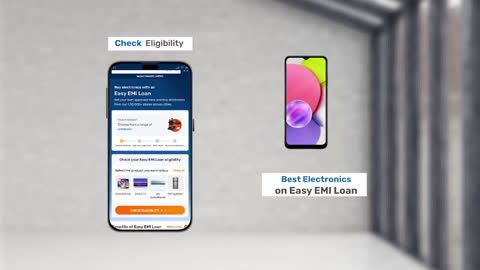
Explore TVs at any of Bajaj Finance’s 1.5 lakh partner stores in 4,000 cities in India. Choose your ideal model, pay with Easy EMIs, and enjoy zero down payment on select deals. Simply check your loan eligibility now and bring home your desired product without worrying about overspending.
Common causes of cracked TV screens

TV screens are delicate components that can be damaged by physical impact, pressure or improper handling. Understanding the common causes of screen cracks can help prevent costly repairs and extend the lifespan of the television.

  • Accidental impact: Dropping objects such as remote controls, toys or household items onto the screen can cause cracks or display damage.
  • TV falls or tipping over: An unstable TV stand, improper wall mounting or accidental bumps can cause the television to fall and crack the screen.
  • Excessive pressure on the display: Pressing, leaning or placing heavy objects against the screen can damage the display panel and lead to cracks.
  • Improper transportation: Moving a TV without adequate protection can expose the screen to shocks, vibrations and impacts that may result in damage.
  • Incorrect installation: Poor handling during setup or wall mounting can place stress on the screen and increase the risk of cracks.
  • Children or pets: Accidental contact, collisions or playful activity around the television can sometimes lead to screen damage.
  • Moving the TV by the screen edges: Lifting or carrying a television incorrectly can put pressure on the display panel and cause structural damage.
  • Accidental collisions with furniture: Bumping the TV against walls, doors or furniture while relocating it can crack the screen.
  • Manufacturing defects (rare cases): Although uncommon, certain structural weaknesses may make a screen more vulnerable to damage under normal use.
  • Improper storage conditions: Storing a television in cramped spaces or placing heavy objects on it can increase the likelihood of screen cracks.

How to fix a cracked TV screen

The method for fixing a cracked TV screen depends on the extent of the damage. While minor surface scratches may have temporary cosmetic solutions, a physically cracked display panel usually requires professional repair or replacement.

  • Assess the severity of the damage: Inspect the screen carefully to determine whether the damage is a superficial scratch, a small crack or a severely damaged display panel with picture distortion.
  • Check if the TV is still functioning: Turn on the television and look for issues such as black spots, coloured lines, flickering images or areas with no display output.
  • Avoid applying pressure to the cracked area: Pressing on the damaged screen can worsen the crack and cause additional damage to the display panel.
  • Inspect warranty and insurance coverage: Review the manufacturer's warranty or any accidental damage protection plan to see if repair costs may be covered.
  • Contact an authorised service centre: Professional technicians can assess whether the display panel can be replaced and provide an estimate for the repair cost.
  • Consider screen replacement: In most cases, fixing a cracked TV screen involves replacing the entire display panel rather than repairing the crack itself.
  • Compare repair and replacement costs: For older or budget televisions, the cost of replacing the screen may be close to the price of a new TV, making replacement a more practical option.
  • Avoid DIY screen repair methods: Homemade fixes, adhesives or repair kits generally do not restore a cracked TV panel and may cause further damage.
  • Protect the screen until repair: Keep the TV in a safe location and avoid moving it unnecessarily to prevent the crack from spreading.
  • Replace the TV if repair is uneconomical: If the screen replacement cost is too high, purchasing a new television may offer better value and warranty coverage.

Should you repair or replace a cracked TV screen

Deciding whether to repair or replace a cracked TV screen depends on factors such as the extent of the damage, repair cost, TV age and overall value of the television. In many cases, screen replacement can be expensive, making a new TV a more practical option.


FactorRepair the TV screenReplace the TV
Damage levelMinor or moderate damageSevere screen damage
Repair costReasonable compared to TV valueRepair cost close to or higher than a new TV
TV ageRelatively new televisionOlder television nearing the end of its lifespan
Warranty coverageCovered under protection plan or insuranceNot covered by warranty
Availability of partsReplacement screen readily availableParts unavailable or difficult to source
Long-term valueGood for premium or high-end TVsBetter for budget or outdated models

Estimated cost of repairing a damaged TV screen

The cost of repairing a damaged TV screen depends on factors such as screen size, display technology, brand, model and the extent of the damage. In many cases, screen replacement is the most expensive TV repair because the display panel is one of the costliest components of the television.


TV typeEstimated repair cost
32-inch LED TVRs. 3,000 – Rs. 8,000
43-inch LED TVRs. 5,000 – Rs. 12,000
50–55-inch LED TVRs. 8,000 – Rs. 20,000
QLED TVRs. 15,000 – over Rs. 40,000
OLED TVRs. 20,000 – over Rs. 60,000
Minor screen-related servicingRs. 1,000 – Rs. 5,000

If you are planning to buy a new TV, you can explore the latest offers. You may find a great deal on a model that matches your needs.

Tips to prevent TV screen damage in the future

Preventing TV screen damage is often easier and more cost-effective than repairing or replacing a damaged display. Following a few simple precautions can help protect your television and extend its lifespan.

  • Mount the TV securely: Use a sturdy wall mount or stable TV stand to reduce the risk of accidental falls or tipping.
  • Keep the TV away from high-traffic areas: Position the television where it is less likely to be bumped by people, furniture or household items.
  • Avoid touching or pressing the screen: Excessive pressure can damage the display panel, especially on LED, QLED and OLED televisions.
  • Keep children and pets at a safe distance: Active play around the television can increase the risk of accidental impact and screen damage.
  • Handle the TV carefully during relocation: Always lift the television by its frame and use proper packaging when moving it.
  • Use a protective screen cover if needed: Screen protectors designed for televisions can help reduce the risk of scratches and minor impacts.
  • Avoid placing objects near the TV: Keep remote controls, decorative items and other objects away from the screen to prevent accidental collisions.
  • Ensure proper cable management: Organised cables reduce the chances of the TV being pulled or knocked over accidentally.
  • Clean the screen correctly: Use a soft microfiber cloth and avoid applying excessive force while cleaning the display.
  • Protect the TV during transportation and storage: Use the original packaging or adequate cushioning materials to minimise the risk of impact damage.

Get electronics and appliances on Easy EMIs with Bajaj Finance

Bringing home your preferred product is now hassle-free with Bajaj Finance's flexible financing options. Follow these steps to get started:

  • Explore products on Bajaj Mall: Browse through a wide selection of products on Bajaj Mall. Compare features to find a model that meets your needs.
  • Visit a partner store: Once you shortlist a model, step into any of Bajaj Finance’s 1.5 lakh partner stores across 4,000 cities in India. See the product in person, talk to experts, and make a confident decision.
  • Choose the Easy EMI Loan option: At checkout, select the Bajaj Finance Easy EMI Loan. Avail financing of up to Rs. 5 lakh and split the cost into convenient monthly instalments. Some products also come with a zero down payment option.
  • Check your loan eligibility online: Plan better by checking your loan eligibility in minutes. Simply enter your mobile number and OTP to know your pre-approved limit.
  • Use the Insta EMI Card for purchases up to Rs. 3 lakh: Already own the Bajaj Finance Insta EMI Card? Use it for instant, paperless checkout and convert your purchases of up to Rs. 3 lakh into Easy EMIs.

Why use the Smart Savings Calculator

Bajaj Finance’s Smart Savings Calculator helps you unlock maximum savings every time you shop at partner stores. It brings together all available brand, dealer, and scheme offers—so you can see your total savings instantly and shop smarter with Easy EMIs.

1. Dealer offers - Grab exclusive in-store deals at over 1.5 lakh partner stores across India. Enjoy local discounts and special prices you will not find online.

2. Brand offers - Access limited-time discounts from top brands across electronics, appliances, and more. Discover brand-specific savings selected just for you.

3. Bajaj offers - Unlock exclusive Bajaj Finance deals on popular products—available only to our customers. More rewards, more value.

4. Scheme offers - Take advantage of time-sensitive offers on select EMI schemes. Get extra benefits after paying just 3 EMIs—visible during EMI selection at checkout.

Calculate your extra savings today!

Frequently asked questions

Can I buy a TV on EMI?

Yes, you can easily bring home your preferred TV using Bajaj Finance’s Easy EMI options. Whether you already have the Insta EMI card or are new to it, here is how to begin:


If you have the Bajaj Finance Insta EMI card:

  • Explore products on Bajaj Mall: Choose from a wide range of the latest and most popular models.
  • Visit a partner store: Check out the product in person at any of Bajaj Finance’s 1.5 lakh partner stores across 4,000 cities in India.
  • Use your Insta EMI card at checkout: Convert the cost into Easy EMIs that fit your monthly budget.
  • Zero down payment on select models: Take your chosen product home without paying anything upfront.

If you do not have an Insta EMI card:

Check your Insta EMI Card eligibility online using your mobile number and OTP. If you are eligible, apply instantly and enjoy a smarter, more affordable way to buy your favourite product on Easy EMIs.

Can a cracked TV screen be repaired?

Yes, a cracked TV screen can sometimes be repaired, but in most cases the entire display panel needs to be replaced. The feasibility of repair depends on the severity of the damage, screen type and replacement part availability.

How much does TV screen repair cost?

TV screen repair costs typically range from Rs. 3,000 to Rs. 60,000 or more, depending on the screen size, display technology, brand and extent of the damage. Premium OLED and QLED TVs usually have higher repair costs.

Is it cheaper to repair or replace a TV?

It depends on the TV's age, model and repair estimate. If the screen replacement cost is close to the price of a new television, replacing the TV is often the more cost-effective option.

What causes TV screens to crack?

TV screens commonly crack due to accidental impacts, falls, excessive pressure on the display, improper handling during transportation, incorrect installation or collisions with objects.

Can a TV work with a cracked screen?

A TV may continue to function if the damage is minor, but users may experience issues such as lines, black spots, distorted images or reduced picture quality. Severe cracks can make the display unusable even if the TV powers on.

Show More Show Less

Bajaj Finserv App for all your financial needs and goals


Trusted by 50 million+ customers in India, Bajaj Finserv App is a one-stop solution for all your financial needs and goals.

You can use the Bajaj Finserv App to:

Apply for loans online, such as Instant Personal Loan, Home Loan, Business Loan, Gold Loan, and more.

  • Explore and apply for co-branded credit cards online.
  • Invest in fixed deposits and mutual funds on the app.
  • Choose from multiple insurance for your health, motor and even pocket insurance, from various insurance providers.
  • Pay and manage your bills and recharges using the BBPS platform. Use Bajaj Pay and Bajaj Wallet for quick and simple money transfers and transactions.
  • Apply for Insta EMI Card and get a pre-approved limit on the app. Explore over 1 million products on the app that can be purchased from a partner store on Easy EMIs.
  • Shop from over 100+ brand partners that offer a diverse range of products and services.
  • Use specialised tools like EMI calculators, SIP Calculators
  • Check your credit score, download loan statements, and even get quick customer support—all on the app.

Download the Bajaj Finserv App today and experience the convenience of managing your finances on one app.

Disclaimer

1. Bajaj Finance Limited (“BFL”) is a Non-Banking Finance Company (BAJAJ FINANCE) and Prepaid Payment Instrument Issuer offering financial services viz., loans, deposits, Bajaj Pay Wallet, Bajaj Pay UPI, bill payments and third-party wealth management products. The details mentioned in the respective product/ service document shall prevail in case of any inconsistency with respect to the information referring to BFL products and services on this page.

2. All other information, such as, the images, facts, statistics etc. (“information”) that are in addition to the details mentioned in the BFL’s product/ service document and which are being displayed on this page only depicts the summary of the information sourced from the public domain. The said information is neither owned by BFL nor it is to the exclusive knowledge of BFL. There may be inadvertent inaccuracies or typographical errors or delays in updating the said information. Hence, users are advised to independently exercise diligence by verifying complete information, including by consulting experts, if any. Users shall be the sole owner of the decision taken, if any, about suitability of the same. 

Do more with the Bajaj Finserv App!

UPI, Wallet, Loans, Investments, Cards, Shopping and more