







Support available Online, on call, or at branches
Get answers instantly without waiting on call:
Enter mobile and OTP · No password needed · No branch visit needed
In Summary
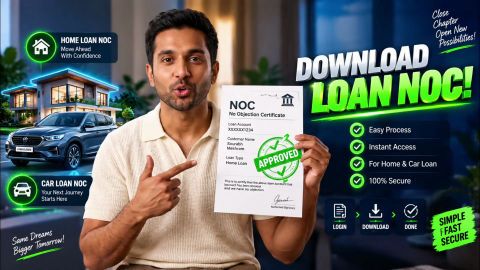
Download loan NOC online after closing your account
An education loan NOC provides documentary evidence of loan closure after applicable dues and formalities are completed. It helps borrowers verify their final loan status, maintain closure records, and address future account-related queries when required.
- Obtain the NOC after all applicable dues are cleared and the loan account is officially closed.
- Check available loan documents through the digital servicing platform and download the NOC or No Dues Certificate, if available.
- Review the borrower’s name, loan account number, closure details, outstanding dues and issue details on the NOC.
- Safely retain the NOC, final loan statement, payment records and other closure-related documents for future reference.
- If the NOC is unavailable, verify the loan status and outstanding amount, then raise a service request through an authorised customer service channel.
What is an NOC for an education loan?
An NOC, or No Objection Certificate, is a document issued by the lender after an education loan has been fully repaid and the required closure formalities have been completed. It serves as written confirmation that the borrower has fulfilled the repayment obligations linked to the loan. The document may contain details such as the borrower's name, loan account number, and confirmation of the loan's closure, depending on the lender's process. An NOC can be useful when you need formal proof that no outstanding amount remains against the education loan. Before considering the loan fully closed, check the loan account status and confirm that all required dues have been cleared. You should also retain the NOC and other closure-related records for future reference. If the lender provides a separate loan closure letter or another document instead of an NOC, retain that document as evidence of the completed loan closure and follow the applicable process for obtaining it.
When can you get an education loan NOC?
You can generally get an education loan NOC, or No Objection Certificate, after the loan has been fully repaid and the loan account has been officially closed. The NOC is therefore obtained after completion of the applicable repayment and closure requirements, rather than simply after making the final EMI payment.
The NOC may become available when:
- All scheduled repayments are completed: The loan tenure has ended or the outstanding amount has otherwise been fully repaid.
- All outstanding dues are cleared: No amount remains payable against the loan account.
- The loan account is closed: The lender's records reflect the appropriate closure status.
- Closure formalities are completed: Any applicable requirements for issuing the NOC or No Dues Certificate have been fulfilled.
If the loan still has an outstanding amount or the account has not been officially closed, the NOC may not be available yet. Check your loan status after the final repayment and follow the lender's process to obtain the closure document.
How to get an education loan NOC online?
You can check and access available education loan documents online through the Bajaj Finance My Account portal or the Bajaj Finance App after signing in with your registered mobile number and OTP. If the loan has been fully repaid and closed, check the available documents for the NOC or No Dues Certificate.
Through My Account
- Sign in to My Account using your registered mobile number and OTP.
- Verify your details if prompted.
- Open the relevant education loan account.
- Go to the Document Centre or the available loan document section.
- Check for the NOC or No Dues Certificate.
- Download the document if it is available for your closed loan account.
- Check the details and retain the document for your records.
Through the Bajaj Finance App
- Open the Bajaj Finance App and sign in using your registered mobile number and OTP.
- Select the relevant education loan account.
- Open the available loan documents or Document Centre.
- Look for the NOC or No Dues Certificate.
- Download the NOC if it is available.
- Check the details and save the document for future reference.
The exact document options and services displayed may vary by loan account. If the NOC is not available online after the loan has been closed, use the available customer service option to check its status and the applicable process. Checking the loan status and retaining the NOC or No Dues Certificate after closure can help you maintain a record of the completed education loan repayment.
What should you check on your education loan NOC?
After downloading the education loan NOC, compare the information in the document with your loan records. Checking the document helps you identify any discrepancy in the account or closure details.
Review the following:
| Detail | What to check |
| Borrower's name | Check that the name matches your loan records |
| Loan account number | Confirm that the NOC relates to the correct loan |
| Closure details | Check the information relating to loan closure |
| Outstanding dues | Confirm that the document reflects the applicable dues as cleared |
| Issue details | Check the information provided on the certificate |
Keep the NOC and final loan records together. If any information appears incorrect, use an authorised customer service channel to request clarification.
Why should you keep your education loan NOC safe?
Keeping your education loan NOC and other closure records safely provides a clear documentary record of the completed loan account. These documents can be useful when you need to verify the closure status or address a future account-related query.
- Proof of loan closure: The NOC or No Dues Certificate serves as documentary evidence related to the closure of the education loan after applicable dues have been cleared.
- Reference for future queries: The NOC can help you verify the loan’s final status if you need to refer to the account later.
- Final payment record: Keep the final payment receipt or transaction record as evidence of the payment made towards the loan.
- Complete loan records: Retain the final loan statement, where issued, along with other closure-related documents for future reference.
- Credit report verification: Check your credit report after loan closure to verify that the loan account status has been reported correctly.
- Dispute support: If the loan account continues to appear incorrectly, use the relevant lender or credit bureau dispute process to seek correction.
Keeping these documents organised gives you a clear record of the completed education loan. It can also make it easier to verify the account status and address future queries related to the closed loan.
What should you do if your education loan NOC is unavailable?
If the NOC is not available after your education loan has been fully repaid, first check the loan account status and outstanding amount. A final statement or other loan document can help you verify whether the account reflects the expected closure position.
You can then take the following steps:
- Recheck your loan documents through the available digital servicing platform.
- Verify that the loan account shows no outstanding amount.
- Keep your final payment and repayment records available for reference.
- Raise a service request through an authorised customer service channel if the document is unavailable.
- Provide your loan account details and relevant payment information when seeking clarification.
Do not assume that a missing NOC means the repayment has not been recorded. Check the account status and available closure records before taking further action.
Frequently Asked Questions
Education Loan NOC Basics
NOC Download & Loan Closure
How long should you keep an education loan NOC?
You should retain the education loan NOC along with your final loan statement and payment records for future reference. These documents provide a clear record of the completed loan and may help with account-related queries later.
How long does it take to receive an education loan NOC?
It usually takes 7 to 10 business days to receive the NOC after your loan is fully repaid and closed. You can follow up with your lender if there are any delays.
What happens if the loan closure status is not updated?
If the loan closure status does not reflect the expected position after repayment, check the account details and final payment records. You can then contact the lender through an authorised customer service channel for clarification.
Is NOC required for education loan?
Yes, an NOC (No Objection Certificate) is required for an education loan as it officially confirms that the loan has been fully repaid. It ensures that the borrower has no outstanding dues and the loan account is closed, protecting the borrower from future disputes.
What records should be stored with an education loan NOC?
Keep the NOC or No Dues Certificate with your final loan statement, payment or transaction records, and any loan closure communication provided. Storing these documents together makes future verification easier.
How can you verify an education loan account after closure?
You can review the loan account status and final statement through the available servicing platform. You can also check your credit report to verify that the loan account status has been reported correctly.
More Articles

Disclaimer
While care is taken to update the information, products, and services included in or available on our website and related platforms/websites, there may be inadvertent inaccuracies or typographical errors or delays in updating the information. The material contained in this site, and on associated web pages, is for reference and general information purpose and the details mentioned in the respective product/service document shall prevail in case of any inconsistency. Subscribers and users should seek professional advice before acting on the basis of the information contained herein. Please take an informed decision with respect to any product or service after going through the relevant product/service document and applicable terms and conditions. In case any inconsistencies observed, please click on reach us.
*Terms and conditions apply.