Published Jun 9, 2026 · 3 Min Read

What is a digital TV

A digital TV is a television that receives, processes and displays digital broadcast signals instead of traditional analog signals. Digital television technology delivers improved picture quality, clearer audio and access to additional features such as electronic programme guides, multiple channels and interactive services. Unlike analog TV, which transmits audio and video as continuous signals, digital TV converts content into digital data for transmission and reception. This allows for more efficient use of bandwidth and enables higher-quality viewing experiences, including support for high-definition (HD) and, in some cases, ultra-high-definition (UHD) content.


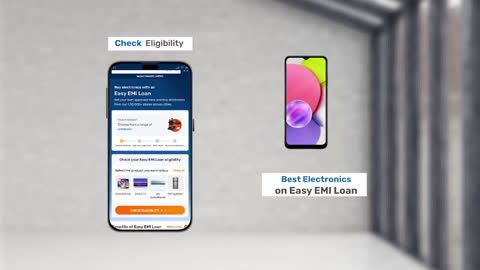
Explore TVs at any of Bajaj Finance’s 1.5 lakh partner stores in 4,000 cities in India. Choose your ideal model, pay with Easy EMIs, and enjoy zero down payment on select deals. Simply check your loan eligibility now and bring home your desired product without worrying about overspending.

Key features of digital television technology

Digital television technology offers several advantages over traditional analog broadcasting by delivering better picture quality, improved sound and enhanced viewing features. These capabilities make digital TV the standard broadcasting format in many countries.

  • Digital signal transmission: Audio and video content is transmitted as digital data, reducing signal degradation and improving overall viewing quality.
  • Improved picture quality: Digital TV supports clearer images with better colour accuracy, contrast and detail compared to analog television.
  • Enhanced sound quality: Viewers can enjoy cleaner and more consistent audio, often with support for advanced sound formats.
  • High-definition content support: Digital television enables HD broadcasts and can support higher resolutions depending on the service and device.
  • More channel availability: Digital broadcasting allows multiple channels to be transmitted within the same bandwidth previously used for a single analog channel.
  • Electronic programme guide (EPG): Users can access schedules, programme information and upcoming broadcasts directly through the TV interface.
  • Interactive services: Some digital TV platforms offer features such as on-screen menus, voting, information services and interactive applications.
  • Better signal efficiency: Digital broadcasting uses available spectrum more effectively, enabling improved transmission performance.
  • Multi-language and subtitle support: Many digital broadcasts include multiple audio tracks, subtitles and accessibility features.
  • Compatibility with modern devices: Digital TVs can connect easily with streaming devices, gaming consoles, sound systems and other multimedia equipment.

Benefits of switching to a digital TV

Switching to a digital TV can significantly improve the overall viewing experience by providing better picture quality, enhanced sound and access to modern television features. Digital broadcasting technology also offers greater efficiency and reliability than traditional analog systems.

  • Better picture quality: Digital TVs deliver sharper images, improved colour reproduction and reduced visual distortion compared to analog televisions.
  • Clearer audio performance: Digital broadcasts provide more consistent and higher-quality sound for a better entertainment experience.
  • Access to more channels: Digital transmission allows broadcasters to offer a larger number of channels within the same spectrum.
  • Support for HD content: Many digital TV services provide high-definition programming with greater detail and clarity.
  • Reduced signal interference: Digital signals are less affected by noise, ghosting and other common analog transmission issues.
  • Electronic programme guides: Viewers can access channel schedules, programme details and upcoming broadcasts directly on the TV screen.
  • Interactive viewing features: Certain digital TV services include interactive menus, information services and additional content options.
  • Improved viewing consistency: Digital television maintains picture and sound quality more effectively when signal strength is adequate.
  • Compatibility with modern entertainment systems: Digital TVs work seamlessly with streaming devices, gaming consoles, soundbars and home theatre setups.
  • Future-ready technology: Digital broadcasting has become the industry standard, ensuring compatibility with current and upcoming television services.

Digital TV vs analogue TV - Key differences

Digital TV and analogue TV differ in the way they transmit and display television signals. Digital television uses advanced signal processing technology to deliver higher-quality audio and video, while analogue TV relies on traditional signal transmission methods that are more susceptible to interference and quality loss.


FeatureDigital TVAnalogue TV
Signal typeDigital data transmissionContinuous analogue signal
Picture qualitySharper and clearer imagesLower image quality with possible distortion
Sound qualityClear and consistent audioMore prone to noise and interference
Channel capacitySupports multiple channels within the same bandwidthLimited channel capacity
HD content supportSupports HD and higher resolutionsDoes not support true HD broadcasts
Signal interferenceLess affected by signal disturbancesMore susceptible to ghosting and static
Electronic programme guideAvailable on most digital TV servicesGenerally not available
Interactive featuresSupports additional digital services and applicationsLimited or no interactive functionality
Spectrum efficiencyUses bandwidth more efficientlyLess efficient spectrum usage
Overall viewing experienceModern and feature-richBasic television viewing experience

Things to consider before buying a digital TV

Choosing the right digital TV involves evaluating factors such as screen size, display quality, connectivity options and viewing requirements. Understanding these considerations can help buyers select a television that offers the best value and performance for their needs.

  • Screen size: Choose a screen size that matches the room dimensions and viewing distance for a comfortable viewing experience.
  • Display resolution: Consider whether HD Ready, Full HD, 4K or higher resolution is suitable for your content preferences and budget.
  • Picture quality features: Look for technologies that enhance brightness, contrast, colour accuracy and overall image performance.
  • Smart TV functionality: Check whether the TV includes built-in access to streaming apps, internet connectivity and smart features.
  • Digital tuner compatibility: Ensure the television supports the digital broadcasting standards used in your region.
  • Audio quality: Evaluate the built-in speaker performance and consider compatibility with soundbars or home theatre systems if needed.
  • Connectivity options: Verify the availability of HDMI, USB, Bluetooth, Wi-Fi and other ports required for external devices.
  • Refresh rate: A higher refresh rate can improve motion handling for sports, gaming and fast-moving content.
  • Energy efficiency: Compare power consumption ratings to help reduce long-term electricity costs.
  • Brand reputation and warranty: Consider manufacturers with reliable customer support, service networks and warranty coverage.
  • Budget: Determine a budget range and compare features across different models to find the best balance between cost and performance.
  • Future-proofing: Consider features such as 4K support, advanced connectivity and software updates for long-term usability.

Troubleshooting common digital TV issues

Digital TVs may occasionally encounter issues related to signal reception, picture quality, audio output or connectivity. Fortunately, many of these problems can be resolved with simple troubleshooting steps.

  • No channels available: Ensure the antenna, cable or set-top box is connected properly and perform a channel scan to detect available broadcasts.
  • Weak or unstable signal: Check antenna positioning, cable connections and signal strength to improve reception quality.
  • Poor picture quality: Verify display settings, select the correct resolution and ensure the content source supports high-definition playback.
  • No sound from the TV: Check volume settings, mute status and audio output options. Also inspect any connected soundbars or speakers.
  • Audio and video not synchronised: Adjust audio delay settings within the TV menu or restart the connected media device.
  • Smart TV apps not loading: Update the apps, clear cache files and confirm that the TV is connected to a stable internet connection.
  • Wi-Fi connection issues: Restart the router, reconnect the TV to the network and check for software updates.
  • Remote control not working: Replace the batteries, clean the remote sensors and ensure there are no obstructions between the remote and the TV.
  • HDMI devices not detected: Disconnect and reconnect the HDMI cable, switch ports or test with another compatible cable.
  • TV freezing or restarting unexpectedly: Restart the TV, remove unused apps, free up storage space and install the latest firmware updates.
  • Black screen with sound: Check input source settings, reconnect external devices and perform a power reset if necessary.
  • TV not turning on: Inspect the power cable, power outlet and surge protector, then perform a power cycle by unplugging the TV for a few minutes.

Tips for better viewing experience

Optimising your digital TV setup can significantly improve picture quality, audio performance and overall entertainment value. A few simple adjustments can help you get the best viewing experience from your television.

  • Choose the right screen size: Select a TV size that matches your room dimensions and viewing distance for comfortable viewing.
  • Adjust picture settings: Fine-tune brightness, contrast, colour and sharpness settings to suit your viewing environment and content type.
  • Watch high-quality content: Use HD, Full HD or 4K content sources whenever possible to maximise picture clarity.
  • Position the TV correctly: Place the television at eye level and avoid locations where direct sunlight may cause screen glare.
  • Maintain proper viewing distance: Sit at a suitable distance from the screen to enjoy optimal detail and reduce eye strain.
  • Use a stable signal source: Ensure strong antenna, cable or internet connections to minimise interruptions and quality loss.
  • Improve audio quality: Consider using a soundbar or external speaker system for richer and more immersive sound.
  • Keep software updated: Regular firmware updates can improve performance, fix bugs and enhance compatibility with apps and devices.
  • Optimise room lighting: Use balanced lighting to reduce reflections and improve overall viewing comfort.
  • Clean the screen regularly: Use a soft microfiber cloth to remove dust and fingerprints without damaging the display.
  • Enable energy and display settings wisely: Adjust power-saving and display modes to balance picture quality and energy consumption.
  • Organise connected devices: Ensure streaming devices, gaming consoles and media players are connected properly for the best performance.

Get electronics and appliances on Easy EMIs with Bajaj Finance

Bringing home your preferred product is now hassle-free with Bajaj Finance's flexible financing options. Follow these steps to get started:

  • Explore products on Bajaj Mall: Browse through a wide selection of products on Bajaj Mall. Compare features to find a model that meets your needs.
  • Visit a partner store: Once you shortlist a model, step into any of Bajaj Finance’s 1.5 lakh partner stores across 4,000 cities in India. See the product in person, talk to experts, and make a confident decision.
  • Choose the Easy EMI Loan option: At checkout, select the Bajaj Finance Easy EMI Loan. Avail financing of up to Rs. 5 lakh and split the cost into convenient monthly instalments. Some products also come with a zero down payment option.
  • Check your loan eligibility online: Plan better by checking your loan eligibility in minutes. Simply enter your mobile number and OTP to know your pre-approved limit.
  • Use the Insta EMI Card for purchases up to Rs. 3 lakh: Already own the Bajaj Finance Insta EMI Card? Use it for instant, paperless checkout and convert your purchases of up to Rs. 3 lakh into Easy EMIs.

Why use the Smart Savings Calculator

Bajaj Finance’s Smart Savings Calculator helps you unlock maximum savings every time you shop at partner stores. It brings together all available brand, dealer, and scheme offers—so you can see your total savings instantly and shop smarter with Easy EMIs.

1. Dealer offers - Grab exclusive in-store deals at over 1.5 lakh partner stores across India. Enjoy local discounts and special prices you will not find online.

2. Brand offers - Access limited-time discounts from top brands across electronics, appliances, and more. Discover brand-specific savings selected just for you.

3. Bajaj offers - Unlock exclusive Bajaj Finance deals on popular products—available only to our customers. More rewards, more value.

4. Scheme offers - Take advantage of time-sensitive offers on select EMI schemes. Get extra benefits after paying just 3 EMIs—visible during EMI selection at checkout.

Calculate your extra savings today!

Frequently asked questions

Can I buy a TV on EMI?

Yes, you can easily bring home your preferred TV using Bajaj Finance’s Easy EMI options. Whether you already have the Insta EMI card or are new to it, here is how to begin:


If you have the Bajaj Finance Insta EMI card:

  • Explore products on Bajaj Mall: Choose from a wide range of the latest and most popular models.
  • Visit a partner store: Check out the product in person at any of Bajaj Finance’s 1.5 lakh partner stores across 4,000 cities in India.
  • Use your Insta EMI card at checkout: Convert the cost into Easy EMIs that fit your monthly budget.
  • Zero down payment on select models: Take your chosen product home without paying anything upfront.

If you do not have an Insta EMI card:

Check your Insta EMI Card eligibility online using your mobile number and OTP. If you are eligible, apply instantly and enjoy a smarter, more affordable way to buy your favourite product on Easy EMIs.

What is a digital TV?

A digital TV is a television that receives and displays digital broadcast signals instead of traditional analogue signals. It offers better picture quality, clearer audio and access to advanced features such as electronic programme guides and multiple channels.

What are the benefits of digital television?

Digital television provides improved picture and sound quality, access to more channels, better signal reliability, HD content support and additional features such as subtitles, programme guides and interactive services.

Is digital TV better than analogue TV?

Yes, digital TV generally offers superior picture clarity, enhanced audio quality, greater channel capacity and improved signal efficiency compared to analogue television. It also supports modern broadcasting technologies and advanced viewing features.

Do Smart TVs support digital broadcasting?

Yes, most modern smart TVs include built-in digital tuners that support digital broadcasting. They can receive digital TV channels while also providing access to internet-based streaming services and smart features.

Can I watch HD channels on a digital TV?

Yes, digital TVs can receive and display HD channels, provided the television supports HD resolution and the broadcaster offers HD content. The viewing quality may vary depending on the TV's resolution and the source signal.

Show More Show Less

Bajaj Finserv App for all your financial needs and goals


Trusted by 50 million+ customers in India, Bajaj Finserv App is a one-stop solution for all your financial needs and goals.

You can use the Bajaj Finserv App to:

Apply for loans online, such as Instant Personal Loan, Home Loan, Business Loan, Gold Loan, and more.

  • Explore and apply for co-branded credit cards online.
  • Invest in fixed deposits and mutual funds on the app.
  • Choose from multiple insurance for your health, motor and even pocket insurance, from various insurance providers.
  • Pay and manage your bills and recharges using the BBPS platform. Use Bajaj Pay and Bajaj Wallet for quick and simple money transfers and transactions.
  • Apply for Insta EMI Card and get a pre-approved limit on the app. Explore over 1 million products on the app that can be purchased from a partner store on Easy EMIs.
  • Shop from over 100+ brand partners that offer a diverse range of products and services.
  • Use specialised tools like EMI calculators, SIP Calculators
  • Check your credit score, download loan statements, and even get quick customer support—all on the app.

Download the Bajaj Finserv App today and experience the convenience of managing your finances on one app.

Disclaimer

1. Bajaj Finance Limited (“BFL”) is a Non-Banking Finance Company (BAJAJ FINANCE) and Prepaid Payment Instrument Issuer offering financial services viz., loans, deposits, Bajaj Pay Wallet, Bajaj Pay UPI, bill payments and third-party wealth management products. The details mentioned in the respective product/ service document shall prevail in case of any inconsistency with respect to the information referring to BFL products and services on this page.

2. All other information, such as, the images, facts, statistics etc. (“information”) that are in addition to the details mentioned in the BFL’s product/ service document and which are being displayed on this page only depicts the summary of the information sourced from the public domain. The said information is neither owned by BFL nor it is to the exclusive knowledge of BFL. There may be inadvertent inaccuracies or typographical errors or delays in updating the said information. Hence, users are advised to independently exercise diligence by verifying complete information, including by consulting experts, if any. Users shall be the sole owner of the decision taken, if any, about suitability of the same. 

Do more with the Bajaj Finserv App!

UPI, Wallet, Loans, Investments, Cards, Shopping and more