Published Oct 23, 2025 3 Min Read

Brother Wi-Fi printers are a great choice for anyone who wants fast and easy printing without cables. They are useful at home, in school, or at the office. You can print homework, photos, reports, or business documents from your phone, tablet, or computer. With clear prints, smart features, and reliable performance, they suit students, families, and professionals.

Discover a wide range of printers at any of Bajaj Finserv’s 1.5 lakh partner stores in 4,000 cities in India. Choose your ideal model, pay with Easy EMIs, and enjoy zero down payment on select deals. Take advantage of hassle-free financing with Bajaj Finserv—check your loan eligibility now and bring home your desired printer without worrying about overspending.

Overview of Brother Wi-Fi printers

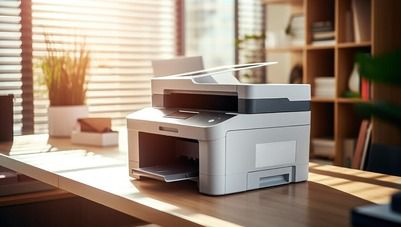
Brother Wi-Fi printers are a smart choice for easy and fast printing without cables. You can print from your phone, tablet, or computer using Wi-Fi, which saves time and keeps your space tidy. These printers are great for homes, schools, and offices. You can print homework, photos, reports, or business documents with clear results. Many models also scan and copy, making them useful for everyday tasks. Brother printers are known for strong build quality, low running costs, and easy setup. Some models use refillable ink tanks, which help save money. With wireless printing, you can place the printer anywhere you like.

Decided which model you want to buy? Use the Maha Bachat savings calculator to combine dealer offers, brand offers, and Bajaj offers to bring down your purchase cost. Calculate your extra savings today.

Key features of Brother Wi-Fi printers

Brother Wi-Fi printers are packed with features that set them apart from the competition. Check out some of them below:

  • Wireless printing: Print from your phone, tablet, or computer without using any cables. Just connect through Wi-Fi and start printing from anywhere in your home or office.
  • Mobile app support: Use the Brother Mobile Connect app to print and scan directly from your smartphone. It also supports AirPrint for Apple devices.
  • All-in-one functionality: Many models can print, scan, and copy—ideal for both home and office tasks.
  • High print quality: Enjoy sharp and clear prints with resolutions up to 1200 x 6000 dpi, suitable for both documents and photos.
  • Ink tank system: Refillable ink tanks allow high-volume printing at a low cost. Some models can print up to 7,500 pages in black and 5,000 in colour.
  • Auto duplex printing: Save paper with automatic double-sided printing, available on select models like the DCP-T830DW.
  • Fast print and scan speeds: Some models offer print speeds up to 19 pages per minute and fast scanning, making them efficient for busy users.
  • User-friendly touchscreen: A colour touchscreen on certain models allows easy navigation and quick access to settings and cloud apps.

Also explore a wide range of 3D printers and dot matrix printers to bring home the best option.

Price list of Brother Wi-Fi printers in India ((November 2025))

Model nameKey featuresPrice
Brother DCP-T700WInk Tank; Wi-Fi; Colour printing; low cost per pageRs. 14,740
Brother DCP-B7620DWBLaser; Print/Scan/Copy; Duplex; Wi-Fi DirectRs. 19,850
Brother DCP-T820DWInk Tank; Print/Scan/Copy; Auto Duplex; Wi-FiRs. 20,838
Brother DCP-T830DWInk Tank; Borderless printing; ADF; Auto DuplexRs. 21,749
Brother MFC-L2701DWMonochrome Laser; Auto Duplex; Wi-FiRs. 25,890
Brother HL-L3230CDWColour LED Laser; Auto Duplex; WirelessRs. 40,000

Disclaimer: Each model's features, availability, and pricing are subject to change and may vary. For the most accurate and up-to-date information, please visit the official website.

Before you decide, explore the latest offers. You may find a great deal on a model that matches your needs.

How to choose the right Brother Wi-Fi printer for your needs

Selecting the right Brother Wi-Fi printer depends on your specific requirements, whether for home, office, or multifunctional use. Here are some key considerations:

  • Decide where you will use it: For home use, choose a compact ink tank model like the Brother DCP-T700W. It is affordable and good for printing homework, photos, and everyday documents. For office use, go for a laser model like the MFC-L2701DW, which handles large volumes and prints fast.
  • Check if you need scanning and copying: If you want to scan or copy documents, pick an all-in-one printer. Most Brother Wi-Fi printers offer print, scan, and copy functions.
  • Look for wireless and mobile printing: Make sure the printer supports Wi-Fi and mobile apps like Brother Mobile Connect. This lets you print from your phone or tablet without cables.
  • Choose the right ink system: Ink tank printers are better for frequent use and save money over time. Laser printers are faster and ideal for black-and-white printing in offices.
  • Think about space and design: Pick a printer that fits your desk or shelf. Brother offers sleek designs that suit both home and office spaces.
  • Set your budget: Choose a model that gives you the features you need without spending too much.


Also explore a wide range of ink printers  and duplex printers to make the best choice.

Shop for printers with Bajaj Finserv

Bringing home your preferred printer is now hassle-free with Bajaj Finserv’s flexible financing options. You can also maximise your savings by using the Maha Bachat Savings Calculator—a smart tool that combines brand offers, dealer offers, and EMI offers, all in one place, helping you lower the overall cost while still paying in small, bite-sized instalments. Follow these steps to get started:

  • Explore products on Bajaj Mall: Browse through a wide selection of printers on Bajaj Mall. Compare features to find a model that meets your needs.
  • Visit a partner store: Once you shortlist a model, step into any of Bajaj Finserv’s 1.5 lakh partner stores across 4,000 cities in India. See the product in person, talk to experts, and make a confident decision.
  • Choose the Easy EMI Loan option: At checkout, select the Bajaj Finserv Easy EMI Loan. Avail financing of up to Rs. 5 lakh and split the cost into convenient monthly instalments. Some products also come with a zero down payment option.
  • Check your loan eligibility online: Plan better by checking your loan eligibility in minutes. Simply enter your mobile number and OTP to know your pre-approved limit.
  • Use the EMI Network Card for purchases up to Rs. 3 lakh: Already own the Bajaj Finserv EMI Network Card? Use it for instant, paperless checkout and convert your purchases of up to Rs. 3 lakh into Easy EMIs.

Frequently asked questions

Can I buy a printer on EMI?

Yes, you can purchase a printer with Bajaj Finserv's Easy EMI options. If you are an existing user of the Bajaj Finserv EMI Network Card: 
•Explore a variety of printers on Bajaj Mall
•Choose the preferred model and visit a Bajaj Finserv partner store to check it out in person.
•Use your EMI Network Card and avail of Easy EMIs for affordable monthly payments
•Enjoy your new printer on Easy EMIs

If you do not have one, there is no need to worry. Check your Insta EMI Card eligibility and take the first step towards enjoying the affordability and convenience of Easy EMIs.

Can Brother Wi-Fi printers print from smartphones?

Yes, Brother Wi-Fi printers support wireless printing from smartphones via mobile apps like Brother iPrint&Scan, ensuring seamless connectivity.

Do Brother Wi-Fi printers support duplex printing?

Many Brother Wi-Fi printer models, such as the HL-L2351DW, offer duplex printing, which allows automatic double-sided printing to save time and paper.

Are Brother Wi-Fi printers suitable for home and office use?

Yes, Brother Wi-Fi printers cater to both home and office needs, offering models with varying features and capacities for different use cases.

Do Brother Wi-Fi printers support cloud printing?

Yes, Brother Wi-Fi printers support cloud printing services like Google Cloud Print and Apple AirPrint, enabling remote printing from anywhere.

What type of cartridges do Brother Wi-Fi printers use?

Brother Wi-Fi printers typically use high-yield ink or toner cartridges, depending on the model, to ensure cost-effective and efficient printing.

Show More Show Less

Bajaj Finserv App for all your financial needs and goals

Trusted by 50 million+ customers in India, Bajaj Finserv App is a one-stop solution for all your financial needs and goals. 

You can use the Bajaj Finserv App to: 

Apply for loans online, such as Instant Personal Loan, Home Loan, Business Loan, Gold Loan, and more. 

  • Explore and apply for co-branded credit cards online. 
  • Invest in fixed deposits and mutual funds on the app. 
  • Choose from multiple insurance for your health, motor and even pocket insurance, from various insurance providers. 
  • Pay and manage your bills and recharges using the BBPS platform. Use Bajaj Pay and Bajaj Wallet for quick and simple money transfers and transactions. 
  • Apply for Insta EMI Card and get a pre-approved limit on the app. Explore over 1 million products on the app that can be purchased from a partner store on Easy EMIs. 
  • Shop from over 100+ brand partners that offer a diverse range of products and services. 
  • Use specialised tools like EMI calculators, SIP Calculators 
  • Check your credit score, download loan statements, and even get quick customer support—all on the app.

Download the Bajaj Finserv App today and experience the convenience of managing your finances on one app. 

Disclaimer

1. Bajaj Finance Limited (“BFL”) is a Non-Banking Finance Company (BAJAJ FINANCE) and Prepaid Payment Instrument Issuer offering financial services viz., loans, deposits, Bajaj Pay Wallet, Bajaj Pay UPI, bill payments and third-party wealth management products. The details mentioned in the respective product/ service document shall prevail in case of any inconsistency with respect to the information referring to BFL products and services on this page.

2. All other information, such as, the images, facts, statistics etc. (“information”) that are in addition to the details mentioned in the BFL’s product/ service document and which are being displayed on this page only depicts the summary of the information sourced from the public domain. The said information is neither owned by BFL nor it is to the exclusive knowledge of BFL. There may be inadvertent inaccuracies or typographical errors or delays in updating the said information. Hence, users are advised to independently exercise diligence by verifying complete information, including by consulting experts, if any. Users shall be the sole owner of the decision taken, if any, about suitability of the same.