Published May 25, 2026 3 Min Read

Brother Wi-Fi printers – Overview

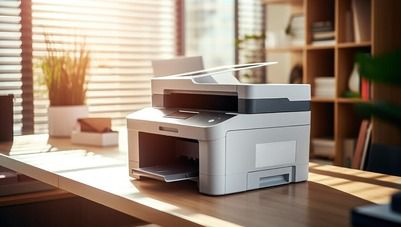
Brother Wi-Fi printers are built for users who want to print without connecting cables every time. You can connect these printers to your home or office Wi-Fi network and use them from multiple devices like laptops, mobile phones and tablets. These printers are useful when you share one printer across different users or rooms. You can print documents, reports, images and forms directly from cloud storage or mobile apps without transferring files manually. This makes daily printing faster and more flexible, especially in homes, small offices and business setups where multiple people need access.


Explore more printer models at any of Bajaj Finance’s 1.5 lakh partner stores in 4,000 cities in India. Choose your ideal model, pay with Easy EMIs, and enjoy zero down payment on select deals. Simply check your loan eligibility now and bring home your desired product without worrying about overspending.

Key features and specifications of Brother Wi-Fi printers

Brother Wi-Fi printers are designed to improve convenience, reduce wiring limitations and support smooth everyday printing across different devices and users.

  • Wireless Wi-Fi connectivity: You can connect the printer to your Wi-Fi network and print from any device on the same network without using cables, which makes setup and usage more flexible in shared environments.
  • Mobile and app-based printing: You can print directly from your smartphone or tablet using supported apps, which removes the need to transfer files to a computer before printing.
  • Multi-device support: You can allow multiple users in a home or office to connect and print from the same printer, making it useful for shared work environments.
  • Print scan and copy functions: You can handle everyday document needs like printing, scanning and copying using a single device, which reduces equipment cost and space usage.
  • Cloud printing access: You can print documents stored in cloud platforms, which helps when you are working remotely or using multiple devices.
  • Fast printing speed: You can complete regular document printing quickly, which is helpful when handling office tasks or daily workloads.
  • Easy wireless setup: You can connect the printer to Wi-Fi using guided setup steps, making installation simple even for non-technical users.
  • Compact design options: You can place the printer easily in small workspaces, making it suitable for home desks and office corners.
  • Stable connectivity performance: You get consistent wireless printing once connected properly, reducing interruptions during usage.
  • Energy efficient operation: You can reduce electricity usage during printing and standby modes, which helps in long-term usage cost control.

Also explore: Multi-function printers

Benefits of using a Brother Wi-Fi printer

Brother Wi-Fi printers make printing easier by removing cable dependency and improving access across multiple users.

  • Wireless printing convenience: You can print from any connected device without physical cables.
  • Shared access: You can allow multiple users to print from the same printer in home or office setups.
  • Improved workflow speed: You can complete printing tasks faster with direct mobile and laptop access.
  • Flexible placement: You can place the printer anywhere within Wi-Fi range without wiring restrictions.
  • Easy remote printing: You can print documents stored on cloud platforms or mobile devices.

Brother Wi-Fi printers - Price in India (April 2026)

Brother Wi-Fi printers are available in different price ranges depending on features, print technology and usage level.


CategoryPrice range in India
Entry level Wi-Fi printersRs. 8,000 to Rs. 15,000
Mid range Wi-Fi printersRs. 15,000 to Rs. 30,000
High end Wi-Fi printersRs. 30,000 to over Rs. 70,000

Disclaimer: Each model's features, availability, and pricing are subject to change and may vary. For the most accurate and up-to-date information, please visit the official website.


Before you decide, explore the latest offers. You may find a great deal on a model that matches your needs.

Things to consider before buying a Brother Wi-Fi printer

You should evaluate key points before buying to ensure the printer matches your daily needs.

  • Wi-Fi network strength: You should ensure stable internet connectivity for smooth printing.
  • Device compatibility: You should confirm support for your laptops, mobiles and operating systems.
  • Printing frequency: You should choose a model based on how often you print documents.
  • Maintenance cost: You should check ink or toner replacement cost for long-term usage planning.
  • Space availability: You should ensure proper space for installation and ventilation.

Also explore: Mini printers

Reasons to choose a Brother Wi-Fi printer

Brother Wi-Fi printers are widely preferred because they combine wireless convenience, stable performance and practical usability for both home and office printing needs. These printers are designed to reduce dependency on cables while improving everyday printing efficiency.

  • Trusted brand performance: You get consistent and stable printing output backed by strong build quality, which helps ensure long-term usage without frequent performance issues. Brother printers are known for handling regular workloads smoothly, making them suitable for both personal and professional environments where reliability matters every day.
  • Wireless convenience: You can print from multiple devices such as laptops, smartphones and tablets without connecting cables each time. This makes daily printing faster and more flexible, especially when different users need access to the same printer in a home or office setup.
  • Suitable for home and office: You can use a single printer for both personal documents and professional work, which helps reduce the need for separate devices. This flexibility makes it easier to manage school work, office reports, bills and everyday printing tasks from one machine.
  • Multiple model options: You can choose from different models based on your budget, printing volume and feature needs. Whether you need basic home printing or high-volume office usage, you get options that match different working styles and requirements.
  • Consistent output quality: You get steady and reliable print results across text and images, even during continuous usage. This helps maintain clarity in important documents like reports, presentations and business files without variations in print quality over time.

Get electronics and appliances on Easy EMIs with Bajaj Finance

Bringing home your preferred refrigerator is now hassle-free with Bajaj Finance's flexible financing options. Follow these steps to get started:

  • Explore products on Bajaj Mall: Browse through a wide selection of refrigerators on Bajaj Mall. Compare features to find a model that meets your needs.
  • Visit a partner store: Once you shortlist a model, step into any of Bajaj Finance’s 1.5 lakh partner stores across 4,000 cities in India. See the product in person, talk to experts, and make a confident decision.
  • Choose the Easy EMI Loan option: At checkout, select the Bajaj Finance Easy EMI Loan. Avail financing of up to Rs. 5 lakh and split the cost into convenient monthly instalments. Some products also come with a zero down payment option.
  • Check your loan eligibility online: Plan better by checking your loan eligibility in minutes. Simply enter your mobile number and OTP to know your pre-approved limit.
  • Use the Insta EMI Card for purchases up to Rs. 3 lakh: Already own the Bajaj Finance Insta EMI Card? Use it for instant, paperless checkout and convert your purchases of up to Rs. 3 lakh into Easy EMIs.

Why use the Smart Savings Calculator

Bajaj Finance’s Smart Savings Calculator helps you unlock maximum savings every time you shop at partner stores. It brings together all available brand, dealer, and scheme offers—so you can see your total savings instantly and shop smarter with Easy EMIs.

1. Dealer offers - Grab exclusive in-store deals at over 1.5 lakh partner stores across India. Enjoy local discounts and special prices you will not find online.

2. Brand offers - Access limited-time discounts from top brands across electronics, appliances, and more. Discover brand-specific savings selected just for you.

3. Bajaj offers - Unlock exclusive Bajaj Finance deals on popular products—available only to our customers. More rewards, more value.

4. Scheme offers - Take advantage of time-sensitive offers on select EMI schemes. Get extra benefits after paying just 3 EMIs—visible during EMI selection at checkout.

Calculate your extra savings today!

Frequently asked questions

Can I buy a printer on EMI?

Yes, you can easily purchase a new printer with Bajaj Finance's Easy EMI options. Whether you already have the Insta EMI card or are new to it, here is how you can get started:

If you have the Bajaj Finance Insta EMI card:

  • Explore printers on Bajaj Mall: Choose from top brands offering latest models.
  • Visit a partner store: Check out the latest printers in person at any of 1.5 lakh partner stores across 4,000 cities.
  • Use your Insta EMI card at checkout: Convert the total cost into Easy EMIs that fit your monthly budget.
  • Zero down payment on select models: Bring home your printer without paying anything upfront.


If you do not have an Insta EMI card:

Check your Insta EMI Card eligibility online using your mobile number and OTP. If eligible, you can apply instantly and start shopping for your favourite printer easily and affordably.


Please note: Easy EMIs are applicable on purchases above Rs. 5,000.

Do Brother Wi-Fi printers support mobile printing?

Yes, Brother Wi-Fi printers support mobile printing in most modern models. You can connect your smartphone or tablet through Wi-Fi or compatible printing apps and directly print documents, images and files without using a laptop or cables. This makes printing faster and more convenient, especially when you need quick access from different devices in home or office environments.

Are Brother Wi-Fi printers cost-effective for students?

Brother Wi-Fi printers can be a practical option for students who need regular document printing for assignments, notes and projects. Wireless connectivity helps reduce dependency on shared printing shops, while energy-efficient usage and compact design make them suitable for small study spaces. Running cost depends on the model, but ink-efficient options help manage long-term expenses better.

Can Brother Wi-Fi printers handle office printing needs?

Yes, Brother Wi-Fi printers are suitable for office environments depending on the model you choose. You can handle daily tasks like reports, invoices, presentations and internal documents with stable output quality. High-capacity models are designed to support multiple users and continuous printing, making them reliable for small to medium office workloads.

What warranty do Brother Wi-Fi printers come with?

Brother Wi-Fi printers generally come with a manufacturer warranty that covers hardware defects and technical issues within a specified period. The exact warranty duration can vary by model and region, so it is always recommended to check warranty details at the time of purchase for clarity on coverage and service support.

Can I scan and copy using Brother Wi-Fi printers?

Yes, many Brother Wi-Fi printer models come with scan and copy functions along with printing. You can digitise documents, make photocopies and manage basic office tasks using a single device. This multi-function capability helps reduce the need for separate machines and improves overall workspace efficiency.

Show More Show Less

Bajaj Finserv App for all your financial needs and goals

Trusted by 50 million+ customers in India, Bajaj Finserv App is a one-stop solution for all your financial needs and goals. 

You can use the Bajaj Finserv App to: 

Apply for loans online, such as Instant Personal Loan, Home Loan, Business Loan, Gold Loan, and more. 

  • Explore and apply for co-branded credit cards online. 
  • Invest in fixed deposits and mutual funds on the app. 
  • Choose from multiple insurance for your health, motor and even pocket insurance, from various insurance providers. 
  • Pay and manage your bills and recharges using the BBPS platform. Use Bajaj Pay and Bajaj Wallet for quick and simple money transfers and transactions. 
  • Apply for Insta EMI Card and get a pre-approved limit on the app. Explore over 1 million products on the app that can be purchased from a partner store on Easy EMIs. 
  • Shop from over 100+ brand partners that offer a diverse range of products and services. 
  • Use specialised tools like EMI calculators, SIP Calculators 
  • Check your credit score, download loan statements, and even get quick customer support—all on the app.

Download the Bajaj Finserv App today and experience the convenience of managing your finances on one app. 

Disclaimer

1. Bajaj Finance Limited (“BFL”) is a Non-Banking Finance Company (BAJAJ FINANCE) and Prepaid Payment Instrument Issuer offering financial services viz., loans, deposits, Bajaj Pay Wallet, Bajaj Pay UPI, bill payments and third-party wealth management products. The details mentioned in the respective product/ service document shall prevail in case of any inconsistency with respect to the information referring to BFL products and services on this page.

2. All other information, such as, the images, facts, statistics etc. (“information”) that are in addition to the details mentioned in the BFL’s product/ service document and which are being displayed on this page only depicts the summary of the information sourced from the public domain. The said information is neither owned by BFL nor it is to the exclusive knowledge of BFL. There may be inadvertent inaccuracies or typographical errors or delays in updating the said information. Hence, users are advised to independently exercise diligence by verifying complete information, including by consulting experts, if any. Users shall be the sole owner of the decision taken, if any, about suitability of the same.