Published May 21, 2026 · 4 Min Read

Black and white laser printers – Overview

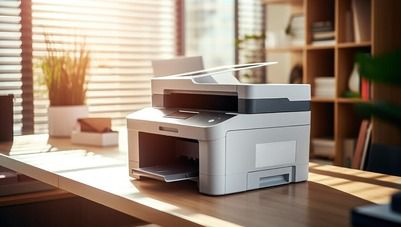
Black and white laser printers are widely preferred for fast, reliable, and cost-effective document printing in homes, offices, schools, and businesses. These printers are designed to deliver sharp text quality with lower running costs compared to many traditional inkjet printers. Monochrome laser printers are suitable for invoices, contracts, reports, assignments, and bulk office printing where colour output is not required. Modern black and white laser printers support wireless printing, duplex printing, mobile connectivity, and multifunction capabilities for improved productivity.


Explore different types of printers at any of Bajaj Finance’s 1.5 lakh partner stores in 4,000 cities in India. Choose your ideal model, pay with Easy EMIs, and enjoy zero down payment on select deals. Simply check your loan eligibility now and bring home your desired product without worrying about overspending.

Key features and specifications of black and white laser printers

Black and white laser printers are designed for efficient document printing, faster performance, and lower operational costs across homes and offices.

  • Sharp monochrome printing: Laser printing technology delivers crisp black-and-white text suitable for reports, invoices, and official documents.
  • Fast printing speeds: Many monochrome laser printers support high pages-per-minute output for office and business productivity.
  • Lower running costs: Toner-based printing helps reduce long-term printing expenses compared to frequent ink replacements.
  • Automatic duplex printing: Select models support double-sided printing for better paper management and lower paper consumption.
  • Wireless connectivity support: Wi-Fi, USB, Ethernet, and mobile printing features improve convenience across multiple devices.
  • Compact office-friendly design: Space-saving designs make these printers suitable for homes, study rooms, and office setups.
  • High-volume printing capability: Black and white laser printers are designed to handle regular and bulk printing workloads efficiently.
  • Multi-function support: Several models support printing, scanning, and copying in one compact machine.

Also explore: Ink printers

SpecificationDetails
Printer typeMonochrome laser printer
Printing technologyLaser
Output typeBlack and white
ConnectivityWi-Fi, USB, Ethernet
Duplex printingAvailable on select models
Print speedUp to 40 ppm
FunctionsPrint / scan / copy
Suitable usageHome, office, business
Paper tray capacityUp to 250 sheets
Warranty1 year warranty on select models

Black and white laser printers - Price in India (April 2026)

Black and white laser printers are available across multiple price ranges depending on print speed, wireless support, multifunction capabilities, and duplex printing features. Entry-level monochrome laser printers are suitable for students and home users, while advanced multifunction models are ideal for offices and businesses handling large printing workloads.


ModelPrice in India
Pantum P2500W monochrome printerRs. 8,999
HP Laser 1008a printerRs. 10,499
Canon imageCLASS LBP6030BRs. 11,499
Brother HL-L2321D printerRs. 12,999
Brother DCP-L2541DW multifunction printerRs. 18,999
HP LaserJet Pro MFP 4104dwRs. 24,999

Disclaimer: Each model's features, availability, and pricing are subject to change and may vary. For the most accurate and up-to-date information, please visit the official website.


Before you decide, explore the latest offers. You may find a great deal on a model that matches your needs.

Black and white laser printers vs inkjet printers

Black and white laser printers and inkjet printers are designed for different printing needs, workloads, and usage environments. Understanding their differences helps users choose the right printer for home, office, educational, or business printing requirements.


FeatureBlack and white laser printersInkjet printers
Printing technologyUses toner powder and laser technologyUses liquid ink sprayed through nozzles
Output typeMonochrome document printingColour and monochrome printing
Print speedFaster document printingSlower compared to laser printers
Print qualitySharp and professional text outputBetter colour gradients and photo printing
Running costLower long-term cost per pageHigher recurring ink replacement cost
Upfront costHigher initial purchase priceLower entry-level pricing
Best suited forOffices, businesses, bulk document printingHomes, students, photo printing
MaintenanceLower maintenance and no ink dryingInk cartridges may dry if unused regularly
Duplex printingCommon in many modelsAvailable in select models
Printing volumeSuitable for high-volume workloadsBetter for low-to-medium printing needs
Paper handlingBetter for continuous office printingSuitable for creative and photo media
Energy consumptionHigher because of heat-based printingLower power usage
Photo printingAverage image printing qualityBetter for photo and graphics printing
Printer sizeSlightly larger office-focused designCompact and lightweight designs

How to setup a black and white laser printer

Setting up a black and white laser printer properly helps improve print quality, connectivity, and overall printing performance for home and office use.

  • Unbox the printer carefully: Remove all packaging materials, protective tapes, and transport locks from the printer before starting the installation process.
  • Place the printer on a stable surface: Keep the printer on a flat and well-ventilated table near a power outlet and network connection if required.
  • Install the toner cartridge: Open the printer cover and insert the compatible toner cartridge securely into the designated slot.
  • Load paper into the tray: Adjust the paper guides properly and place supported paper sizes inside the paper tray.
  • Connect the power cable: Plug the printer into a power source and switch on the device using the power button.
  • Choose the connection method: Connect the printer using USB, Wi-Fi, Wi-Fi Direct, or Ethernet depending on your printing requirements.
  • Install printer drivers: Download and install the latest printer drivers and software from the official brand website for proper functionality.
  • Connect the printer to your computer or smartphone: Follow on-screen instructions to pair the printer with laptops, desktops, tablets, or smartphones.
  • Configure wireless settings: Enter Wi-Fi credentials through the printer display panel or setup application for wireless printing access.
  • Print a test page: Print a sample document to verify print quality, connectivity, and paper alignment.
  • Enable mobile printing if supported: Install compatible mobile printing applications such as HP Smart, Canon PRINT, Brother iPrint, or Epson Smart Panel.
  • Check firmware updates: Updating printer firmware may improve security, printing performance, and compatibility with newer devices.
  • Review printer settings: Configure default paper size, print quality, duplex printing, and sleep mode settings according to your usage needs.
  • Keep extra toner and paper ready: Maintaining supplies helps avoid interruptions during regular office or business printing tasks.

Also explore: Top 10 printer brands in India

Get electronics and appliances on Easy EMIs with Bajaj Finance

Bringing home your preferred refrigerator is now hassle-free with Bajaj Finance's flexible financing options. Follow these steps to get started:

  • Explore products on Bajaj Mall: Browse through a wide selection of refrigerators on Bajaj Mall. Compare features to find a model that meets your needs.
  • Visit a partner store: Once you shortlist a model, step into any of Bajaj Finance’s 1.5 lakh partner stores across 4,000 cities in India. See the product in person, talk to experts, and make a confident decision.
  • Choose the Easy EMI Loan option: At checkout, select the Bajaj Finance Easy EMI Loan. Avail financing of up to Rs. 5 lakh and split the cost into convenient monthly instalments. Some products also come with a zero down payment option.
  • Check your loan eligibility online: Plan better by checking your loan eligibility in minutes. Simply enter your mobile number and OTP to know your pre-approved limit.
  • Use the EMI Network Card for purchases up to Rs. 3 lakh: Already own the Bajaj Finance EMI Network Card? Use it for instant, paperless checkout and convert your purchases of up to Rs. 3 lakh into Easy EMIs.

Why use the Smart Savings Calculator

Bajaj Finance’s Smart Savings Calculator helps you unlock maximum savings every time you shop at partner stores. It brings together all available brand, dealer, and scheme offers—so you can see your total savings instantly and shop smarter with Easy EMIs.

1. Dealer offers - Grab exclusive in-store deals at over 1.5 lakh partner stores across India. Enjoy local discounts and special prices you will not find online.

2. Brand offers - Access limited-time discounts from top brands across electronics, appliances, and more. Discover brand-specific savings selected just for you.

3. Bajaj offers - Unlock exclusive Bajaj Finance deals on popular products—available only to our customers. More rewards, more value.

4. Scheme offers - Take advantage of time-sensitive offers on select EMI schemes. Get extra benefits after paying just 3 EMIs—visible during EMI selection at checkout.

Calculate your extra savings today!

Frequently asked questions

Can I buy a printer on EMI?

Yes, you can easily bring home your preferred printer using Bajaj Finance’s Easy EMI options. Whether you already have the EMI Network Card or are new to it, here is how to begin:
 

If you have the Bajaj Finance EMI Network Card:

  • Explore printers on Bajaj Mall: Choose from a wide range of the latest and most popular models.
  • Visit a partner store: Check out the product in person at any of Bajaj Finance’s 1.5 lakh partner stores across 4,000 cities in India.
  • Use your EMI Network Card at checkout: Convert the cost into Easy EMIs that fit your monthly budget.
  • Zero down payment on select models: Take your chosen printer home without paying anything upfront.
     

If you do not have an EMI Network Card:

Check your Insta EMI Card eligibility online using your mobile number and OTP. If you are eligible, apply instantly and enjoy a smarter, more affordable way to buy your favourite product on Easy EMIs.

Does a black and white laser printer support Wi-Fi?

Yes, many modern black and white laser printers support wireless printing through Wi-Fi, Wi-Fi Direct, and mobile printing applications for smartphones and laptops.


Are black and white laser printers good for students?

Yes, black and white laser printers are suitable for students because they offer fast document printing, sharp text quality, and lower long-term printing costs for assignments, notes, and study materials.


Can black and white laser printers scan documents?

Yes, multifunction monochrome laser printers support printing, scanning, and copying in one device, making them suitable for office and educational use.


Which black and white laser printer is easiest to maintain?

Monochrome laser printers from HP, Brother, and Canon are commonly preferred for easy maintenance because toner cartridges generally last longer and require less frequent replacement compared to ink cartridges.


What paper sizes are supported in black and white laser printers?

Most black and white laser printers support common paper sizes such as A4, A5, Letter, Legal, envelopes, and custom paper formats depending on the printer model and tray capacity.

Show more Show less

Bajaj Finserv app for all your financial needs and goals

Trusted by 50 million+ customers in India, Bajaj Finserv App is a one-stop solution for all your financial needs and goals.

You can use the Bajaj Finserv App to:

  • Apply for loans online, such as Instant Personal Loan, Home Loan, Business Loan, Gold Loan, and more.
  • Invest in fixed deposits and mutual funds on the app.
  • Choose from multiple insurance for your health, motor and even pocket insurance, from various insurance providers.
  • Pay and manage your bills and recharges using the BBPS platform. Use Bajaj Pay and Bajaj Wallet for quick and simple money transfers and transactions.
  • Apply for Insta EMI Card and get a pre-qualified limit on the app. Explore over 1 million products on the app that can be purchased from a partner store on Easy EMIs.
  • Shop from over 100+ brand partners that offer a diverse range of products and services.
  • Use specialised tools like EMI calculators, SIP Calculators
  • Check your credit score, download loan statements and even get quick customer support—all on the app.

Download the Bajaj Finserv App today and experience the convenience of managing your finances on one app.

Disclaimer

1. Bajaj Finance Limited (“BFL”) is a Non-Banking Finance Company (BAJAJ FINANCE) and Prepaid Payment Instrument Issuer offering financial services viz., loans, deposits, Bajaj Pay Wallet, Bajaj Pay UPI, bill payments and third-party wealth management products. The details mentioned in the respective product/ service document shall prevail in case of any inconsistency with respect to the information referring to BFL products and services on this page.

2. All other information, such as, the images, facts, statistics etc. (“information”) that are in addition to the details mentioned in the BFL’s product/ service document and which are being displayed on this page only depicts the summary of the information sourced from the public domain. The said information is neither owned by BFL nor it is to the exclusive knowledge of BFL. There may be inadvertent inaccuracies or typographical errors or delays in updating the said information. Hence, users are advised to independently exercise diligence by verifying complete information, including by consulting experts, if any. Users shall be the sole owner of the decision taken, if any, about suitability of the same.