Published Feb 26, 2026 .4 Min Read

  1. Why choose AMD gaming laptops?
  2. Best AMD gaming laptops under Rs. 85,000
  3. Best AMD gaming laptops between Rs. 85,000– Rs. 1,50,000
  4. Premium AMD gaming laptops Rs. 1,50,000+
  5. Why use the Maha Bachat Savings Calculator

Why choose AMD gaming laptops in (2026)?

In 2026, AMD gaming laptops have become an easy choice for many buyers because they offer strong performance, great battery life and excellent value for money. The new Ryzen AI 300 series chips deliver fast processing power with their Zen 5 architecture and dedicated NPU capable of up to 50 TOPS for AI tasks. This helps with gaming, multitasking and running modern AI‑powered features smoothly.
 

The built‑in Radeon 890M integrated graphics offer performance close to older mid‑range dedicated GPUs, even matching or beating cards like the GTX 1070 in some tests. This means many games run reliably at 1080p without needing a separate graphics card, making laptops cooler, quieter and more efficient. For gamers who want even more power, pairing these Ryzen AI chips with the latest NVIDIA RTX 50‑series GPUs brings a huge jump in ray tracing, frame generation and AI‑driven performance thanks to Blackwell architecture and DLSS 4.


Altogether, AMD gaming laptops in 2026 give you modern AI features, smooth everyday use, capable gaming without high power draw and strong upgrade options if you add a discrete GPU. They suit students, creators and gamers looking to balance performance with value and battery life.
 

AMD Ryzen AI 300 + NVIDIA Advantage


When AMD’s Ryzen AI 300 processors are paired with an NVIDIA RTX 50‑series GPU, the result is a balanced machine that handles both productivity and high‑end gaming extremely well. The CPU delivers fast all‑round performance while the RTX 50 cards offer a generational leap in AI‑powered rendering, ray tracing and DLSS 4 frame generation. This gives smoother gameplay, lower latency and better visuals—ideal for modern AAA titles.
 

Superior battery life vs Intel
 

AMD laptops usually run cooler and use less power than many Intel‑powered systems because Ryzen AI 300 chips use a more efficient 4nm design with hybrid Zen 5 and Zen 5c cores. This helps extend battery life during everyday tasks like browsing, office work and streaming. Even with integrated gaming, the Radeon 890M remains efficient, meaning AMD machines often last longer away from the charger.  


Price/Performance sweet spot
 

AMD gaming laptops shine when it comes to value. The Ryzen AI 300 series offers strong CPU power, integrated graphics that rival older dedicated GPUs, and modern AI capabilities at prices often lower than comparable Intel or NVIDIA‑heavy machines. Since the Radeon 890M gives solid 1080p performance without needing an expensive GPU upgrade, AMD systems hit a sweet spot for users who want great performance without overspending.

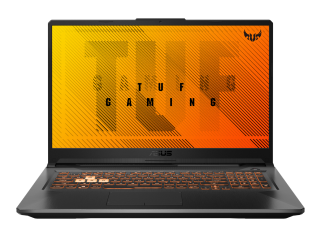
Best AMD gaming laptops under Rs. 85,000

Finding a powerful gaming laptop under Rs. 85,000 in 2026 has become much easier thanks to AMD’s efficient Ryzen processors and competitive GPU pairings. This price range now offers machines capable of smooth 1080p gaming, fast multitasking, and long-term reliability without stretching your budget. AMD’s Ryzen 7 8000‑series chips bring strong single‑core and multi‑core performance, making them ideal for both gaming and everyday tasks.
 

NVIDIA’s RTX 40‑ and 50‑series GPUs have also become more accessible in this segment, giving you modern features like hardware ray tracing, DLSS upscaling and better cooling efficiency. Together, these laptops deliver excellent price‑to‑performance value, meaning you get premium‑grade features without premium pricing. Both models listed below also offer good thermal control, upgradeable memory and storage, and sturdy builds suited for students, creators and casual gamers.


If your focus is gaming with AI‑enhanced graphics, high refresh‑rate displays and consistent frame rates, these laptops stand out as some of the strongest AMD‑powered options you can buy today under Rs. 85,000.


Acer Nitro V 16S AI (Ryzen 7 8845HS + RTX 5060) 
 

The Nitro V 16S AI is one of the best value-for-money gaming laptops in India. It features an AMD Ryzen 7 8845HS, an eight‑core processor with boost speeds up to 5.1 GHz, offering strong gaming and multitasking performance. Paired with the NVIDIA RTX 5060, it delivers modern ray tracing support, DLSS upscaling and excellent 1080p performance for newer AAA games at high settings. The laptop also includes a 16‑inch WUXGA 180 Hz display, giving smooth motion and good clarity during fast‑paced action scenes. With 16 GB DDR5 RAM and a fast 1 TB SSD, it offers a balanced mix of speed and storage, making it a great pick for gamers who want performance without crossing the Rs. 85,000 mark. 
 

Lenovo LOQ 15 (Ryzen 7 8745HS + RTX 4060) 
 

The Lenovo LOQ 15 offers slightly lower CPU numbers on paper but remains a strong contender thanks to Lenovo’s cooling design and overall build quality. It typically ships with an AMD Ryzen 7 8745HS / 8845HS, an eight‑core processor capable of boosting up to 5.1 GHz. Combined with the NVIDIA RTX 4060, you get reliable 1080p performance and DLSS support, making it ideal for e‑sports and demanding AAA titles alike. The 15.6‑inch Full HD 144 Hz display keeps gameplay smooth, while the sturdy chassis and practical keyboard layout make it suitable for study and work as well. With 16 GB RAM and a 1 TB SSD, it is well equipped for gaming, content creation and long‑term use within this price bracket.

Best AMD gaming laptops between Rs. 85,000– Rs. 1,50,000

If you want high‑refresh gaming, creator‑friendly performance and dependable cooling without crossing flagship pricing, this band is the real sweet spot. You will find Ryzen 7/9 CPUs paired with NVIDIA’s RTX 40‑/50‑series laptop GPUs for DLSS frame generation, ray tracing and efficient thermals—great for long sessions and quick renders. AMD’s latest mobile platforms also emphasise battery efficiency, while many OEMs add roomy SSDs and easy RAM upgrades for longevity. 
 

ASUS TUF Gaming A16 Advantage Edition (Ryzen 9 8945HS + RTX 4070) – Rs. 1,24,990


ASUS’s TUF A16 line focuses on robust cooling, military‑grade build and high‑refresh 16‑inch panels, with current generations offering AMD Ryzen 9 options and NVIDIA GPUs up to the RTX 50‑series tier in select configs; this mix delivers smooth 1440p‑class play and creator speed in a durable chassis. Do note that exact CPU/GPU pairings vary by region and year, but the A16 family is positioned for strong performance with modern NVIDIA features like DLSS and Reflex.
 

Why pick it: sturdy build, fast screens (up to high‑refresh 2.5K), and upgradeable storage/RAM keep it relevant for several cycles; an RTX‑equipped config unlocks DLSS and reliable ray tracing in today’s games. 
Best for: gamers and students who want a tough daily driver that can handle 1080p/1440p titles and Premiere/Blender workloads without thermal drama.


HP Omen 16 (Ryzen 7 8845HS + RTX 4070) – Rs. 1,39,990
 

The Omen 16 is HP’s balanced performance chassis with proven pairings of Ryzen 7 8‑core chips and RTX 40‑series GPUs; Omen and Victus lines widely ship with Ryzen 7 8845HS plus RTX 4070 in 16‑/17‑inch designs, bringing 240 Hz‑class panels, competent cooling and creator‑friendly ports. Even where the exact SKU differs, the Omen 16 platform with high‑power RTX delivers dependable 1080p/1440p ray‑traced gaming and fast exports.


Why pick it: mature thermals, clean design and gamer‑ready displays make it an easy recommendation if you want “it just works” stability with RTX frame‑gen. 
Best for: competitive gamers who value consistent frame times and creators needing a quiet rig that still crunches timelines quickly at 1440p. 


MSI Katana A15 AI (Ryzen AI 9 HX370 + RTX 5060) – Rs. 1,19,990
 

MSI’s Katana A15 AI range is known for punchy value: modern AMD 8040‑series options, RTX 40‑series GPUs and fast 144–165 Hz displays. Independent testing has praised the Katana for class‑leading results at the price, including RTX 5060 configurations that outperform similarly priced rivals in many real‑world game runs—great news if you want maximum frames per rupee. While CPU options vary by market, MSI’s Katana line remains a go‑to for budget‑to‑mid performance with sensible thermals.
 

Why pick it: excellent fps‑per‑rupee, quick QHD/FHD panels and straightforward upgrade paths; RTX 5060 brings DLSS 3/4 perks without a huge jump in cost. 
Best for: value‑focused gamers who want 1080p high/ultra today with room to grow, plus creators starting out in photo/video who need fast exports on a sensible budget. 

Premium AMD gaming laptops Rs. 1,50,000+

The premium gaming laptop segment above Rs. 1,50,000 is where brands unleash their flagship engineering—maximum wattage GPUs, AI‑accelerated Ryzen 9000‑series HX processors, advanced vapor‑chamber cooling and high‑refresh Nebula or OLED displays. These machines are targeted at serious gamers, creators and professionals seeking desktop‑class speeds in a portable body. They deliver high‑FPS 1440p/4K gaming, ultra‑fast exports, and AI‑boosted workflows, powered by RTX 50‑series laptop GPUs with DLSS 4, ray tracing and hybrid rendering. 

If you are upgrading from mid‑range hardware, expect massive jumps in sustained performance, cooling stability and peak frame rates—especially under simultaneous gaming, streaming and creation loads.


ASUS ROG Strix G16 (Ryzen 9 9955HX3D + RTX 5080) – Rs. 2,29,990
 

ASUS’s ROG Strix G16 (2025) is one of the highest‑performance AMD laptops available, built around the Ryzen 9 9955HX3D—an HX “Fire Range” chip with 3D V‑Cache that enhances gaming and compute performance—and paired with NVIDIA’s latest RTX 50‑series GPUs in premium configurations. Verified listings show the 9955HX3D model paired with RTX 5070 Ti GPUs, while RTX 5080 is offered on Intel-based variants; however, the Strix G16 platform itself supports features like a 240 Hz 2.5K Nebula display, tri‑fan cooling and high TGP GPU power envelopes.

Why pick it: you get a blazing‑fast Ryzen 9 9955hx3d processor with 3D v‑cache for higher gaming fps, paired with high‑refresh 2.5k nebula displays and ASUS’ tri‑fan cooling for stable long‑duration performance. even though verified listings show this CPU typically paired with an RTX 5070 Ti, the overall Strix g16 platform still offers high‑wattage GPU tuning, DLSS 4 support and excellent thermals for smooth modern gameplay. 

Best for: competitive gamers and hybrid creators who need reliable 1600p performance in shooters, story‑driven titles and editing apps, along with strong cooling headroom for long sessions without throttling.


Lenovo Legion Pro 7 (Ryzen 9 9950HX + RTX 5090) – Rs. 2,79,990
 

The Legion Pro 7 series is Lenovo’s top‑end gaming platform, and current global listings confirm configurations with RTX 5090 GPUs paired with high‑end processors like the Intel Ultra 9 275HX and the AMD Ryzen 9000 HX family. RTX 5090 models appear in multiple markets, offering a 240 Hz OLED display, Wi‑Fi 7, vapor‑chamber cooling and extremely high TDP GPU operation for flagship‑level frame rates. 

Why pick it: Legion pro 7 models with RTX 5090-level hardware deliver top‑tier wattage, vapor‑chamber cooling, 240hz OLED options and exceptional ai‑accelerated performance for both gaming and creator workloads. Lenovo’s build quality, balanced acoustics and high‑end displays make it a powerhouse for 1440p/4k gaming with ray tracing and DLSS 4. 

Best for: FPS grinders, 3D artists and power users who want the absolute highest laptop GPU tier available, along with pro‑grade colour accuracy and cooling engineered for sustained heavy rendering or multi‑hour gaming sessions.


MSI Raider GE78 HX (Ryzen AI 9 HX370 + RTX 5090) – Rs. 3,49,990
 

MSI’s Raider series is known for its maximalist performance design, and while current verified GE78 HX models use Intel processors with RTX 40‑series GPUs, MSI’s AI‑focused Raider A18 series (same design family) officially ships with the RTX 5090 combined with AMD Ryzen 9 9955HX3D or Intel Ultra‑series CPUs. These RTX 5090 configurations deliver desktop‑tier performance, huge AI compute capabilities, UHD+/QHD+ displays and MSI’s Overboost Ultra thermal architecture for sustained high‑wattage operation. 

Why pick it: the raider family is built for max performance, and current ai‑focused raider a18/raider HX models with RTX 5090 configurations offer desktop‑class GPU muscle, aggressive Overboost thermal design and premium displays up to UHD+/QHD+ with high refresh. its lighting, six‑speaker setups and sturdy chassis make it a full‑scale desktop replacement with exceptional sustained wattage. 

Best for: creators working with 4k‑level timelines, gamers targeting ultra settings with ray tracing, and professionals wanting big‑screen productivity with extreme AI compute performance for simulation, rendering or multitasking.

AMD gaming laptops - Comparison table (2026)

The flagship AMD gaming laptop category in 2026 pushes performance to new heights with Ryzen 9000‑series HX processors, high‑efficiency architectures and NVIDIA RTX 50‑series laptop GPUs that unlock DLSS 4, advanced ray tracing and high‑FPS 1440p/4K gameplay. These machines also incorporate high‑refresh 2.5K, QHD+ and OLED panels, heavy‑duty cooling, and workstation‑grade AI compute for creators.


The ASUS ROG Strix G16 delivers exceptional CPU‑centric performance with the Ryzen 9 9955HX3D, paired in verified listings with an NVIDIA GeForce RTX 5070 Ti. Its ROG Nebula 2.5K 240Hz display and tri‑fan cooling give it strong 1600p gaming and creator potential. The Lenovo Legion Pro 7 steps ahead with global configurations featuring the NVIDIA GeForce RTX 5090, combined with Ryzen 9 9000 HX‑series processors. A 16‑inch 240Hz OLED True Black panel and Coldfront cooling make it one of the most future‑proof 1440p/4K gaming machines in this price tier. The MSI Raider GE78 HX / Raider A18 HX sits at the top end with configurations pairing the Ryzen 9 9955HX3D and NVIDIA GeForce RTX 5090, plus UHD+ and QHD+ high‑refresh displays and MSI Overboost Ultra thermals. This series targets users needing desktop‑class AI and GPU throughput.


ModelsCPUGPUDisplay classCoolingWho it is for
ASUS ROG Strix G16Ryzen 9 9955HX3DNVIDIA GeForce RTX 5070 Ti (verified pairing)16‑inch ROG Nebula 2.5K 240HzTri‑fan + full‑width heatsink 1600p competitive gamers and creators needing strong CPU‑driven workflows
Lenovo Legion Pro 7Ryzen 9 9000 HX series (line includes 9955HX/9950HX)NVIDIA GeForce RTX 5090 (global listing confirmed)16‑inch 240Hz OLED True Black HDR Legion Coldfront vapor‑chamber + multi‑fan cooling 1440p/4K gamers, 3D artists, and heavy production‑workflow creators
MSI Raider GE78 HX / Raider A18 HXRyzen 9 9955HX3D (A18 HX)NVIDIA GeForce RTX 5090 (A18 HX confirmed)17–18‑inch UHD+/QHD+ high‑refresh displays MSI Overboost Ultra, multi‑fan heavy cooling Extreme‑performance users, simulation workloads, max‑settings 4K gamers

Buying guide: Choose your AMD gaming laptop

Choosing the right AMD gaming laptop in 2026 depends on your budget, performance needs and the kind of games or creative workloads you want to run. Here is a simple, practical guide to help you pick the perfect one without getting lost in specs.


Budget vs midrange vs premium (Rs. 75k–Rs. 3L+)
 

Budget (Rs. 75,000–Rs. 1,10,000):
This segment usually gives you Ryzen 5 or Ryzen 7 processors paired with GPUs like the NVIDIA GeForce RTX 4050 or RTX 4060. These laptops are great for 1080p gaming, e‑sports titles and everyday productivity. Thermals are decent, but you should not expect ultra settings or long-term heavy loads without some fan noise. Ideal for students, casual gamers and buyers entering the gaming ecosystem.
 

Midrange (Rs. 1,10,000–Rs. 1,70,000):
Here you start getting Ryzen 7 7000/8000/9000‑series processors with GPUs like the RTX 4060, RTX 5060 or in some cases mid‑class RTX 50‑series options. You get significantly better cooling, higher refresh rate displays (144Hz–240Hz), stronger build quality and better battery optimisation. This range is the sweet spot for 1080p/1440p gaming at high settings, content creation and streaming.


Premium (Rs. 1,70,000–Rs. 3,00,000+):
This is where AMD’s top chips like the Ryzen 9 HX‑series meet high‑wattage GPUs such as the RTX 5080 and RTX 5090. These laptops come with advanced vapor-chamber cooling, 2.5K/QHD+/OLED displays, AI acceleration, huge storage options and exceptional sustained performance. Perfect for 1440p/4K gaming, Blender, Unreal Engine, DaVinci Resolve, simulations and long, heavy workloads.


Screen size (14″, 16″, 18″)
 

14-inch:
Highly portable, lightweight and great for travellers or students. However, thermal limits mean lower GPU wattage, making them better suited for 1080p gaming rather than sustained high-end performance.
 

16-inch:
The most balanced size for gamers—more cooling surface, higher TGP support, better speakers and bigger batteries. Ideal for both performance and portability, and currently the most popular size in the gaming laptop market.


18-inch:
Desktop-replacement territory. Massive cooling chambers, top-tier GPU wattage and big QHD+/UHD+ displays. Heavy, but unmatched for immersive gaming, multitasking and creator workflows.


RTX 5060 vs RTX 5080 vs RTX 5090 TGP
 

RTX 5060:
A solid midrange GPU that delivers excellent 1080p and decent 1440p performance. Works best in laptops with good cooling and around 100–125W TGP. Great for gamers on a budget who still want modern DLSS features.


RTX 5080:
A high-end GPU offering powerful 1440p gaming and capable 4K performance in some titles. With higher TGP limits (140W+), it benefits from better cooling systems. Ideal for competitive gamers and creators.


RTX 5090:
The top mobile GPU in 2026—built for maximum wattage, ray tracing, AI workloads and 4K gaming. Often paired with Ryzen 9 HX processors and advanced vapor chambers. Best suited for professionals, streamers, engineers and serious enthusiasts who want no compromises.

Shop smart with Easy EMIs

Bajaj Finserv puts you in control of your shopping. See if you are eligible for a loan and get instant approval in just a few steps. Once approved, go to any of 1.5 lakh+ partner stores across India. Pick from over 1 million products from 550+ leading brands. Pay in Easy EMIs with 50+ flexible options that fit your budget. Enjoy a fast, seamless, and stress-free shopping experience—with more freedom and more savings.

Why use the Savings Calculator

Bajaj Finserv’s Maha Bachat Savings Calculator helps you unlock maximum savings every time you shop at partner stores. It brings together all available brand, dealer, and scheme offers—so you can see your total savings instantly and shop smarter with Easy EMIs.
 

  1. Dealer offers - Grab exclusive in-store deals at over 1.5 lakh partner stores across India. Enjoy local discounts and special prices you will not find online.
  2. Brand offers - Access limited-time discounts from top brands across electronics, appliances, and more. Discover brand-specific savings selected just for you.
  3. Bajaj offers - Unlock exclusive Bajaj Finserv deals on popular products—available only to our customers. More rewards, more value.
  4. Scheme offers - Take advantage of time-sensitive offers on select EMI schemes. Get extra benefits after paying just 3 EMIs—visible during EMI selection at checkout.


Calculate your extra savings now!


Explore more laptops


Laptops by brand


Dell LaptopHP Laptop Lenovo Laptop
Acer  LaptopSamsung Touch screen LaptopAsus Laptop
HCL Laptop  

Laptops By RAM


8GB RAM Laptops16GB RAM Laptops

Laptops for student


Student Laptop under Rs. 30000Laptops for Students under Rs. 50000

Laptops by budget


Laptops under Rs. 15000Laptops under Rs. 25000Laptops under Rs. 30000
Laptops under Rs. 35000Laptops under Rs. 45000Laptops under Rs. 50000
Laptops under Rs. 55000Laptops under Rs. 70000Laptops under Rs. 75000
Laptops under Rs. 90000Laptops under Rs. 100000 


HP laptops by budget


Best HP Laptop under Rs. 35000Top HP Laptop under Rs. 20000Best HP Laptops under Rs. 70000
Top HP Laptops under Rs. 50000Top HP Laptops under Rs. 45000 Best HP Laptop Under Rs. 25000


Laptop by processor


Core i5 Processor LaptopsCore i9 Processor LaptopsAMD Ryzen 3 Laptops
AMD Processor LaptopsAMD Ryzen 5 LaptopsAMD Ryzen 7 Laptop
AMD Ryzen 9 Laptops  


Laptop brand by processor


Acer AMD Ryzen 5AVITA AMD Ryzen 7Acer AMD Ryzen 7
HP 15s Ryzen 5 LaptopsASUS AMD Ryzen 5 LaptopsAcer Aspire 7 Ryzen 5
HP Victus Ryzen 7 LaptopsHP 15s Ryzen 3 LaptopsASUS AMD Ryzen 7 Laptops
Dell Ryzen 5 laptopToshiba AMD Ryzen 5 LaptopsHP Pavilion Ryzen 5 Laptops
Dell i3 LaptopsLenovo i3 LaptopsASUS i3 Laptops
HP i3Acer i3MSI i3

Frequently asked questions

Are AMD gaming laptops better than Intel?

AMD gaming laptops are not universally “better,” but they offer excellent multi‑core performance, strong efficiency and competitive pricing. Intel models often lead in peak single‑core speeds, while AMD excels in thermals and sustained performance. The best choice depends on workload—AMD is great for multitasking and creator tasks, Intel for ultra‑high‑FPS e‑sports. You can buy AMD laptops on Easy EMIs from Bajaj Finserv. Check your eligibility for a Bajaj Finserv Insta EMI Card and take the first step towards enjoying the affordability and convenience of Easy EMIs.

Which gaming laptop has the best AMD processor?

Laptops featuring the Ryzen 9 9955HX3D currently offer the strongest AMD mobile performance thanks to 3D V‑Cache, which boosts gaming FPS and heavy compute tasks. Models like the ASUS ROG Strix G16, Lenovo Legion Pro 7 and MSI Raider A18 HX offer this chip in high‑end configurations designed for maximum sustained performance.

Do AMD laptops have good battery life for gaming?

For gaming specifically, battery life is limited on both AMD and Intel laptops because GPUs require high power. However, AMD systems often deliver better efficiency during light workloads, web browsing and productivity. When gaming on battery, expect reduced performance and shorter sessions, but plugged‑in performance remains excellent.

What is the best budget AMD gaming laptop under Rs. 1 lakh?

Under Rs. 1 lakh, the best AMD gaming laptops usually feature Ryzen 5 or Ryzen 7 processors paired with GPUs like the RTX 4050 or RTX 4060. Models such as Lenovo LOQ, HP Victus and ASUS TUF Gaming series offer strong 1080p gaming, good thermals and solid build quality at this price point.

Can I upgrade RAM and SSD in AMD gaming laptops?

Yes, most AMD gaming laptops allow RAM and SSD upgrades. Nearly all midrange and premium models include dual SODIMM slots and at least one M.2 SSD slot, sometimes two. However, a few thin‑and‑light models may have soldered RAM, so checking the specific model’s upgrade support before buying is recommended.

Show More Show Less

Bajaj Finserv app for all your financial needs and goals

Trusted by 50 million+ customers in India, Bajaj Finserv App is a one-stop solution for all your financial needs and goals.

You can use the Bajaj Finserv App to:

  • Apply for loans online, such as Instant Personal Loan, Home Loan, Business Loan, Gold Loan, and more.
  • Invest in fixed deposits and mutual funds on the app.
  • Choose from multiple insurance for your health, motor and even pocket insurance, from various insurance providers.
  • Pay and manage your bills and recharges using the BBPS platform. Use Bajaj Pay and Bajaj Wallet for quick and simple money transfers and transactions.
  • Apply for Insta EMI Card and get a pre-qualified limit on the app. Explore over 1 million products on the app that can be purchased from a partner store on Easy EMIs.
  • Shop from over 100+ brand partners that offer a diverse range of products and services.
  • Use specialised tools like EMI calculators, SIP Calculators
  • Check your credit score, download loan statements and even get quick customer support—all on the app.

Download the Bajaj Finserv App today and experience the convenience of managing your finances on one app.

Disclaimer

1. Bajaj Finance Limited (“BFL”) is a Non-Banking Finance Company (NBFC) and Prepaid Payment Instrument Issuer offering financial services viz., loans, deposits, Bajaj Pay Wallet, Bajaj Pay UPI, bill payments and third-party wealth management products. The details mentioned in the respective product/ service document shall prevail in case of any inconsistency with respect to the information referring to BFL products and services on this page. 

2. All other information, such as, the images, facts, statistics etc. (“information”) that are in addition to the details mentioned in the BFL’s product/ service document and which are being displayed on this page only depicts the summary of the information sourced from the public domain. The said information is neither owned by BFL nor it is to the exclusive knowledge of BFL. There may be inadvertent inaccuracies or typographical errors or delays in updating the said information. Hence, users are advised to independently exercise diligence by verifying complete information, including by consulting experts, if any. Users shall be the sole owner of the decision taken, if any, about suitability of the same.