Overview of VR headset
A VR headset, also known as a virtual reality headset, is a sophisticated device that envelops users in a digitally immersive environment, primarily used in gaming, educational frameworks, or professional training simulations. These headsets are equipped with advanced high-resolution displays that project lifelike images directly in front of the eyes, enhancing the sense of reality and immersion. Alongside visual fidelity, they incorporate motion sensors and optical tracking systems that accurately track head movements and translate them into the virtual space, allowing for a highly interactive experience.
Moreover, potential buyers should assess the compatibility of a VR headset with their existing hardware. Some models require a connection to a high-performance PC or a gaming console to function, whereas others operate independently with built-in processors and storage, offering a tether-free experience.
Also read: Best gaming consoles
What are VR headsets used for
VR headsets are transforming how we interact with digital content across various fields. Here are some of the key applications:
- Gaming: VR headsets provide an immersive gaming experience where players can truly enter and interact with the game world. This technology allows for more intuitive control and a deeper connection with the game environment.
- Education: Virtual reality in education can bring difficult-to-imagine concepts to life. Whether it is a historical tour or a deep-sea dive, VR makes learning interactive and engaging.
- Training: VR is extensively used for training purposes, particularly in fields like medicine, aviation, and the military. By simulating real-world scenarios, VR enables safe, repeatable, and scalable training environments.
- Virtual tourism: VR allows people to visit places around the world or historical sites from the comfort of their homes, making travel accessible and eco-friendly.
- Real estate: Through virtual tours, potential buyers can explore properties remotely, helping them make informed decisions without physical visits.
- Media and entertainment: Beyond gaming, VR is used in filmmaking and live events to produce unique, immersive experiences that are more engaging for the audience.
Also read: AI in gaming
Types of VR headsets - Which one is right for you
VR headsets can be categorised into several types based on their connectivity, hardware requirements, and use cases. Here is a closer look:
| Type | Description | Example brands |
| Tethered VR headsets | These require a connection to a computer or gaming console for processing power, offering high-quality graphics and advanced performance. Ideal for gaming and detailed simulations. | Oculus Rift, HTC Vive, Sony PlayStation VR |
| Standalone VR headsets | Equipped with all necessary components, including processors and sensors, these headsets operate without any wires or external devices, offering great portability and ease of use. | Oculus Quest, Pico Neo |
| Mobile VR headsets | These use a smartphone slotted into the device as the display and processor. They are more affordable but offer limited performance compared to other types. | Samsung Gear VR, Google Daydream |
| Professional VR headsets | Designed for specific professional uses such as architectural visualisation, advanced training, and medical applications, these headsets offer precision and high-quality visuals. | Varjo, VIVE Pro |
Each type of VR headset serves different purposes and comes with its own set of features, catering to various user needs from casual entertainment to professional applications. When choosing a VR headset, it is essential to consider what you primarily need it for, whether it is playing games, exploring virtual tours, or professional training, and select a type that best suits your requirements and budget.
Also read: Gaming consoles vs PC gaming
Price list of popular VR headsets in India (2026)
Take a look at the price of the most popular VR headsets available in India and find the perfect device that aligns with your gaming needs.
Disclaimer: Please note that specific features, models, and pricing may vary depending on the region and time of purchase. It is recommended to visit the official website or authorised retailers for the latest information.
Please note: Easy EMI facility is applicable on purchases above Rs. 5,000.
Also read: Best Indian games
Key consideration while choosing a new VR headset for next-level gaming
- Prioritise display resolution and refresh rate for sharp, fluid visuals. Choose a headset with a comfortable design and balanced weight for long gaming sessions.
- Ensure the headset is compatible with a strong library of next-level games. Also, consider the field of view and tracking accuracy for a truly immersive experience.
- Evaluate if you need a standalone headset or one that connects to a PC or console. This decision impacts both the game library and the overall cost.
Standalone vs PC vs console VR: which platform suits you?
- For maximum portability and simplicity, standalone headsets are ideal. They do not require any other device to work.
- PC-based VR offers superior graphics and a larger game library, but you need a powerful computer to run it.
- Console VR, like the PS VR2, provides a curated, high-quality experience on the PlayStation 5, with games optimised for the system.
Which VR headset has the best gaming performance
The Meta Quest 3 offers the best gaming performance for most users in India, combining a Snapdragon XR2 Gen 2 processor, a resolution of 2,064 × 2,208 pixels per eye, a 90–120 Hz refresh rate, inside-out tracking, and input latency of under 20 ms for smooth, responsive gameplay.
| Model | Resolution per Eye | Refresh Rate | Tracking | Platform | Approx. Price |
|---|
| Meta Quest 3 | 2,064 × 2,208 pixels | 90–120 Hz | Inside-out (6DoF) | Standalone + PC VR | Rs. 59,900 |
| Sony PlayStation VR2 | 2,000 × 2,040 pixels | 90–120 Hz | Inside-out with eye tracking | PlayStation 5 | Rs. 57,990 |
| Pimax Crystal Light | 2,880 × 2,880 pixels | Up to 120 Hz | Inside-out / Lighthouse (optional) | PC VR | Rs. 79,000+ |
Disclaimer: Each model's features, availability, and pricing are subject to change and may vary. For the most accurate and up-to-date information, please visit the official website.
Before you decide, explore the latest offers. You may find a great deal on a model that matches your needs.
Can you create your own VR experiences with a headset
Yes. You can create your own VR experiences with a VR headset by enabling Meta Quest Developer Mode and using development platforms such as Unity, Unreal Engine, WebXR, or Horizon Worlds to build and test virtual reality applications.
- Meta Quest Developer Mode – Beginner to intermediate – Free (requires a Meta developer account) to test apps directly on a Quest headset.
- Unity – Beginner to advanced – Personal edition is free for eligible developers; widely used for VR game development.
- Unreal Engine – Intermediate to advanced – Free to start, with royalties applicable for qualifying commercial games.
- WebXR and Horizon Worlds – Beginner to intermediate – Free, ideal for creating browser-based VR experiences and social virtual worlds.
What are my financing options to buy a VR headset
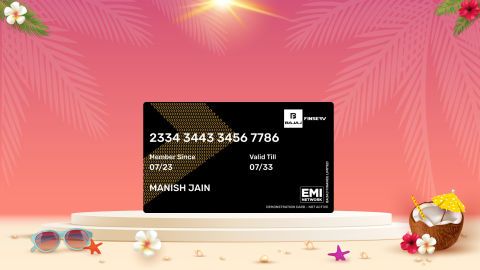
Bajaj Finance offers two financing options at over 1.5 lakh partner stores across 4,000 cities in India. Here is how they compare:
| Option | Limit | Key features |
| Bajaj Finance Insta EMI Card | Pre-approved card loan offer up to Rs. 6 lakh | Zero annual fee; 3 to 60 months tenure; works at 1.5 lakh partner stores; 1 million eligible products |
| Bajaj Finance Easy EMI Loan | Loan limit up to Rs. 5 lakh | Quick loan approval; 3 to 60 months tenure; basic KYC documents needed; ideal for higher-value purchases |
How to choose? Both options require you to be physically present at a partner store. The Insta EMI Card is ideal for shoppers who want to purchase across multiple categories over time. The Easy EMI Loan suits buyers looking to finance a higher-value purchase in a single transaction.
Also explore the latest offers. You may find a great deal on a model that matches your needs.
How do I buy a VR headset on EMI at a Bajaj Finance partner store
The process is simple and typically takes 10 to 15 minutes once you are at the store.
- Browse models on Bajaj Mall: Compare options on Bajaj Mall before visiting a store.
- Find a partner store near you: Use the Bajaj Finance store locator to find a nearby partner outlet such as Croma, Vijay Sales, or other authorised retailers.
- Check the VR headset in person: Check the key features, specifications, size, and performance to choose the product that best suits your needs and budget.
- Choose a suitable EMI option: At checkout, ask the store executive about the Bajaj Finance Insta EMI Card or Easy EMI Loan. Confirm available tenure options and whether your chosen model comes with a zero down payment offer.
- Complete payment and schedule installation: The in-store process is quick, and most partner stores offer installation as part of the purchase.
You can also check your loan eligibility online in advance by entering your mobile number and OTP, helping you plan your purchase better before visiting the store.
Why use the Smart Savings Calculator
Bajaj Finance’s Smart Savings Calculator helps you unlock maximum savings every time you shop at partner stores. It brings together all available brand, dealer, and scheme offers—so you can see your total savings instantly and shop smarter with Easy EMIs.
- Dealer offers - Grab exclusive in-store deals at over 1.5 lakh partner stores across India. Enjoy local discounts and special prices you will not find online.
- Brand offers - Access limited-time discounts from top brands across electronics, appliances, and more. Discover brand-specific savings selected just for you.
- Bajaj offers - Unlock exclusive Bajaj Finance deals on popular products—available only to our customers. More rewards, more value.
- Scheme offers - Take advantage of time-sensitive offers on select EMI schemes. Get extra benefits after paying just 3 EMIs—visible during EMI selection at checkout.
Calculate your extra savings today!