Sublimation Printers: Price in India, Features, and Top Models ((Novmember 2026))

Sublimation Printers: Price in India, Features, and Top Models ((Novmember 2026))

Explore sublimation printer prices in India, key features, and top-rated models for printing on fabrics, mugs, and merchandise. Get your preferred model on Easy EMIs with Bajaj Finance.

Get a pre-approved loan offer of up to Rs. 12 lakh

Quick approval | Flexible tenure options | Zero approval fees

In summary

Sublimation printing uses heat and pressure to bond dye permanently into polyester fabric, coated mugs, phone cases, cushion covers, keychains, and other sublimation-ready substrates. Unlike screen printing or direct-to-garment (DTG), the dye becomes embedded in the material and resists washing, fading, and peeling.

How sublimation works: Sublimation ink is printed in reverse onto transfer paper; the paper is placed face-down on the substrate; heat (180–210°C) and pressure cause the dye to convert from solid to gas and bond permanently with the surface.

Heat press machine: Essential — the printer alone cannot complete the transfer; a flat heat press (Rs. 5,000–15,000) is required, while mug and combo presses support curved and cylindrical substrates.

Substrates that work: Polyester fabric (minimum 65% polyester), coated ceramic mugs, phone cases, aluminium sheets, hardboard, and cushion covers — any surface with a polymer coating.

Does NOT work on: 100% cotton fabric, uncoated ceramics, wood, paper, natural leather.

You can also buy a new printer on Easy EMIs at over 1.5 lakh partner stores across 4,000 cities, including Reliance Digital, Croma, and Vijay Sales. 
What is a sublimation printer?

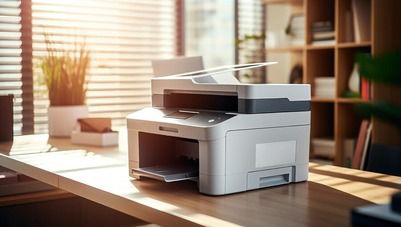
A sublimation printer is a specialised printer that uses sublimation ink to create vibrant, long-lasting prints on polyester fabrics and polymer-coated products. It prints designs onto sublimation transfer paper, which are then transferred onto compatible materials using a heat press. The heat converts the ink into gas, allowing it to bond permanently with the surface instead of sitting on top. Sublimation printers are widely used for custom T-shirts, mugs, phone cases, cushions, photo gifts, and promotional merchandise because the prints resist fading, peeling, and cracking.


If you want to replace your printer, visit any of Bajaj Finance's 1.5 lakh partner stores — like Vijay Sales, Croma, Reliance Digital, and more — across 4,000 cities, including Tier 2 cities like Jaipur, Lucknow, Kochi, Bhopal, and more in India. Choose your preferred model, then use the Bajaj Finance Insta EMI Card or Bajaj Finance Easy EMI Loan to finance it. Convert the cost into Easy EMIs that suit your monthly budget and enjoy zero down payment on select models — take it home without any upfront payment. Check your loan eligibility online in minutes so you know exactly what you can get before you step into the store. 


What are the key features of sublimation printers?

Sublimation printers are purpose-built for producing high-quality, durable prints on specialised substrates. Here are the features that matter most when choosing one.


  • Piezoelectric printhead technology: Sublimation printing requires a piezoelectric printhead, which ejects ink using mechanical pressure rather than heat. This is why Epson EcoTank models work for sublimation while Canon, HP, and Dell thermal inkjet printers do not.
  • High-capacity refillable ink tanks: Most sublimation-ready models in India use EcoTank-style refillable tanks rather than cartridges, significantly lowering the cost per print and allowing easy switching to sublimation ink for batch production.
  • Wide print resolution: Sublimation printers deliver print resolutions up to 5,760 x 1,440 DPI, producing fine detail, smooth gradients, and photographic-quality colour accuracy on transfer paper before heat pressing onto substrates.
  • Wide format printing: Models like the Epson L1300 and L18050 support A3 and wider print sizes, enabling full-scale T-shirt transfers, banner graphics, and large custom merchandise without tiling or stitching.
  • Wi-Fi and USB connectivity: Most EcoTank models used for sublimation support Wi-Fi and USB connectivity, allowing wireless printing from smartphones, tablets, and computers running both Windows and macOS.
  • Broad substrate compatibility: Sublimation prints transfer onto any polyester or polymer-coated surface — including fabric, ceramic mugs, metal sheets, glass, phone cases, and hardboard panels — making one printer suitable for a wide range of products.

Also explore label printers and Canon printers to bring home the best option.

Price list of the best sublimation printers in India (2026)

The most widely used sublimation printers in India are Epson EcoTank models, which work with converted sublimation ink. Here are the top confirmed models available in 2026:

Model nameKey featuresWhy should you get thisPrice
Epson EcoTank L3250A4 size, Wi-Fi, USB, 5,760 x 1,440 DPI, EcoTank refillable system, print-scan-copyBest entry-level pick for beginners — affordable, widely available, and easy to convert with sublimation ink for mugs, phone cases, and small merchandiseRs. 13,899
Epson EcoTank L3266A4 size, Wi-Fi, Bluetooth, USB, 5,760 x 1,440 DPI, borderless printing, EcoTank systemStep-up from the L3250 with added Bluetooth connectivity — ideal for small studios printing custom gifts and merchandiseRs. 13,999
Epson EcoTank L1300A3 size, USB, 5,760 x 1,440 DPI, EcoTank system, borderless A3 printingBest A3 sublimation option for full T-shirt transfers and larger merchandise — wide format at an accessible priceRs. 29,999
Epson EcoTank L18050A3+ size, Wi-Fi, USB, 6-colour system, 5,760 x 1,440 DPI, borderless printingBest all-round sublimation printer for professional studios — 6-colour output delivers richer gradients and superior photo-quality transfersRs. 33,699
Epson SureColor SC-F57024-inch wide format, dedicated sublimation, 1,200 x 600 DPI, USB, Ethernet, Wi-Fi, roll-to-roll supportBest professional-grade pick for high-volume production — continuous roll printing and 24-inch width suit commercial custom merchandise operationsRs. 1,55,000

Disclaimer: Each model's features, availability, and pricing are subject to change and may vary. For the most accurate and up-to-date information, please visit the official website.


Before you decide, explore the latest offers. You may find a great deal on a model that matches your needs.

Why should you choose a sublimation printer?

A sublimation printer is one of the most versatile investments you can make for a creative business or custom merchandise operation in India — here is why it stands out.


  • Prints that last permanently: Sublimation dye bonds at a molecular level with the substrate, making prints permanently embedded in the surface rather than sitting on top. The result resists washing, fading, scratching, and peeling far better than screen printing or direct-to-garment alternatives.
  • Exceptional colour vibrancy: Sublimation printing produces photographic-quality colour gradients and fine detail that other printing methods cannot match — making it the preferred choice for high-resolution photo merchandise, personalised portraits, and premium gifting products.
  • Low cost per print at volume: With refillable EcoTank systems and high-yield sublimation ink bottles, the cost per print drops dramatically at volume — making sublimation one of the most cost-efficient printing methods for Indian small businesses producing custom merchandise in batches.
  • Wide range of printable products: One sublimation printer handles an extensive product catalogue — T-shirts, mugs, ceramic tiles, phone cases, tote bags, mousepads, metal sheets, and more — allowing you to diversify your product offerings without investing in multiple printing systems.
  • Clean, odourless printing process: Unlike screen printing or UV printing, sublimation printing produces no strong odours, no waste ink on surfaces, and minimal mess — making it well-suited for home studios and small workshops across India.


Also explore how to set up a printer and top 10 printer brands in India.

What are my financing options to buy a printer?

Bajaj Finance offers two ways to convert your printer purchase into affordable monthly payments. Both options are available at over 1.5 lakh partner stores across 4,000 cities in India. Here is a comparison of both options to help you choose the right one before visiting a partner store:

OptionLimitKey features
Bajaj Finance Insta EMI CardPre-approved card limit up to Rs. 6 lakhZero annual fee; 3 to 60 months; works at 1.5 lakh partner outlets; 1 million eligible products
Bajaj Finance Easy EMI LoanLoan limit up to Rs. 12 lakhQuick loan approval; 3 to 60 months; basic KYC documents needed; ideal for higher-value purchases

How to choose? Both options require you to be physically present at a partner store. The Insta EMI Card is ideal for shoppers who want to purchase across multiple categories over time — and carries zero annual fee. The Easy EMI Loan suits buyers looking to finance a higher-value printer.

How do I buy a printer on EMI at a Bajaj Finance partner store?

Upgrading to a new printer is simple and affordable with Bajaj Finance's in-store financing options. The entire process usually takes just 10–15 minutes. Follow these steps:


  1. Browse models on Bajaj Mall: Explore the range of printer models on Bajaj Mall. Compare print type (inkjet vs laser), multi-function vs single function, wireless capability, and cost per page before heading to a partner store.
  2. Find a partner store near you: Use the Bajaj Finance store locator to find a nearby partner outlet such as Croma, Vijay Sales, or Reliance Digital.
  3. Check the printer in person: Visit the partner store and explore available models. Check print speed (ppm), connectivity options (USB, Wi-Fi, Bluetooth), ink or toner type, and whether the model supports scanning and copying if you need a multi-function device.
  4. Choose a suitable EMI option: At checkout, ask the store executive about the Bajaj Finance Insta EMI Card or Easy EMI Loan. Confirm available tenure options and whether your chosen model comes with a zero down payment offer.
  5. Complete payment and take your printer home: Once approved, your purchase is processed immediately and you can take your new printer home the same day.

You can also check your loan eligibility online in advance by entering your mobile number and OTP, helping you plan your purchase better before visiting a partner store.

Save more with Smart Savings Calculator

Combine the best offers, EMI plans, and exclusive vouchers with Smart Savings Calculator to save big.

20k+ people used their offers at the store

Why use the Smart Savings Calculator

Bajaj Finance’s Smart Savings Calculator helps you unlock maximum savings every time you shop at partner stores. It brings together all available brand, dealer, and scheme offers—so you can see your total savings instantly and shop smarter with Easy EMIs.


1. Dealer offers - Grab exclusive in-store deals at over 1.5 lakh partner stores across India. Enjoy local discounts and special prices you will not find online.

2. Brand offers - Access limited-time discounts from top brands across electronics, appliances, and more. Discover brand-specific savings selected just for you.

3. Bajaj offers - Unlock exclusive Bajaj Finance deals on popular products—available only to our customers. More rewards, more value.

4. Scheme offers - Take advantage of time-sensitive offers on select EMI schemes. Get extra benefits after paying just 3 EMIs—visible during EMI selection at checkout.


Calculate your extra savings today!

FAQs

EMI details

General

Can I buy a printer on EMI?

Yes, you can easily bring home your preferred printer using Bajaj Finance’s Easy EMI options. Whether you already have the Insta EMI card or are new to it, here is how to begin:


If you have the Bajaj Finance Insta EMI card:

  • Explore products on Bajaj Mall: Choose from a wide range of the latest and most popular models.
  • Visit a partner store: Check out the product in person at any of Bajaj Finance’s 1.5 lakh partner stores across 4,000 cities in India.
  • Use your Insta EMI card at checkout: Convert the cost into Easy EMIs that fit your monthly budget.
  • Zero down payment on select models: Take your chosen product home without paying anything upfront.

If you do not have an Insta EMI card:

Check your Insta EMI Card eligibility online using your mobile number and OTP. If you are eligible, apply instantly and enjoy a smarter, more affordable way to buy your favourite product on Easy EMIs.


A sublimation printer is a specialised printer that uses heat-activated sublimation ink to transfer dye directly into the surface of compatible materials. During the heat press process, the ink converts from a solid to a gas and bonds with the polymer molecules of the substrate, producing permanent, vibrant prints that do not peel, crack, or fade with repeated washing or use.

Yes, sublimation printers print on fabric, but only on materials with a high polyester content — ideally 100% polyester or a polyester blend of at least 65%. Cotton does not absorb sublimation dye effectively, resulting in faded, washed-out prints. White or light-coloured fabric produces the most vibrant results, as sublimation inks are transparent and cannot print on dark backgrounds without a polyester coating.

Sublimation printing works on any polyester or polymer-coated surface. Common materials include 100% polyester fabric, ceramic mugs with a polymer coating, aluminium and metal sheets with a sublimation coating, hardboard panels, phone cases, mousepads, ceramic tiles, and glass with a polymer coating. The material must be white or light in colour and have either a natural polyester composition or an applied polymer coating for the dye to bond correctly.

Sublimation prints are extremely durable when applied correctly. On polyester fabric, prints typically last the lifetime of the garment without significant fading, as the dye is embedded in the fibres rather than applied on the surface. On hard substrates such as mugs and metal panels, sublimation prints can last 10 years or more with normal use. Exposure to prolonged direct sunlight can cause gradual fading over time.

Yes, most Epson EcoTank models used for sublimation in India — including the L3250, L3266, and L18050 — support Wi-Fi connectivity, allowing wireless printing from smartphones, tablets, and computers. The Epson Smart Panel app lets you set up, monitor, and print directly from your mobile device. USB connectivity is also standard across all models, and select models support Ethernet for network-wide access in studio environments.

Show More Show Less

Explore more on printers:

Disclaimer

While care is taken to update the information, products, and services included in or available on our website and related platforms/websites, there may be inadvertent inaccuracies or typographical errors or delays in updating the information. The material contained in this site, and on associated web pages, is for reference and general information purpose and the details mentioned in the respective product/service document shall prevail in case of any inconsistency. Subscribers and users should seek professional advice before acting on the basis of the information contained herein. Please take an informed decision with respect to any product or service after going through the relevant product/service document and applicable terms and conditions. In case any inconsistencies observed, please click on reach us.

*Terms and conditions apply