Get Bajaj Finance Web in just 2 steps!
-
Click on ADD TO HOME SCREEN
-
Tap “Install” on the pop-up to confirm
-
Bajaj Finance Web will appear on your mobile home screen only if you use Google Chrome or Microsoft Edge.

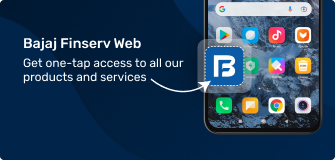
All you need to know about Bajaj Finance Web
 00:40
00:40
Benefits of the Progressive Web App
Watch this video to know about how it is beneficial to install the Bajaj Finserv Progressive Web App.
-
Get our web app on your phone in just 2 steps
Our progressive web app (PWA) is fast, takes less space, and brings all our products and services to your phone screen in just 2 simple clicks. Get it now!
-
Quick and efficient
Bajaj Finance Web is lightweight and uses very little data. You can access all our products and services without any hassle.
-
Takes up less space on your phone
Our web app occupies just 500 KB on your mobile device. That’s lesser space than your favourite game or music app!
-
End-to-end encryption
Bajaj Finance Web uses end-to-end encryption to safeguard your data.
-
More than 285 useful features
You can access all your current and past money relationships, make a payment, apply for a new loan or plan your next investment – all with our progressive web app.
-
Easy installation
Our web app does not need any complicated download process. You can add it to your phone screen in just two simple steps.
Frequently asked questions
Bajaj Finance Web is a progressive web app (PWA) and does not require hefty downloads or storage space. Secondly, it guarantees instant access to our suite of financial products and services, allowing you to manage your accounts, apply for loans, and access exclusive offers.
It also offers seamless performance, regardless of your network speed. With the added benefit of push notifications, you stay updated on your financial activities and important announcements in real time.
Yes, Bajaj Finance Web is 100% safe and secure. All your data is stored securely and is encrypted.
Once you click on the ADD TO HOME SCREEN button on this page, tap “Install” on the confirmation pop-up. This will add the Bajaj Finance Web to your phone’s home screen.
Since Bajaj Finance Web is not an app, you cannot download it from the Play Store. You can access it in just two clicks by visiting the Bajaj Finance website.
Separately, you may download the Bajaj Finance App by visiting the Google Play Store or the Apple App Store.
Yes! There are no fees or charges to use the Bajaj Finance Web. Once you add it to your phone’s home screen, you can explore our entire suite of financial products and services at the click of a button.
