Published Jun 6, 2026 . 3 min read

How do you operate a projector for presentations and entertainment

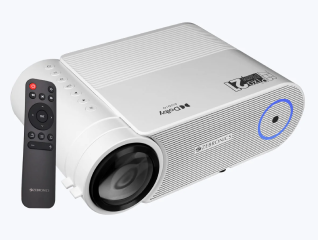
Operating a projector involves setting up the device correctly, connecting compatible input sources, adjusting display settings, and maintaining proper viewing alignment for clear image projection. Modern projectors are commonly used for office presentations, classroom teaching, gaming, home entertainment, and multimedia streaming. Most projectors support HDMI, USB, Wi-Fi, Bluetooth, and screen mirroring connectivity for laptops, smartphones, gaming consoles, and streaming devices. Proper projector operation also includes focus adjustment, keystone correction, brightness optimisation, and regular maintenance to ensure stable long-term performance and better picture quality.


If you are looking for a new projector, head to any of Bajaj Finance’s 1.5 lakh partner stores in 4,000 cities in India. Choose your ideal model, pay with Easy EMIs, and enjoy zero down payment on select deals. Simply check your loan eligibility now and bring home your desired product without worrying about overspending.


What setup requirements and placement guidelines improve projector viewing quality


Proper projector placement and room setup significantly affect image clarity, viewing comfort, screen size, and overall projection quality.

Place the projector at the correct throw distance: The distance between the projector and screen determines the projected image size and viewing clarity. Different projector types require different placement distances.

Use a stable and level surface: Placing the projector on a flat and stable surface helps reduce image distortion, vibration, and alignment issues during presentations or movie playback.

Position the projector facing the screen directly: Straight projector alignment helps minimise keystone distortion and improves image symmetry on the projection surface.

Control ambient room lighting: Darker rooms improve projector visibility, contrast, and colour quality, especially for home theatre and entertainment usage.

Maintain proper ventilation around the projector: Adequate airflow helps prevent overheating and improves long-term projector performance during extended usage sessions.

Use a suitable projection screen or flat wall: Smooth and light-coloured surfaces improve image sharpness, brightness consistency, and overall viewing quality.
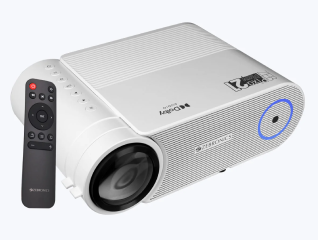
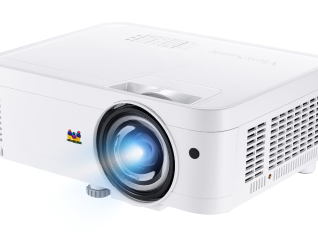
How do you power on a projector and select the correct input source

Modern projectors support multiple input options and source selection methods depending on connected devices and media playback requirements.


Connect the projector to a power source: Ensure the power cable is securely connected before switching on the projector using the power button or remote control.

Wait for the projector startup sequence: Most projectors require a few seconds to initialise the lamp or light source and display the startup screen properly.

Select the correct input source: Use the projector remote or onboard controls to switch between HDMI, VGA, USB, Wi-Fi, or screen mirroring input modes.

Connect external devices before projection: Laptops, gaming consoles, streaming devices, and smartphones should be connected before selecting the input source for smoother signal detection.

Verify active signal transmission: Ensure the connected device is powered on and actively transmitting video output to the projector.

Use automatic source detection if available: Some smart projectors automatically identify connected devices and switch to the correct input source.

How can you adjust projector image settings for better viewing quality

Projector image adjustment settings help improve focus clarity, screen alignment, image proportions, and viewing comfort across different room environments.


Adjust focus for sharper image clarity: Use the focus ring or digital focus settings to improve text readability and image sharpness during presentations and entertainment viewing.

Use keystone correction for image alignment: Keystone adjustment corrects trapezoid-shaped image distortion caused by angled projector placement.

Modify zoom settings for screen size adjustment: Zoom functionality helps increase or reduce projected image size without physically moving the projector.

Optimise brightness and contrast levels: Adjusting display brightness improves visibility based on room lighting conditions and screen size.

Configure aspect ratio settings correctly: Proper aspect ratio settings prevent stretched visuals and maintain accurate image proportions during media playback.

Use colour calibration settings if available: Some projectors include picture modes and colour adjustment features for movies, gaming, presentations, and multimedia viewing.

What connectivity options do projectors support for laptops, mobiles, and streaming devices

Modern projectors support multiple wired and wireless connectivity methods for presentations, gaming, streaming, and multimedia playback.


HDMI connectivity for laptops and gaming consoles: HDMI connections support high-definition video and audio transmission through a single cable for reliable multimedia projection.

USB and USB-C support for modern devices: Many projectors support USB media playback and USB-C connections for compatible laptops and smartphones.

Wireless screen mirroring support: Wi-Fi-enabled projectors commonly support Miracast, Chromecast, AirPlay, and wireless display technologies for cable-free screen sharing.

Bluetooth connectivity for external audio devices: Bluetooth support allows users to connect wireless speakers, headphones, and sound systems for better audio performance.

Streaming device compatibility: Projectors can connect to devices such as Amazon Fire TV Stick, Chromecast, Apple TV, and Android TV boxes for OTT streaming.

Mobile phone projection support: Smartphones can connect through HDMI adapters, USB-C cables, or wireless screen mirroring applications depending on device compatibility.

What maintenance and safety practices improve projector lifespan and performance

Regular maintenance and proper operating practices help improve projector reliability, picture quality, and long-term component performance.


Clean projector lenses regularly: Dust accumulation on projector lenses can reduce image sharpness and affect viewing quality over time.

Keep air vents and filters clean: Proper airflow helps prevent overheating and improves cooling system efficiency during prolonged projector operation.

Avoid unplugging the projector immediately after use: Allow the cooling fan to complete its shutdown cycle before disconnecting power to protect internal components.

Use surge protectors for electrical safety: Stable power supply protection helps reduce risks caused by voltage fluctuations and sudden power interruptions.

Store the projector in a dust-free environment: Clean storage conditions help maintain lens clarity and internal component reliability.

Replace projector lamps when brightness reduces: Traditional projector lamps lose brightness gradually and may require replacement for optimal viewing performance.

How to choose the best projector for your needs

Selecting the right projector depends on room size, viewing requirements, brightness expectations, connectivity preferences, and intended usage scenarios.


Choose suitable brightness levels for your room: Higher brightness projectors work better in rooms with ambient lighting, while darker environments support lower brightness models.

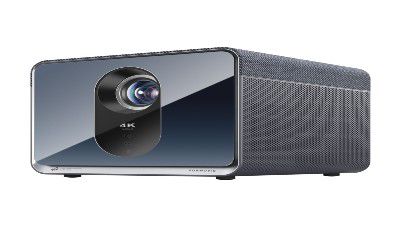
Select the correct projector resolution: Full HD and 4K projectors provide sharper visuals for gaming, movies, presentations, and professional content viewing.

Evaluate throw distance and room compatibility: Projector placement flexibility affects image size, installation convenience, and viewing comfort.

Check smart and wireless connectivity features: Wi-Fi, Bluetooth, screen mirroring, and built-in streaming support improve multimedia convenience.

Consider portability and installation requirements: Portable projectors are suitable for travel and presentations, while fixed models support dedicated home theatre setups.

Review audio system quality and connectivity: Built-in speakers and external audio compatibility improve entertainment and presentation experiences.

Get electronics and appliances on Easy EMIs with Bajaj Finance

Upgrading your home with the latest electronics and appliances is now hassle-free with Bajaj Finance's flexible financing options. Follow these steps to get started:


  • Explore products on Bajaj Mall: Browse a wide range of electronics and appliances from trusted brands on Bajaj Mall. Compare features to find a model that meets your needs.
  • Visit a partner store: Once you shortlist a model, step into any of Bajaj Finance’s 1.5 lakh partner stores across 4,000 cities in India. See the product in person, talk to experts, and make a confident decision.
  • Choose the Easy EMI Loan option: At checkout, select the Bajaj Finance Easy EMI Loan. Avail financing of up to Rs. 5 lakh and split the cost into convenient monthly instalments. Some products also come with a zero down payment option.
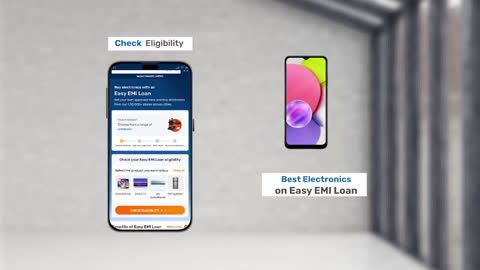
  • Check your loan eligibility online: Plan better by checking your loan eligibility in minutes. Simply enter your mobile number and OTP to know your pre-approved limit.
  • Use the EMI Network Card for purchases up to Rs. 3 lakh: Already own the Bajaj Finance EMI Network Card? Use it for instant, paperless checkout and convert your purchases of up to Rs. 3 lakh into Easy EMIs.

Why use the Smart Savings Calculator

Bajaj Finance’s Smart Savings Calculator helps you unlock maximum savings every time you shop at partner stores. It brings together all available brand, dealer, and scheme offers—so you can see your total savings instantly and shop smarter with Easy EMIs.


1. Dealer offers - Grab exclusive in-store deals at over 1.5 lakh partner stores across India. Enjoy local discounts and special prices you will not find online.

2. Brand offers - Access limited-time discounts from top brands across electronics, appliances, and more. Discover brand-specific savings selected just for you.

3. Bajaj offers - Unlock exclusive Bajaj Finance deals on popular products—available only to our customers. More rewards, more value.

4. Scheme offers - Take advantage of time-sensitive offers on select EMI schemes. Get extra benefits after paying just 3 EMIs—visible during EMI selection at checkout.


Calculate your extra savings today!

Frequently asked questions

Can I buy projector on EMI?

Yes, you can easily bring home your preferred projector using Bajaj Finance’s Easy EMI options. Whether you already have the Insta EMI Card or are new to it, here is how to begin:


If you have the Bajaj Finance Insta EMI Card:


  • Explore projectors on Bajaj Mall: Choose from a wide range of popular projector brands.
  • Visit a partner store: Check out the product in person at any of Bajaj Finance’s 1.5 lakh partner stores across 4,000 cities in India.
  • Use your Insta EMI Card at checkout: Convert the cost into Easy EMIs that fit your monthly budget.
  • Zero down payment on select models: Take your chosen projector home without paying anything upfront.


If you do not have an Insta EMI Card:

Check your Insta EMI Card eligibility online using your mobile number and OTP. If you are eligible, apply instantly and enjoy a smarter, more affordable way to buy your favourite projector on Easy EMIs.

How do I start using a projector?

To start using a projector, connect it to a power source, switch it on, connect the input device such as a laptop or streaming device, and select the correct input source. Adjust focus, screen alignment, and display settings for better viewing quality.

How do I adjust the projector screen size?

Projector screen size can be adjusted by changing the projector’s distance from the screen or by using the built-in zoom settings available on many projector models. Proper focus adjustment also helps maintain image clarity after resizing.

What is keystone correction in projector?

Keystone correction is a feature that adjusts image distortion caused when the projector is placed at an angle relative to the projection surface. It helps align the image into a proper rectangular shape for improved viewing.

Can a projector connect to mobile phones?

Yes, many modern projectors support mobile phone connectivity through HDMI adapters, USB-C connections, Wi-Fi screen mirroring, Chromecast, AirPlay, or dedicated projector applications depending on the supported device compatibility.

How to maintain projector properly?

Proper projector maintenance includes cleaning the lens regularly, maintaining ventilation airflow, cleaning air filters, avoiding sudden power disconnection, and storing the projector safely when not in use. Regular maintenance helps improve picture quality and extend projector lifespan.

Show More Show Less

Bajaj Finance app for all your financial needs and goals

Trusted by 50 million+ customers in India, Bajaj Finance App is a one-stop solution for all your financial needs and goals.

You can use the Bajaj Finance App to:

  • Apply for loans online, such as Instant Personal Loan, Home Loan, Business Loan, Gold Loan, and more.
  • Invest in fixed deposits and mutual funds on the app.
  • Choose from multiple insurance for your health, motor and even pocket insurance, from various insurance providers.
  • Pay and manage your bills and recharges using the BBPS platform. Use Bajaj Pay and Bajaj Wallet for quick and simple money transfers and transactions.
  • Apply for Insta EMI Card and get a pre-qualified limit on the app. Explore over 1 million products on the app that can be purchased from a partner store on Easy EMIs.
  • Shop from over 100+ brand partners that offer a diverse range of products and services.
  • Use specialised tools like EMI calculators, SIP Calculators
  • Check your credit score, download loan statements and even get quick customer support—all on the app.

Download the Bajaj Finance App today and experience the convenience of managing your finances on one app.

Disclaimer

1. Bajaj Finance Limited (“BFL”) is a Non-Banking Finance Company (BAJAJ FINANCE) and Prepaid Payment Instrument Issuer offering financial services viz., loans, deposits, Bajaj Pay Wallet, Bajaj Pay UPI, bill payments and third-party wealth management products. The details mentioned in the respective product/ service document shall prevail in case of any inconsistency with respect to the information referring to BFL products and services on this page.

2. All other information, such as, the images, facts, statistics etc. (“information”) that are in addition to the details mentioned in the BFL’s product/ service document and which are being displayed on this page only depicts the summary of the information sourced from the public domain. The said information is neither owned by BFL nor it is to the exclusive knowledge of BFL. There may be inadvertent inaccuracies or typographical errors or delays in updating the said information. Hence, users are advised to independently exercise diligence by verifying complete information, including by consulting experts, if any. Users shall be the sole owner of the decision taken, if any, about suitability of the same.