Published Jun 6, 2026 · 4 Min Read

Sharing audio with friends or family has become easier thanks to modern Bluetooth technology. Many smartphones, tablets, televisions, and laptops now support connections with more than one Bluetooth audio device at the same time. This feature allows multiple people to listen to the same music, film, podcast, or online content without disturbing others.

However, the setup process can vary depending on the device and Bluetooth version. Understanding how to connect multiple Bluetooth headphones can help you enjoy a smooth shared listening experience while avoiding common connection problems.

In the same way, if you are thinking of buying a new electronic appliance, check your loan eligibility first. It helps you understand your budget and narrow down your options. Once you have a budget in mind, explore the latest models on Bajaj Mall. Simply visit any of Bajaj Finance’s 1.5 lakh partner stores in over 4,000 cities, choose the model you want, and convert your purchase into Easy EMIs of up to Rs. 5 lakh. With Easy EMIs and zero down payment on select models, bringing home the right product is simple and stress-free.
 

Setup overview


Before connecting multiple Bluetooth headphones, it is important to check whether your device supports audio sharing or multi-device audio output. Some devices include this feature as a built-in function, while others require additional accessories or software support.
 

You should ensure that all headphones are charged and within Bluetooth range. Keeping devices updated with the latest software can also improve compatibility and performance. Once the necessary requirements are in place, connecting multiple headphones usually involves pairing each device and selecting the appropriate audio-sharing option available on the source device.

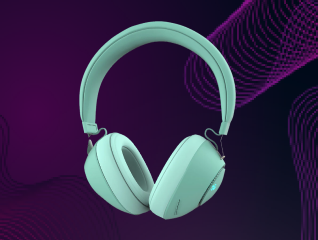
How to connect multiple Bluetooth headphones using built-in features

Many modern devices offer built-in support for audio sharing:
 

  1. Turn on Bluetooth on your smartphone, tablet, television, or computer.
  2. Place both headphones into pairing mode.
  3. Connect the first pair of headphones to the device.
  4. Return to the Bluetooth settings menu.
  5. Connect the second pair of headphones.
  6. Open the device's audio-sharing or multi-audio feature if available.
  7. Select both connected headphones as audio output devices.
  8. Play audio and confirm that sound reaches both headphones.

How to connect multiple Bluetooth headphones using apps and accessories

If your device does not support built-in audio sharing, other solutions may help:
 

  1. Obtain a Bluetooth transmitter that supports multiple audio outputs.
  2. Connect the transmitter to your audio source.
  3. Activate pairing mode on the transmitter.
  4. Pair the first set of headphones.
  5. Pair the second set of headphones.
  6. Confirm that both devices appear as connected.
  7. Start audio playback from the source device.
  8. Adjust volume levels separately if supported by the equipment.

Compatibility and limitations

Not all devices support simultaneous Bluetooth audio connections. Compatibility depends on the operating system, Bluetooth version, and hardware capabilities of the source device. Some devices allow only one audio connection at a time, while others support multiple outputs.
 

You may also experience slight audio delays when using more than one Bluetooth headphone. Battery life, signal strength, and distance from the source device can affect performance. Checking your device specifications before attempting a multi-headphone setup can help avoid frustration and improve the overall listening experience.

Tips for stable connection

Follow these practices to maintain reliable audio performance:
 

  • Keep all devices fully charged.
  • Place headphones within recommended Bluetooth range.
  • Update device software regularly.
  • Avoid physical obstacles between devices.
  • Disconnect unused Bluetooth accessories.
  • Reduce wireless interference from nearby electronics.
  • Pair devices one at a time.
  • Use compatible Bluetooth versions when possible.
  • Restart devices if connection issues occur.

Get electronics and appliances on Easy EMIs with Bajaj Finance

Bringing home your preferred electronics and appliances is now hassle-free with Bajaj Finance's flexible financing options and latest offers. Follow these steps to get started:


  • Explore products on Bajaj Mall: Browse through a wide selection of appliances on Bajaj Mall. Compare features to find a model that meets your needs.
  • Visit a partner store: Once you shortlist a model, step into any of Bajaj Finance’s 1.5 lakh partner stores across 4,000 cities in India. See the product in person, talk to experts, and make a confident decision.
  • Choose the Easy EMI Loan option: At checkout, select the Bajaj Finance Easy EMI Loan. Avail financing of up to Rs. 5 lakh and split the cost into convenient monthly instalments. Some products also come with a zero down payment option.
  • Check your loan eligibility online: Plan better by checking your loan eligibility in minutes. Simply enter your mobile number and OTP to know your pre-approved limit.
  • Use the Insta EMI Card for purchases up to Rs. 3 lakh: Already own the Bajaj Finance Insta EMI Card? Use it for instant, paperless checkout and convert your purchases of up to Rs. 3 lakh into Easy EMIs.

Why use the Smart Savings Calculator

Bajaj Finance’s Smart Savings Calculator helps you unlock maximum savings every time you shop at partner stores. It brings together all available brand, dealer, and scheme offers—so you can see your total savings instantly and shop smarter with Easy EMIs.


1. Dealer offers - Grab exclusive in-store deals at over 1.5 lakh partner stores across India. Enjoy local discounts and special prices you will not find online.

2. Brand offers - Access limited-time discounts from top brands across electronics, appliances, and more. Discover brand-specific savings selected just for you.

3. Bajaj offers - Unlock exclusive Bajaj Finance deals on popular products—available only to our customers. More rewards, more value.

4. Scheme offers - Take advantage of time-sensitive offers on select EMI schemes. Get extra benefits after paying just 3 EMIs—visible during EMI selection at checkout.


Calculate your extra savings today!

Frequently asked questions

Can I buy a new headphone on EMIs?

Yes, you can easily bring home your preferred headphone using Bajaj Finance’s Easy EMI options. Whether you already have the Insta EMI Card or are new to it, here is how to begin:


If you have the Bajaj Finance Insta EMI Card:

  • Explore headphone on Bajaj Mall: Choose from a wide range of the latest and most popular models.
  • Visit a partner store: Check out the product in person at any of Bajaj Finance’s 1.5 lakh partner stores across 4,000 cities in India.
  • Use your Insta EMI Card at checkout: Convert the cost into Easy EMIs that fit your monthly budget.
  • Zero down payment on select models: Take your chosen headphone home without paying anything upfront.

If you do not have an Insta EMI Card:

Check your Insta EMI Card eligibility online using your mobile number and OTP. If you are eligible, apply instantly and enjoy a smarter, more affordable way to buy your favourite product on Easy EMIs.


Please note: Easy EMIs are applicable on purchases above Rs. 5,000.

Can I connect multiple Bluetooth headphones to one device?

Yes, some smartphones, tablets, computers, and televisions support multiple Bluetooth audio connections. The feature depends on the device's hardware capabilities and software support.

How can you share audio between two headphones?

You can share audio by using built-in audio-sharing features or a compatible Bluetooth transmitter that supports simultaneous connections to multiple Bluetooth headphones.

Do all phones support multiple Bluetooth connections?

No, not all phones support simultaneous Bluetooth audio connections. Support depends on the phone model, operating system version, and Bluetooth hardware capabilities.

How to fix connection issues with multiple devices?

Restart the devices, update software, ensure sufficient battery charge, reduce wireless interference, and reconnect the headphones to establish a more stable connection.

Is audio quality affected when connecting multiple headphones?

Audio quality usually remains good, but some devices may experience slight delays or reduced performance depending on Bluetooth technology, signal strength, and hardware limitations.

Show more Show less

Bajaj Finance app for all your financial needs and goals

Trusted by 50 million+ customers in India, Bajaj Finance App is a one-stop solution for all your financial needs and goals.

You can use the Bajaj Finance App to:

  • Apply for loans online, such as Instant Personal Loan, Home Loan, Business Loan, Gold Loan, and more.
  • Invest in fixed deposits and mutual funds on the app.
  • Choose from multiple insurance for your health, motor and even pocket insurance, from various insurance providers.
  • Pay and manage your bills and recharges using the BBPS platform. Use Bajaj Pay and Bajaj Wallet for quick and simple money transfers and transactions.
  • Apply for Insta EMI Card and get a pre-qualified limit on the app. Explore over 1 million products on the app that can be purchased from a partner store on Easy EMIs.
  • Shop from over 100+ brand partners that offer a diverse range of products and services.
  • Use specialised tools like EMI calculators, SIP Calculators
  • Check your credit score, download loan statements and even get quick customer support—all on the app.

Download the Bajaj Finance App today and experience the convenience of managing your finances on one app.

Disclaimer

1. Bajaj Finance Limited (“BFL”) is a Non-Banking Finance Company (BAJAJ FINANCE) and Prepaid Payment Instrument Issuer offering financial services viz., loans, deposits, Bajaj Pay Wallet, Bajaj Pay UPI, bill payments and third-party wealth management products. The details mentioned in the respective product/ service document shall prevail in case of any inconsistency with respect to the information referring to BFL products and services on this page.

2. All other information, such as, the images, facts, statistics etc. (“information”) that are in addition to the details mentioned in the BFL’s product/ service document and which are being displayed on this page only depicts the summary of the information sourced from the public domain. The said information is neither owned by BFL nor it is to the exclusive knowledge of BFL. There may be inadvertent inaccuracies or typographical errors or delays in updating the said information. Hence, users are advised to independently exercise diligence by verifying complete information, including by consulting experts, if any. Users shall be the sole owner of the decision taken, if any, about suitability of the same.