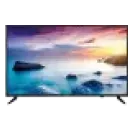
Casting your mobile screen to a television allows you to share your content on a larger display, enhancing your viewing experience. This feature is particularly useful for streaming videos, showing photos, or playing games with friends and family. The process typically involves connecting both devices to the same wi-fi network and using built-in casting features available on many smart televisions. Depending on your television model, you may also need additional devices like Chromecast or a smart dongle to facilitate the connection. Once set up, you can easily mirror your mobile screen or stream-specific apps directly to your television, creating an interactive and engaging entertainment environment. Enjoy the convenience and fun of casting, transforming how you experience content on your television.
You can buy electronics on Easy EMIs from Bajaj Finance and enjoy exclusive discounts. Visit any of Bajaj Finance’s 1.5 lakh partner stores in over 4,000 cities, choose the model, and use the Easy EMI Loan of up to Rs. 5 lakh. Convert the price into Easy EMIs, enjoy zero down payment on select models. Check your loan eligibility online now.
Step-by-step guide: Casting screen to TV
Ways to cast a mobile screen on TV
| Method | Description |
| Chromecast | Use a Chromecast device plugged into your TV’s HDMI port. Connect your mobile device to the same wi-fi network and cast directly from compatible apps. |
| Built-in casting | Many smart TVs, like touch screen TVs, come with built-in casting features such as Miracast or AirPlay for seamless connection with mobile devices. |
| HDMI cable | Directly connect your mobile device to the TV using an HDMI adapter or cable. This method ensures a stable connection for streaming content. |
| Screen mirroring | Enable screen mirroring through your TV's settings and your mobile's display settings to replicate your phone's screen on the television. |
| Third-party apps | Use apps such as AllCast or LocalCast to wirelessly stream content from your mobile device to the TV. |
With various methods available, choosing the right one can enhance your viewing experience on your touch screen TV. Each option caters to different needs and preferences, making it easier to enjoy your mobile content on a larger screen.
Updated price list of TVs in India (2026)
The television market in India continues to evolve, offering a diverse range of options to suit every budget and preference. Here is an updated price list showcasing the latest models and their respective prices, ensuring you stay informed for your next TV purchase.
| Model | Price |
| Xiaomi Smart TV A 80 cm (32-inch) HD Ready Smart Google LED TV | Rs. 11,999 |
| LG 80 cm (32-inch) HD Ready Smart LED TV | Rs. 12,990 |
| LG 80 cm (32-inch) HD Ready Smart LED TV | Rs. 14,990 |
| Samsung 138 cm (55-inch) D Series Crystal 4K Vivid Pro Ultra HD Smart LED TV | Rs. 43,990 |
Disclaimer: The features, availability, and pricing of each model are subject to change and may vary. For the most accurate and up-to-date information, please visit the official website.
Whether you are looking to purchase an LED TV or an OLED TV, you can easily convert the cost of your purchase into affordable EMIs with financing solutions from Bajaj Finance. You can get a loan of up to Rs. 3 lakh which you can repay in Easy EMIs over a period of up to 60 months.
Common problems while casting a mobile screen to TV and how to fix them
Casting a mobile screen to a TV can sometimes lead to common issues that disrupt the viewing experience. One frequent problem is connectivity failure, which may stem from weak wi-fi signals or improper settings on the devices. Another issue could be lagging or buffering, often caused by insufficient bandwidth, especially when streaming high-definition content. Additionally, some users may experience a lack of audio sync, where the sound does not match the video, making the viewing experience frustrating. It is also essential to consider the type of television you are using; for instance, an HD vs HDR TV can affect the quality of the casted image. HDR TVs typically provide richer colours and greater contrast, enhancing the overall experience when casting media. Troubleshooting these issues usually involves checking the wi-fi connection, updating software, and ensuring that both devices are compatible.
Get electronics and appliances on Easy EMIs with Bajaj Finance
Upgrading your home with the latest electronics and appliances is now easier and more affordable with Bajaj Finance’s flexible financing options. You can also maximise your savings by using the Maha Bachat Savings Calculator—a smart tool that combines brand offers, dealer offers, and EMI offers, all in one place, helping you lower the overall cost while still paying in small, bite-sized instalments. Follow these steps to get started:
- Explore products on Bajaj Mall: Browse a wide range of electronics and appliances from trusted brands. Compare features like energy ratings, storage capacity, performance settings, and design to choose the right product for your home.
- Visit a partner store: Once you shortlist a model, step into any of Bajaj Finance’s 1.5 lakh partner stores across 4,000 cities in India. See the product in person, talk to experts, and make a confident decision.
- Choose the Easy EMI Loan option: At checkout, select the Bajaj Finance Easy EMI Loan. Avail financing of up to Rs. 5 lakh and split the cost into convenient monthly instalments. Some products also come with a zero down payment option.
- Check your loan eligibility online: Plan better by checking your loan eligibility in minutes. Simply enter your mobile number and OTP to know your pre-approved limit.
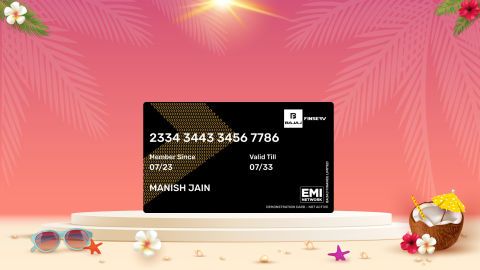
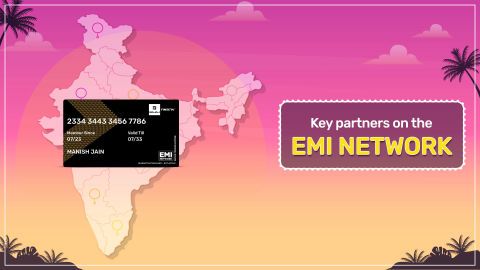
- Use the EMI Network Card for purchases up to Rs. 3 lakh: Already own the Bajaj Finance EMI Network Card? Use it for instant, paperless checkout and convert your purchases of up to Rs. 3 lakh into Easy EMIs.
Why use the Maha Bachat Savings Calculator
Bajaj Finance’s Maha Bachat Savings Calculator helps you unlock maximum savings every time you shop at partner stores. It brings together all available brand, dealer, and scheme offers—so you can see your total savings instantly and shop smarter with Easy EMIs.
- Dealer offers - Grab exclusive in-store deals at over 1.5 lakh partner stores across India. Enjoy local discounts and special prices you will not find online.
- Brand offers - Access limited-time discounts from top brands across electronics, appliances, and more. Discover brand-specific savings selected just for you.
- Bajaj offers - Unlock exclusive Bajaj Finance deals on popular products—available only to our customers. More rewards, more value.
- Scheme offers - Take advantage of time-sensitive offers on select EMI schemes. Get extra benefits after paying just 3 EMIs—visible during EMI selection at checkout.
Calculate your extra savings now!