Published Jun 6, 2026 · 4 Min Read

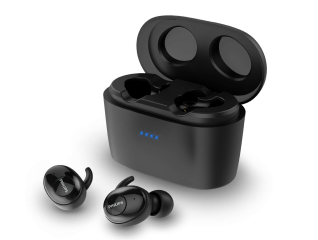
Bluetooth headphones have changed the way people listen to music, attend calls, and enjoy entertainment. Unlike wired headphones, they use wireless technology to receive audio signals from smartphones, tablets, laptops, and other compatible devices. This allows you to move freely without dealing with cables. Bluetooth technology creates a secure wireless connection that transfers audio data between devices.

Understanding how Bluetooth headphones work can help you choose the right model, troubleshoot common issues, and enjoy a smoother listening experience in your daily life.

In the same way, if you are thinking of buying a new electronic appliance, check your loan eligibility first. It helps you understand your budget and narrow down your options. Once you have a budget in mind, explore the latest models on Bajaj Mall. Simply visit any of Bajaj Finance’s 1.5 lakh partner stores in over 4,000 cities, choose the model you want, and convert your purchase into Easy EMIs of up to Rs. 5 lakh. With Easy EMIs and zero down payment on select models, bringing home the right product is simple and stress-free.


Wireless technology overview


Bluetooth headphones use short-range wireless communication technology to connect with compatible devices. A small Bluetooth chip inside the headphones communicates with a similar chip in your smartphone, computer, or tablet.
 

Once connected, the source device converts audio into digital signals and sends them wirelessly to the headphones. The headphones then process these signals and convert them into sound. Modern Bluetooth technology offers stable connections, efficient power consumption, and improved audio quality. This makes Bluetooth headphones suitable for music, video streaming, gaming, online meetings, and voice calls.

Pairing and connectivity process

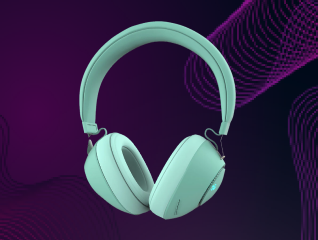
Connecting Bluetooth headphones is usually a simple process:
 

  1. Switch on the Bluetooth headphones.
  2. Activate pairing mode on the headphones.
  3. Open Bluetooth settings on your smartphone, tablet, or computer.
  4. Enable Bluetooth if it is turned off.
  5. Search for available Bluetooth devices.
  6. Select your headphones from the device list.
  7. Wait for the connection confirmation.
  8. Start playing audio through the connected headphones.

Audio transmission and quality

Bluetooth headphones receive audio through wireless radio signals rather than physical cables. The source device compresses and transmits audio data to the headphones in real time. The headphones decode the information and convert it into sound that you hear through the speakers.
 

Audio quality depends on several factors, including Bluetooth version, supported audio codecs, signal strength, and headphone design. Modern Bluetooth technology delivers high-quality sound that is suitable for most listening needs. Many newer headphones also support advanced audio technologies that improve clarity and reduce transmission delays.

Range and performance factors

Several factors can affect Bluetooth headphone performance:
 

  • Bluetooth version used by the devices.
  • Distance between the source device and headphones.
  • Physical obstacles such as walls and furniture.
  • Wireless interference from nearby electronics.
  • Battery level of the headphones.
  • Audio codec compatibility.
  • Device hardware capabilities.
  • Software and firmware updates.
  • Environmental conditions affecting signal strength.

Tips for better connectivity

You can improve Bluetooth performance with a few simple practices. Keep your headphones and source device within the recommended range for a stronger connection. Ensure both devices have sufficient battery charge and updated software. Avoid placing large obstacles between connected devices, as these can weaken the signal.
 

If connection issues occur, disconnect unused Bluetooth devices and restart the headphones. Pairing the headphones again may also resolve temporary problems. Regular maintenance and software updates can help maintain stable connectivity and consistent audio performance over time.

Get electronics and appliances on Easy EMIs with Bajaj Finance

Bringing home your preferred electronics and appliances is now hassle-free with Bajaj Finance's flexible financing options and latest offers. Follow these steps to get started:


  • Explore products on Bajaj Mall: Browse through a wide selection of appliances on Bajaj Mall. Compare features to find a model that meets your needs.
  • Visit a partner store: Once you shortlist a model, step into any of Bajaj Finance’s 1.5 lakh partner stores across 4,000 cities in India. See the product in person, talk to experts, and make a confident decision.
  • Choose the Easy EMI Loan option: At checkout, select the Bajaj Finance Easy EMI Loan. Avail financing of up to Rs. 5 lakh and split the cost into convenient monthly instalments. Some products also come with a zero down payment option.
  • Check your loan eligibility online: Plan better by checking your loan eligibility in minutes. Simply enter your mobile number and OTP to know your pre-approved limit.
  • Use the Insta EMI Card for purchases up to Rs. 3 lakh: Already own the Bajaj Finance Insta EMI Card? Use it for instant, paperless checkout and convert your purchases of up to Rs. 3 lakh into Easy EMIs.


Headphones by brands:
Sony HeadphonesSennheiser HeadphonesboAt HeadphonesJBL Headphones
Bose HeadphonesSamsung HeadphonesHarman Kardon 
Headphones by types:
Wireless HeadphonesBluetooth HeadphonesWired HeadphonesStereo Headphones
Neckband HeadphonesOver-Ear Headphones  
Headphones by features:
Noise Cancelling HeadphonesGaming HeadphonesBass HeadphonesComputer Headphones

Why use the Smart Savings Calculator

Bajaj Finance’s Smart Savings Calculator helps you unlock maximum savings every time you shop at partner stores. It brings together all available brand, dealer, and scheme offers—so you can see your total savings instantly and shop smarter with Easy EMIs.


1. Dealer offers - Grab exclusive in-store deals at over 1.5 lakh partner stores across India. Enjoy local discounts and special prices you will not find online.

2. Brand offers - Access limited-time discounts from top brands across electronics, appliances, and more. Discover brand-specific savings selected just for you.

3. Bajaj offers - Unlock exclusive Bajaj Finance deals on popular products—available only to our customers. More rewards, more value.

4. Scheme offers - Take advantage of time-sensitive offers on select EMI schemes. Get extra benefits after paying just 3 EMIs—visible during EMI selection at checkout.


Calculate your extra savings today!

Frequently asked questions

Can I buy a new headphone on EMIs?

Yes, you can easily bring home your preferred headphone using Bajaj Finance’s Easy EMI options. Whether you already have the Insta EMI Card or are new to it, here is how to begin:


If you have the Bajaj Finance Insta EMI Card:

  • Explore headphone on Bajaj Mall: Choose from a wide range of the latest and most popular models.
  • Visit a partner store: Check out the product in person at any of Bajaj Finance’s 1.5 lakh partner stores across 4,000 cities in India.
  • Use your Insta EMI Card at checkout: Convert the cost into Easy EMIs that fit your monthly budget.
  • Zero down payment on select models: Take your chosen headphone home without paying anything upfront.

If you do not have an Insta EMI Card:

Check your Insta EMI Card eligibility online using your mobile number and OTP. If you are eligible, apply instantly and enjoy a smarter, more affordable way to buy your favourite product on Easy EMIs.


Please note: Easy EMIs are applicable on purchases above Rs. 5,000.

How do Bluetooth headphones work?

Bluetooth headphones use wireless radio signals to receive audio from compatible devices. They convert digital audio data into sound, allowing you to listen without physical cables.

How do Bluetooth headphones connect to devices?

Bluetooth headphones connect by entering pairing mode and establishing a wireless connection through the Bluetooth settings menu on a smartphone, tablet, computer, or other compatible device.

What is the range of Bluetooth headphones?

Most Bluetooth headphones work effectively within a range of about 10 m. Actual performance may vary depending on obstacles, interference, and device specifications.

Does Bluetooth affect sound quality?

Bluetooth can compress audio during transmission, but modern Bluetooth technology delivers excellent sound quality that meets the needs of most listeners and everyday applications.

How to improve Bluetooth connection?

Keep devices close together, maintain sufficient battery charge, update software regularly, minimise wireless interference, and remove unnecessary Bluetooth connections to improve overall performance.

Show more Show less

Bajaj Finance app for all your financial needs and goals

Trusted by 50 million+ customers in India, Bajaj Finance App is a one-stop solution for all your financial needs and goals.

You can use the Bajaj Finance App to:

  • Apply for loans online, such as Instant Personal Loan, Home Loan, Business Loan, Gold Loan, and more.
  • Invest in fixed deposits and mutual funds on the app.
  • Choose from multiple insurance for your health, motor and even pocket insurance, from various insurance providers.
  • Pay and manage your bills and recharges using the BBPS platform. Use Bajaj Pay and Bajaj Wallet for quick and simple money transfers and transactions.
  • Apply for Insta EMI Card and get a pre-qualified limit on the app. Explore over 1 million products on the app that can be purchased from a partner store on Easy EMIs.
  • Shop from over 100+ brand partners that offer a diverse range of products and services.
  • Use specialised tools like EMI calculators, SIP Calculators
  • Check your credit score, download loan statements and even get quick customer support—all on the app.

Download the Bajaj Finance App today and experience the convenience of managing your finances on one app.

Disclaimer

1. Bajaj Finance Limited (“BFL”) is a Non-Banking Finance Company (BAJAJ FINANCE) and Prepaid Payment Instrument Issuer offering financial services viz., loans, deposits, Bajaj Pay Wallet, Bajaj Pay UPI, bill payments and third-party wealth management products. The details mentioned in the respective product/ service document shall prevail in case of any inconsistency with respect to the information referring to BFL products and services on this page.

2. All other information, such as, the images, facts, statistics etc. (“information”) that are in addition to the details mentioned in the BFL’s product/ service document and which are being displayed on this page only depicts the summary of the information sourced from the public domain. The said information is neither owned by BFL nor it is to the exclusive knowledge of BFL. There may be inadvertent inaccuracies or typographical errors or delays in updating the said information. Hence, users are advised to independently exercise diligence by verifying complete information, including by consulting experts, if any. Users shall be the sole owner of the decision taken, if any, about suitability of the same.