







Clear your overdue EMI
Clear your overdue EMI today – stop penalties & fix your credit
*Overdue charges include penalty interest and bounce fees as applicable. T&C apply.
In Summary
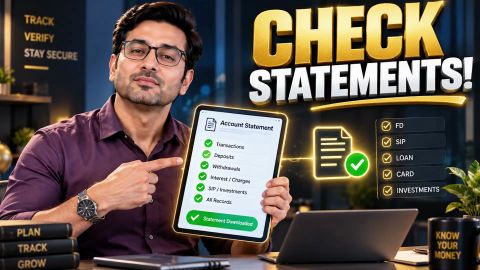
Download statements and report discrepancies seamlessly
Your gold loan part payment status helps you check whether the amount you paid has been received and applied to your loan account. You can verify the transaction through your bank records and Bajaj Finance platforms.
- Check your bank statement, payment confirmation and transaction reference number to verify the debit.
- Sign in to the Bajaj Finance app or My Account portal to review your gold loan details, payment history and updated outstanding balance.
- A successful bank debit does not confirm that the lender has applied the payment to your loan.
- If the payment does not reflect, check its status, look for a reversal and contact Bajaj Finance with your transaction details.
- Avoid making a duplicate payment until you confirm the first transaction's status.
Keep your payment receipts, bank records and service request number for reference. Check your loan statement to confirm that the part payment has been recorded correctly.
What does your gold loan part payment status indicate?
Your gold loan part payment status shows whether the amount you paid towards your loan has been received and processed. It helps you track your transaction progress and confirm whether the payment has been recorded in your loan account. Depending on the status displayed, your payment may be successful, pending or unsuccessful. Once the payment is processed, review your loan account to confirm the transaction appears in your payment history and your outstanding balance has been updated. This information helps you understand how much you still owe after making a part payment. If the status is pending or does not reflect the transaction, check your bank statement and payment confirmation for details. You can also contact Bajaj Finance through an official support channel if you need help verifying the payment.
How can you check your gold loan part payment status?
You can check your gold loan part payment status through your bank transaction history, payment confirmation messages, and loan account statement. These records help you determine whether your bank processed the payment and whether your lender applied it to your loan.
Follow these steps:
- Check your bank account: Open your bank statement or transaction history and look for the part payment.
- Review payment notifications: Check your registered mobile number and email for an SMS or email confirmation.
- Check your loan account: Sign in to the Bajaj Finance app or My Account portal and review your gold loan details and available payment records.
- Review your loan statement: Check whether the lender has updated your outstanding loan balance after applying the payment.
- Contact customer support: If you cannot confirm the payment status, contact Bajaj Finance through an official channel and share your transaction details.
Do not rely only on a bank debit notification to confirm that your lender has applied the payment. Check your loan account or ask the lender for confirmation.
How can you verify a gold loan part payment through your bank?
Your bank transaction history can help you confirm whether your account received a debit for the gold loan part payment. Check the transaction details before contacting your lender.
Use these steps:
- Sign in to your bank's mobile banking app or internet banking facility.
- Open the account from which you made the payment.
- View the transaction history for the payment date.
- Check the debited amount, transaction status and reference number.
- Download the transaction receipt or bank statement for your records.
If your bank shows a successful debit, save the transaction reference number. Share it with your lender if the payment does not appear in your loan account. A successful bank debit confirms that your bank processed the transaction. You must also check your loan account to confirm that the lender received and applied the amount.
How can you check your gold loan part payment through Bajaj Finance platforms?
You can use the Bajaj Finance app or My Account portal to review your loan details and available account statements. These records can help you check whether your part payment has updated your outstanding balance.
Follow these steps:
- Open the Bajaj Finance app or visit the My Account portal.
- Sign in using your registered mobile number and complete the OTP verification.
- Open your loan relationships or loan account details.
- Select your gold loan account.
- Review the available loan summary and payment details.
- Check your latest loan statement for the part payment entry and revised outstanding balance.
The available options may vary across account interfaces. If you cannot find the payment details or download an updated statement, contact Bajaj Finance through its official customer support channels.
What should you do if your gold loan part payment does not reflect?
Contact the lender if your bank has debited the amount but your loan account does not show the part payment. Share the transaction details so the lender can check the payment status.
Take these steps:
- Check the transaction status: Confirm whether your bank marked the payment as successful, pending or failed.
- Check for a reversal: Review your bank account to see whether the lender or payment system returned the debited amount.
- Collect transaction details: Keep the payment date, amount, bank reference number and transaction receipt ready.
- Raise a service request: Contact your lender through an official customer support channel and explain the issue.
- Track your request: Save the service request number and check for updates from the lender.
- Avoid duplicate payments: Do not repeat the payment until you confirm the first transaction's status and whether your bank reversed the amount.
If the issue continues, raise a complaint through the lender's official grievance redressal channel. Keep copies of your payment records and all communication until the lender resolves the issue.
How long does it take for your part payment status to update?
The time it takes for your gold loan part payment status to update may depend on the payment method, transaction processing, and how long it takes for the amount to reflect in your loan account. After making a payment, check your bank account or payment app to confirm whether the amount has been debited. You can then review your loan account through the My Account portal or app to check whether the transaction has been recorded. If the payment is still pending, allow time for the transaction to be processed before checking again. The status may not change immediately after the amount is debited from your bank account. If it remains unchanged, verify the transaction reference number and payment confirmation. Contact your lender through an official support channel if you need help tracking the payment or confirming its status.
Related Banking & Financial Guides
Frequently Asked Questions
Part Payment Status
Overdue & Part Payment
Does a successful part payment status confirm how the amount was adjusted?
If your gold loan part payment shows as successful, check the updated loan statement to see how the lender recorded it. The status confirms transaction progress, but it may not explain how the amount was adjusted within your loan. If you need a breakdown, contact Bajaj Finance through an official support channel.
What records should you keep after making a gold loan part payment?
Keep the bank transaction receipt, reference number, payment confirmation and updated loan statement after making a part payment. These records help you match the debit with the entry in your gold loan account. Store them securely so you can refer to them if you later need to query the payment or verify your outstanding balance.
What should you check before making a part payment from a joint bank account?
If you plan to make a gold loan part payment from a joint bank account, first check whether payments from that account are accepted for your loan. Contact Bajaj Finance through an official support channel to confirm the applicable requirements. Also, verify the payment details before proceeding to avoid errors or delays in processing your part payment.
What should you do if your bank reverses a part payment after showing a successful debit?
If your bank first shows a successful debit but later reverses the amount, check the latest transaction entry and available balance. A reversal means you should not assume the lender has received the payment. Confirm the final transaction status with your bank, then check your gold loan account before attempting another payment.
How can you get payment proof if you cannot find your transaction receipt?
If you cannot find the receipt after making a part payment, check your bank's transaction history for the debit and reference number. You may also review the payment confirmation sent to your registered contact details. If these records are unavailable, contact your bank or payment provider to ask how to retrieve transaction proof.
How should you track multiple gold loan part payments made on the same day?
If you make more than one part payment, check each transaction separately in your bank history and gold loan account. Match the amounts, dates and reference numbers to avoid confusing one payment with another. If the loan statement does not clearly show the entries, contact Bajaj Finance and request a transaction-wise clarification.
More Articles

Disclaimer
While care is taken to update the information, products, and services included in or available on our website and related platforms/websites, there may be inadvertent inaccuracies or typographical errors or delays in updating the information. The material contained in this site, and on associated web pages, is for reference and general information purpose and the details mentioned in the respective product/service document shall prevail in case of any inconsistency. Subscribers and users should seek professional advice before acting on the basis of the information contained herein. Please take an informed decision with respect to any product or service after going through the relevant product/service document and applicable terms and conditions. In case any inconsistencies observed, please click on reach us.
*Terms and conditions apply.