Here is what the buyers are asking:
Is 16GB RAM enough for regular professional multitasking?
Yes. A 16GB Dell Latitude 5420 i7 configuration provides enough memory for common professional workloads such as large spreadsheets, several browser tabs, presentation software, video meetings and business applications running together.
The laptop supports up to 64GB DDR4 memory. Users working with virtual machines, large development environments or heavier datasets can therefore add more memory later instead of replacing the computer.
How useful are the Thunderbolt 4 ports for office setups?
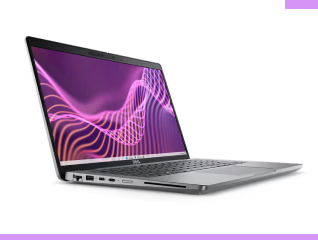
The two Thunderbolt 4 ports make the Dell Latitude 5420 particularly useful for desk-based professional setups. They support USB4, DisplayPort Alt Mode and Power Delivery.
With a compatible docking station, you can connect external displays, storage, networking accessories and other peripherals while reducing the number of separate cables connected directly to the laptop. This can simplify moving between desk and mobile work.
Which Dell Latitude 5420 display is better for regular travel?
The Full HD non-touch display is a practical choice for many travelling professionals because it provides 1920 x 1080 pixel resolution without adding touchscreen requirements. Dell offered 250 nits, 300 nits and 400 nits Full HD options.
The 400 nits version provides better visibility in brighter surroundings. Buyers mainly working indoors can consider the lower-brightness Full HD versions if available at a better price.