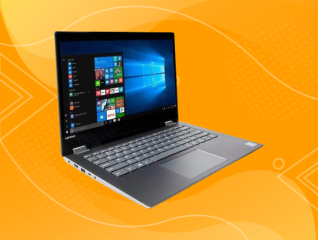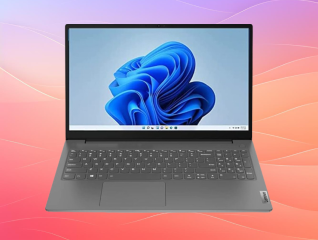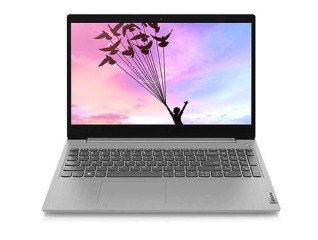
Lenovo IdeaPad 310 Laptop

Lenovo IdeaPad 310, a discontinued 2016 laptop, has 6th or 7th Gen Intel Core processors, up to 12GB RAM and a 15.6-inch HD display. No longer sold new; refurbished units only.

EMIs starting from

₹2,316 /month

Check loan offer

Key specifications

  • Display 1366 x 768 pixels, 1920 x 1080 pixels, 1366 x 788 pixels, - Display
  • Storage 500 GB, 1 TB Storage
  • RAM 1 GB RAM
  • OS Free DOS 2.0 OS
  • Processor Name Intel Core i3, Intel Core i7, Intel Pentium, Intel Core i5 Processor Name
  • Color Silver, Black Color
  • HDMI And USB Port No HDMI And USB Port

Get a loan offer up to Rs. 5 lakh

Quick approval | Flexible tenure options | Zero approval fees

In summary


The Lenovo IdeaPad 310 is a 15.6-inch laptop with an Intel Core i5 processor, 8GB DDR4 RAM, and 1TB HDD storage. It launched in India in 2016.


  • Display: 15.6-inch LED display with 1366 x 768 pixel resolution for everyday viewing.
  • Performance: Intel Core i5 processor with Intel HD Graphics 620 for browsing, documents and media playback.
  • Memory: 8GB DDR4 RAM, expandable up to 12GB for additional multitasking headroom.
  • Storage: 1TB HDD for storing documents, photos, videos and applications.
  • Battery: 30 WHr Li-ion battery with up to 5 hours of stated battery life.
  • Connectivity: Wi-Fi 802.11ac, Bluetooth, HDMI, VGA, USB and Ethernet support for common peripherals.
  • Historical price in India: Starting from Rs. 34,990, depending on the configuration.


With Bajaj Finance, you can convert the cost of your preferred laptops into Easy EMIs at more than 1.5 lakh+ partner stores, including Reliance Digital, Croma, and Vijay Sales, making your purchase easier to manage. Check your loan eligibility before getting started, so you can plan your purchase with confidence.

What should you know about Lenovo IdeaPad 310?

Lenovo IdeaPad 310 suited users who wanted a traditional setup for documents, browsing, email and media, rather than high-performance workloads. The verified India configuration's Intel Core i5 processor and 8GB DDR4 RAM handled everyday tasks smoothly, while 1TB HDD storage gave ample space for files. Since this 2016-era model is now out of stock and versions varied in processor, graphics and memory, check the exact machine number before considering one.


You can buy a laptop through Easy EMIs when your preferred model is eligible and available at a partner store, making it simple to upgrade without paying the full amount upfront. Here is what the process looks like.

  • Visit more than 1.5 lakh partner stores across 4,000+ cities, including Jaipur, Lucknow, Kochi, and Bhopal
  • Choose your preferred model and use the Bajaj Finance Insta EMI Card or Easy EMI Loan
  • Convert the purchase cost into Easy EMIs that suit your monthly budget

➜ Pro tip: Zero down payment is available on select models, so ask the store executive if your chosen laptop qualifies before you check out.

What are the Lenovo IdeaPad 310 specifications?

What are users looking for from the Lenovo IdeaPad 310?

The main questions centre on its memory, storage and suitability for everyday work.


➜ Does the Lenovo IdeaPad 310 support memory upgrades for multitasking?

Yes. The verified India configuration has 8GB DDR4 RAM and lists expansion up to 12GB. This gives you more room to keep several browser tabs, documents and office applications open at the same time. The laptop's older Intel Core i5 platform is still suitable for routine tasks such as web browsing, email, word processing and media playback. However, you should confirm the exact machine type before buying because Lenovo produced several IdeaPad 310 configurations with different memory arrangements. This matters particularly for older or second-hand units.


➜ Is the Lenovo IdeaPad 310 suitable for students and office users?

The Lenovo IdeaPad 310 can handle everyday tasks such as documents, web browsing, email, online research and video playback with its Intel Core i5 processor, 8GB RAM and 1TB HDD configuration. Its 15.6-inch display provides a larger workspace for documents and spreadsheets. However, the 2.2 kg weight and older hardware make it less suitable if you need a highly portable or current laptop. Students should also check software compatibility before choosing this older Windows 10 model.


➜ What connectivity options does the Lenovo IdeaPad 310 provide?

The Lenovo IdeaPad 310 provides several wired and wireless connection options. Its platform specification includes 802.11ac Wi-Fi, Bluetooth 4.0 or 4.1, Gigabit Ethernet, HDMI, VGA, one USB 3.0 port, two USB 2.0 ports and a 4-in-1 memory card reader. These ports let you connect external displays, wired networks, storage devices and memory cards. The exact port layout can vary by machine type, so check the model number when evaluating an older unit.

What is the Lenovo IdeaPad 310 price list in India?

The Lenovo IdeaPad 310 had several India configurations with 4GB or 8GB RAM and 1TB HDD storage. Prices listed ranged from Rs. 34,990 to Rs. 38,990, depending on RAM and colour. 


LaptopPrice in IndiaBest for
Lenovo IdeaPad 310, 4GB RAM, 1TB HDD, BlackRs. 34,990Everyday documents and browsing
Lenovo IdeaPad 310, 4GB RAM, 1TB HDD, SilverRs. 35,490Home and office tasks
Lenovo IdeaPad 310, 8GB RAM, 1TB HDD, BlackRs. 37,990Multitasking and media
Lenovo IdeaPad 310, 8GB RAM, 1TB HDD, SilverRs. 38,490Work and entertainment
Lenovo IdeaPad 310, 8GB RAM, 1TB HDD, RedRs. 38,490Everyday computing
Lenovo IdeaPad 310, 8GB RAM, 1TB HDD, PurpleRs. 38,990Everyday computing

Disclaimer: The features, availability, and pricing of each model are subject to change and may vary. For the most accurate and up-to-date information, please visit the official brand website or visit any of the Bajaj Finance partner stores.


Thinking of buying a new laptop?

Before you do that, explore the latest offers from Bajaj Finance. You may find a great deal on a model that matches your needs.

What are my financing options to buy a laptop?

Bajaj Finance offers two ways to convert an eligible laptop purchase into monthly payments at 1.5 lakh+ partner stores across 4,000+ cities.


OptionLimitKey features
Bajaj Finance Insta EMI CardLoan offer up to Rs. 6 lakh3 to 60 months tenure; 1.5 lakh+ outlets; 1 million+ eligible products
Bajaj Finance Easy EMI LoanLoan offer up to Rs. 5 lakh3 months–60 months tenure; basic KYC; suitable for higher-value purchases

How to choose?

Both options require physical presence at a partner store. The Insta EMI Card suits repeat, multi-category shoppers. The Easy EMI Loan suits a single higher-value purchase.

Get a Bajaj Finance Easy EMI Loan of up to Rs. 5 lakh on your next laptop purchase. If you are an existing Bajaj Finance Insta EMI Card holder, you may have a pre-qualified loan offer of up to Rs. 3 lakh. Choose repayment tenures of up to 60 months.

How do I buy a laptop on EMI at a Bajaj Finance partner store?

Upgrading to a new laptop is simple and affordable with Bajaj Finance's in-store financing options. The entire process usually takes just 10–15 minutes. Follow these steps:

  1. Browse models on Bajaj Mall: Explore the range of laptop models on Bajaj Mall. Compare brands, features, and prices before heading to the partner store.
  2. Find a partner store near you: Use the Bajaj Finance store locator to find a nearby partner outlet such as Croma, Vijay Sales, or other authorised retailers.
  3. Check the laptop in person: Visit the partner store and explore available models. Check display, OS, battery, processor, and storage in person to find the one that suits your needs.
  4. Choose a suitable EMI option: At checkout, ask the store executive about the Bajaj Finance Insta EMI Card or Easy EMI Loan. Confirm available tenure options and whether your chosen model comes with a zero down payment offer.
  5. Complete payment and take your laptop home: Once approved, your purchase is processed immediately, and you can walk out with your new laptop right away.

You can also check your loan eligibility online in advance by entering your mobile number and OTP, helping you plan your purchase better.

Why should I use the Smart Savings Calculator?

Bajaj Finance’s Smart Savings Calculator helps you unlock maximum savings every time you shop at partner stores. It brings together all available brand, dealer, and scheme offers—so you can see your total savings instantly and shop smarter with Easy EMIs.


1. Dealer offers - Grab exclusive in-store deals at over 1.5 lakh partner stores across India. Enjoy local discounts and special prices you will not find online.

2. Brand offers - Access limited-time discounts from top brands across electronics, appliances, and more. Discover brand-specific savings selected just for you.

3. Bajaj offers - Unlock exclusive Bajaj Finance deals on popular products—available only to our customers. More rewards, more value.

4. Scheme offers - Take advantage of time-sensitive offers on select EMI schemes. Get extra benefits after paying just 3 EMIs—visible during EMI selection at checkout.


Calculate your extra savings today!

Save more with Smart Savings Calculator

Combine the best offers, EMI plans, and exclusive vouchers with Smart Savings Calculator to save big.

20k+ people used their offers at the store

Compare with similar products

Acer Intel Core i5 7200U 7th Gen 8 GB DDR4 RAM 1 TB HDD Linux (15.6 Inch) Laptop Steel Grey (NXGVMSI005)

Acer Intel Core i5 7200U 7th Gen 8 GB DDR4 RAM 1 TB HDD Linux (15.6 Inch) Laptop Steel Grey (NXGVMSI005)

Acer Swift 3 Intel Core i5 11th Gen 16 GB RAM / 512 GB SSD / Windows 10 Home / 14 inch Laptop (Pure Silver, NXA5USI002)

Acer Swift 3 Intel Core i5 11th Gen 16 GB RAM / 512 GB SSD / Windows 10 Home / 14 inch Laptop (Pure Silver, NXA5USI002)

Acer AMD Ryzen 5 Quad Core-2500U 8 GB DDR4 RAM 1 TB HDD Windows 10 Home 15.6 Inch Laptop Black (UN.Q3RSI.001)

Acer AMD Ryzen 5 Quad Core-2500U 8 GB DDR4 RAM 1 TB HDD Windows 10 Home 15.6 Inch Laptop Black (UN.Q3RSI.001)

EMI

₹4,042/ mo

₹5,833/ mo

₹5,500/ mo

Bluetooth

v4.0

v5.0

v5.0

Operating System

Free DOS 2.0

Free DOS 2.0

Free DOS 2.0

Ram

1 GB

1 GB

1 GB

Hdmi Port

1

1

1

Usb Port

No

No

No

Processor Name

Intel Core i5

-

Ryzen 5

Explore more Lenovo laptops

Frequently asked questions

EMI details

General

Can I buy a new laptop on EMIs?

Yes, you can easily upgrade to a new laptop with Bajaj Finance's Easy EMI options. Whether you already have the Insta EMI Card or are new to it, here is how you can get started:


If you have the Bajaj Finance Insta EMI Card:

  • Explore laptops on Bajaj Mall: Choose from top brands offering models with powerful processors, excellent displays, and long-lasting batteries.
  • Visit a partner store: Check out the latest laptops in person at any of 1.5 lakh+ partner stores across over 4,000 cities.
  • Use your Insta EMI Card at checkout: Convert the total cost into Easy EMIs that fit your monthly budget.
  • Zero down payment on select models: Bring home your laptop without paying anything upfront.


If you do not have an Insta EMI Card:

Check your Insta EMI Card eligibility online using your mobile number and OTP. If eligible, you can apply instantly and start shopping for your favourite laptop easily and affordably.

The Lenovo IdeaPad 310 launched in India in October 2016. Contemporary India launch coverage reports 3 October 2016, while the Bajaj Finance product page lists 15 August 2016 as the product release date. For an India-specific launch reference, use 3 October 2016. The model is now an older product, and verified current listings are out of stock. You should therefore treat it as a historical model rather than a current Lenovo purchase option.

The Lenovo IdeaPad 310 had historical India prices starting at Rs. 34,990 for a 4GB RAM and 1TB HDD configuration. Other listed configurations reached Rs. 38,990, depending on RAM and colour.

The main verified India configuration uses a 15.6-inch LED display with 1366 x 768 pixel resolution, 100 ppi pixel density and anti-glare treatment. This screen size gives you enough space for documents, spreadsheets, web pages and videos. Lenovo's platform documentation also lists Full HD 1920 x 1080 pixel panels for some 15.6-inch IdeaPad 310 configurations. Because the display varies by machine type, confirm the exact resolution before buying an older unit.

The verified India product information does not state a specific built-in display refresh rate for the Lenovo IdeaPad 310. Lenovo's platform documentation confirms 15.6-inch HD and Full HD display options and lists external output up to 60Hz through HDMI, but this does not establish the laptop panel's refresh rate. For this older model, you should check the exact display part number if refresh rate is important for gaming, video work or smoother on-screen movement.

The listed India configurations of the Lenovo IdeaPad 310 use a 1TB HDD. This gives you substantial space for documents, photographs, videos and applications. However, an HDD is slower than an SSD when starting Windows and opening applications. Lenovo's platform documentation also lists SSD and hybrid storage options for some IdeaPad 310 variants. You should therefore verify whether the specific unit you are considering has an HDD, SSD or hybrid drive before making a purchase decision.

Show more Show less

Disclaimer

1. Bajaj Finance Limited (“BFL”) is a Non-Banking Finance Company (NBFC) and Prepaid Payment Instrument Issuer offering financial services viz., loans, deposits, Bajaj Pay Wallet, Bajaj Pay UPI, bill payments and third-party wealth management products. The details mentioned in the respective product/ service document shall prevail in case of any inconsistency with respect to the information referring to BFL products and services on this page. 

2. All other information, such as, the images, facts, statistics etc. (“information”) that are in addition to the details mentioned in the BFL’s product/ service document and which are being displayed on this page only depicts the summary of the information sourced from the public domain. The said information is neither owned by BFL nor it is to the exclusive knowledge of BFL. There may be inadvertent inaccuracies or typographical errors or delays in updating the said information. Hence, users are advised to independently exercise diligence by verifying complete information, including by consulting experts, if any. Users shall be the sole owner of the decision taken, if any, about suitability of the same.