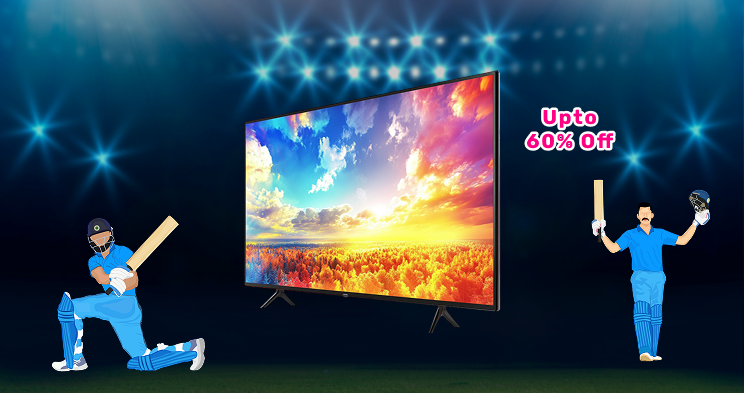
गेमिंग TV को तेज़ रिस्पॉन्स टाइम, हाई रिफ्रेश रेट और क्लियर विजुअल प्रदान करने के लिए डिज़ाइन किया गया है. ये फीचर्स गेमिंग के दौरान लैग और स्क्रीन टूटने को कम करने में मदद करते हैं. एक 4K गेमिंग TV शार्प विजुअल्स देता है और विस्तृत ग्राफिक्स को सपोर्ट करता है, जिससे हर गेम बेहतर दिखता है. आज अधिकांश गेमिंग TV HDMI 2.1, लो लेटेंसी मोड और गेम-स्पेसिफिक प्रीसेट्स जैसे फीचर्स को भी सपोर्ट करते हैं. ये TV कंसोल और PC गेमर्स दोनों के लिए अच्छे से काम करते हैं. आप उनका उपयोग शो और फिल्में देखने के लिए भी कर सकते हैं, जिससे वे एक वर्सेटाइल होम एंटरटेनमेंट विकल्प बन जाते हैं.
गेमिंग TV की मुख्य विशेषताएं और स्पेसिफिकेशन
गेमिंग TV में ऐसे फीचर्स होते हैं जो स्पीड, विजुअल्स और साउंड को बेहतर बनाने में मदद करते हैं. यहां बताया गया है कि आप उम्मीद कर सकते हैं:
- उच्च रिफ्रेश रेट: बिना किसी परेशानी के स्मूथ गेमिंग के लिए 120Hz या 144Hz को सपोर्ट करता है.
- कम इनपुट लैग: तेज़ रिस्पॉन्स टाइम आपको तेज़ गति वाले गेम्स में बेहतर नियंत्रण देता है.
- HDMI 2.1 सपोर्ट: स्मूथ नेक्स्ट-जेन कंसोल गेमप्ले के लिए 120Hz पर 4K को सपोर्ट करता है.
- VRR और आल्म: बेहतर परफॉर्मेंस के लिए बिग स्क्रीन TV में टरिंग को कम करता है और सेटिंग ऑटोमैटिक रूप से एडजस्ट करता है.
- HDR10+ और डॉल्बी विज़न: ब्राइट कलर्स और डीप कॉन्ट्रास्ट आपको जीवंत विजुअल्स देते हैं.
- OLED और QLED पैनल: बेहतर पिक्चर क्वालिटी के लिए रिच कलर और परफेक्ट ब्लैक लाता है.
- AI पिक्चर मोड: गेम खेलते हुए विजुअल्स को रियल टाइम में एडजस्ट करता है.
- गेम मोड: बिल्ट-इन मोड गेमिंग के लिए ऑटो-एडजस्ट ब्राइटनेस, कंट्रास्ट और लैग.
गेमिंग TV की विशेषताएं
| विशेषता | विवरण |
| डिस्प्ले साइज़ | 43 इंच से 85 इंच में उपलब्ध |
| रिज़ोल्यूशन | 4K UHD/ 8K UHD |
| रिफ्रेश रेट | 120Hz/144Hz |
| HDR सपोर्ट | HDR 10+, डॉल्बी विज़न |
| कनेक्टिविटी | HDMI 2.1, USB, वाई-फाई, ब्लूटूथ |
| ऑडियो टेक्नोलॉजी | डॉल्बी एटमॉस, DTS: X |
| पैनल का प्रकार | OLED, QLED, मिनी-LED |
| स्मार्ट फीचर्स | वॉयस असिस्टेंट, AI अपस्केलिंग |
| गेमिंग मोड | ऑटो गेम मोड, VRR, ALM |
| वारंटी | 1 से 3 वर्ष |
OLED बनाम QLED गेमिंग TV - गेमिंग के लिए कौन सा बेहतर है?
OLED और QLED गेमिंग TV के बीच चुनाव आपके गेम के प्रकार, आपके कमरे की लाइटिंग और आपके बजट पर निर्भर करता है. दोनों TV टेक्नोलॉजी कई प्रीमियम मॉडल पर 4K रिज़ोल्यूशन, 120Hz रिफ्रेश रेट और HDMI 2.1 जैसे आधुनिक गेमिंग फीचर्स को सपोर्ट करती हैं. हालांकि, वे पिक्चर क्वालिटी, ब्राइटनेस और लॉन्ग गेमिंग सेशन में अलग-अलग प्रदर्शन करते हैं. इन अंतरों को समझने से आपको ऐसे TV में निवेश करने में मदद मिल सकती है जो आपकी गेमिंग आदतों से मेल अकाउंट है और बेहतर वैल्यू प्रदान करता है. दोनों बेहतरीन हैं, लेकिन बेहतर विकल्प प्राथमिकताओं पर निर्भर करता है.
- अगर पिक्चर क्वॉलिटी सबसे महत्वपूर्ण है तो OLED चुनें: ऐसे गेमर्स जो स्टोरी-ड्राइवन टाइटल, सिनेमैटिक विजुअल्स और स्मूथ मोशन का आनंद लेते हैं, आमतौर पर OLED को पसंद करते हैं.
- अगर ब्राइटनेस और ड्यूरेबिलिटी अधिक महत्वपूर्ण है तो QLED चुनें: ब्राइट रूम में या बहुत लंबे दैनिक सेशन के लिए गेमर्स अक्सर QLED को पसंद करते हैं.
- पहले गेमिंग फीचर्स से चुनें: नेटिव 120Hz, HDMI 2.1, VRR और कम इनपुट लैग वाला TV एक ही पैनल प्रकार को चुनने की तुलना में बेहतर गेमिंग विकल्प हो सकता है.
गेमिंग TV में रिफ्रेश रेट, इनपुट लैग, VRR और ऑलम को समझें
कई खरीदार केवल स्क्रीन साइज़ या पिक्चर क्वॉलिटी पर ध्यान केंद्रित करते हैं, लेकिन गेमिंग परफॉर्मेंस चार प्रमुख विशेषताओं पर बहुत निर्भर करता है: रिफ्रेश रेट, इनपुट लैग, VRR और ALLM. ये सीधे सरलता, प्रतिक्रिया और उपयोग में आसानी को प्रभावित करते हैं. उन्हें समझने से आपको एक ऐसा TV चुनने में मदद मिल सकती है जो तेजी से महसूस हो और आधुनिक कंसोल और गेमिंग PC के साथ बेहतर प्रदर्शन करता हो.
रिफ्रेश रेट - मोशन कितना स्मूथ दिखाई देता है
रिफ्रेश रेट वह संख्या है जितनी बार TV हर सेकेंड इमेज को अपडेट करता है. इसे Hz में मापा जाता है.
- 60Hz रिफ्रेश रेट बेसिक गेमिंग के लिए उपयुक्त है: 60Hz TV स्क्रीन को प्रति सेकेंड 60 बार अपडेट करता है. यह कैजुअल गेमिंग और पुराने कंसोल के लिए पर्याप्त है.
- 120Hz स्मूथ गेमप्ले बनाता है: 120Hz TV अक्सर दो बार रिफ्रेश होता है, इसलिए मूवमेंट स्मूथ दिखाई देता है. रेसिंग, फुटबॉल और शूटर गेम्स का सबसे अधिक लाभ होता है क्योंकि मोशन तेज़ और क्लियर होता है.
- PS5 और Xbox सीरीज़ X गेम्स के लिए उपयोगी: कुछ कंसोल गेम्स 120 fps मोड को सपोर्ट करती हैं. इस सुविधा को देखने के लिए 120Hz TV की आवश्यकता होती है.
- भविष्य की बेहतर तैयारी: अगर आप आज 60fps पर गेम खेलते हैं, तो भी 120Hz TV समय के साथ अधिक वैल्यू प्रदान करता है.
इनपुट लैग - TV कितनी जल्दी प्रतिक्रिया देता है
इनपुट लैग एक कंट्रोलर बटन दबाने और स्क्रीन पर क्रिया होने को देखने के बीच की देरी है.
- कम इनपुट लैग अधिक रिस्पॉन्सिव लगता है: अगर लैग अधिक है, तो ऐक्शन में देरी होती है. तेज़ गेम में, यह उद्देश्य, ब्रेकिंग या झटकने के समय को प्रभावित कर सकता है.
- 15 से कम ms गेमिंग के लिए अच्छा है: कई मॉडर्न गेमिंग TV इसे गेम मोड में हासिल करते हैं.
- 10 से कम ms प्रतिस्पर्धी प्लेयर्स के लिए उपयुक्त है: जो खिलाड़ी ऑनलाइन शूटर या स्पोर्ट्स टाइटल का आनंद लेते हैं, वे अक्सर सबसे कम संभावित लैग को पसंद करते हैं.
- गेम मोड आमतौर पर लैग को कम करता है: गेम मोड को ऑन करने से अतिरिक्त फोटो प्रोसेसिंग बंद हो जाती है, जो तेज़ रिस्पॉन्स में मदद करता है.
VR - फ्रेम ड्रॉप के दौरान स्मूथ गेमप्ले
VRR का अर्थ है वेरिएबल रिफ्रेश रेट. यह TV को कंसोल या PC द्वारा उत्पादित फ्रेम रेट से अपने रिफ्रेश रेट को मैच करने की अनुमति देता है.
- स्क्रीन ट्यूनिंग को कम करता है: VRR के बिना, अचानक मोशन के दौरान फोटो विभाजित हो सकती है. वीआरआर फ्रेम को संरेखित रखने में मदद करता है.
- अस्थिर फ्रेम रेट को आसान बनाता है: अगर कोई गेम 50fps और 60fps या समान रेंज के बीच चलता है, तो VRR दिखाई देने वाले स्टटर को कम कर सकता है.
- आधुनिक खेल की मांग करने में मददगार: बड़े ओपन-वर्ल्ड टाइटल और ग्राफिकल रूप से भारी गेम अक्सर सबसे अधिक लाभ उठाते हैं.
- कच्चे की स्पीड के बजाय स्थिरता में सुधार: VRR फ्रेम रेट नहीं बढ़ाता है, लेकिन इससे फ्रेम रेट में बदलाव बेहतर दिखता है.
ALM - ऑटोमैटिक गेमिंग मोड
ALM का अर्थ ऑटो लो लेटेंसी मोड है. यह कंसोल टेल TV को गेम मोड में ऑटोमैटिक रूप से स्विच करने की सुविधा देता है.
- मैनुअल सेटिंग में बदलाव की आवश्यकता नहीं है: जब भी आप गेमिंग शुरू करते हैं, तो आपको मेनू में प्रवेश करने की आवश्यकता नहीं है.
- इनपुट लैग को ऑटोमैटिक रूप से कम रखता है: TV गेमिंग के लिए बनाए गए तेज़ मोड को चुनता है.
- शेयर्ड फैमिली TVs के लिए उपयोगी: अगर एक ही TV का उपयोग फिल्में और गेम्स के लिए किया जाता है, तो अलम समय बचाता है और गलत सेटिंग से बचाता है.
इसके अलावा देखें: गेमिंग TV में रिफ्रेश रेट
भारत में लेटेस्ट गेमिंग TV की कीमत लिस्ट ((अक्टूबर 2026)
Samsung के कुछ टॉप 4K गेमिंग TV और उनकी कीमतें यहां देखें.
| मॉडल | कीमत | विवरण |
| Samsung 138 cm (55 इंच) OLED अल्ट्रा HD (4K) स्मार्ट Tizen TV 2025 (QA55S90FAULXL) | ₹1,54,990 | OLED पैनल, स्मूथ विजुअल्स, नेक्स्ट-जनरेशन कंसोल गेमिंग के लिए बेहतरीन |
| Samsung 138 cm (55 इंच) OLED अल्ट्रा HD (4K) स्मार्ट Tizen TV 2025 (QA55S95FAULXL) | ₹1,79,990 | डीप ब्लैक और ब्राइट पिक्चर क्वॉलिटी वाला प्रीमियम मॉडल |
| Samsung 163 cm (65 इंच) OLED अल्ट्रा HD (4K) स्मार्ट Tizen TV 2025 (QA65S90FAELXL) | ₹1,99,990 | हाई रिफ्रेश रेट वाली बड़ी स्क्रीन, इमर्सिव गेमिंग के लिए आदर्श |
| Samsung 194 cm (77 इंच) OLED अल्ट्रा HD (4K) स्मार्ट Tizen TV 2025 (QA77S90FAELXL) | ₹4,29,990 | शानदार विजुअल्स के साथ सिनेमैटिक गेमिंग के लिए बड़ी डिस्प्ले |
| Samsung 195 cm (77 इंच) OLED अल्ट्रा HD (4K) स्मार्ट Tizen TV 2025 (QA77S95FAULXL) | ₹4,74,990 | शानदार पिक्चर क्वालिटी और साउंड क्वॉलिटी वाला फ्लैगशिप मॉडल |
डिस्क्लेमर: EEE मॉडल की विशेषताएं, उपलब्धता और कीमतें बदल सकती हैं और अलग-अलग हो सकती हैं. सबसे सटीक और अप-टू-डेट जानकारी के लिए, कृपया ऑफिशियल वेबसाइट पर जाएं.
निर्णय लेने से पहले, लेटेस्ट ऑफर देखें. आपको अपनी ज़रूरतों से मेल खाने वाले मॉडल पर बेहतरीन डील मिल सकती है.
बजाज फाइनेंस के साथ आसान EMI पर इलेक्ट्रॉनिक्स और उपकरण पाएं
बजाज फाइनेंस के सुविधाजनक फाइनेंसिंग विकल्पों के साथ लेटेस्ट इलेक्ट्रॉनिक्स और उपकरणों के साथ अपने घर को अपग्रेड करना अब आसान और अधिक किफायती हो गया है. शुरू करने के लिए इन चरणों का पालन करें:
- बजाज मॉल पर प्रोडक्ट देखें: विश्वसनीय ब्रांड से इलेक्ट्रॉनिक्स और उपकरणों की विस्तृत रेंज ब्राउज़ करें. . अपने घर के लिए सही प्रोडक्ट चुनने के लिए एनर्जी रेटिंग, स्टोरेज क्षमता, परफॉर्मेंस सेटिंग और डिज़ाइन जैसी विशेषताओं की तुलना करें.
- पार्टनर स्टोर पर जाएं: मॉडल शॉर्टलिस्ट करने के बाद, भारत के 4,000 शहरों में बजाज फाइनेंस के किसी भी 1.5 लाख पार्टनर स्टोर में जाएं. व्यक्तिगत रूप से प्रोडक्ट देखें, विशेषज्ञों से बात करें और आत्मविश्वास से निर्णय लें.
- आसान EMI लोन विकल्प चुनें: चेकआउट के समय, बजाज फाइनेंस ईजी EMI लोन चुनें. ₹5 लाख तक की फाइनेंसिंग का लाभ उठाएं और लागत को सुविधाजनक मासिक किश्तों में विभाजित करें. कुछ प्रोडक्ट ज़ीरो डाउन पेमेंट विकल्प के साथ भी आते हैं.
- अपनी लोन योग्यता ऑनलाइन चेक करें: मिनटों में अपनी लोन योग्यता चेक करके बेहतर योजना बनाएं. अपनी प्री-अप्रूव्ड लिमिट जानने के लिए बस अपना मोबाइल नंबर और OTP दर्ज करें.
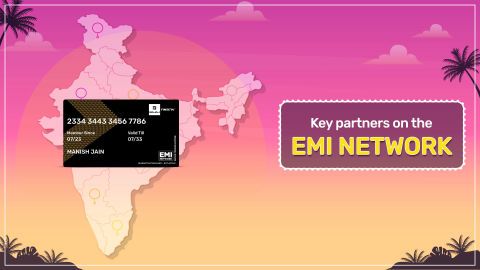
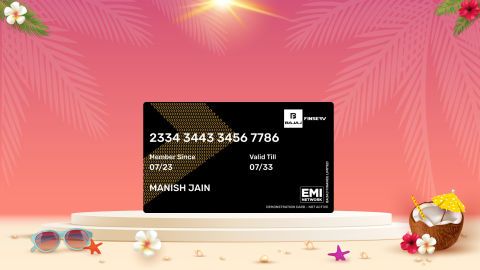
- ₹3 लाख: तक की खरीदारी के लिए EMI नेटवर्क कार्ड का उपयोग करें पहले से ही बजाज फाइनेंस EMI नेटवर्क कार्ड का मालिक है? तुरंत, पेपरलेस चेकआउट के लिए इसका उपयोग करें और अपनी ₹3 लाख तक की खरीदारी को आसान EMI में बदलें.
ब्रांड के अनुसार TV:
| MI TV | Sony TV | lg tv | OnePlus TV |
| Panasonic TV | Lloyd TV | Kodak TV | REALME TV |
| Hyundai TV | itel | Akai TV | Amstrad TV |
| ELISTA TV | BPL TV | Philips TV | Haier TV |
| Samsung TV | VU TV | TCL TV | Intex TV
|
| संसुई TV | | | |
फीचर के अनुसार TV:
| LED TV | स्मार्ट TV | फुल HD TV | Android TV |
| OLED TV | QLED TV | HD TV | |
साइज़ के अनुसार TVs:
| 32-इंच का TV | 40-इंच का TV | 75-इंच का TV | 65-इंच का TV |
| 43-इंच का TV | 49-इंच का TV | 50-इंच का TV | 55-इंच का TV |
बजट के अनुसार TV:
| ₹ 15,000 के अंदर TV | ₹ 20,000 के अंदर TV | ₹ 25,000 के अंदर TV | ₹ 30,000 के अंदर TV |
| ₹ 40,000 के अंदर TV | ₹ 50,000 के अंदर TV | | |