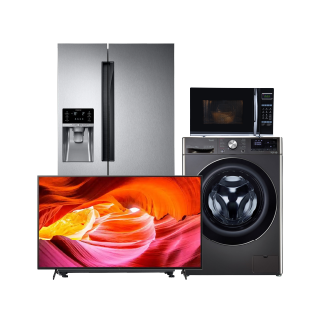
Lloyd TV पूरे होम एंटरटेनमेंट अनुभव के लिए आकर्षक पिक्चर क्वालिटी, इमर्सिव साउंड और स्मार्ट कनेक्टिविटी प्रदान करते हैं. फुल HD और 4K रिज़ोल्यूशन, स्लीक मॉडर्न डिज़ाइन और कई HDMI पोर्ट के साथ, एक Lloyd TV आज के कनेक्टेड घरों के लिए बनाया गया है. आसान इन-स्टोर खरीद के लिए अपनी प्री-अप्रूव्ड लिमिट तुरंत जानने के लिए अपनी लोन योग्यता चेक करें. 4,000+ शहरों में बजाज फिनसर्व के 1.5 लाख+ पार्टनर स्टोर पर, निश्चित मासिक भुगतान के साथ आसान ईएमआई का लाभ उठाएं. चुनिंदा मॉडल ज़ीरो डाउन पेमेंट के साथ भी आते हैं, जिससे आपके बजट पर दबाव डाले बिना Lloyd स्मार्ट TV घर लाना पहले से कहीं आसान हो जाता है. Lloyd TV की कीमत विकल्पों की विस्तृत रेंज होती है, जिससे यह सुनिश्चित होता है कि हर घर और बजट के लिए उपयुक्त मॉडल है. Lloyd टेलीविज़न कई स्क्रीन साइज में उपलब्ध हैं, जो इन्हें कॉम्पैक्ट बेडरूम और विशाल लिविंग रूम दोनों के लिए आदर्श बनाता है. स्मार्ट फीचर्स के साथ जो लोकप्रिय स्ट्रीमिंग प्लेटफॉर्म, मजबूत साउंड आउटपुट, ऊर्जा-दक्ष परफॉर्मेंस और टिकाऊ बिल्ड क्वॉलिटी का सीधा एक्सेस प्रदान करते हैं, Lloyd TV विश्वसनीय दैनिक मनोरंजन प्रदान करता है, चाहे आप फिल्म देख रहे हों, लाइव स्पोर्ट्स देख रहे हों या आपका पसंदीदा ऑनलाइन कंटेंट देख रहे हों.
सामान्य प्रश्न
अपने Lloyd TV रिमोट को रीसेट करने के लिए, बैटरी हटाएं और किसी भी अवशिष्ट शुल्क को ड्रेन करने के लिए लगभग 10 सेकेंड के लिए किसी भी बटन को दबाएं. TV सेंसर पर फ्रेश बैटरी और पॉइंट रिमोट को सीधे दोबारा डालें. अगर समस्या बनी रहती है, तो पेयरिंग प्रोसेस शुरू होने तक कुछ सेकेंड तक घर और बैक बटन को होल्ड करके रिमोट की मरम्मत करने की कोशिश करें.
भारत में Lloyd TVs आमतौर पर एक वर्ष की कॉम्प्रिहेंसिव मैन्युफैक्चरर वारंटी के साथ आते हैं, जो पार्ट्स और वर्कमैनशिप में खराबी को कवर करती है. पैनल को अक्सर चुनिंदा मॉडल पर तीन वर्ष तक की अलग वारंटी के तहत कवर किया जाता है. आप वारंटी को ऐक्टिवेट करने और प्रायोरिटी कस्टमर सपोर्ट सर्विसेज़ को एक्सेस करने के लिए खरीदने के बाद Lloyd वेबसाइट पर अपना प्रोडक्ट रजिस्टर कर सकते हैं.
अधिकांश Lloyd TV मॉडल्स में टेलीविजन के साइड या बॉटम पैनल पर स्थित मैनुअल पावर बटन होता है. TV को ऑन या ऑफ करने के लिए इस बटन को दबाएं. या, अगर आपका Lloyd स्मार्ट TV इसे सपोर्ट करता है, तो आप अपने स्मार्टफोन पर Lloyd TV मोबाइल ऐप का इस्तेमाल एक वर्चुअल रिमोट के रूप में कर सकते हैं, जिसमें TV चालू करना भी शामिल है.
अगर आपका Lloyd TV चालू नहीं है, तो पहले चेक करें कि पावर केबल TV और वॉल सॉकेट दोनों से मज़बूत रूप से कनेक्ट है. पॉकेट संबंधी समस्याओं को दूर करने के लिए किसी अन्य पावर आउटलेट की कोशिश करें. अगर स्टैंडबाय लाइट दिखाई दे रही है लेकिन स्क्रीन ब्लैक रहे है, तो रीस्टार्ट करने के लिए 10 सेकेंड के लिए पावर बटन दबाएं और होल्ड करें. अगर समस्या बनी रहती है, तो अधिक सहायता के लिए Lloyd कस्टमर सपोर्ट से संपर्क करें.
हां, आप बजाज फिनसर्व के Easy EMI विकल्पों का उपयोग करके आसानी से अपने पसंदीदा TV को घर ला सकते हैं. चाहे आपके पास पहले से ही EMI नेटवर्क कार्ड हो या आप इसके लिए नए हैं, यहां बताया गया है कि कैसे शुरू करें:
•. बजाज मॉल पर टेलीविज़न देखें: लेटेस्ट और सबसे लोकप्रिय मॉडल की विस्तृत रेंज में से चुनें.
•. पार्टनर स्टोर पर जाएं: 4,000 शहरों में 1.5 लाख+ पार्टनर स्टोर में से किसी पर भी लेटेस्ट TV देखें.
• चेकआउट के समय अपने EMI नेटवर्क कार्ड का उपयोग करें: अपने TV की कीमत को अपने मासिक बजट के अनुसार आसान EMI में बदलें.
• चुनिंदा मॉडलों पर ज़ीरो डाउन पेमेंट: बिना किसी अग्रिम भुगतान के अपने चुने गए TV को घर ले जाएं.
अगर आपके पास EMI नेटवर्क कार्ड नहीं है:
अपनी Insta EMI Card योग्यता चेक करें और आसान EMI की किफायतीता और सुविधा का लाभ उठाने के लिए पहला कदम उठाएं.
{
"@context": "https://schema.org",
"@type": "FAQPage",
"mainEntity": [
{
"@type": "Question",
"name": "Lloyd TV रिमोट कैसे रीसेट करें?",
"acceptedAnswer": {
"@type": "Answer",
"text": "अपने Lloyd TV रिमोट को रीसेट करने के लिए, बैटरी हटाएं और किसी भी अवशिष्ट शुल्क को ड्रेन करने के लिए लगभग 10 सेकेंड के लिए किसी भी बटन को दबाएं. TV सेंसर पर फ्रेश बैटरी और पॉइंट रिमोट को सीधे दोबारा डालें. अगर समस्या बनी रहती है, तो पेयरिंग प्रोसेस शुरू होने तक कुछ सेकेंड तक घर और बैक बटन को होल्ड करके रिमोट की मरम्मत करने की कोशिश करें."
}
},
{
"@type": "Question",
"name": "Lloyd TV की वारंटी अवधि क्या है?",
"acceptedAnswer": {
"@type": "Answer",
"text": "भारत में Lloyd TVs आमतौर पर एक वर्ष की कॉम्प्रिहेंसिव मैन्युफैक्चरर वारंटी के साथ आते हैं, जो पार्ट्स और वर्कमैनशिप में खराबी को कवर करती है. पैनल को अक्सर चुनिंदा मॉडल पर तीन वर्ष तक की अलग वारंटी के तहत कवर किया जाता है. आप वारंटी को ऐक्टिवेट करने और प्रायोरिटी कस्टमर सपोर्ट सर्विसेज़ को एक्सेस करने के लिए खरीदने के बाद Lloyd वेबसाइट पर अपना प्रोडक्ट रजिस्टर कर सकते हैं."
}
},
{
"@type": "Question",
"name": "मैं रिमोट के बिना अपना TV कैसे शुरू करूं?",
"acceptedAnswer": {
"@type": "Answer",
"text": "अधिकांश Lloyd TV मॉडल्स में टेलीविजन के साइड या बॉटम पैनल पर स्थित मैनुअल पावर बटन होता है. TV को ऑन या ऑफ करने के लिए इस बटन को दबाएं. या, अगर आपका Lloyd स्मार्ट TV इसे सपोर्ट करता है, तो आप अपने स्मार्टफोन पर Lloyd TV मोबाइल ऐप का इस्तेमाल एक वर्चुअल रिमोट के रूप में कर सकते हैं, जिसमें TV चालू करना भी शामिल है."
}
},
{
"@type": "Question",
"name": "मेरा Lloyd TV ऑन क्यों नहीं हो रहा है?",
"acceptedAnswer": {
"@type": "Answer",
"text": "अगर आपका Lloyd TV चालू नहीं है, तो पहले चेक करें कि पावर केबल TV और वॉल सॉकेट दोनों से मज़बूत रूप से कनेक्ट है. पॉकेट संबंधी समस्याओं को दूर करने के लिए किसी अन्य पावर आउटलेट की कोशिश करें. अगर स्टैंडबाय लाइट दिखाई दे रही है लेकिन स्क्रीन ब्लैक रहे है, तो रीस्टार्ट करने के लिए 10 सेकेंड के लिए पावर बटन दबाएं और होल्ड करें. अगर समस्या बनी रहती है, तो अधिक सहायता के लिए Lloyd कस्टमर सपोर्ट से संपर्क करें."
}
},
{
"@type": "Question",
"name": "क्या EMI पर TV खरीद सकते हैं?",
"acceptedAnswer": {
"@type": "Answer",
"text": "हां, आप बजाज फिनसर्व के Easy EMI विकल्पों का उपयोग करके आसानी से अपने पसंदीदा TV को घर ला सकते हैं. चाहे आपके पास पहले से ही EMI नेटवर्क कार्ड हो या आप इसके लिए नए हैं, यहां बताया गया है कि कैसे शुरू करें: </p>
<p> </p>
<p><strong> •. बजाज मॉल पर टेलीविज़न देखें:</strong> लेटेस्ट और सबसे लोकप्रिय मॉडल की विस्तृत रेंज में से चुनें.</p>
<p><strong> •. पार्टनर स्टोर पर जाएं:</strong> 4,000 शहरों में 1.5 लाख+ पार्टनर स्टोर में से किसी पर भी लेटेस्ट TV देखें.</p>
<p><strong> • चेकआउट के समय अपने EMI नेटवर्क कार्ड का उपयोग करें:</strong> अपने TV की कीमत को अपने मासिक बजट के अनुसार आसान EMI में बदलें. </p>
<p><strong> • चुनिंदा मॉडलों पर ज़ीरो डाउन पेमेंट:</strong> बिना किसी अग्रिम भुगतान के अपने चुने गए TV को घर ले जाएं.</p>
<p> </p>
<p><strong>अगर आपके पास EMI नेटवर्क कार्ड नहीं है:</strong></p>
<p>अपनी <a href="https://www.bajajfinserv.in/insta-emi-card?sso-module=adp&dynamic-redirection=false">Insta EMI Card योग्यता</a> चेक करें और आसान EMI की किफायतीता और सुविधा का लाभ उठाने के लिए पहला कदम उठाएं."
}
}
]}