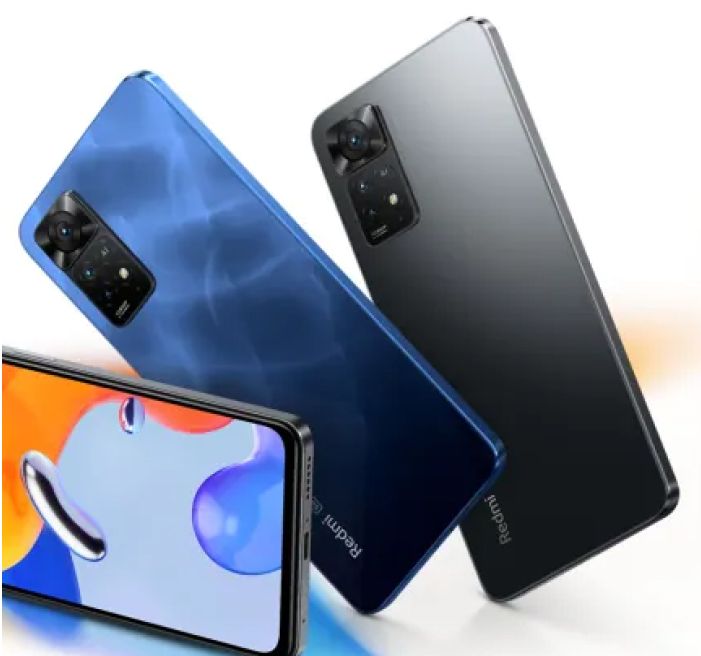


POCO M6 128 GB Storage Orion Blue (4 GB RAM)


+
Bought on easy EMI
Ex-Showroom Price
Road Tax Amount
Registration Charges
:
Easy EMI starting from
Get more EMI plans and benefits at store


Price and EMI Details
Maximum Retail Price
₹35,000
To know the best offer price, visit any of the Bajaj Finance EMI Partner Stores
Easy EMI Starting from
₹2,999 /month
The EMI amount shown is indicative and may vary during the actual purchase at the store. Meet the Bajaj Finance executive at the store for details.
Color :
Orion Blue

Orion Blue
Galactic Black

Polaris Green

Capacity :
4 GB + 128 GB
About this product
 Powered by

The POCO M6, cloaked in an elegant Orion Blue, is designed to keep up with your fast-paced life. This smartphone comes equipped with 128GB of internal storage, providing ample space for your photos, videos, and apps. The device runs on Android 13, offering a smooth and intuitive user experience. With 4GB RAM, you can multitask seamlessly and enjoy efficient performance. The POCO M6 in Orion Blue is a budget-friendly smartphone that blends style and functionality, making it ideal for those seeking a reliable and stylish device without breaking the bank. Discover everything you need to know about the POCO M6 smartphone. Once you have selected your preferred variant, you can explore the smartphone on Bajaj Mall and buy it from the Bajaj Finance partner stores. Check your eligibility in a few steps and buy your favourite gadgets without any financial strain.
Images for this product


Mobile by brands:
| OPPO Mobiles | |||
Mobile by screen size:
Mobile by budget:
5G mobiles by brand:
Brand mobile by budget:
| OPPO mobile under Rs. 20,000 | |||
| vivo mobile under Rs. 20,000 |
Mobile by features:
| Dual SIM phones | |||
| Gaming phones |
Frequently asked questions
Powered by