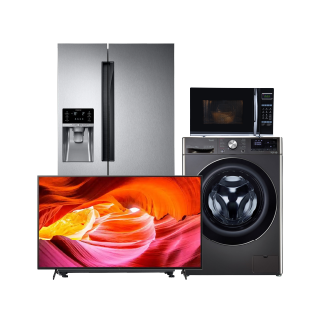
Samsung टेलीविजन शानदार पिक्चर क्वालिटी, स्मार्ट फीचर्स और स्लीक डिज़ाइन प्रदान करता है, जो हर तरह के दर्शकों के लिए प्रीमियम एंटरटेनमेंट एक्सपीरियंस प्रदान करता है. बजाज मॉल पर जाकर और नज़दीकी पार्टनर स्टोर पर जाकर Samsung टेलीविज़न घर लाएं. आसान EMI और इंस्टेंट लोन ऑफर का लाभ उठाएं. तुरंत शॉपिंग के अनुभव के लिए स्टोर पर जाने से पहले अपनी लोन योग्यता चेक करें. बजाज मॉल पर इसी तरह के अन्य प्रोडक्ट के विवरण और कीमतों के बारे में जानें या भारत के 4,000+ शहरों में 1.5 लाख+ पार्टनर स्टोर में से किसी एक पर जाएं. Samsung TV HD, फुल HD और 4K अल्ट्रा HD रिज़ोल्यूशन में उपलब्ध हैं, जिसमें क्रिस्टल डिस्प्ले, QLED टेक्नोलॉजी और HDR सपोर्ट जैसे फीचर्स हैं. बिल्ट-इन वॉयस असिस्टेंट, स्क्रीन मिररिंग और लोकप्रिय स्ट्रीमिंग ऐप के एक्सेस के साथ, ये टेलीविज़न स्मार्ट और निर्बाध व्यूइंग सुनिश्चित करते हैं. अपने भरोसेमंद परफॉर्मेंस और स्टाइलिश फ्रेम के लिए मशहूर Samsung टेलीविज़न किसी भी आधुनिक घर के लिए बेहतरीन विकल्प हैं.
सामान्य प्रश्न
Samsung क्रिस्टल UHD और QLED TV घर पर उपयोग के लिए सबसे अच्छे विकल्प हैं. ये शानदार पिक्चर क्वालिटी, स्मार्ट फीचर्स और लिविंग रूम और बेडरूम के लिए उपयुक्त कई स्क्रीन साइज प्रदान करते हैं. प्रीमियम देखने के लिए, Samsung Neo QLED और OLED TV अधिक आकर्षक मनोरंजन अनुभव प्रदान करते हैं.
Samsung स्मार्ट TV Tizen ऑपरेटिंग सिस्टम का उपयोग करते हैं. यह लोकप्रिय स्ट्रीमिंग ऐप्स, वॉयस असिस्टेंट, स्क्रीन मिररिंग और स्मार्ट होम फीचर्स का एक्सेस के साथ एक आसान और यूज़र-फ्रेंडली इंटरफेस प्रदान करता है. ऑपरेटिंग सिस्टम को आसान नेविगेशन और निर्बाध एंटरटेनमेंट अनुभव प्रदान करने के लिए डिज़ाइन किया गया है.
हां, Samsung स्मार्ट TVs Netflix, Amazon Prime वीडियो, YouTube और Disney+ Hotstar जैसे लोकप्रिय स्ट्रीमिंग प्लेटफॉर्म को सपोर्ट करते हैं. ये ऐप अधिकांश Samsung स्मार्ट TV पर पहले से इंस्टॉल होते हैं, जिससे यूज़र इंटरनेट कनेक्शन के माध्यम से सीधे मूवी, शो और लाइव कंटेंट स्ट्रीम कर सकते हैं.
हां, अधिकांश Samsung स्मार्ट TV स्क्रीन मिररिंग को सपोर्ट करते हैं. यह फीचर यूज़र को सीधे TV स्क्रीन पर स्मार्टफोन, टैबलेट और लैपटॉप से कंटेंट प्रदर्शित करने की अनुमति देता है. यह वीडियो देखने, फोटो शेयर करने, प्रेजेंटेशन देने और बड़े डिस्प्ले पर मोबाइल गेमिंग का आनंद लेने के लिए उपयोगी है.
हां, कई Samsung स्मार्ट TV वॉयस कंट्रोल सपोर्ट के साथ आते हैं. यूज़र वॉयस कमांड का उपयोग करके टेलीविजन को नियंत्रित कर सकते हैं, कंटेंट खोज सकते हैं, सेटिंग बदल सकते हैं और ऐप खोल सकते हैं. Samsung TVs चुनिंदा मॉडल में Bixby, Amazon Alexa और Google Assistant जैसे वॉयस असिस्टेंट को सपोर्ट करते हैं.
हां, अधिकांश आधुनिक Samsung स्मार्ट TV में ब्लूटूथ कनेक्टिविटी शामिल है. यह फीचर यूज़र को वायरलेस हेडफोन, साउंडबार, स्पीकर, कीबोर्ड और गेमिंग कंट्रोलर्स को आसानी से कनेक्ट करने की सुविधा देता है. ब्लूटूथ सपोर्ट सुविधा में सुधार करता है और अतिरिक्त केबल की आवश्यकता के बिना बेहतर मनोरंजन अनुभव प्रदान करता है.
Samsung TV आमतौर पर मॉडल और स्क्रीन साइज़ के आधार पर 2 से 4 HDMI पोर्ट के साथ आते हैं. ये पोर्ट यूज़र को अधिक वर्सेटाइल होम एंटरटेनमेंट सेटअप के लिए गेमिंग कंसोल, स्ट्रीमिंग डिवाइस, साउंड सिस्टम और सेट-टॉप बॉक्स जैसे डिवाइस को कनेक्ट करने की अनुमति देते हैं.
अधिकांश Samsung TV डॉल्बी विज़न टेक्नोलॉजी को सपोर्ट नहीं करते हैं. इसके बजाय, Samsung HDR10 Plus का उपयोग करता है, जो बेहतर व्यूइंग एक्सपीरियंस के लिए ब्राइटनेस, कंट्रास्ट और कलर क्वालिटी को भी बेहतर बनाता है. Samsung का मानना है कि HDR10 प्लस डॉल्बी विज़न सपोर्ट की आवश्यकता के बिना डायनामिक पिक्चर एनहांसमेंट प्रदान करता है.
LG और Samsung दोनों लोकप्रिय TV ब्रांड हैं जो विभिन्न डिस्प्ले टेक्नोलॉजी और फीचर्स के साथ मॉडलों की विस्तृत रेंज प्रदान करते हैं. Samsung TV QLED, Neo QLED, स्मार्ट फीचर्स और ब्राइट डिस्प्ले के लिए जाने जाते हैं, जबकि LG को OLED टेक्नोलॉजी और मजबूत पिक्चर क्वॉलिटी के लिए जाना जाता है. बेहतर विकल्प आपकी देखने की प्राथमिकताओं, कमरे की लाइटिंग, बजट, स्क्रीन साइज़ और आवश्यक विशेषताओं पर निर्भर करता है. उपयुक्त TV चुनने से पहले रिज़ोल्यूशन, डिस्प्ले का प्रकार, साउंड, कनेक्टिविटी, वारंटी और कीमत की तुलना करें.
सर्वश्रेष्ठ Samsung TV आपकी आवश्यकताओं पर निर्भर करता है, जैसे स्क्रीन साइज़, देखने की आदतें, बजट और पसंदीदा फीचर्स. Samsung Neo QLED और OLED TV जैसे प्रीमियम मॉडल एडवांस्ड पिक्चर क्वालिटी प्रदान करते हैं, जबकि QLED और LED मॉडल रोजमर्रा के मनोरंजन के लिए उपयुक्त हो सकते हैं. अधिकांश यूज़र्स के लिए, उपयुक्त रिज़ोल्यूशन, स्मार्ट फीचर्स, HDR सपोर्ट, अच्छी कनेक्टिविटी और उपयुक्त स्क्रीन साइज़ वाला मॉडल संतुलित अनुभव प्रदान कर सकता है. खरीदारी का निर्णय लेने से पहले हमेशा व्यक्तिगत विशेषताओं की तुलना करें.
Samsung स्मार्ट TV आमतौर पर इस्तेमाल किए जाने और सही तरीके से बनाए रखने पर कई वर्षों का भरोसेमंद परफॉर्मेंस प्रदान कर सकता है. वास्तविक जीवनकाल उपयोग के समय, ऑपरेटिंग स्थिति, डिस्प्ले टेक्नोलॉजी, वेंटिलेशन, सॉफ्टवेयर अपडेट और मेंटेनेंस पर निर्भर करता है. ब्राइटनेस सेटिंग, पावर में उतार-चढ़ाव और इंस्टॉलेशन के माहौल जैसे कारक भी लॉन्ग-टर्म परफॉर्मेंस को प्रभावित कर सकते हैं. नियमित सॉफ्टवेयर अपडेट, उचित सफाई और उपयुक्त पावर प्रोटेक्शन का उपयोग TV की परफॉर्मेंस को बनाए रखने और इसके उपयोग योग्य जीवन को बढ़ाने में मदद कर सकता है.
Samsung QLED और OLED TV अलग-अलग लाभ प्रदान करते हैं, इसलिए बेहतर विकल्प आपकी देखने की आवश्यकताओं पर निर्भर करता है. QLED TVs quantum डॉट टेक्नोलॉजी का उपयोग करते हैं और इन्हें हाई ब्राइटनेस के लिए जाना जाता है, जो उन्हें अच्छी रोशनी वाले कमरों के लिए उपयुक्त बनाता है. OLED TV डीप ब्लैक, मजबूत कंट्रास्ट और विस्तृत पिक्चर क्वॉलिटी प्रदान करते हैं. QLED रोज़मर्रा के देखने और लंबे समय तक उपयोग के लिए व्यावहारिक हो सकता है, जबकि OLED उन यूज़र्स के लिए उपयुक्त हो सकता है जो प्रीमियम सिनेमैटिक विजुअल्स चाहते हैं. चुनने से पहले कमरे की लाइटिंग, बजट, कंटेंट का प्रकार और पर्सनल प्राथमिकताओं पर विचार करें.
{
"@context": "https://schema.org",
"@type": "FAQPage",
"mainEntity": [
{
"@type": "Question",
"name": "घर पर इस्तेमाल करने के लिए कौन सा Samsung TV सबसे अच्छा है?",
"acceptedAnswer": {
"@type": "Answer",
"text": "Samsung क्रिस्टल UHD और QLED TV घर पर उपयोग के लिए सबसे अच्छे विकल्प हैं. ये शानदार पिक्चर क्वालिटी, स्मार्ट फीचर्स और लिविंग रूम और बेडरूम के लिए उपयुक्त कई स्क्रीन साइज प्रदान करते हैं. प्रीमियम देखने के लिए, Samsung Neo QLED और OLED TV अधिक आकर्षक मनोरंजन अनुभव प्रदान करते हैं."
}
},
{
"@type": "Question",
"name": "Samsung स्मार्ट TVs किस ऑपरेटिंग सिस्टम का उपयोग करते हैं?",
"acceptedAnswer": {
"@type": "Answer",
"text": "Samsung स्मार्ट TV Tizen ऑपरेटिंग सिस्टम का उपयोग करते हैं. यह लोकप्रिय स्ट्रीमिंग ऐप्स, वॉयस असिस्टेंट, स्क्रीन मिररिंग और स्मार्ट होम फीचर्स का एक्सेस के साथ एक आसान और यूज़र-फ्रेंडली इंटरफेस प्रदान करता है. ऑपरेटिंग सिस्टम को आसान नेविगेशन और निर्बाध एंटरटेनमेंट अनुभव प्रदान करने के लिए डिज़ाइन किया गया है."
}
},
{
"@type": "Question",
"name": "क्या Samsung TV Netflix और Prime वीडियो को सपोर्ट करता है?",
"acceptedAnswer": {
"@type": "Answer",
"text": "हां, Samsung स्मार्ट TVs Netflix, Amazon Prime वीडियो, YouTube और Disney+ Hotstar जैसे लोकप्रिय स्ट्रीमिंग प्लेटफॉर्म को सपोर्ट करते हैं. ये ऐप अधिकांश Samsung स्मार्ट TV पर पहले से इंस्टॉल होते हैं, जिससे यूज़र इंटरनेट कनेक्शन के माध्यम से सीधे मूवी, शो और लाइव कंटेंट स्ट्रीम कर सकते हैं."
}
},
{
"@type": "Question",
"name": "क्या Samsung TV स्क्रीन मिररिंग को सपोर्ट करते हैं?",
"acceptedAnswer": {
"@type": "Answer",
"text": "हां, अधिकांश Samsung स्मार्ट TV स्क्रीन मिररिंग को सपोर्ट करते हैं. यह फीचर यूज़र को सीधे TV स्क्रीन पर स्मार्टफोन, टैबलेट और लैपटॉप से कंटेंट प्रदर्शित करने की अनुमति देता है. यह वीडियो देखने, फोटो शेयर करने, प्रेजेंटेशन देने और बड़े डिस्प्ले पर मोबाइल गेमिंग का आनंद लेने के लिए उपयोगी है."
}
},
{
"@type": "Question",
"name": "क्या हम Samsung TV पर वॉयस कंट्रोल का उपयोग कर सकते हैं?",
"acceptedAnswer": {
"@type": "Answer",
"text": "हां, कई Samsung स्मार्ट TV वॉयस कंट्रोल सपोर्ट के साथ आते हैं. यूज़र वॉयस कमांड का उपयोग करके टेलीविजन को नियंत्रित कर सकते हैं, कंटेंट खोज सकते हैं, सेटिंग बदल सकते हैं और ऐप खोल सकते हैं. Samsung TVs चुनिंदा मॉडल में Bixby, Amazon Alexa और Google Assistant जैसे वॉयस असिस्टेंट को सपोर्ट करते हैं."
}
},
{
"@type": "Question",
"name": "क्या Samsung TV ब्लूटूथ कनेक्टिविटी के साथ आते हैं?",
"acceptedAnswer": {
"@type": "Answer",
"text": "हां, अधिकांश आधुनिक Samsung स्मार्ट TV में ब्लूटूथ कनेक्टिविटी शामिल है. यह फीचर यूज़र को वायरलेस हेडफोन, साउंडबार, स्पीकर, कीबोर्ड और गेमिंग कंट्रोलर्स को आसानी से कनेक्ट करने की सुविधा देता है. ब्लूटूथ सपोर्ट सुविधा में सुधार करता है और अतिरिक्त केबल की आवश्यकता के बिना बेहतर मनोरंजन अनुभव प्रदान करता है."
}
},
{
"@type": "Question",
"name": "Samsung TV पर कितने HDMI पोर्ट उपलब्ध हैं?",
"acceptedAnswer": {
"@type": "Answer",
"text": "Samsung TV आमतौर पर मॉडल और स्क्रीन साइज़ के आधार पर 2 से 4 HDMI पोर्ट के साथ आते हैं. ये पोर्ट यूज़र को अधिक वर्सेटाइल होम एंटरटेनमेंट सेटअप के लिए गेमिंग कंसोल, स्ट्रीमिंग डिवाइस, साउंड सिस्टम और सेट-टॉप बॉक्स जैसे डिवाइस को कनेक्ट करने की अनुमति देते हैं."
}
},
{
"@type": "Question",
"name": "क्या Samsung TV डॉल्बी विज़न को सपोर्ट करते हैं?",
"acceptedAnswer": {
"@type": "Answer",
"text": "अधिकांश Samsung TV डॉल्बी विज़न टेक्नोलॉजी को सपोर्ट नहीं करते हैं. इसके बजाय, Samsung HDR10 Plus का उपयोग करता है, जो बेहतर व्यूइंग एक्सपीरियंस के लिए ब्राइटनेस, कंट्रास्ट और कलर क्वालिटी को भी बेहतर बनाता है. Samsung का मानना है कि HDR10 प्लस डॉल्बी विज़न सपोर्ट की आवश्यकता के बिना डायनामिक पिक्चर एनहांसमेंट प्रदान करता है."
}
},
{
"@type": "Question",
"name": "LG या Samsung में कौन सा ब्रांड बेहतर है?
",
"acceptedAnswer": {
"@type": "Answer",
"text": "LG और Samsung दोनों लोकप्रिय TV ब्रांड हैं जो विभिन्न डिस्प्ले टेक्नोलॉजी और फीचर्स के साथ मॉडलों की विस्तृत रेंज प्रदान करते हैं. Samsung TV QLED, Neo QLED, स्मार्ट फीचर्स और ब्राइट डिस्प्ले के लिए जाने जाते हैं, जबकि LG को OLED टेक्नोलॉजी और मजबूत पिक्चर क्वॉलिटी के लिए जाना जाता है. बेहतर विकल्प आपकी देखने की प्राथमिकताओं, कमरे की लाइटिंग, बजट, स्क्रीन साइज़ और आवश्यक विशेषताओं पर निर्भर करता है. उपयुक्त TV चुनने से पहले रिज़ोल्यूशन, डिस्प्ले का प्रकार, साउंड, कनेक्टिविटी, वारंटी और कीमत की तुलना करें."
}
},
{
"@type": "Question",
"name": "कौन सा Samsung TV सबसे अच्छा है?
",
"acceptedAnswer": {
"@type": "Answer",
"text": "सर्वश्रेष्ठ Samsung TV आपकी आवश्यकताओं पर निर्भर करता है, जैसे स्क्रीन साइज़, देखने की आदतें, बजट और पसंदीदा फीचर्स. Samsung Neo QLED और OLED TV जैसे प्रीमियम मॉडल एडवांस्ड पिक्चर क्वालिटी प्रदान करते हैं, जबकि QLED और LED मॉडल रोजमर्रा के मनोरंजन के लिए उपयुक्त हो सकते हैं. अधिकांश यूज़र्स के लिए, उपयुक्त रिज़ोल्यूशन, स्मार्ट फीचर्स, HDR सपोर्ट, अच्छी कनेक्टिविटी और उपयुक्त स्क्रीन साइज़ वाला मॉडल संतुलित अनुभव प्रदान कर सकता है. खरीदारी का निर्णय लेने से पहले हमेशा व्यक्तिगत विशेषताओं की तुलना करें."
}
},
{
"@type": "Question",
"name": "Samsung स्मार्ट TV का जीवनकाल क्या है?
",
"acceptedAnswer": {
"@type": "Answer",
"text": "Samsung स्मार्ट TV आमतौर पर इस्तेमाल किए जाने और सही तरीके से बनाए रखने पर कई वर्षों का भरोसेमंद परफॉर्मेंस प्रदान कर सकता है. वास्तविक जीवनकाल उपयोग के समय, ऑपरेटिंग स्थिति, डिस्प्ले टेक्नोलॉजी, वेंटिलेशन, सॉफ्टवेयर अपडेट और मेंटेनेंस पर निर्भर करता है. ब्राइटनेस सेटिंग, पावर में उतार-चढ़ाव और इंस्टॉलेशन के माहौल जैसे कारक भी लॉन्ग-टर्म परफॉर्मेंस को प्रभावित कर सकते हैं. नियमित सॉफ्टवेयर अपडेट, उचित सफाई और उपयुक्त पावर प्रोटेक्शन का उपयोग TV की परफॉर्मेंस को बनाए रखने और इसके उपयोग योग्य जीवन को बढ़ाने में मदद कर सकता है."
}
},
{
"@type": "Question",
"name": "क्या Samsung QLED बेहतर है या OLED?
",
"acceptedAnswer": {
"@type": "Answer",
"text": "Samsung QLED और OLED TV अलग-अलग लाभ प्रदान करते हैं, इसलिए बेहतर विकल्प आपकी देखने की आवश्यकताओं पर निर्भर करता है. QLED TVs quantum डॉट टेक्नोलॉजी का उपयोग करते हैं और इन्हें हाई ब्राइटनेस के लिए जाना जाता है, जो उन्हें अच्छी रोशनी वाले कमरों के लिए उपयुक्त बनाता है. OLED TV डीप ब्लैक, मजबूत कंट्रास्ट और विस्तृत पिक्चर क्वॉलिटी प्रदान करते हैं. QLED रोज़मर्रा के देखने और लंबे समय तक उपयोग के लिए व्यावहारिक हो सकता है, जबकि OLED उन यूज़र्स के लिए उपयुक्त हो सकता है जो प्रीमियम सिनेमैटिक विजुअल्स चाहते हैं. चुनने से पहले कमरे की लाइटिंग, बजट, कंटेंट का प्रकार और पर्सनल प्राथमिकताओं पर विचार करें."
}
}
]}