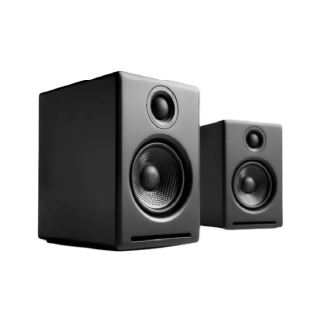
Samsung speakers combine innovative features with clear, balanced sound for an enhanced listening experience. Known for high-end audio technology and modern design, Samsung has something for everyone—whether you are a movie lover, gamer, or music enthusiast. Popular models like Samsung Soundbar T45E, Q600C, and S800B offer immersive sound with deep bass and Dolby Audio for a complete surround experience. Samsung’s seamless wireless connectivity and smart sound features make it a top choice for home audio setups. You can read more about Samsung speakers and explore their specifications and features on Bajaj Mall. Explore the details and prices of other similar products on Bajaj Mall or visit one of 1.5 lakh + partner stores across 4,000+ cities in India. Buy your favourite speaker with a pre-approved loan from Bajaj Finance and repay via Easy EMIs. Check your loan eligibility in easy steps and avail benefits like zero down payment and free home delivery on select products
Frequently Asked Questions
Samsung speakers can be connected to smart TVs using Bluetooth, HDMI ARC, optical cables, or Wi-Fi, depending on the model. For wireless connection, ensure the TV’s Bluetooth is enabled. Navigate to sound settings and select the speaker. For wired options, use the appropriate input port and set it as the output source.
Yes, select Samsung speaker models are compatible with Dolby Atmos. These speakers are designed to deliver immersive surround sound by creating a multi-dimensional audio experience. To enable Dolby Atmos, ensure the feature is supported by your TV or media device and connected through HDMI eARC or an appropriate method.
Yes, Samsung speakers with built-in smart assistants or SmartThings compatibility can be controlled using voice commands. Models with Alexa or Bixby integration allow you to play music, adjust volume, or control settings hands-free, adding convenience and smart control to your home audio setup.
Samsung’s premium soundbars with subwoofers and satellite speakers are ideal for home theatres. Models with Dolby Atmos, Q-Symphony, and high wattage output offer a cinematic experience. They are designed to pair with Samsung TVs and deliver powerful surround sound, perfect for movie watching or immersive audio.
Samsung regularly updates its audio lineup with new soundbars and wireless speakers. Some of the latest models include the HW-Q990F, HW-Q930F, HW-Q800F, and HW-QS700F soundbars, featuring Dolby Atmos, Q-Symphony, SpaceFit Sound Pro, and advanced AI-powered audio optimisation. Availability may vary depending on the market, so checking the latest models on Bajaj Mall or authorised Samsung retailers is recommended before making a purchase.
The Samsung speaker price depends on the type, features, and model. Entry-level soundbars generally start at around Rs. 10,000, while mid-range models are available between Rs. 20,000 and Rs. 40,000. Premium Dolby Atmos soundbars and advanced home theatre systems can cost Rs. 50,000 or more. Prices may vary based on ongoing offers, retailer promotions, and model availability.
To turn on a Samsung speaker, connect it to a power source if required and press the Power button on the speaker or remote control. Portable Bluetooth speakers can be powered on by pressing and holding the power button until the indicator light appears. Once switched on, pair the speaker with a TV, smartphone, tablet, or laptop using Bluetooth, Wi-Fi, or a wired connection, depending on the model.
{
"@context": "https://schema.org",
"@type": "FAQPage",
"mainEntity": [
{
"@type": "Question",
"name": "How to connect Samsung speakers to a smart TV?",
"acceptedAnswer": {
"@type": "Answer",
"text": "Samsung speakers can be connected to smart TVs using Bluetooth, HDMI ARC, optical cables, or Wi-Fi, depending on the model. For wireless connection, ensure the TV’s Bluetooth is enabled. Navigate to sound settings and select the speaker. For wired options, use the appropriate input port and set it as the output source."
}
},
{
"@type": "Question",
"name": "Are Samsung speakers compatible with Dolby Atmos?",
"acceptedAnswer": {
"@type": "Answer",
"text": "Yes, select Samsung speaker models are compatible with Dolby Atmos. These speakers are designed to deliver immersive surround sound by creating a multi-dimensional audio experience. To enable Dolby Atmos, ensure the feature is supported by your TV or media device and connected through HDMI eARC or an appropriate method."
}
},
{
"@type": "Question",
"name": "Can I control Samsung speakers using voice commands?",
"acceptedAnswer": {
"@type": "Answer",
"text": "Yes, Samsung speakers with built-in smart assistants or SmartThings compatibility can be controlled using voice commands. Models with Alexa or Bixby integration allow you to play music, adjust volume, or control settings hands-free, adding convenience and smart control to your home audio setup."
}
},
{
"@type": "Question",
"name": "What are the best Samsung speakers for a home theatre system?",
"acceptedAnswer": {
"@type": "Answer",
"text": "Samsung’s premium soundbars with subwoofers and satellite speakers are ideal for home theatres. Models with Dolby Atmos, Q-Symphony, and high wattage output offer a cinematic experience. They are designed to pair with Samsung TVs and deliver powerful surround sound, perfect for movie watching or immersive audio."
}
},
{
"@type": "Question",
"name": "What is the new Samsung speaker model?
",
"acceptedAnswer": {
"@type": "Answer",
"text": "Samsung regularly updates its audio lineup with new soundbars and wireless speakers. Some of the latest models include the HW-Q990F, HW-Q930F, HW-Q800F, and HW-QS700F soundbars, featuring Dolby Atmos, Q-Symphony, SpaceFit Sound Pro, and advanced AI-powered audio optimisation. Availability may vary depending on the market, so checking the latest models on Bajaj Mall or authorised Samsung retailers is recommended before making a purchase."
}
},
{
"@type": "Question",
"name": "What is the price of a Samsung speaker?
",
"acceptedAnswer": {
"@type": "Answer",
"text": "The Samsung speaker price depends on the type, features, and model. Entry-level soundbars generally start at around Rs. 10,000, while mid-range models are available between Rs. 20,000 and Rs. 40,000. Premium Dolby Atmos soundbars and advanced home theatre systems can cost Rs. 50,000 or more. Prices may vary based on ongoing offers, retailer promotions, and model availability."
}
},
{
"@type": "Question",
"name": "How to turn on a Samsung speaker?
",
"acceptedAnswer": {
"@type": "Answer",
"text": "To turn on a Samsung speaker, connect it to a power source if required and press the Power button on the speaker or remote control. Portable Bluetooth speakers can be powered on by pressing and holding the power button until the indicator light appears. Once switched on, pair the speaker with a TV, smartphone, tablet, or laptop using Bluetooth, Wi-Fi, or a wired connection, depending on the model."
}
}
]}