- मोबाइल्स
- इलेक्ट्रॉनिक्स
- होम और किचन
- फर्नीचर
- टू-व्हीलर
- कार
- शिक्षा
- स्वास्थ्य
- ट्रैक्टर
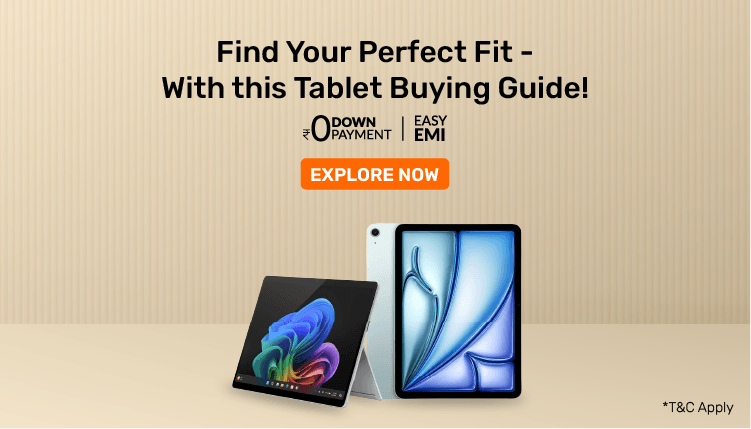

आज, टैबलेट कई चीजों के लिए बहुत उपयोगी हैं जैसे ऑनलाइन क्लास, घर से काम करना, ड्रॉइंग या फिल्म देखना. क्योंकि बहुत से लोग घर से काम कर रहे हैं, इसलिए अधिक लोग ऐसी टैबलेट चाहते हैं जो अच्छी हों और बहुत महंगी न हों. भारत में, अब अधिक लोग टैबलेट का उपयोग कर रहे हैं, जिसमें पिछले वर्ष में 30 की वृद्धि हुई है.
यह गाइड आपको सही टेबल चुनने में मदद करेगी, आप इसका उपयोग कैसे करेंगे, आपको किन सुविधाओं की आवश्यकता है और आप कितना पैसा खर्च कर सकते हैं.
सही टैबलेट चुनना इस बात पर निर्भर करता है कि आपको इसकी आवश्यकता क्या है:
• छात्र और कैजुअल यूज़र: बुनियादी विशेषताओं वाला टैबलेट चुनें. यह पढ़ने, इंटरनेट ब्राउज़ करने और ऑनलाइन क्लास में भाग लेने के लिए अच्छा होना चाहिए.
• प्रोफेशनल: हाई-परफॉर्मेंस टैबलेट चुनें. इसे एक साथ कई कार्यों को संभालना चाहिए, प्रेजेंटेशन के लिए अच्छा होना चाहिए और वीडियो कॉल के लिए अच्छा काम करना चाहिए.
• आर्टिस्ट और डिज़ाइनर: ग्राफिक टैबलेट देखें. इसके पास विस्तृत कार्य के लिए स्टाइलस (एक विशेष पेन) और हाई-रिज़ोल्यूशन स्क्रीन होना चाहिए.
• गेमर्स और एंटरटेनमेंट प्रेमी: एक मजबूत प्रोसेसर और चमकदार, रंगीन स्क्रीन के साथ टैबलेट पाएं. इससे गेम और मूवी शानदार दिखेंगी.
विभिन्न आवश्यकताओं के अनुसार ग्राफिक टैबलेट की विस्तृत रेंज ढूंढें.
OS इस बात को प्रभावित करता है कि आप टैबलेट का उपयोग कैसे करते हैं. Android सुविधाजनक है, iOS सरल और सुरक्षित है, जबकि Windows डेस्कटॉप जैसा अनुभव प्रदान करता है. काम, पढ़ाई या खेल के लिए अपनी सुविधा और ऐप की आवश्यकताओं के आधार पर OS चुनें. अधिकांश ऑफिस के लोग Windows 10 टैबलेट को पसंद करते हैं.
ऑपरेटिंग सिस्टम | फीचर्स | ध्यान दें |
|---|---|---|
Android | कस्टमाइज़ेबल, वाइड ऐप सपोर्ट | ब्रांड और वर्ज़न के अनुसार अलग-अलग होता है |
iOS | तेज़, सुरक्षित, नियमित अपडेट | Apple डिवाइस तक सीमित |
विंडोज़ 10 | ऑफिस ऐप के साथ लैपटॉप की तरह काम करता है | भारी OS, अधिक मेमोरी की आवश्यकता होती है |
टैबलेट स्क्रीन का साइज़ पोर्टेबिलिटी और व्यूइंग एक्सपीरियंस को प्रभावित करता है. छोटी स्क्रीन को ले जाना आसान है, जबकि बड़ी स्क्रीन वीडियो देखने या मल्टीटास्किंग करने के लिए बेहतर होती है. सर्वश्रेष्ठ experience.12-inch टैबलेट के लिए अपने उपयोग स्टाइल से मैच करें प्रोफेशनल के लिए पसंदीदा विकल्प हैं.
स्क्रीन का आकार | इनके लिए आदर्श | उदाहरण |
|---|---|---|
7-8 इंच | पोर्टेबिलिटी, रीडिंग | कॉम्पैक्ट टैबलेट |
9-11 इंच | संतुलित दैनिक उपयोग | स्टैंडर्ड टैबलेट |
12 इंच और उससे अधिक | डिज़ाइन, प्रोडक्टिविटी | प्रोफेशनल टैबलेट |
RAM यह निर्धारित करती है कि एक टैबलेट कई कार्यों को कितने अच्छी तरह से हैंडल कर सकता है. बेसिक यूज़र को लाइट रीडिंग के लिए 2-3GB RAM टैबलेट चाहिए, जबकि 4-6GB स्मूथ मल्टीटास्किंग के लिए आदर्श है. गेमिंग या प्रोफेशनल काम के लिए 8GB या उससे अधिक चुनें.
Ram साइज़ | सर्वश्रेष्ठ | टैबलेट का प्रकार |
|---|---|---|
2-3GB | रीडिंग, ऑनलाइन क्लास | एंट्री-लेवल टैबलेट |
4-6GB | ब्राउज़िंग, वीडियो कॉल | मिड-रेंज टैबलेट |
8GB+ | गेमिंग, भारी उपयोग | प्रीमियम टैबलेट्स |
प्रोसेसर स्पीड और रिस्पॉन्स को नियंत्रित करता है. MediaTek जैसे एंट्री-लेवल चिप्स ब्राउज़िंग के लिए बेहतरीन हैं. Snapdragon चिप्स गेमिंग और ऐप को सपोर्ट करते हैं, जबकि Apple के M1/M2 और Dimensity 9000+ हाई-परफॉर्मेंस टास्क के लिए बेहतरीन हैं. Android टैबलेट छात्रों और वर्किंग प्रोफेशनल दोनों के लिए एक किफायती विकल्प है.
प्रोसेसर का प्रकार | परफॉर्मेंस का लेवल | किसके लिए उपयुक्त है |
|---|---|---|
MediaTek/यूनिसॉक | बेसिक | रीडिंग, ब्राउज़िंग |
Snapdragon 600 सीरीज़ | मध्यम | मल्टीमीडिया, कॉलिंग |
Snapdragon 800 सीरीज़ | अधिक | गेमिंग, काम |
Apple M1/M2 | प्रीमियम | क्रिएटिव और प्रोफेशनल वर्क |
टैबलेट केवल वाई-फाई-फाई हो सकता है या इंटरनेट के लिए कहीं भी SIM-आधारित 4G/5G प्रदान कर सकता है. अगर आप बहुत ज़्यादा मूव करते हैं, तो SIM-सपोर्ट वाला मॉडल चुनें. घर या ऑफिस के उपयोग के लिए, वाई-फाई-ओनली टैबलेट अधिक किफायती होते हैं. 5G या 4G टैबलेट हमेशा यात्रा करने वाले लोगों के लिए आदर्श हैं.
कनेक्टिविटी | लाभ | आदर्श उपयोग केस |
|---|---|---|
केवल Wi-Fi | सस्ते, घर के लिए अच्छा | छात्र, घर के कर्मचारी |
वाई-फाई +4G/5G | कहीं भी इंटरनेट | यात्री, प्रोफेशनल |
2026 में, सभी छात्रों, कार्यकर्ताओं, कलाकारों और लोगों के लिए कई टैबलेट हैं जो बस मज़ेदार होना चाहते हैं. इन टैबलेट में मजबूत प्रोसेसर, ब्राइट स्क्रीन, बहुत सारी मेमोरी (RAM) और लंबी बैटरी लाइफ होती हैं. आप एक ऐसा टैबलेट खोज सकते हैं जो आपके बजट और आवश्यकताओं के अनुसार हो, चाहे वह मनोरंजन हो, काम हो या सृजनशीलता के लिए हो. कई टैबलेट इंटरनेट के लिए SIM कार्ड का उपयोग कर सकते हैं, ड्रॉइंग के लिए स्टाइलस सपोर्ट है, और जल्दी चार्ज कर सकते हैं. अगर आप उच्च क्वॉलिटी और अच्छी विशेषताएं चाहते हैं, तो Samsung टैबलेट एक अच्छा विकल्प है.
1. Samsung Galaxy Tab S9 FE+:12.4-inch डिस्प्ले, Exynos 1380 प्रोसेसर, 8GB RAM और S पेन सपोर्ट के साथ प्रीमियम Android टैबलेट. अपने 90Hz स्क्रीन रिफ्रेश रेट और DeX सपोर्ट के साथ प्रोडक्टिविटी, मीडिया कंजप्शन और मल्टीटास्किंग के लिए आदर्श.
2. Apple iPad Air (5th Gen):M1 चिप द्वारा संचालित, यह 10.9-inch iPad गेमिंग, वीडियो एडिटिंग और डिज़ाइन के लिए बेजोड़ परफॉर्मेंस प्रदान करता है. यह Apple Pencil 2 को सपोर्ट करता है और बेहतरीन कैमरा और बैटरी लाइफ के साथ आता है.
3. Lenovo Tab P12 Pro: Snapdragon 870 प्रोसेसर और 6GB RAM वाला 12.6-inch AMOLED डिस्प्ले टैबलेट. फिल्म, रीडिंग और हल्की प्रोडक्टिविटी के लिए बेहतरीन है. इमर्सिव ऑडियो के लिए फास्ट चार्जिंग और JBL-ट्यून्ड क्वाड स्पीकर प्रदान करता है.
4. Xiaomi Pad 6 Snapdragon 870 चिपसेट और 144Hz डिस्प्ले के साथ यह 11-इंच का टैबलेट गेमर्स और छात्रों के लिए बेहतरीन है. 8GB RAM और 256GB तक की स्टोरेज के साथ हल्का और टिकाऊ, यह स्मूथ मल्टीटास्किंग और ऐप परफॉर्मेंस सुनिश्चित करता है.
5. realme Pad X: बजट-फ्रेंडली 10.95-inch टैबलेट जिसमें Snapdragon 695 प्रोसेसर, 6GB RAM और 4G सपोर्ट है. इसे रोज़ाना के इस्तेमाल जैसे Dolby Atmos स्पीकर के साथ रीडिंग, वीडियो कॉल और स्ट्रीमिंग और बड़े बैटरी बैकअप के लिए डिज़ाइन किया गया है.
6. OnePlus पैड: 11.61-inch 144Hz डिस्प्ले, डायमेंसिटी 9000 प्रोसेसर और 8GB RAM के साथ, यह टैबलेट परफॉर्मेंस और डिस्प्ले क्वालिटी में बेहतरीन है. काम, गेमिंग और क्रिएटिव टास्क के लिए बेहतरीन है. इसमें मैग्नेटिक कीबोर्ड और स्टाइलस सपोर्ट भी है.
7. Apple iPad (10th Gen):10.9-inch डिस्प्ले और A14 बायोनिक चिप के साथ एक वैल्यू-पैक्ड iPad. USB-C चार्जिंग के साथ अधिक किफायती कीमत पर Apple इकोसिस्टम एक्सेस की तलाश करने वाले छात्रों और कैजुअल यूज़र्स के लिए उपयुक्त.
8. Samsung Galaxy Tab A9+:एक मिड-रेंज टैबलेट जो बड़ी 11-इंच की स्क्रीन, Snapdragon 695 प्रोसेसर और Dolby Atmos स्पीकर प्रदान करता है. किफायती कीमत और Samsung Knox सुरक्षा के साथ छात्रों और परिवारों के लिए आदर्श.
9. motorola टैब G70 LTE:2K 11-इंच डिस्प्ले, MediaTek Helio G90T चिपसेट और 4G सपोर्ट के साथ, यह टैबलेट रोजमर्रा की एंटरटेनमेंट और स्टडी आवश्यकताओं के लिए उपयुक्त है. इसमें क्वाड स्पीकर और IP52 वॉटर रेजिस्टेंस भी है.
10. Nokia T21 टैबलेट:UNISOC T612 प्रोसेसर और 4GB RAM के साथ किफायती 10.36-inch डिस्प्ले टैबलेट. ई-लर्निंग और वेब ब्राउज़िंग जैसे हल्के उपयोग के लिए परफेक्ट, यह टैबलेट मेटल बिल्ड, 4G LTE सपोर्ट और लंबी बैटरी लाइफ प्रदान करता है.
| सर्वाधिक बिकने वाले टैबलेट | Easy EMI | कीमत |
|---|---|---|
|
iPad Wi-Fi 11 inch 128 GB Storage Tablet Silver
|
₹4158/month | ₹49900 |
|
iPad Wi-Fi 11 inch 128 GB Storage Tablet Blue
|
₹4158/month | ₹49900 |
|
Lenovo Idea Tab 5G 11 inch 256 GB Storage Grey Pen (8 GB RAM)
|
₹2667/month | ₹43000 |
|
Redmi Pad 2 Pro 5G 12.1 inch 256 GB Storage Graphite Grey (8 GB RAM)
|
₹2833/month | ₹33999 |
|
Samsung Galaxy Tab A11+ 5G 128 GB Storage Gray (6 GB RAM)
|
₹1373/month | ₹32959 |
|
Lenovo Idea Tab Plus 256 GB Storage Luna Grey (8 GB RAM)
|
₹3083/month | ₹52000 |
|
Redmi Pad 2 Pro 5G 12.1 inch 128 GB Storage Graphite Grey (8 GB RAM)
|
₹2667/month | ₹31999 |
|
iPad Wi-Fi 11 inch 256 GB Storage Tablet Blue
|
₹5158/month | ₹61900 |
|
Redmi pad 2 pro 5G 12.1 inch 256 GB Quick Silver (8 GB Ram)
|
₹2833/month | ₹33999 |
|
Redmi Pad 2 4G Tab 256 GB Storage Graphite Grey (8 GB RAM)
|
₹2083/month | ₹24999 |


मोबाइल फोन और सहायक एक्सेसरीज

मोबाइल फोन
Apple

स्मार्टवॉच

हेडफोन्स

इयरफोन्स

इयरबड्स

विस्तारित वारंटी
इलेक्ट्रॉनिक एप्लायंसेज

इलेक्ट्रॉनिक्स

टेलिविज़न

होम एप्लायंसेज

फ्रिज

Air Conditioners

किचन एप्लायंसेज

वॉशिंग मशीन

लैपटॉप्स

एयर कूलर

कैमरा और एक्सेसरीज

वॉटर प्यूरीफायर

माइक्रोवेव अवन

टैबलेट

हेडफोन्स

इलेक्ट्रिक मसाजर

विस्तारित वारंटी
होम और किचन एप्लायंसेज

सिलाई मशीन

डिशवॉशर

वैक्यूम क्लीनर

वॉटर गीज़र

एयर प्यूरीफायर

चिमनी
रूम हीटर

कुकटॉप और चूल्हे

विस्तारित वारंटी
ऑफर व रिवॉर्ड

आपके ऑफर और रिवॉर्ड
सेविंग कैलकुलेटर

क्लियरेंस सेल

1 EMI की छूट

ज़ीरो डाउन पेमेंट

नई पेशकश
फर्नीचर

फर्नीचर

सोफे

बेड

वार्डरोब

डाइनिंग सेट

कुर्सियां

मेज़

मैट्रेस

तकिए
टू-व्हीलर

सभी टू व्हीलर

नई पेशकश

बाइक्स

स्कूटर

इलेक्ट्रिक स्कूटर्स

इलेक्ट्रिक बाइक्स

साइकिल
कार व ट्रैक्टर

नई कारें

यूज़्ड कारें

ट्रैक्टर

इलेक्ट्रिक कारें
न्यू कार लोन EMI कैलकुलेटर

यूज़्ड कार लोन EMI कैलकुलेटर
शैक्षिक कोर्स


छात्रों के लिए कोर्स

JEE मेन/एडवांस

NEET
वीडियो और म्यूज़िक

म्यूज़िक और ऑडियो

होम थिएटर सिस्टम

साउंड बार

स्पीकर्स

हेडफोन्स

इयरफोन्स

इयरबड्स

प्रोजेक्टर
स्पोर्ट्स और फिटनेस


साइकिल

फिटनेस के इक्विपमेंट

ट्रेडमिल

एक्सरसाइज़ साइकिल और बाइक
ब्रांड और पार्टनर स्टोर


ब्रांड पार्टनर ढूंढें

स्टोर लोकेटर
EMI पर सब कुछ

EMI प्लान्स की दुनिया

1 EMI की छूट

EMI नेटवर्क कैलकुलेटर

न्यू कार लोन EMI कैलकुलेटर

यूज़्ड कार लोन EMI कैलकुलेटर
न्यूज़ और आर्टिकल्स

नए आर्टिकल्स
खरीद गाइड

वॉटर प्यूरीफायर खरीदने की गाइड

वॉटर हीटर गीज़र खरीदने की गाइड

वॉशिंग मशीन खरीदने की गाइड

नई कार खरीदने की गाइड

टायर खरीदने की गाइड

टेलीविजन खरीदने की गाइड

टैबलेट खरीदने की गाइड

स्पीकर खरीदने की गाइड

साउंडबार खरीदने की गाइड

स्मार्टवॉच खरीदने की गाइड

रेफ्रिजरेटर खरीदने की गाइड

मोबाइल खरीदने की गाइड

मैट्रेस खरीदने की गाइड

लैपटॉप खरीदने की गाइड

होम थिएटर खरीदने की गाइड

साइकिल खरीदने की गाइड

कैमरा खरीदने की गाइड

टू-व्हीलर खरीदने की गाइड

एयर प्यूरीफायर खरीदने की गाइड

एयर कूलर खरीदने की गाइड

एयर कंडीशनर खरीदने की गाइड
आपका सामान